- Notifications
You must be signed in to change notification settings - Fork259
A Text User Interface library for the Rust programming language
License
gyscos/cursive
Folders and files
| Name | Name | Last commit message | Last commit date | |
|---|---|---|---|---|
Repository files navigation


Cursive is a TUI (Text User Interface) library for rust. It uses thecrossterm backend by default, butother backends are available.
It allows you to build rich user interfaces for terminal applications.
It is designed to be safe and easy to use:
[dependencies]cursive ="0.21"
Or to use the latest git version:
[dependencies]cursive = {git ="https://github.com/gyscos/cursive" }
use cursive::views::{Dialog,TextView};fnmain(){// Creates the cursive root - required for every application.letmut siv = cursive::default();// Creates a dialog with a single "Quit" button siv.add_layer(Dialog::around(TextView::new("Hello Dialog!")).title("Cursive").button("Quit", |s| s.quit()));// Starts the event loop. siv.run();}
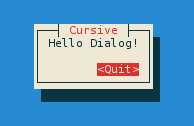
Check out the otherexamples to get these results, and more:
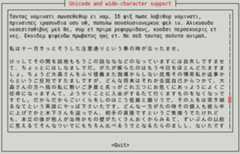
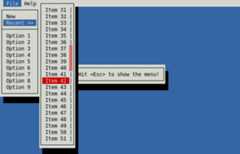
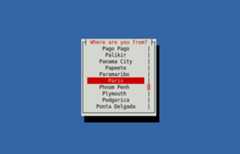
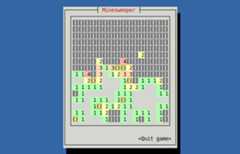
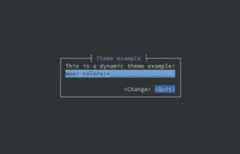
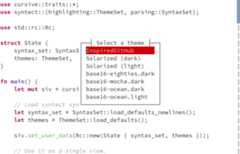
(Colors may depend on your terminal configuration.)
These tutorials may help you get started with cursive:
Here are a few crates implementing new views for you to use:
- cursive-aligned-view: A view wrapper for gyscos/cursive views which aligns child views.
- cursive-async-view: A loading-screen wrapper.
- cursive-flexi-logger-view: An alternative debug view using
emabee/flexi_logger. - cursive-markup: A view that renders HTML or other markup.
- cursive-multiplex: A tmux like multiplexer.
- cursive-spinner-view: A spinner view.
- cursive-tabs: Tabs.
- cursive_calendar_view: A basic calendar view implementation.
- cursive_hexview: A simple hexview.
- cursive_table_view: A basic table view component.
- cursive_tree_view: A tree view implementation.
- cursive-hjkl: Wraps any view to use Vim-like
hjklcontrols.
Here are some cool applications using cursive:
- RustyChat: Chat client made using Rust and Cursive.
- checkline: Checkbox line picker from stdin to stdout.
- clock-cli: A clock with stopwatch and countdown timer functionalities.
- fui: Add CLI & form interface to your program.
- game2048-rs: a tui game2048 using Rust and cursive.
- git-branchless: Branchless workflow for Git.
- grin-tui: Minimal implementation of the MimbleWimble protocol.
- kakikun: A paint and ASCII art application for the terminal.
- launchk: Manage launchd agents and daemons on macOS.
- markline: Marker-based line picker from stdin to stdout.
- mythra: CLI to search for music.
- ncspot: Cross-platform ncurses Spotify client.
- rbmenu-tui: A TUI for bookmark management.
- retris: A simple implementation of the classic tetris game.
- ripasso: A simple password manager written in Rust.
- rusty-man: Browse rustdoc documentation.
- saci-rs: Simple API Client Interface.
- so: A terminal interface for Stack Overflow.
- sudoku-tui: Play sudoku on the command line.
- tap: An audio player for the terminal with fuzzy finder.
- ttyloop: Clone of the mobile game Loop.
- wiki-tui: A simple and easy to use Wikipedia Text User Interface
- glues: A simple note-taking app with Git, CSV, and JSON support
- Ease of use. Simple apps should be simple. Complex apps should be manageable.
- Linux TTY Compatibility. Colors may suffer, and UTF-8 may be too much, but most featuresmust work properly on a Linux TTY.
- Flexibility. This library should be able to handle simple UI scripts, complex real-time applications, or even games.
- In particular, it tries to have enough features to recreate these kind of tools:

First off, terminals are messy. A small set of features is standard, but beyond that, almost every terminal has its own implementation.
- Colors: the basic 8-colors palette should be broadly supported. User-defined colors is not supported in the raw linux TTY, but should work in most terminals, although it's still kinda experimental.
- UTF-8: Currently Cursive really expects a UTF-8 locale. It may eventually get patched to support window borders on other locales, but it's not a priority.There is initial support forwide characters.RTL supportis planned, but still very early.
- The
key_codesexample can be a useful tool to see how the library reacts to various key presses. - Keep in mind that if the terminal has shortcuts registered, they probably won't be transmitted to the app.
- UTF-8 input should work fine in a unicode-enabled terminal emulator, but raw linux TTY may be more capricious.
See alsoratatui - and a smallcomparison page.
About
A Text User Interface library for the Rust programming language
Topics
Resources
License
Code of conduct
Contributing
Uh oh!
There was an error while loading.Please reload this page.