- Notifications
You must be signed in to change notification settings - Fork23
eddelbuettel/pinp
Folders and files
| Name | Name | Last commit message | Last commit date | |
|---|---|---|---|---|
Repository files navigation


The template provided by the PNAS Article template in therticles package makes it very easyand convenient to create attractive looking two-column papers with an optionto switch to a one-column paper.
There were however a few changes we wanted to make such as the use of standard natbib citations,more extended use of color, a different font as well as the removal of a number of PNAS-specifictitle page items as well as general code and use simplification via a single LaTeX class file. Sothispinp package started.
As of release 0.0.2, the package now has a vignette:
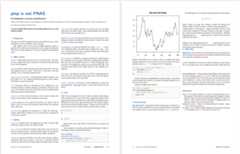
A complete pdf example of the two-column default template isprovidedhereby the new introductoryRcpp vignette, which isitself based on ourPeerJ Prepint.
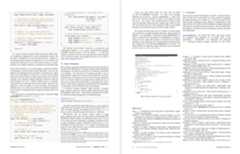
A screenshot of the first two pages:
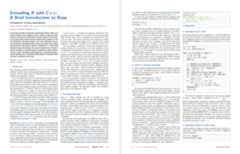
and the next two pages, showing a two-column figure
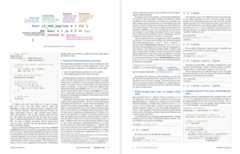
followed by pages five and six
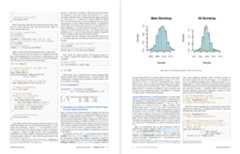
and the final two pages:
Other Rcpp vignettes have been converted as well.
The package is working as expected, and available viaCRAN.
Use the standard
install.packages("pinp")to install it from CRAN, and then use as a Markdown template via RStudio, or use code such as
library(rmarkdown)draft("mypaper.Rmd",template="pdf",package="pinp",edit=FALSE)render("mypaper.Rmd")
to create a first draft of a newmypaper.Rmd.
Beyond the R package dependencies, a workingpandoc binary is needed. RStudio installsits own copy, otherwise do what is needed on your OS (i.e., something likesudo apt-get install pandoc pandoc-citeproc).
The pdf mode requires a fairly complete LaTeX installation, and has been used on Ubuntu and macOS.On Debian/Ubuntu, the following packages should provide a working set:
texlive-basetexlive-binariestexlive-fonts-extratexlive-fonts-recommendedtexlive-generic-recommendedtexlive-humanitiestexlive-latex-basetexlive-latex-extratexlive-latex-recommendedtexlive-picturestexlive-publisherstexlive-science- binb: Binb is not Beamer: Stylish pdf Presentations from RMarkdown
- linl: Linl is not Letter: LaTeX letters from RMarkdown
- tint: tint is not tufte: Beautiful pdf or html handout or writeups
and theminm package installing all of them.
Dirk Eddelbuettel and James Balamuta, leaning on the earlier work by JJ et al in therticles package.
The authors of the underlying PNAS LaTeX Style are not explicitedly listed,but PNAS refers toOverleaf.
GPL-3 for this package, as well as the short code taken with grateful acknowledgements from therticles package.
The main PNAS LaTeX style file (and supporting files) are under theLPPL (LaTeX Project Public License) version 1.3 or later.
About
Pinp Is Not PNAS -- Two-Column PDF Template
Topics
Resources
Uh oh!
There was an error while loading.Please reload this page.
Stars
Watchers
Forks
Packages0
Uh oh!
There was an error while loading.Please reload this page.
Contributors6
Uh oh!
There was an error while loading.Please reload this page.