- Notifications
You must be signed in to change notification settings - Fork10
An actual useful fork of the console.image. Snapshot the canvas and output it to the console.
adriancooney/console.snapshot
Folders and files
| Name | Name | Last commit message | Last commit date | |
|---|---|---|---|---|
Repository files navigation
console.snapshot takes and inputted<canvas> element and outputs a snapshot of it into the console. It makes debugging the canvas a little less dramatic. Seethis demo.console.snapshot is a fork of theconsole.image and actually does something useful.
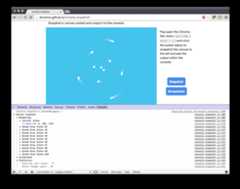
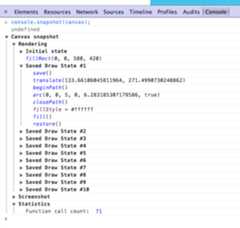
console.snapshot profiles a canvas for 1 iteration in the browser render loop or for onerequestAnimationFrame tick and outputs the canvas context call stack and state changes to the console.
varcanvas=document.getElementById("canvas");console.snapshot(canvas);
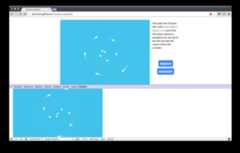
console.screenshot takes in aHTMLCanvasElement, base64 encodes it usingtoDataURL and then outputs it to the canvas usingconsole.image. You can also pass along an optional scale factor to scale down the outputted image for better viewing within the Dev tools.
varcanvas=document.createElement("canvas"),ctx=canvas.getContext("2d");// ...//draw// ...console.screenshot(canvas);console.screenshot(canvas,0.8);//Snapshot it and scale the output to 80% of the original size
console.image outputs an image from a url into the console. Seeconsole.image.
console.image("http://i.imgur.com/wWPQK.gif");
This is caused by printing a non CORS-enabled image on the canvas. The browser blocks thetoDataURL function which is whatconsole.image depends on to print the canvas. To fix this, seethis tutorial on HTML5Rocks or consider passing your image through a CORS proxy such ascorsproxy.com.
License: MIT
About
An actual useful fork of the console.image. Snapshot the canvas and output it to the console.
Resources
Uh oh!
There was an error while loading.Please reload this page.