- Notifications
You must be signed in to change notification settings - Fork54
cwatson/brainGraph
Folders and files
| Name | Name | Last commit message | Last commit date | |
|---|---|---|---|---|
Repository files navigation


brainGraph (RRID: SCR_017260) is anR package for performing graph theoryanalyses of brain MRI data. It is most useful in atlas-based analyses (e.g., using an atlas such asAAL,or one fromFreesurfer); however, many ofthe computations (e.g., theGLM-basedfunctions and the network-based statistic) will work with any graph thatis compatible withigraph. The package willperform analyses forstructural covariance networks (SCN), DTI tractography(I useprobtrackx2 fromFSL), andresting-state fMRI covariance (I have used the Matlab-basedDPABItoolbox).
- Requirements
- Compatibility
- Installation
- Usage - the User Guide
- Major changes in v3.0.0
- Graph measures
- Visualization
- Getting Help
- Future versions
The packageshould work "out-of-the-box" onLinux systems (at least on RedHat-based systems; i.e., CentOS, RHEL, Scientific Linux, etc.) since almost alldevelopment (and use, by me) has been on computers running CentOS 6 and (currently)CentOS 7. I have also had success running it (and did some development) onWindows 7, and have heard from users that it works on some versions of Mac OSand on Ubuntu. Please see the User Guide (mentioned below) for more details.
ManybrainGraph functions utilize multiple CPU cores. This is primarily donevia theforeachpackage. Depending on your OS, you will need to installdoMC (macOS andLinux)ordoSNOW(Windows).
I mostly use Freesurfer and FSL, but the following software packages should be suitable.Note that this is an incomplete list; any software that can output a connectivity matrix will work.
There are several brain atlases for which the data are present inbrainGraph.Atlases containing.scgm in the name contain both cortical andSubCortical Gray Matter (SCGM) regions.
dkanddk.scgm:Desikan-Killianydktanddkt.scgm:Desikan-Killiany-Tourvilledestrieuxanddestrieux.scgm:Destrieuxaal90andaal116:Automated Anatomical Labeling atlasaal2.94andaal2.120:AAL-2brainsuite:Brainsuitecraddock200:Craddock-200dosenbach160:Dosenbach-160hoa112:Harvard-Oxford atlaslpba40:LONI Probabilistic Brain Atlashcp_mmp1.0:HCP-1mmpower264:Power-264gordon333:Gordon-333brainnetome:Brainnetome
Some functions accept acustom.atlas argument, so that you can analyze data that is from an atlas not present inbrainGraph.Other atlases to be added in the future include the following (I would need specific coordinate, region name, and lobe and hemisphere information):
- Shen-268
- Von Economo-Koskinas
- Willard-499 (seeRichiardi et al., 2015)
- Schaefer-400(seeSchaefer et al., 2018)
There are (primarily) two ways to install this package:
- Directly from CRAN: (use one of the following commands)
install.packages('brainGraph')install.packages('brainGraph',dependencies=TRUE)
- From the GitHub repo (for development versions). This requires that thedevtoolspackage be installed:
devtools::install_github('cwatson/brainGraph')
This should install all of the dependencies needed along with the packageitself. For more details, see theUser Guide (PDF link).
To set up your R session for parallel processing, you can use the following code. Note that it is different forWindows.This code should be run before any data processing. If you will always use a single OS, you can remove the unnecessary lines.
OS<-.Platform$OS.typeif (OS=='windows') { library(snow) library(doSNOW)num.cores<- as.numeric(Sys.getenv('NUMBER_OF_PROCESSORS'))cl<- makeCluster(num.cores,type='SOCK') clusterExport(cl,'sim.rand.graph.par')# Or whatever functions you will use registerDoSNOW(cl)}else { library(doMC) registerDoMC(detectCores()-1L)# Keep 1 core free}
For example, I source the following simple script before I do any parallel processing withbrainGraph:
pacman::p_load(brainGraph,doMC)registerDoMC(detectCores())
On some systems (e.g.,macOS andWindows) it might be difficult toinstall the necessary packages/dependencies for the GUI functions. Sincev2.2.0 (released 2018-05-28),the R packagesRGtk2andcairoDevicehave been changed toSuggests (i.e., they are no longer required),so it can be installed on a "headless" server.
If you are onmacOS orWindows and would like GUI functionality, please seethis GitHub Gist. The commentscontain more recent information.You may also need to install a few additional packages, shown here:
install.packages('gWidgets',dependencies=TRUE)install.packages('gWidgetsRGtk2',dependencies=TRUE)install.packages('RGtk2Extras',dependencies=TRUE)
There are a few suggested packages that may be required for certain functions:
RGtk2andcairoDevice: as mentioned above, these are required to use the GUIboot: required forbrainGraph_bootHmisc: required forcorr.matrixade4: required forlooandaopexpm: required forcommunicabilityandcentr_betw_comm
I have a User Guide that containsextensive code examples for analyses common tobrain MRI studies. I also include some code for getting your datainto RfromFreesurfer, FSL, and DPABI, and some suggestions for workflow organization.
The User Guide is the most complete documentation of this package.If you are a beginner using R, I encourage you to read it thoroughly.You may start with thePrefaceor at whichever chapter is suitable for your analyses.
There are several major changes inv3.0.0. See the User Guide for more extensive details.
- There are several fewer package dependencies, allowing for a quicker install process
- There are a few new built-in atlases (see below for the full list)
- Graph creation is simpler (in terms of code) with the new
brainGraphListobject - The GLM-based functions are significantly faster and easily handle large models. The most significant speed improvements are seen in
NBSandmtpc - There are more methods to calculate GLM-based statistics (including residuals, coefficient of determination, ANOVA, etc.)
- There are global options that give the user some more control
- There are other methods that make manipulating data objects easier/more flexible
To access the User Guide, a PDF is available atthis link.
In addition to the extensive list of measures available inigraph, I havefunctions for calculating/performing:
There are several analyses based on theGeneral Linear Model (GLM), and othersthat have different purposes.
- Between-group differences in vertex- or graph-level measures (e.g.,degree,betweenness centrality,global efficiency, etc.) using the GLM's.SeeChapter 8 of the User Guide, which was partly modeled after theGLM page on theFSL wiki
- Themulti-threshold permutation correction (MTPC) method for statisticalinference (seeDrakesmith et al., 2015andChapter 9 of the User Guide)
- Thenetwork-based statistic (NBS) (seeZalesky et al., 2010andChapter 10 of the User Guide)
- Graph- and vertex-levelmediation analysis (seeChapter 11of the User Guide, and themediation package in R)
- Bootstrapping of graph-level metrics (e.g.,modularity)
- Permutation analysis of between-group differences in vertex- or graph-level measures
- "Individual contributions" (leave-one-out [LOO] andadd-one-patient [AOP];seeSaggar et al., 2015)
- Null/random graph generation (both the "standard" method, and also a method controlling for clustering;seeBansal et al., 2009)
- Small-worldness: the "original" ofWatts & Strogatz, 1998andHumphries et al., 2008,and "omega" introduced inTelesford et al., 2011
- Rich-club coefficients and normalization (seeZhou & Mondragon, 2004; andColizza et al., 2006)
- Efficiency (global, nodal, and local; seeLatora & Marchiori, 2001)
- Therich-core (seeMa & Mondragon, 2015)
- Leverage centrality (seeJoyce et al., 2010)
- Asymmetry index
- Robustness ("targeted attack" and "random failure") and vulnerability
- Euclidean distances of edges
- Participation coefficient and within-module degree z-score (seeGuimera & Amaral, 2005a and2005b)
- Gateway coefficient (seeVargas & Wahl, 2014)
- Communicability andcommunicability betweenness (seeEstrada & Hatano, 2008;Estrada et al., 2009;Crofts & Higham, 2009)
- Vertexs-core membership (seeEidsaa & Almaas, 2013)
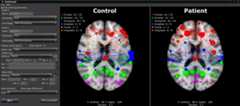
There is a plotting GUI for fast and easy data exploration that willnot workwithout data from a standard atlas (ideally to be extended some time in the future).You may use a custom atlas if you follow the same format as the other atlases inthe package (seeChapter 4of theUser Guide for instructions).
For bug reports, feature requests, help with usage/code/etc., please join theGoogle GroupbrainGraph-help.You may also consult the User Guide, and you canopen an issue here on GitHub.
Anincomplete list of features/functionality I plan on adding to future versions:
- Longitudinal modeling (withlinear mixed effects (LME) models)
- Thresholding and graph creation using theminimum spanning tree as a base
- Thresholding and graph creation for resting-state fMRI using a technique such as thegraphical lasso
- Write functions to print group analysis results inxtable format for
LaTeXdocuments
About
Graph theory analysis of brain MRI data
Topics
Resources
Uh oh!
There was an error while loading.Please reload this page.
Stars
Watchers
Forks
Packages0
Uh oh!
There was an error while loading.Please reload this page.