CodeScout is a versatile logging solution for Flutter applications, designed to facilitate debugging during development and provide valuable insights post-development through a desktop application using sockets. This logger is particularly useful for QA teams, allowing them to monitor logs related to network API calls, analytics, and other crucial information without requiring a debug connection.
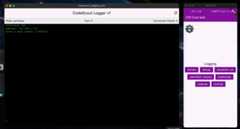
- Configurable logging levels
- Console logging during development
- Socket-based logging for remote monitoring
- Support for various log types: development traces, debug logs, crashes, errors, and analytics
Add the following dependency to yourpubspec.yaml file:
dependencies:code_scout:^x.x.x# Replace with the latest version
Before using CodeScout, initialize it with the desired configuration:
voidmain() {CodeScout.init( terimalLoggingConfigutation:CodeScoutLoggingConfiguration( devTraces:true, devLogs:true, networkCall:true, analyticsLogs:true, crashLogs:true, errorLogs:true, isDebugMode:true, ), );// Your app initialization code}Use the following methods to log different types of messages:
// Development traceCodeScout.logDevTrace("Development trace message");// Debug logCodeScout.logDebug("Debug message");// Crash logCodeScout.logCrash("Crash message", error: exception, stackTrace: stackTrace);// Error logCodeScout.logError("Error message", error: error);// Analytics logCodeScout.logAnalytics("Analytics event");To enable socket-based logging for remote monitoring:
- Implement the
CodeScoutSocketLogger function:
voidmySocketLogger(boolFunction(CodeScoutLoggingConfiguration configuration) shouldLog,OutputEvent? outputEvent) {// Implement your socket logging logic here}- Bind the socket logger:
CodeScout.bindSocketLogger(mySocketLogger);
- To stop socket logging:
CodeScout.unbindSocketLogger();
TheCodeScoutLoggingConfiguration class allows you to customize the logging behavior:
devTraces: Enable/disable development trace logsdevLogs: Enable/disable debug logsnetworkCall: Enable/disable network call logsanalyticsLogs: Enable/disable analytics logscrashLogs: Enable/disable crash logserrorLogs: Enable/disable error logsisDebugMode: Set to true for development, false for production
- Real-time monitoring of application behavior
- Easy access to logs without debug connections
- Ability to track network API calls, analytics events, and errors
- Improved debugging and issue reproduction capabilities
Ensure that sensitive information is not logged in production environments. Always review and sanitize logs before sharing or storing them.
