- Notifications
You must be signed in to change notification settings - Fork127
ASP.NET Core Identity Series
License
NotificationsYou must be signed in to change notification settings
chsakell/aspnet-core-identity
Folders and files
| Name | Name | Last commit message | Last commit date | |
|---|---|---|---|---|
Repository files navigation
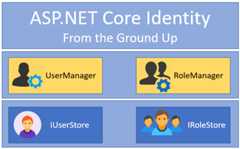
Part 1 -Getting Started
- Introduction to ASP.NET Core Identity library
- Describe ASP.NET Core Identity basic archirecture
- Explain the role and relationship between
StoresandManagersand how they function under the hood - Explain what
Claims,ClaimsIdentityandClaimsPrincipalentities are and how they are related - Step by step guide on how to install and start using the core packages
- Associated repository branch:getting-started
Part 2 -Integrate Entity Framework
- Introduce
Microsoft.Extensions.Identity.StoresandUserStoreBasestore implementations - Plug and configure Entity Framework Core with ASP.NET Core Identity and minimum configuration
- Explain Entity Framework different store implementations such as
UserOnlyStoreorUserStore - Step by step guide for applying migrations and creating Identity's SQL Schema
- Discuss whether you should use ASP.NET Core Identity with Entity Framework
- Associated repository branch:entity-framework-integration
Part 3 -Deep Dive in authorization
- Explain
Claims-basedauthorization by example - Explain
Role-basedauthorization by example - Step by step guide for creating custom
Authorization Policy Provider - Explain how authorization works under the hood
- Explain
Imperative authorizationby example - Associated repository branch:authorization
To be continued..
The project is built with ASP.NET Core with Angular on the client side.
- Visual Studio 2017: Just open the solution and wait to install the npm packages before running
- Without Visual Studio:
cd ./AspNetCoreIdentitywhere the package.json file existnpm installdotnet restoredotnet builddotnet run
- Create the database(required for second part and later)
cd ./AspNetCoreIdentitywhere the AspNetCoreIdentity.csproj existdotnet ef migrations add initial_migrationdotnet ef database update
In case you don't want to use SQL Database simply setInMemoryProvider: true in theappsettings.json
| Microsoft Web Application Development | |||
 |  | ||
About
ASP.NET Core Identity Series
Topics
Resources
License
Uh oh!
There was an error while loading.Please reload this page.
Stars
Watchers
Forks
Releases
No releases published
Packages0
No packages published
Uh oh!
There was an error while loading.Please reload this page.