- Notifications
You must be signed in to change notification settings - Fork160
A pure extendable React carousel, powered by Brainhub (craftsmen who ❤️ JS)
License
brainhubeu/react-carousel
Folders and files
| Name | Name | Last commit message | Last commit date | |
|---|---|---|---|---|
Repository files navigation

A pure extendable React carousel, powered byBrainhub (craftsmen who ❤️ JS)
Live code demo |v1 migration guide |Hire us


There are some great carousels (like slick) that do not have real React implementations. This library provides you with carousel that is not merely a wrapper for some jQuery solution, can be used as controlled or uncontrolled element (similar toinputs), and has tons of useful features.
npm i @brainhubeu/react-carouselnpm i @types/brainhubeu__react-carousel -DWhen using@brainhubeu/react-carousel with SSR (Server-side Rendering), we recommendNext.js as@brainhubeu/react-carousel currently doesn't work on the server side so it must be rendered on the client side (maybe we'll provide server-side working in the future).
importdynamicfrom'next/dynamic';const{default:Carousel, Dots}=dynamic(()=>require('@brainhubeu/react-carousel'),{ssr:false},);
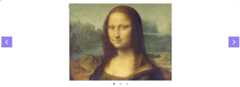
By default, the component does not need anything except children to render a simple carousel.Remember that styles do not have to be imported every time you use carousel, you can do it once in an entry point of your bundle.
importReactfrom'react';importCarouselfrom'@brainhubeu/react-carousel';import'@brainhubeu/react-carousel/lib/style.css';constMyCarousel=()=>(<Carouselplugins={['arrows']}><imgsrc={imageOne}/><imgsrc={imageTwo}/><imgsrc={imageThree}/></Carousel>);exportdefaultMyCarousel;
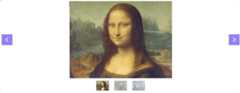
There is a separate Dots component that can be used to fully control navigation dots or add thumbnails.
importCarousel,{Dots}from'@brainhubeu/react-carousel';import'@brainhubeu/react-carousel/lib/style.css';import{useState}from'react';constMyCarouselWithDots=()=>{const[value,setValue]=useState(0);constonChange=value=>{setValue(value);}return(<div><Carouselvalue={value}onChange={onChange}><imgclassName="img-example"src={someImage}/> ...<imgclassName="img-example"src={anotherImage}/></Carousel><Dotsvalue={this.state.value}onChange={this.onChange}thumbnails={[(<imgkey={1}className="img-example-small"src={abstractImage}/>), ...(<imgkey={12}className="img-example-small"src={transportImage}/>),]}/></div>);};exportdefaultMyCarouselWithDots;
You can access a clickable demo with many examples and alive code editor by clicking on a Prop name.
| Prop | Type | Default | Description |
|---|---|---|---|
| value | Number | undefined | Current slide's index (zero based, depends on the elements order) |
| onChange | Function | undefined | Handler triggered when current slide is about to change (e.g. on arrow click or on swipe) |
| slides | Array | undefined | Alternative way to pass slides. This prop expects an array of JSX |
| itemWidth | Number | undefined | Determines custom width for every slide in the carousel |
| offset | Number | 0 | Padding between items |
| animationSpeed | Number | 500 | Determines transition duration in milliseconds |
| draggable | Boolean | true | Makes it possible to drag to the next slide with mouse cursor |
| breakpoints | Object | undefined | All props can be set to different values on different screen resolutions |
You can extend react-carousel default behavior by applying plugins shipped within carousel
| Prop | Type | Default | Description |
|---|---|---|---|
| value | Number | slide position in the slides Array | CurrentCarousel value |
| onChange | Function | undefined | onChange callback (works the same way asonChange inCarousel component) |
| number | Number | Amount of slides | Number of slides in the carousel you want to control |
| thumbnails | Array of ReactElements | undefined | Array of thumbnails to show. If not provided, default dots will be shown |
| rtl | Boolean | false | Indicating if the dots should have direction from Right to Left |
git clone https://github.com/brainhubeu/react-carouselcd react-carouselyarnyarn start-demo- openhttp://localhost:8000/
Each test command should be run from the root directory.
yarn test:unit:coverageyarn test:e2eSeethe Workflow subsection in our docs
Seethe Labels subsection in our docs
Seethe Decision log subsection in our docs
react-carousel is copyright © 2018-2020Brainhub. It is free software and may be redistributed under the terms specified in thelicense.
react-carousel is maintained by the Brainhub development team. It is funded by Brainhub and the names and logos for Brainhub are trademarks of Brainhub Sp. z o.o.. You can check other open-source projects supported/developed by our teammateshere.

We love open-source JavaScript software! See our other projects or hire us to build your next web, desktop and mobile application with JavaScript.
About
A pure extendable React carousel, powered by Brainhub (craftsmen who ❤️ JS)
Topics
Resources
License
Uh oh!
There was an error while loading.Please reload this page.
Stars
Watchers
Forks
Packages0
Uh oh!
There was an error while loading.Please reload this page.