- Notifications
You must be signed in to change notification settings - Fork10
An R package to analyze, summarize, and visualize daily streamflow data 💧
License
bcgov/fasstr
Folders and files
| Name | Name | Last commit message | Last commit date | |
|---|---|---|---|---|
Repository files navigation


The Flow Analysis Summary Statistics Tool for R (‘fasstr’) is a set ofR functions to tidy, summarize, analyze,trend, and visualize streamflow data. This package summarizes continuousdaily mean streamflow data into various daily, monthly, annual, andlong-term statistics, completes annual trends and frequency analyses, inboth table and plot formats.
fasstr package 📦 home page and referenceguide
This package provides functions for streamflow data analysis, including:
- data tidying (to prepare data for analyses;
add_*andfill_*functions), - data screening (to identify data range, outliers and missing data;
screen_*functions), - calculating summary statistics (long-term, annual, monthly and dailystatistics;
calc_*functions), - computing analyses (volume frequency analyses and annual trending;
compute_*functions), and, - visualizing (data plotting the various statistics;
plot_*functions).
Useful features of functions include:
- the integration of the
tidyhydatpackage to pull streamflow datafrom a Water Survey of CanadaHYDATdatabase for analyses; - arguments for filtering of years and months in analyses and plotting;
- choosing the start month of your water year;
- selecting for rolling day averages (e.g. 7-day rolling average); and,
- choosing how missing dates are handled, amongst others.
This package is maintained by the Water Management Branch of the BritishColumbia Ministry of Water, Land and Resource Stewardship.
You can installfasstr directly fromCRAN:
install.packages("fasstr")To install the development version fromGitHub, use theremotes package then thefasstr package:
if(!requireNamespace("remotes")) install.packages("remotes")remotes::install_github("bcgov/fasstr")
To use thestation_number argument and pull data directly from aWater Survey of Canada HYDATdatabaseintofasstr functions, download a HYDAT file using the following code:
tidyhydat::download_hydat()
There are several vignettes and a cheatsheet to provide more informationon the usage offasstr functions and how to customize various argumentoptions.
- Getting Started
- UsersGuide
- Computing an Annual TrendsAnalysis
- Computing a Volume frequencyAnalysis
- Computing a Full fasstrAnalysis
- Internal fasstrWorkflows
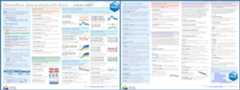
All functions infasstr require a daily mean streamflow data set fromone or more hydrometric stations. Long-term and continuous data sets arepreferred for most analyses, but seasonal and partial data can be used.Other daily time series data, like temperature, precipitation or waterlevels, may also be used, but with certain caution as somecalculations/conversions are based on units of streamflow (cubic metresper second). Data is provided to each function using the either thedata argument as a data frame of flow values, or thestation_numberargument as a list of Water Survey of Canada HYDAT station numbers.
When using thedata option, a data frame of daily data containingcolumns of dates (YYYY-MM-DD in date format), values (mean dailydischarge in cubic metres per second in numeric format), and,optionally, grouping identifiers (character string of station names ornumbers) is called. By default the functions will look for columnsidentified as ‘Date’, ‘Value’, and ‘STATION_NUMBER’, respectively, to becompatible with the ‘tidyhydat’ defaults, but columns of different namescan be identified using thedates,values,groups column arguments(ex.values = Yield_mm). The following is an example of an appropriatedata frame (STATION_NUMBER not required):
#> STATION_NUMBER Date Value#> 1 08NM116 1949-04-01 1.13#> 2 08NM116 1949-04-02 1.53#> 3 08NM116 1949-04-03 2.07#> 4 08NM116 1949-04-04 2.07#> 5 08NM116 1949-04-05 2.21#> 6 08NM116 1949-04-06 2.21Alternatively, you can directly pull a flow data set directly from aHYDAT database (if installed) by providing a list of station numbers inthestation_number argument (ex.station_number = "08NM116" orstation_number = c("08NM116", "08NM242")) while leaving the dataarguments blank. A data frame of daily streamflow data for all stationslisted will be extracted usingtidyhydat and thenfasstrcalculations will produce results of the functions.
This package allows for multiple stations (or other groupings) to beanalyzed in many of the functions provided identifiers are providedusing thegroups column argument (defaults to STATION_NUMBER). Ifgrouping column doesn’t exist or is improperly named, then all valueslisted in thevalues column will be summarized.
These functions, start with eitheradd_* orfill_*, add columns androws, respectively, to streamflow data frames to help set up your datafor further analysis. Examples include adding rolling means, adding datevariables (WaterYear, Month, DayofYear, etc.), adding basin areas,adding columns of volumetric discharge and water yields, and fillingdates with missing flow values withNA.
The analysis functions summarize your discharge values into variousstatistics.screen_* functions summarize annual data for outliers andmissing dates.calc_* functions calculate daily, monthly, annual, andlong-term statistics (e.g. mean, median, maximum, minimum, percentiles,amongst others) of daily, rolling days, and cumulative flow data.compute_* functions also analyze data but produce more in-depthanalyses, like frequency and trending analysis, and may produce multipleplots and tables as a result. All tables are in tibble data frameformats. Can usewrite_flow_data() orwrite_results() to customizesaving tibbles to a local drive.
The visualization functions, which begin withplot_*, plot the varioussummary statistics and analyses as a way to visualize the data. Whilemost plotting function statistics can be customized, some come pre-setwith statistics that cannot be changed. Plots can be further modified bythe user using theggplot2 package and its functions. All plotsfunctions produce lists of plots (even if just one produced). Can usewrite_plots() to customize saving the lists of plots to a local drive(within folders or PDF documents).
If certain n-day rolling mean statistics are desired to be analyzed(e.g. 3- or 7-day rolling means) some functions provide the ability toselect for that as function arguments (e.g. rolling_days = 7 androlling_align = "right"). The rolling day align is the placement ofthe date amongst the n-day means, where “right” averages the day-of andprevious n-1 days, “centre” date is in the middle of the averages, and“left” averages the day-of and the following n-1 days. For your ownanalyses you can add rolling means to your data set using theadd_rolling_means() function.
To customize your analyses for specific time periods, you can designatethe start and end years of your analysis using thestart_year andend_year arguments and remove any unwanted years (for partial datasets for example) by listing them in theexcluded_years argument(e.g. excluded_years = c(1990, 1992:1994)). Alternatively, somefunctions have an argument calledcomplete_years that summarizes datafrom just those years which have complete flow records. Some functionswill also allow you to select the months of a year to analyze, using themonths argument, as opposed to all months (if you want just summerlow-flows, for example). Leaving these arguments blank will result inthe summary/analysis of all years and months of the provided data set.
To group analyses by water, or hydrologic, years instead of calendaryears, if desired, you can setwater_year_start within most functionsto another month than 1 (for January). A water year can be defined as a12-month period that comprises a complete hydrologic cycle (wet seasonscan typically cross calendar year), typically starting with the monthwith minimum flows (the start of a new water recharge cycle). If anotherstart month is desired, you can choose it using thewater_year_startargument (numeric month). The water year identifier is designated by theyear it ends in (e.g. a water year from Oct 1, 1999 to Sep 30, 2000 isdesignated as 2000). Start, end and excluded years will be based on thespecified water year.
For your own analyses, you can add date variables to your data set usingtheadd_date_variables() oradd_seasons() functions.
Yield runoff statistics (in millimetres) calculated in the some of thefunctions require an upstream drainage basin area (in sq. km) using thebasin_area argument. If no basin areas are supplied, all yield resultswill beNA. To apply a basin area (10 sqkm for example) to all dailyobservations, set the argument asbasin_area = 10. If there aremultiple stations or groups to apply multiple basin areas (using thegroups argument), set them individually using this option:basin_area = c("08NM116" = 795, "08NM242" = 22). If a STATION_NUMBERcolumn exists with HYDAT station numbers, the function willautomatically use the basin areas provided in HYDAT, if available, sobasin_area is not required. For your own analyses, you can add basinareas to your data set using theadd_basin_area() function.
With the use of theignore_missing argument in most functions, you candecide how to handle dates with missing flow values in calculations.When you setignore_missing = TRUE a statistic will be calculated fora given year, all years, or month regardless of if there are missingflow values. Whenignore_missing = FALSE the returned value for theperiod will beNA if there are missing values. To allow some missingdates and still calculate statistics, some functions also including theallowed_missing argument where you provide a percentage (0 to 100) ofmissing days per time period.
Some functions have an argument calledcomplete_years which can beused, when set toTRUE, to filter out years that have partial datasets (for seasonal or other reasons) and only years with full data areused to calculate statistics.
To determine the long-term summary statistics of daily data for eachmonth (mean, median, maximum, minimum, and some percentiles) you can usethecalc_longterm_daily_stats() function. If the ‘Mission Creek nearEast Kelowna’ hydrometric station is of interest you can list thestation number in thestation_number argument to obtain the data (iftidyhydat and HYDAT are installed). Statistics over several months canalso be calculated, if of interest. See the summer statistics (from Julyto September) in this example.
calc_longterm_daily_stats(station_number="08NM116",start_year=1981,end_year=2010,custom_months=7:9,custom_months_label="Summer")#> # A tibble: 14 × 8#> STATION_NUMBER Month Mean Median Maximum Minimum P10 P90#> <chr> <fct> <dbl> <dbl> <dbl> <dbl> <dbl> <dbl>#> 1 08NM116 Jan 1.22 1 9.5 0.160 0.540 1.85#> 2 08NM116 Feb 1.16 0.970 4.41 0.140 0.474 1.99#> 3 08NM116 Mar 1.85 1.40 9.86 0.380 0.705 3.80#> 4 08NM116 Apr 8.32 6.26 37.9 0.505 1.63 17.5#> 5 08NM116 May 23.6 20.8 74.4 3.83 9.33 41.2#> 6 08NM116 Jun 21.5 19.5 84.5 0.450 6.10 38.9#> 7 08NM116 Jul 6.48 3.90 54.5 0.332 1.02 15#> 8 08NM116 Aug 2.13 1.57 13.3 0.427 0.775 4.29#> 9 08NM116 Sep 2.19 1.58 14.6 0.364 0.735 4.35#> 10 08NM116 Oct 2.10 1.60 15.2 0.267 0.794 3.98#> 11 08NM116 Nov 2.04 1.73 11.7 0.260 0.560 3.90#> 12 08NM116 Dec 1.30 1.05 7.30 0.342 0.5 2.33#> 13 08NM116 Long-term 6.17 1.89 84.5 0.140 0.680 19.3#> 14 08NM116 Summer 3.61 1.98 54.5 0.332 0.799 7.64
To visualize the daily streamflow patterns on an annual basis, theplot_daily_stats() function will plot out various summary statisticsfor each day of the year. Data can also be filtered for certain years ofinterest (a 1981-2010 normals period for this example) using thestart_year andend_year arguments. We can also compare individualyears against the statistics usingadd_year argument like below.
plot_daily_stats(station_number="08NM116",start_year=1981,end_year=2010,log_discharge=TRUE,add_year=1991)#> $Daily_Statistics

Flow duration curves can be produced using theplot_flow_duration()function.
plot_flow_duration(station_number="08NM116",start_year=1981,end_year=2010)#> $Flow_Duration

This package also provides a function,compute_annual_frequencies(),to complete a volume frequency analysis by fitting annual minimums ormaximums to Log-Pearson Type III or Weibull probability distributions.See the volume frequency analyses documentation for more information.For this example, the 7-day low-flow quantiles are calculated for theMission Creek hydrometric station using the Log-Pearson Type IIIdistribution and method of moments fitting method (both default). Withthis, several low-flow indicators can be determined (i.e. 7Q5, 7Q10).
freq_results<- compute_annual_frequencies(station_number="08NM116",start_year=1981,end_year=2010,roll_days=7,fit_distr="PIII",fit_distr_method="MOM")freq_results$Freq_Fitted_Quantiles#> # A tibble: 11 × 4#> Distribution Probability `Return Period` `7-Day`#> <chr> <dbl> <dbl> <dbl>#> 1 PIII 0.01 100 0.193#> 2 PIII 0.05 20 0.277#> 3 PIII 0.1 10 0.332#> 4 PIII 0.2 5 0.408#> 5 PIII 0.5 2 0.588#> 6 PIII 0.8 1.25 0.812#> 7 PIII 0.9 1.11 0.946#> 8 PIII 0.95 1.05 1.07#> 9 PIII 0.975 1.03 1.17#> 10 PIII 0.98 1.02 1.21#> 11 PIII 0.99 1.01 1.31
The probability of observed extreme events can also be plotted (usingselected plotting position) along with the computed quantiles curve forcomparison.
freq_results<- compute_annual_frequencies(station_number="08NM116",start_year=1981,end_year=2010,roll_days= c(1,3,7,30))freq_results$Freq_Plot

This package is set for delivery. This package is maintained by theWater Management Branch of the British Columbia Ministry of Water, Landand Resource Stewardship.
To report bugs/issues/feature requests, please file anissue.
If you would like to contribute to the package, please see ourCONTRIBUTING guidelines.
Please note that this project is released with aContributor Code ofConduct. By participating in this project you agreeto abide by its terms.
Copyright 2023 Province of British Columbia Licensed under the Apache License, Version 2.0 (the "License"); you may not use this file except in compliance with the License. You may obtain a copy of the License at http://www.apache.org/licenses/LICENSE-2.0 Unless required by applicable law or agreed to in writing, software distributed under the License is distributed on an "AS IS" BASIS, WITHOUT WARRANTIES OR CONDITIONS OF ANY KIND, either express or implied. See the License for the specific language governing permissions and limitations under the License.About
An R package to analyze, summarize, and visualize daily streamflow data 💧
Topics
Resources
License
Code of conduct
Contributing
Uh oh!
There was an error while loading.Please reload this page.
Stars
Watchers
Forks
Uh oh!
There was an error while loading.Please reload this page.
Contributors3
Uh oh!
There was an error while loading.Please reload this page.