- Notifications
You must be signed in to change notification settings - Fork14
Project Explorer
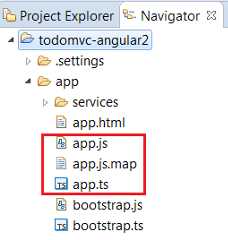
Generally, when you compile TypeScript aapp.ts file, it generatesapp.js andapp.js.map files. TheNavigator Explorer displays the 3 files in the same hierarchy:
If you useProject Explorer, you can see the compiled filesapp.js andapp.js.map inside theapp.ts:
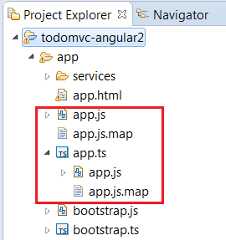
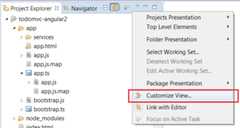
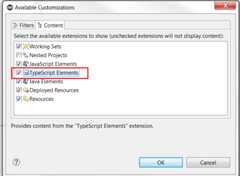
This behaviour comes from thatTypeScript Elements content is checked (only available forProject Explorer). You can disable it, by configuring theProject Explorer withCustom View menu:
And selectContent tab:
You can hide theapp.js andapp.js.map which are hosted in the same folder thanapp.ts:
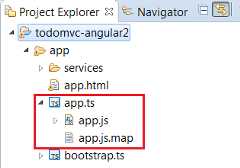
To do that, you must check theTypeScript filter (available with theCustom View menu):

When your project follows theTypeScript Nature rule, theProject Explorer displays theTypeScript Resources node:
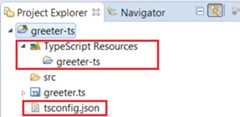
SeeBuild Path for more information.
- TypeScript IDE
- New and Noteworthy