- Notifications
You must be signed in to change notification settings - Fork14
Editor Features
typescript.java uses theJSDT Editor to supportTypeScript,JSX, (andJavaScript with Salsa) by consummingtsserver coming from TypeScript bundle.
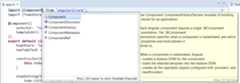
Here a demo with TypeScript completion:
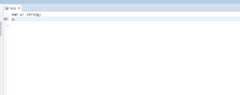
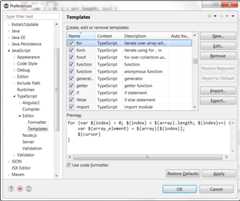
Templates are available:
- for TypeScript:
- for React
You can import, update templates withJavaScript / TypeScript / Editor / Template preferences page:
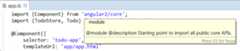
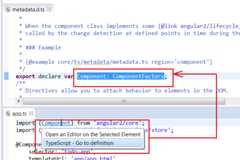
SinceTypeScript 2.1.0, TypeScript providesOpen implementation feature that you can use withCtrl+T:
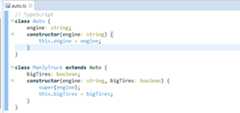
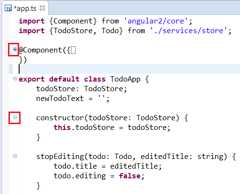
TypeScript editor content can be folded. For having good performance, the folding strategy doesn't use the TypeScript AST (to fold function, etc) but fold the code according the indentation (like VSCode):
You can format your TypeScript code withCtrl+Shift+F or use the menuSource/Format. The formatting behaviour is done by callingformat command of the tsserver. If you find a bug, with formatting, please check with VSCode if it has the same problem.
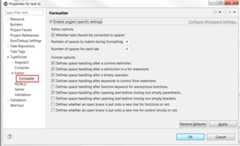
By default, editor and formatter options uses the default config of tsserver. But if you wish you can configure editor and formatter options for TypeScript editor withTypeScript / Editor / Formatter project preferences:
When you select a variable, method, type, etc, TypeScript editor is able tomark occurrences:
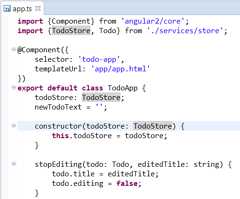
Please note thatmark occurrences is done asynchronously in order to avoid freezing Eclipse. It means that with a big project, themark occurrences doesn't work as long as tsserver is not initialized.
You can find references (for a method, property, etc) in project withCtrl+Shift+G or use the menuReferences/Project
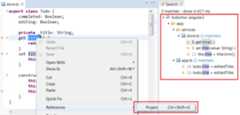
Please note that today it exists a bug when tsserver is not started, search returns none result. Please doCtrl+Shift+G several times by waiting fix forissue 46.
StandardOutline is filled with TypeScript elements:
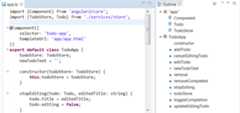
Please note that this outline is filled asynchronously to avoid freezing Eclipse. For large project, this outline can takes time.
Link With Editor (which is available by default) gives the capability to synchronize the cursor of the active TypeScript editor with the outline to select the well tree item:
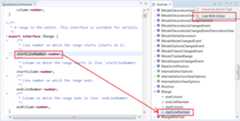
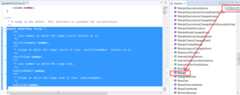
Collapse All action gives the capability to collapse all the tree of the outline:
You can search quickly classes, methods, etc with theQuick Outline available with withCtrl+O or use the menuNavigate/Quick Outline.
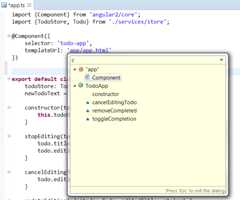
Please note that this quick outline share the same TypeScript elements than Outline. It is filled when Outline is filled.
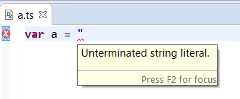
By default you can see TypeScript, JavaScript errors when you are typing :
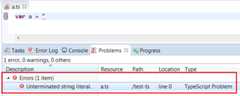
When you activate compile/build on save, you will see problem with TypeScritpt compilation:
SinceTypeScript 2.1.4, TypeScript providesseveral code fixes
You can rename TypeScript symbol:
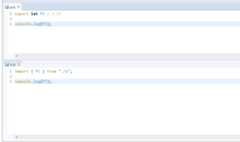
Since TypeScript 2.4.1, tsserver provides a refactoring support which will be improved in each TypeScript version. TypeScript 2.4.1 provides one Refactoring support available only for JavaScript file:
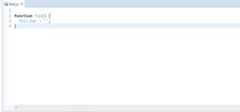
This refactoring support is available with Menu / Refactoring. In the future we will have more support.
- TypeScript IDE
- New and Noteworthy