- Notifications
You must be signed in to change notification settings - Fork9
User friendly CLI tool for AI tasks. Stop thinking about LLMs and prompts, start getting results!
License
NotificationsYou must be signed in to change notification settings
ad-si/cai
Folders and files
| Name | Name | Last commit message | Last commit date | |
|---|---|---|---|---|
Repository files navigation

- High level commands for great usability
cai value capital of Australiacai image photo of a banana(OpenAI image generation)cai google-image sunset over mountains(Google Gemini image generation)cai ocr page.pngpbpaste | cai rewrite 'more professional'- Checkusage section for all commands
- Build with Rust 🦀 for supreme performance and speed! 🏎️
- Support for models by
- Prompt several models at once. 🤼
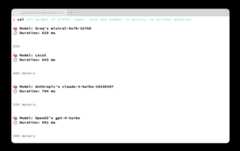
- Syntax highlighting for better readability of code snippets. 🌈

$ cargo install cai
or install viaHomebrew:
$ brew install cai
Before using Cai, an API key must be set up.Simply executecai in your terminal and follow the instructions.
Cai supports the following APIs:
- Groq -Create new API key.
- OpenAI -Create new API key.
- Anthropic -Create new API key.
- Llamafile - LocalLlamafile server running athttp://localhost:8080.
- Ollama - LocalOllama server running athttp://localhost:11434.
Afterwards, you can usecai to run prompts directly from the terminal:
cai List 10 fast CLI tools
Or a specific model, like Anthropic's Claude Opus:
cai opus list 10 fast CLI tools
Full help output:
$ cai helpCai 0.12.0User friendly CLI tool for AI tasksUsage: cai [OPTIONS] [PROMPT]... [COMMAND]Commands: fast Shortcut for `groq openai/gpt-oss-20b` local Shortcut for `ollama llama3.2` value Return only the value/answer without explanations short Answer the prompt in a short, compact, and focused manner rewrite Fix spelling, grammar, and wording issues in text passed via standard input reply Reply to a conversation passed via standard input. Add additional reply instructions as the prompt image Generate an image using GPT-5 image generation [aliases: img] say Convert text to speech using OpenAI's TTS model [aliases: tts] transcribe Transcribe an audio file ocr Extract text from an image google-ocr Extract text from an image using Google Gemini with high resolution [aliases: gocr] rename Analyze and rename files to timestamp + title (e.g. 2025-08-19t2041_invoice_car.pdf) changelog Generate a changelog starting from a given commit commit Commit modified files with AI-generated commit messages and group related changes into separate commits svg Generate an SVG graphic from a textual description edit Open your editor to write the prompt config Print the configuration settings loaded from the config file 📚 MODELS all Simultaneously send prompt to each provider's default model google Google [aliases: go] gemini - Gemini Pro shortcut [aliases: ge] flash - Gemini Flash shortcut [aliases: gf] google-image - Google Gemini Image shortcut [aliases: gimg] groq Groq [aliases: gr] llama - Llama 3 shortcut [aliases: ll] cerebras Cerebras [aliases: ce] deepseek DeepSeek [aliases: ds] openai OpenAI [aliases: op] gpt5 - GPT-5 shortcut [aliases: gpt, gp] gpt5m - GPT-5 mini shortcut [aliases: gm] gpt5n - GPT-5 nano shortcut [aliases: gn] gpt41 - gpt-4.1 shortcut gpt41m - gpt-4.1-mini shortcut gpt41n - gpt-4.1-nano shortcut o1p - o1-pro shortcut anthropic Anthropic [aliases: an] opus - Claude Opus [aliases: claude, cl] sonnet - Claude Sonnet [aliases: so] haiku - Claude Haiku [aliases: ha] xai xAI grok - Grok perplexity Perplexity [aliases: pe] son - Sonar sonpro - Sonar Pro [aliases: sp] sonreas - Sonar Reasoning [aliases: sr] sonreaspro - Sonar Reasoning Pro [aliases: srp] sondeep - Sonar Deep Research [aliases: sdr] llamafile Llamafile server hosted at http://localhost:8080 [aliases: lf] ollama Ollama server hosted at http://localhost:11434 [aliases: ol] 💻 CODING bash Use Bash development as the prompt context c Use C development as the prompt context cpp Use C++ development as the prompt context cs Use C# development as the prompt context docker Use Docker development as the prompt context elm Use Elm development as the prompt context fish Use Fish development as the prompt context fs Use F# development as the prompt context gd Use Godot and GDScript development as the prompt context git Use Git development as the prompt context gl Use Gleam development as the prompt context golang Use Go development as the prompt context hs Use Haskell development as the prompt context java Use Java development as the prompt context js Use JavaScript development as the prompt context kt Use Kotlin development as the prompt context ly Use LilyPond development as the prompt context lua Use Lua development as the prompt context nix Use Nix development as the prompt context oc Use OCaml development as the prompt context php Use PHP development as the prompt context pg Use Postgres development as the prompt context ps Use PureScript development as the prompt context py Use Python development as the prompt context rb Use Ruby development as the prompt context rs Use Rust development as the prompt context sql Use SQLite development as the prompt context sw Use Swift development as the prompt context ts Use TypeScript development as the prompt context ty Use Typst development as the prompt context wl Use Wolfram Language and Mathematica development as the prompt context zig Use Zig development as the prompt context jq Use jq development as the prompt context help Print this message or the help of the given subcommand(s)Arguments: [PROMPT]... The prompt to send to the AI modelOptions: -r, --raw Print raw response without any metadata -j, --json Prompt LLM in JSON output mode --json-schema <JSON_SCHEMA> JSON schema to validate the output against -h, --help Print helpExamples: # Send a prompt to the default model cai Which year did the Titanic sink # Send a prompt to each provider's default model cai all Which year did the Titanic sink # Send a prompt to Anthropic's Claude Opus cai anthropic claude-opus Which year did the Titanic sink cai an claude-opus Which year did the Titanic sink cai cl Which year did the Titanic sink cai anthropic claude-opus-4-1 Which year did the Titanic sink # Send a prompt to locally running Ollama server cai ollama llama3 Which year did the Titanic sink cai ol ll Which year did the Titanic sink # Use the `local` shortcut for using Ollama's default model cai local Which year did the Titanic sink # Add data via stdin cat main.rs | cai Explain this code # Get raw output without any metadata cai --raw capital of Germany # Use a JSON schema to specify the output format cai --json-schema='{"properties":{"age":{"type":"number"}},"required":["age"]}' gp Barack Obama- AI CLI - Get answers for CLI commands from ChatGPT. (TypeScript)
- AIChat - All-in-one chat and copilot CLI for 10+ AI platforms. (Rust)
- clai - Command line artificial intelligence as a local LLM multi-tool (Go)
- Ell - CLI tool for LLMs written in Bash.
- Goose - Local AI agent.
- ja - CLI / TUI app to work with AI tools. (Rust)
- llm - Access large language models from the command-line. (Python)
- smartcat - Integrate LLMs in the Unix command ecosystem. (Rust)
- tgpt - AI chatbots for the terminal without needing API keys. (Go)
About
User friendly CLI tool for AI tasks. Stop thinking about LLMs and prompts, start getting results!
Topics
Resources
License
Uh oh!
There was an error while loading.Please reload this page.
Stars
Watchers
Forks
Uh oh!
There was an error while loading.Please reload this page.
Contributors3
Uh oh!
There was an error while loading.Please reload this page.