- Notifications
You must be signed in to change notification settings - Fork22
Easily Create Production-Ready Rich Text Format (RTF) Table and Figure
License
Merck/r2rtf
Folders and files
| Name | Name | Last commit message | Last commit date | |
|---|---|---|---|---|
Repository files navigation


r2rtf is an R package to create production-ready tables and figures inRTF format. The package is designed with these principles:
- Provide simple “verb” functions that correspond to each component of atable, to help you translate data frame(s) to a table in RTF file.
- Functions are chainable with pipes (
%>%). - Only focus ontable format.
- Data manipulation and analysis should be handled by other Rpackages, for example, tidyverse.
- Minimize package dependency.
TheR for clinical study reports and submissionbook provides tutorials by using real world examples.
You can install the package via CRAN:
install.packages("r2rtf")Or, install from GitHub:
remotes::install_github("Merck/r2rtf")
The R package r2rtf provides flexibility to enable features below:
- Create highly customized RTF tables and figures ready for production.
- Simple to use parameters and data structure.
- Customized column header: split by
"|". - Three required parameters for the output tables (data, filename,column relative width).
- Flexible and detail control of table structure.
- Customized column header: split by
- Format control in cell, row, column and table level for:
- Border Type: single, double, dash, dot, etc.
- Alignment: left, right, center, decimal.
- Column width.
- Text appearance:bold,italics,
strikethrough, underlineand any combinations. - Font size.
- Text and border color (657 different colors named in
color()function). - Special characters: any character in UTF-8 encoding (e.g., Greek,Symbol, Chinese, Japanese, Korean).
- Append several tables into one file.
- Pagination.
- Built-in raw data for validation.
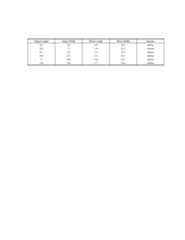
library(dplyr)library(r2rtf)head(iris) %>% rtf_body() %>%# Step 1 Add attributes rtf_encode() %>%# Step 2 Convert attributes to RTF encode write_rtf(file="ex-tbl.rtf")# Step 3 Write to a .rtf file
Click here to see the output
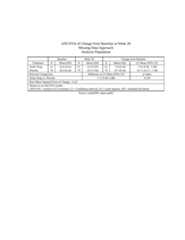
Click here to see the output
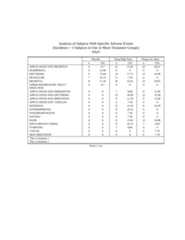
Click here to see the output
If you use this software, please cite it as below.
Wang, S., Ye, S., Anderson, K., & Zhang, Y. (2020). r2rtf—an R Packageto Produce Rich Text Format (RTF) Tables and Figures.PharmaSUG.https://pharmasug.org/proceedings/2020/DV/PharmaSUG-2020-DV-198.pdf
A BibTeX entry for LaTeX users is
@inproceedings{wang2020r2rtf,title ={{r2rtf}---an {R} Package to Produce {Rich Text Format} ({RTF}) Tables and Figures},author ={Wang, Siruo and Ye, Simiao and Anderson, Keaven M and Zhang, Yilong},booktitle ={PharmaSUG},year ={2020},url ={https://pharmasug.org/proceedings/2020/DV/PharmaSUG-2020-DV-198.pdf}}
About
Easily Create Production-Ready Rich Text Format (RTF) Table and Figure
Resources
License
Uh oh!
There was an error while loading.Please reload this page.
Stars
Watchers
Forks
Packages0
Uh oh!
There was an error while loading.Please reload this page.
Contributors11
Uh oh!
There was an error while loading.Please reload this page.