Uh oh!
There was an error while loading.Please reload this page.
- Notifications
You must be signed in to change notification settings - Fork215
A logger for MSBuild that records a structured representation of executed targets, tasks, property and item values.
License
KirillOsenkov/MSBuildStructuredLog
Folders and files
| Name | Name | Last commit message | Last commit date | |
|---|---|---|---|---|
Repository files navigation
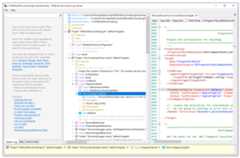
A logger for MSBuild that records a structured representation of executed targets, tasks, property and item values. It can greatly simplify build investigations and provides a portable log interchange format (*.binlog) and a rich interactive log viewer app.


Homepage:https://msbuildlog.com
View binlogs in the Browser:https://live.msbuildlog.com
Important: the NuGet package is now being published tohttps://nuget.org/packages/MSBuild.StructuredLogger (old location:https://nuget.org/packages/Microsoft.Build.Logging.StructuredLogger). Please update to use the new Package Id.
Thanks toSignPath.io for providing a free code signing service and to theSignPath Foundation for a free code signing certificate to sign the installer.
Install fromhttps://msbuildlog.com.
The app updates automatically viaSquirrel (after launch it checks for updates in background), next launch starts the newly downloaded latest version.
Download the latest release forarm64 orx64.
Alternatively, you can install from Homebrew:
brew install structuredlogviewergit clone https://github.com/KirillOsenkov/MSBuildStructuredLogcd MSBuildStructuredLog./run.shAlternatively, a longer version:
dotnet build MSBuildStructuredLog.Avalonia.slndotnet publish MSBuildStructuredLog.Avalonia.sln --self-contained -o <some_dir>(I used $HOME/tools/artifacts/StructuredLogViewer.Avalonia)- make a script
$HOME/bin/structured-log-viewer(or whatever's on your PATH):
#! /bin/shexec dotnet ${HOME}/tools/artifacts/StructuredLogViewer.Avalonia/publish/StructuredLogViewer.Avalonia.dll "$@"Windows:
- .NET Framework 4.7.2
- MSBuild 16.0
- Visual Studio 2019
Mac:
- .NET 8 SDK
Starting with MSBuild 15.3 you can pass the new/bl switch tomsbuild.exe to record a binary build log tomsbuild.binlog, in the same folder as the project/solution being built:

or you can build the solution or open an existing log file through the viewer app:

Alternatively (useful for older versions of MSBuild) you can attach the logger to any MSBuild-based build using the logger library:StructuredLogger.dll. It is available in a NuGet package:https://www.nuget.org/packages/MSBuild.StructuredLogger
msbuild solution.sln /t:Rebuild /v:diag /noconlog /logger:BinaryLogger,%localappdata%\MSBuildStructuredLogViewer\app-2.1.596\StructuredLogger.dll;1.binlogTo use a portable version of the logger (e.g. with thedotnet msbuild command) you need a .NET Standard version ofStructuredLogger.dll, not the .NET Framework (Desktop) version.
Download this NuGet package:https://www.nuget.org/packages/MSBuild.StructuredLogger/2.1.545and inside it there's thelib\netstandard2.0\StructuredLogger.dll. Try passing that todotnet build like this:
dotnet msbuild Some.sln /v:diag /nologo /logger:BinaryLogger,"packages\MSBuild.StructuredLogger.2.1.545\lib\netstandard2.0\StructuredLogger.dll";"C:\Users\SomeUser\Desktop\binarylog.binlog"Read more about the log formats here:https://github.com/KirillOsenkov/MSBuildStructuredLog/wiki/Log-Format
- Preprocess project files (with all imports inlined), right-click on a project -> Preprocess
- If a log has embedded files, you can view the list of files, full-text search in all files, and use the Space key (or double-click) on most nodes to view the source code.
- Displaysdouble-writes (when files from different sources are written to the same destination during a build, thus causing non-determinism)
- Displays target dependencies for each target
- Narrow down the search results using the under() or project() clauses to only display results under a certain parent or project.
- Each node in the tree has a context menu. Ctrl+C to copy an item and the entire subtree to Clipboard as text.
- Delete to hide nodes from the tree (to get uninteresting stuff out of the way).
- Open and save log files (option to save log files to .xml)
- Logs can include the source code project files and all imported files used during the build.
Open an issue if you're running into something weird and I can take a look into it. If MSBuildStructuredLog crashes during the build, it will attempt to write the exception call stack to:
%localappdata%\Microsoft\MSBuildStructuredLog\LoggerExceptions.txtAbout
A logger for MSBuild that records a structured representation of executed targets, tasks, property and item values.
Topics
Resources
License
Uh oh!
There was an error while loading.Please reload this page.
Stars
Watchers
Forks
Sponsor this project
Uh oh!
There was an error while loading.Please reload this page.
Packages0
Uh oh!
There was an error while loading.Please reload this page.