- Notifications
You must be signed in to change notification settings - Fork0
🎮 GraphQL IDE for better development workflows (GraphQL Subscriptions, interactive docs & collaboration)
License
JavaScriptExpert/graphql-playground
Folders and files
| Name | Name | Last commit message | Last commit date | |
|---|---|---|---|---|
Repository files navigation


GraphQL IDE for better development workflows (GraphQL Subscriptions, interactive docs & collaboration).
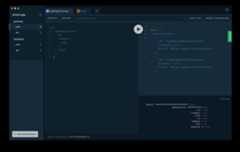
You can download thedesktop app or use the web version at graphqlbin.com:Demo
$ brew cask install graphql-playground
- ✨ Context-aware autocompletion & error highlighting
- 📚 Interactive, multi-column docs (keyboard support)
- ⚡️ Supports real-time GraphQL Subscriptions
- ⚙ GraphQL Config support with multiple Projects & Endpoints
- 🚥 Apollo Tracing support
How is this different fromGraphiQL?
GraphQL Playground uses components of GraphiQL under the hood but is meant as a more powerful GraphQL IDE enabling better (local) development workflows. Compared to GraphiQL, the GraphQL Playground ships with the following additional features:
- Interactive, multi-column schema documentation
- Automatic schema reloading
- Support for GraphQL Subscriptions
- Query history
- Configuration of HTTP headers
- Tabs
See the following question for more additonal features.
The desktop app is the same as the web version but includes these additional features:
- Partial support forgraphql-config enabling features like multi-environment setups (no support for sending HTTP headers).
- Double click on
*.graphqlfiles.
You can easily share your Playgrounds with others by clicking on the "Share" button and sharing the generated link. You can think about GraphQL Bin like Pastebin for your GraphQL queries including the context (endpoint, HTTP headers, open tabs etc).
You can also find the announcement blog posthere.
In the top right corner of the Playground window you can click on the settings icon.These are the settings currently available:
{'editor.cursorShape':'line',// possible values: 'line', 'block', 'underline''editor.fontFamily':`'Source Code Pro', 'Consolas', 'Inconsolata', 'Droid Sans Mono', 'Monaco', monospace`,'editor.fontSize':14,'editor.reuseHeaders':true,// new tab reuses headers from last tab'editor.theme':'dark',// possible values: 'dark', 'light''general.betaUpdates':false,'prettier.printWidth':80,'prettier.tabWidth':2,'prettier.useTabs':false,'request.credentials':'omit',// possible values: 'omit', 'include', 'same-origin''schema.polling.enable':true,// enables automatic schema polling'schema.polling.endpointFilter':'*localhost*',// endpoint filter for schema polling'schema.polling.interval':2000,// schema polling interval in ms'schema.disableComments':boolean,'tracing.hideTracingResponse':true,}
The React component<Playground /> and all middlewares expose the following options:
props(Middlewares & React Component)endpointstring- the GraphQL endpoint url.subscriptionEndpointstring- the GraphQL subscriptions endpoint url.workspaceNamestring- in case you provide a GraphQL Config, you can name your workspace hereconfigstring- the JSON of a GraphQL Config. See an exampleheresettingsISettings- Editor settings in json format asdescribed here
interfaceISettings{'editor.cursorShape':'line'|'block'|'underline''editor.fontFamily':string'editor.fontSize':number'editor.reuseHeaders':boolean'editor.theme':'dark'|'light''general.betaUpdates':boolean'prettier.printWidth':number'prettier.tabWidth':number'prettier.useTabs':boolean'request.credentials':'omit'|'include'|'same-origin''schema.polling.enable':boolean'schema.polling.endpointFilter':string'schema.polling.interval':number'schema.disableComments':boolean'tracing.hideTracingResponse':boolean}
schemaIntrospectionResult- The result of an introspection query (an object of this form:{__schema: {...}}) The playground automatically fetches the schema from the endpoint. This is only needed when you want to override the schema.tabsTab[]- An array of tabs to inject.Note: When using this feature, tabs will be resetted each time the page is reloaded
interfaceTab{endpoint:stringquery:stringname?:stringvariables?:stringresponses?:string[]headers?:{[key:string]:string}}
In addition to this, the React app provides some more properties:
props(React Component)createApolloLink[(session: Session, subscriptionEndpoint?: string) => ApolloLink] - this is the equivalent to thefetcherof GraphiQL. For each query that is being executed, this function will be called
createApolloLink is only available in the React Component and not the middlewares, because the content must be serializable as it is being printed into a HTML template.
If you simply want to render the Playground HTML on your own, for example when implementing a GraphQL Server, there are 2 options for you:
- The bare minimum HTML needed to render the Playground
- The Playground HTML with full loading animation
Note: In case you do not want to serve assets from a CDN (like jsDelivr) and instead use a local copy, you will need to installgraphql-playground-react from npm, and then replace all instances of//cdn.jsdelivr.net/npm with./node_modules. An example can be foundhere
yarn add graphql-playground-react
GraphQL Playground provides a React component responsible for rendering the UI and Session management.There are3 dependencies needed in order to run thegraphql-playground-react React component.
- Open Sans andSource Code Pro fonts
- Rendering the
<Playground />component
The GraphQL Playground requiresReact 16.
Including Fonts (1.)
<linkhref="https://fonts.googleapis.com/css?family=Open+Sans:300,400,600,700|Source+Code+Pro:400,700"rel="stylesheet"/>
Including stylesheet and the component (2., 3.)
importReactfrom'react'importReactDOMfrom'react-dom'import{Provider}from'react-redux'import{Playground,store}from'graphql-playground-react'ReactDOM.render(<Providerstore={store}><Playgroundendpoint="https://api.graph.cool/simple/v1/swapi"/></Provider>,document.body,)
# Pick the one that matches your server frameworkyarn add graphql-playground-middleware-express# for Express or Connectyarn add graphql-playground-middleware-hapiyarn add graphql-playground-middleware-koayarn add graphql-playground-middleware-lambda
We have a full example for each of the frameworks below:
Express: Seepackages/graphql-playground-middleware-express/examples/basic
Lambda (as serverless handler): Seeserverless-graphql-apollo or a quick example below.
yarn add graphql-playground-middleware-lambda
handler.js
importlambdaPlaygroundfrom'graphql-playground-middleware-lambda'// or using require()// const lambdaPlayground = require('graphql-playground-middleware-lambda').defaultexports.graphqlHandler=functiongraphqlHandler(event,context,callback){functioncallbackFilter(error,output){// eslint-disable-next-line no-param-reassignoutput.headers['Access-Control-Allow-Origin']='*'callback(error,output)}consthandler=graphqlLambda({schema:myGraphQLSchema})returnhandler(event,context,callbackFilter)}exports.playgroundHandler=lambdaPlayground({endpoint:'/dev/graphql',})
serverless.yml
functions:graphql:handler:handler.graphqlHandlerevents: -http:path:graphqlmethod:postcors:trueplayground:handler:handler.playgroundHandlerevents: -http:path:playgroundmethod:getcors:true
$cd packages/graphql-playground-react$ yarn$ yarn startOpenlocalhost:3000/localDev.html?endpoint=https://api.graph.cool/simple/v1/swapi for local development!
Fromgraphql-playground-react@1.7.0 on you can provide acodeTheme property to the React Component to customize your color theme.These are the available options:
exportinterfaceEditorColours{property:stringcomment:stringpunctuation:stringkeyword:stringdef:stringqualifier:stringattribute:stringnumber:stringstring:stringbuiltin:stringstring2:stringvariable:stringmeta:stringatom:stringws:stringselection:stringcursorColor:stringeditorBackground:stringresultBackground:stringleftDrawerBackground:stringrightDrawerBackground:string}
This is repository is a "mono repo" and contains multiple packages usingYarn workspaces. Please be aware that versions arenot synchronised between packages. The versions of therelease page refer to the electron app.
In the folderpackages you'll find the following packages:
graphql-playground-electron: Cross-platform electron app which usesgraphql-playground-reactgraphql-playground-html: Simple HTML page rendering a version ofgraphql-playground-reacthosted on JSDelivergraphql-playground-middleware-express: Express middleware usinggraphql-playground-htmlgraphql-playground-middleware-hapi: Hapi middleware usinggraphql-playground-htmlgraphql-playground-middleware-koa: Koa middleware usinggraphql-playground-htmlgraphql-playground-middleware-lambda: AWS Lambda middleware usinggraphql-playground-htmlgraphql-playground-react: Core of GraphQL Playground built with ReactJS

Join ourSlack community if you run into issues or have questions. We love talking to you!
About
🎮 GraphQL IDE for better development workflows (GraphQL Subscriptions, interactive docs & collaboration)
Resources
License
Code of conduct
Contributing
Uh oh!
There was an error while loading.Please reload this page.
Stars
Watchers
Forks
Packages0
Languages
- TypeScript81.6%
- JavaScript9.1%
- HTML8.7%
- Other0.6%