- Notifications
You must be signed in to change notification settings - Fork0
EnoxSoftware/VisualScriptingWithOpenCVForUnityExample
Folders and files
| Name | Name | Last commit message | Last commit date | |
|---|---|---|---|---|
Repository files navigation

- Unity 2021.3.35f1
- OpenCV for Unity 3.0.0+
- Visual Scripting 1.9.8
- Download the latest release unitypackage.VisualScriptingWithOpenCVForUnityExample.unitypackage
- Create a new project.
- Import the OpenCVForUnity.
- Select MenuItem[Tools/OpenCV for Unity/Open Setup Tools].
- Click the [Move StreamingAssets Folder] button.
- Import the VisualScriptingWithOpenCVForUnityExample.unitypackage.
- Replace "Assets/VisualScriptingWithOpenCVForUnityExample/VisualScriptingSettings.asset" to "ProjectSettings/VisualScriptingSettings.asset".
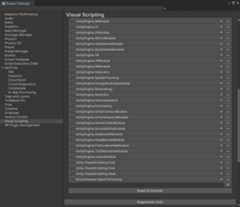
- Project Settings > Visual Scripting > Regenerate Units




About
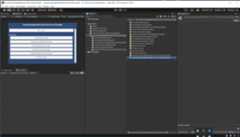
Example of using OpenCVForUnity with VisualScripting
Topics
Resources
Uh oh!
There was an error while loading.Please reload this page.
Stars
Watchers
Forks
Packages0
No packages published