In a dot plot, the width of a dot corresponds to the bin width(or maximum width, depending on the binning algorithm), and dots arestacked, with each dot representing one observation.
Usage
geom_dotplot( mapping=NULL, data=NULL, position="identity",..., binwidth=NULL, binaxis="x", method="dotdensity", binpositions="bygroup", stackdir="up", stackratio=1, dotsize=1, stackgroups=FALSE, origin=NULL, right=TRUE, width=0.9, drop=FALSE, na.rm=FALSE, show.legend=NA, inherit.aes=TRUE)Arguments
- mapping
Set of aesthetic mappings created by
aes(). If specified andinherit.aes = TRUE(the default), it is combined with the default mappingat the top level of the plot. You must supplymappingif there is no plotmapping.- data
The data to be displayed in this layer. There are threeoptions:
If
NULL, the default, the data is inherited from the plotdata as specified in the call toggplot().A
data.frame, or other object, will override the plotdata. All objects will be fortified to produce a data frame. Seefortify()for which variables will be created.A
functionwill be called with a single argument,the plot data. The return value must be adata.frame, andwill be used as the layer data. Afunctioncan be createdfrom aformula(e.g.~ head(.x, 10)).- position
A position adjustment to use on the data for this layer. Thiscan be used in various ways, including to prevent overplotting andimproving the display. The
positionargument accepts the following:The result of calling a position function, such as
position_jitter().This method allows for passing extra arguments to the position.A string naming the position adjustment. To give the position as astring, strip the function name of the
position_prefix. For example,to useposition_jitter(), give the position as"jitter".For more information and other ways to specify the position, see thelayer position documentation.
- ...
Other arguments passed on to
layer()'sparamsargument. Thesearguments broadly fall into one of 4 categories below. Notably, furtherarguments to thepositionargument, or aesthetics that are requiredcannot be passed through.... Unknown arguments that are not partof the 4 categories below are ignored.Static aesthetics that are not mapped to a scale, but are at a fixedvalue and apply to the layer as a whole. For example,
colour = "red"orlinewidth = 3. The geom's documentation has anAestheticssection that lists the available options. The 'required' aestheticscannot be passed on to theparams. Please note that while passingunmapped aesthetics as vectors is technically possible, the order andrequired length is not guaranteed to be parallel to the input data.When constructing a layer usinga
stat_*()function, the...argument can be used to pass onparameters to thegeompart of the layer. An example of this isstat_density(geom = "area", outline.type = "both"). The geom'sdocumentation lists which parameters it can accept.Inversely, when constructing a layer using a
geom_*()function, the...argument can be used to pass on parametersto thestatpart of the layer. An example of this isgeom_area(stat = "density", adjust = 0.5). The stat's documentationlists which parameters it can accept.The
key_glyphargument oflayer()may also be passed on through.... This can be one of the functions described askey glyphs, to change the display of the layer in the legend.
- binwidth
When
methodis "dotdensity", this specifies maximum binwidth. Whenmethodis "histodot", this specifies bin width.Defaults to 1/30 of the range of the data- binaxis
The axis to bin along, "x" (default) or "y"
- method
"dotdensity" (default) for dot-density binning, or"histodot" for fixed bin widths (like stat_bin)
- binpositions
When
methodis "dotdensity", "bygroup" (default)determines positions of the bins for each group separately. "all" determinespositions of the bins with all the data taken together; this is used foraligning dot stacks across multiple groups.- stackdir
which direction to stack the dots. "up" (default),"down", "center", "centerwhole" (centered, but with dots aligned)
- stackratio
how close to stack the dots. Default is 1, where dotsjust touch. Use smaller values for closer, overlapping dots.
- dotsize
The diameter of the dots relative to
binwidth, default 1.- stackgroups
should dots be stacked across groups? This has the effectthat
position = "stack"should have, but can't (because this geom hassome odd properties).- origin
When
methodis "histodot", origin of first bin- right
When
methodis "histodot", should intervals be closedon the right (a, b], or not [a, b)- width
When
binaxisis "y", the spacing of the dot stacksfor dodging.- drop
If TRUE, remove all bins with zero counts
- na.rm
If
FALSE, the default, missing values are removed witha warning. IfTRUE, missing values are silently removed.- show.legend
logical. Should this layer be included in the legends?
NA, the default, includes if any aesthetics are mapped.FALSEnever includes, andTRUEalways includes.It can also be a named logical vector to finely select the aesthetics todisplay. To include legend keys for all levels, evenwhen no data exists, useTRUE. IfNA, all levels are shown in legend,but unobserved levels are omitted.- inherit.aes
If
FALSE, overrides the default aesthetics,rather than combining with them. This is most useful for helper functionsthat define both data and aesthetics and shouldn't inherit behaviour fromthe default plot specification, e.g.annotation_borders().
Details
There are two basic approaches:dot-density andhistodot.With dot-density binning, the bin positions are determined by the data andbinwidth, which is the maximum width of each bin. See Wilkinson(1999) for details on the dot-density binning algorithm. With histodotbinning, the bins have fixed positions and fixed widths, much like ahistogram.
When binning along the x axis and stacking along the y axis, the numbers ony axis are not meaningful, due to technical limitations of ggplot2. You canhide the y axis, as in one of the examples, or manually scale itto match the number of dots.
Computed variables
These are calculated by the 'stat' part of layers and can be accessed withdelayed evaluation.
after_stat(x)
center of each bin, ifbinaxisis"x".after_stat(y)
center of each bin, ifbinaxisis"x".after_stat(binwidth)
maximum width of each bin if method is"dotdensity"; width of each bin if method is"histodot".after_stat(count)
number of points in bin.after_stat(ncount)
count, scaled to a maximum of 1.after_stat(density)
density of points in bin, scaled to integrate to 1, if method is"histodot".after_stat(ndensity)
density, scaled to maximum of 1, if method is"histodot".
Aesthetics
geom_dotplot() understands the following aesthetics. Required aesthetics are displayed in bold and defaults are displayed for optional aesthetics:
| • | x | |
| • | y | |
| • | alpha | →NA |
| • | colour | → viatheme() |
| • | fill | → viatheme() |
| • | group | → inferred |
| • | linetype | → viatheme() |
| • | stroke | → viatheme() |
| • | weight | →1 |
| • | width | →0.9 |
Learn more about setting these aesthetics invignette("ggplot2-specs").
Examples
ggplot(mtcars,aes(x=mpg))+geom_dotplot()#> Bin width defaults to 1/30 of the range of the data. Pick better value#> with `binwidth`.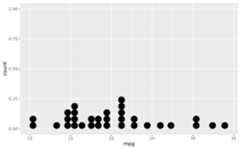 ggplot(mtcars,aes(x=mpg))+geom_dotplot(binwidth=1.5)
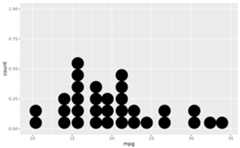 # Use fixed-width binsggplot(mtcars,aes(x=mpg))+geom_dotplot(method="histodot", binwidth=1.5)
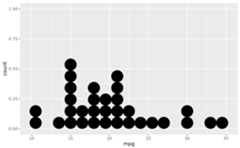 # Some other stacking methodsggplot(mtcars,aes(x=mpg))+geom_dotplot(binwidth=1.5, stackdir="center")
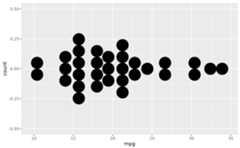 ggplot(mtcars,aes(x=mpg))+geom_dotplot(binwidth=1.5, stackdir="centerwhole")
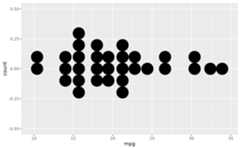 # y axis isn't really meaningful, so hide itggplot(mtcars,aes(x=mpg))+geom_dotplot(binwidth=1.5)+scale_y_continuous(NULL, breaks=NULL)
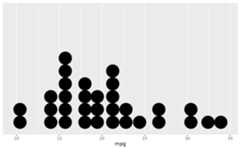 # Overlap dots verticallyggplot(mtcars,aes(x=mpg))+geom_dotplot(binwidth=1.5, stackratio=.7)
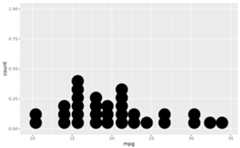 # Expand dot diameterggplot(mtcars,aes(x=mpg))+geom_dotplot(binwidth=1.5, dotsize=1.25)
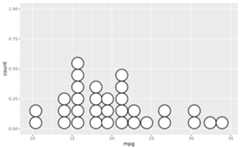
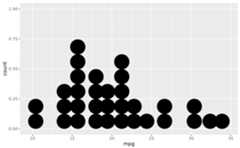 # Change dot fill colour, stroke widthggplot(mtcars,aes(x=mpg))+geom_dotplot(binwidth=1.5, fill="white", stroke=2)
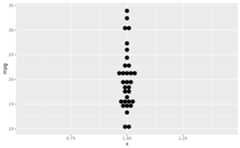
 # \donttest{# Examples with stacking along y axis instead of xggplot(mtcars,aes(x=1, y=mpg))+geom_dotplot(binaxis="y", stackdir="center")#> Bin width defaults to 1/30 of the range of the data. Pick better value#> with `binwidth`.
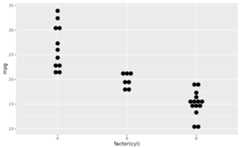
 ggplot(mtcars,aes(x=factor(cyl), y=mpg))+geom_dotplot(binaxis="y", stackdir="center")#> Bin width defaults to 1/30 of the range of the data. Pick better value#> with `binwidth`.
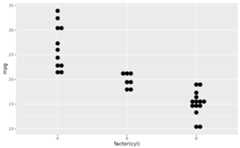
 ggplot(mtcars,aes(x=factor(cyl), y=mpg))+geom_dotplot(binaxis="y", stackdir="centerwhole")#> Bin width defaults to 1/30 of the range of the data. Pick better value#> with `binwidth`.
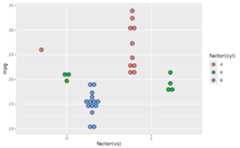
 ggplot(mtcars,aes(x=factor(vs), fill=factor(cyl), y=mpg))+geom_dotplot(binaxis="y", stackdir="center", position="dodge")#> Bin width defaults to 1/30 of the range of the data. Pick better value#> with `binwidth`.
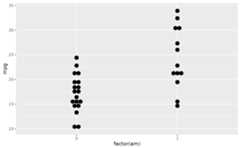
 # binpositions="all" ensures that the bins are aligned between groupsggplot(mtcars,aes(x=factor(am), y=mpg))+geom_dotplot(binaxis="y", stackdir="center", binpositions="all")#> Bin width defaults to 1/30 of the range of the data. Pick better value#> with `binwidth`.
 # Stacking multiple groups, with different fillggplot(mtcars,aes(x=mpg, fill=factor(cyl)))+geom_dotplot(stackgroups=TRUE, binwidth=1, binpositions="all")
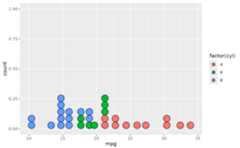 ggplot(mtcars,aes(x=mpg, fill=factor(cyl)))+geom_dotplot(stackgroups=TRUE, binwidth=1, method="histodot")
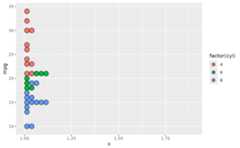
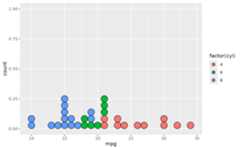 ggplot(mtcars,aes(x=1, y=mpg, fill=factor(cyl)))+geom_dotplot(binaxis="y", stackgroups=TRUE, binwidth=1, method="histodot")
 # }
# }