This function adds geoms to a plot, but unlike a typical geom function,the properties of the geoms are not mapped from variables of a data frame,but are instead passed in as vectors. This is useful for adding small annotations(such as text labels) or if you have your data in vectors, and for somereason don't want to put them in a data frame.
Usage
annotate(geom, x=NULL, y=NULL, xmin=NULL, xmax=NULL, ymin=NULL, ymax=NULL, xend=NULL, yend=NULL,..., na.rm=FALSE)Arguments
- geom
name of geom to use for annotation
- x, y, xmin, ymin, xmax, ymax, xend, yend
positioning aesthetics -you must specify at least one of these.
- ...
Other arguments passed on to
layer()'sparamsargument. Thesearguments broadly fall into one of 4 categories below. Notably, furtherarguments to thepositionargument, or aesthetics that are requiredcannot be passed through.... Unknown arguments that are not partof the 4 categories below are ignored.Static aesthetics that are not mapped to a scale, but are at a fixedvalue and apply to the layer as a whole. For example,
colour = "red"orlinewidth = 3. The geom's documentation has anAestheticssection that lists the available options. The 'required' aestheticscannot be passed on to theparams. Please note that while passingunmapped aesthetics as vectors is technically possible, the order andrequired length is not guaranteed to be parallel to the input data.When constructing a layer usinga
stat_*()function, the...argument can be used to pass onparameters to thegeompart of the layer. An example of this isstat_density(geom = "area", outline.type = "both"). The geom'sdocumentation lists which parameters it can accept.Inversely, when constructing a layer using a
geom_*()function, the...argument can be used to pass on parametersto thestatpart of the layer. An example of this isgeom_area(stat = "density", adjust = 0.5). The stat's documentationlists which parameters it can accept.The
key_glyphargument oflayer()may also be passed on through.... This can be one of the functions described askey glyphs, to change the display of the layer in the legend.
- na.rm
If
FALSE, the default, missing values are removed witha warning. IfTRUE, missing values are silently removed.
Details
Note that all position aesthetics are scaled (i.e. they will expand thelimits of the plot so they are visible), but all other aesthetics areset. This means that layers created with this function will neveraffect the legend.
Unsupported geoms
Due to their special nature, reference line geomsgeom_abline(),geom_hline(), andgeom_vline() can't be used withannotate().You can use these geoms directly for annotations.
See also
Thecustom annotations section of the online ggplot2 book.
Examples
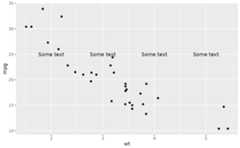
p<-ggplot(mtcars,aes(x=wt, y=mpg))+geom_point()p+annotate("text", x=4, y=25, label="Some text")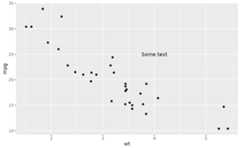 p+annotate("text", x=2:5, y=25, label="Some text")
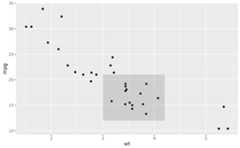
 p+annotate("rect", xmin=3, xmax=4.2, ymin=12, ymax=21, alpha=.2)
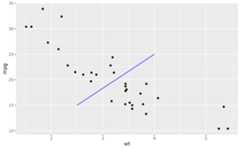
 p+annotate("segment", x=2.5, xend=4, y=15, yend=25, colour="blue")
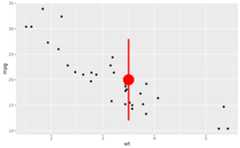
 p+annotate("pointrange", x=3.5, y=20, ymin=12, ymax=28, colour="red", size=2.5, linewidth=1.5)
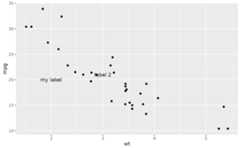
 p+annotate("text", x=2:3, y=20:21, label=c("my label","label 2"))
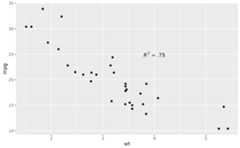
 p+annotate("text", x=4, y=25, label="italic(R) ^ 2 == 0.75", parse=TRUE)
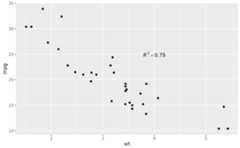 p+annotate("text", x=4, y=25, label="paste(italic(R) ^ 2, \" = .75\")", parse=TRUE)