
A fixed scale coordinate system forces a specified ratio between thephysical representation of data units on the axes. The ratio represents thenumber of units on the y-axis equivalent to one unit on the x-axis. Thedefault,ratio = 1, ensures that one unit on the x-axis is the samelength as one unit on the y-axis. Ratios higher than one make units on they axis longer than units on the x-axis, and vice versa. This is similar toMASS::eqscplot(), but it works for all types of graphics.
Arguments
- ratio
aspect ratio, expressed as
y / x. Can beNULL(default) tonot use an aspect ratio. Using1ensures that one unit on the x-axisis the same length as one unit on the y-axis. Ratios higher than one makeunits on the y-axis longer than units on the x-axis, and vice versa.- ...
Arguments passed on to
coord_cartesianxlim,ylimLimits for the x and y axes.
expandIf
TRUE, the default, adds a small expansion factor tothe limits to ensure that data and axes don't overlap. IfFALSE,limits are taken exactly from the data orxlim/ylim.Giving a logical vector will separately control the expansion for the fourdirections (top, left, bottom and right). Theexpandargument will berecycled to length 4 if necessary. Alternatively, can be a named logicalvector to control a single direction, e.g.expand = c(bottom = FALSE).defaultIs this the default coordinate system? If
FALSE(the default),then replacing this coordinate system with another one creates a message alertingthe user that the coordinate system is being replaced. IfTRUE, that warningis suppressed.clipShould drawing be clipped to the extent of the plot panel? Asetting of
"on"(the default) means yes, and a setting of"off"means no. In most cases, the default of"on"should not be changed,as settingclip = "off"can cause unexpected results. It allowsdrawing of data points anywhere on the plot, including in the plot margins. Iflimits are set viaxlimandylimand some data points fall outside thoselimits, then those data points may show up in places such as the axes, thelegend, the plot title, or the plot margins.reverseA string giving which directions to reverse.
"none"(default) keeps directions as is."x"and"y"can be used to reversetheir respective directions."xy"can be used to reverse bothdirections.
Examples
# ensures that the ranges of axes are equal to the specified ratio by# adjusting the plot aspect ratiop<-ggplot(mtcars,aes(mpg,wt))+geom_point()p+coord_fixed(ratio=1)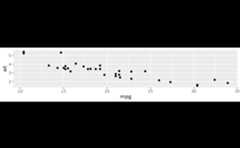 p+coord_fixed(ratio=5)
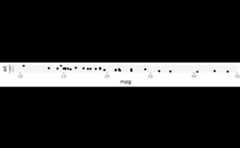
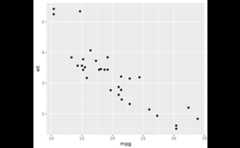 p+coord_fixed(ratio=1/5)
 p+coord_fixed(xlim=c(15,30))
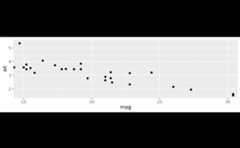 # Resize the plot to see that the specified aspect ratio is maintained