
scale_x_continuous() andscale_y_continuous() are the defaultscales for continuous x and y aesthetics. There are three variantsthat set thetransform argument for commonly used transformations:scale_*_log10(),scale_*_sqrt() andscale_*_reverse().
Usage
scale_x_continuous( name=waiver(), breaks=waiver(), minor_breaks=waiver(), n.breaks=NULL, labels=waiver(), limits=NULL, expand=waiver(), oob=censor, na.value=NA_real_, transform="identity", trans=deprecated(), guide=waiver(), position="bottom", sec.axis=waiver())scale_y_continuous( name=waiver(), breaks=waiver(), minor_breaks=waiver(), n.breaks=NULL, labels=waiver(), limits=NULL, expand=waiver(), oob=censor, na.value=NA_real_, transform="identity", trans=deprecated(), guide=waiver(), position="left", sec.axis=waiver())scale_x_log10(...)scale_y_log10(...)scale_x_reverse(...)scale_y_reverse(...)scale_x_sqrt(...)scale_y_sqrt(...)Arguments
- name
The name of the scale. Used as the axis or legend title. If
waiver(), the default, the name of the scale is taken from the firstmapping used for that aesthetic. IfNULL, the legend title will beomitted.- breaks
One of:
NULLfor no breakswaiver()for the default breaks computed by thetransformation objectA numeric vector of positions
A function that takes the limits as input and returns breaksas output (e.g., a function returned by
scales::extended_breaks()).Note that for position scales, limits are provided after scale expansion.Also accepts rlanglambda function notation.
- minor_breaks
One of:
NULLfor no minor breakswaiver()for the default breaks (none for discrete, one minor breakbetween each major break for continuous)A numeric vector of positions
A function that given the limits returns a vector of minor breaks. Alsoaccepts rlanglambda function notation. Whenthe function has two arguments, it will be given the limits and majorbreak positions.
- n.breaks
An integer guiding the number of major breaks. The algorithmmay choose a slightly different number to ensure nice break labels. Willonly have an effect if
breaks = waiver(). UseNULLto use the defaultnumber of breaks given by the transformation.- labels
One of the options below. Please note that when
labelsis avector, it is highly recommended to also set thebreaksargument as avector to protect against unintended mismatches.NULLfor no labelswaiver()for the default labels computed by thetransformation objectA character vector giving labels (must be same length as
breaks)An expression vector (must be the same length as breaks). See ?plotmath for details.
A function that takes the breaks as input and returns labelsas output. Also accepts rlanglambda functionnotation.
- limits
One of:
NULLto use the default scale rangeA numeric vector of length two providing limits of the scale.Use
NAto refer to the existing minimum or maximumA function that accepts the existing (automatic) limits and returnsnew limits. Also accepts rlanglambda functionnotation.Note that setting limits on positional scales willremove data outside of the limits.If the purpose is to zoom, use the limit argument in the coordinate system(see
coord_cartesian()).
- expand
For position scales, a vector of range expansion constants used to add somepadding around the data to ensure that they are placed some distanceaway from the axes. Use the convenience function
expansion()to generate the values for theexpandargument. The defaults are toexpand the scale by 5% on each side for continuous variables, and by0.6 units on each side for discrete variables.- oob
One of:
Function that handles limits outside of the scale limits(out of bounds). Also accepts rlanglambdafunction notation.
The default (
scales::censor()) replaces out ofbounds values withNA.scales::squish()for squishing out of bounds values into range.scales::squish_infinite()for squishing infinite values into range.
- na.value
Missing values will be replaced with this value.
- transform
For continuous scales, the name of a transformation objector the object itself. Built-in transformations include "asn", "atanh","boxcox", "date", "exp", "hms", "identity", "log", "log10", "log1p", "log2","logit", "modulus", "probability", "probit", "pseudo_log", "reciprocal","reverse", "sqrt" and "time".
A transformation object bundles together a transform, its inverse,and methods for generating breaks and labels. Transformation objectsare defined in the scales package, and are called
transform_<name>. Iftransformations require arguments, you can call them from the scalespackage, e.g.scales::transform_boxcox(p = 2).You can create your own transformation withscales::new_transform().- trans
![[Deprecated]](/image.pl?url=https%3a%2f%2fggplot2.tidyverse.org%2freference%2f..%2farticles%2f..%2freference%2ffigures%2flifecycle-deprecated.svg&f=jpg&w=240) Deprecated in favour of
Deprecated in favour oftransform.- guide
A function used to create a guide or its name. See
guides()for more information.- position
For position scales, The position of the axis.
leftorrightfor y axes,toporbottomfor x axes.- sec.axis
sec_axis()is used to specify a secondary axis.- ...
Other arguments passed on to
scale_(x|y)_continuous()
See also
Thenumeric position scales section of the online ggplot2 book.
Other position scales:scale_x_binned(),scale_x_date(),scale_x_discrete()
Examples
p1<-ggplot(mpg,aes(displ,hwy))+geom_point()p1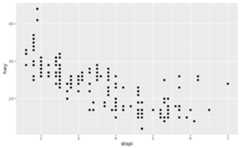 # Manipulating the default position scales lets you:# * change the axis labelsp1+scale_x_continuous("Engine displacement (L)")+scale_y_continuous("Highway MPG")
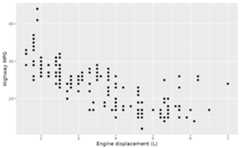 # You can also use the short-cut labs().# Use NULL to suppress axis labelsp1+labs(x=NULL, y=NULL)
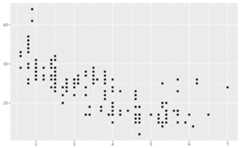 # * modify the axis limitsp1+scale_x_continuous(limits=c(2,6))#>Warning:Removed 27 rows containing missing values or values outside the scale#> range (`geom_point()`).
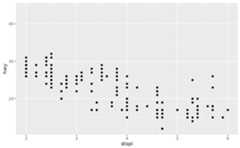 p1+scale_x_continuous(limits=c(0,10))
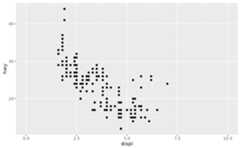 # you can also use the short hand functions `xlim()` and `ylim()`p1+xlim(2,6)#>Warning:Removed 27 rows containing missing values or values outside the scale#> range (`geom_point()`).
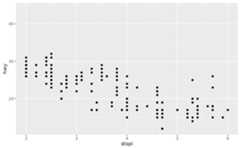 # * choose where the ticks appearp1+scale_x_continuous(breaks=c(2,4,6))
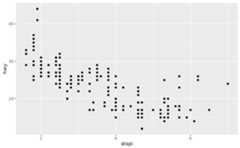 # * choose your own labelsp1+scale_x_continuous( breaks=c(2,4,6), label=c("two","four","six"))
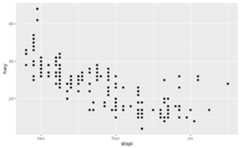 # Typically you'll pass a function to the `labels` argument.# Some common formats are built into the scales package:set.seed(1)df<-data.frame( x=rnorm(10)*100000, y=seq(0,1, length.out=10))p2<-ggplot(df,aes(x,y))+geom_point()p2+scale_y_continuous(labels=scales::label_percent())
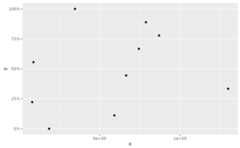 p2+scale_y_continuous(labels=scales::label_dollar())
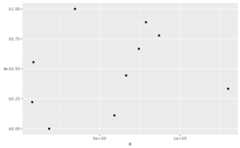 p2+scale_x_continuous(labels=scales::label_comma())
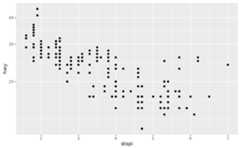
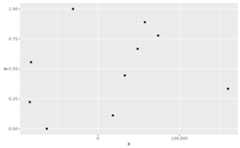 # You can also override the default linear mapping by using a# transformation. There are three shortcuts:p1+scale_y_log10()
 p1+scale_y_sqrt()
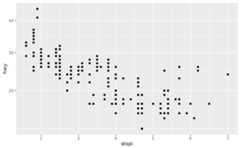 p1+scale_y_reverse()
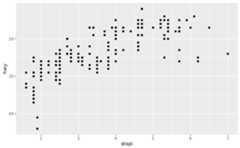 # Or you can supply a transformation in the `trans` argument:p1+scale_y_continuous(transform=scales::transform_reciprocal())
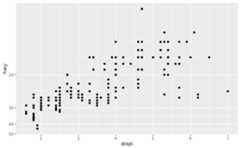 # You can also create your own. See ?scales::new_transform