
Create Dynamic Links on Android
You can create short or longDynamic Links with theFirebase Dynamic Links Builder API.This API accepts either a longDynamic Link or an object containingDynamic Linkparameters, and returns URLs like the following examples:
https://example.com/link/WXYZhttps://example.page.link/WXYZ
Set up Firebase and theDynamic Links SDK
Before you can createDynamic Links in your Android app, you must include theFirebase SDK. If your app is set up to receiveDynamic Links, you have alreadycompleted these steps and you can skip this section.
If you haven't already,add Firebase to your Android project.
When you register your app, specify your SHA-1 signing key. If you use App Links, also specify your SHA-256 key.
In yourmodule (app-level) Gradle file(usually
<project>/<app-module>/build.gradle.ktsor<project>/<app-module>/build.gradle),add the dependency for theDynamic Links library for Android. We recommend using theFirebase Android BoMto control library versioning.For an optimal experience withDynamic Links, we recommendenablingGoogle Analyticsin your Firebase project and adding the Firebase SDK for Google Analytics to your app.
dependencies{// Import theBoM for the Firebase platformimplementation(platform("com.google.firebase:firebase-bom:34.9.0"))// Add the dependencies for theDynamic Links andAnalytics libraries// When using theBoM, you don't specify versions in Firebase library dependenciesimplementation'com.google.firebase:firebase-dynamic-links'implementation'com.google.firebase:firebase-analytics'}
By using theFirebase Android BoM, your app will always use compatible versions of Firebase Android libraries.
(Alternative) Add Firebase library dependencies without using theBoM
If you choose not to use theFirebase BoM, you must specify each Firebase library version in its dependency line.
Note that if you usemultiple Firebase libraries in your app, we strongly recommend using theBoM to manage library versions, which ensures that all versions are compatible.
dependencies{// Add the dependencies for theDynamic Links andAnalytics libraries// When NOT using theBoM, you must specify versions in Firebase library dependenciesimplementation'com.google.firebase:firebase-dynamic-links:22.1.0'implementation'com.google.firebase:firebase-analytics:23.0.0'}
- In theFirebase console, open theDynamic Links section.
If you have not already accepted the terms of service and set a domain for yourDynamic Links, do so when prompted.
If you already have aDynamic Links domain, take note of it. You need to provide aDynamic Links domain when you programmatically createDynamic Links.
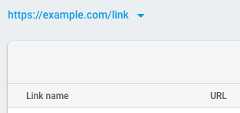
- Recommended: Specify the URL patterns allowed in your deep links and fallback links. By doing so, you prevent unauthorized parties from creatingDynamic Links that redirect from your domain to sites you don't control. SeeAllow specific URL patterns.
Use theFirebase console
If you want to generate a singleDynamic Link, either for testing purposes, or for your marketing team to easily create a link that can be used in something like a social media post, the simplest way wouldbe to visit theFirebase consoleand create one manually following the step-by-step form.
Create aDynamic Link from parameters
To create aDynamic Link, create a newDynamicLink object with itsBuilder, specifying theDynamic Link parameters with the Builder methods. Then, callbuildDynamicLink orbuildShortDynamicLink.
The following minimal example creates a longDynamic Link tohttps://www.example.com/ that opens with your Android app on Androidand the appcom.example.ios on iOS:
Kotlin
valdynamicLink=Firebase.dynamicLinks.dynamicLink{link=Uri.parse("https://www.example.com/")domainUriPrefix="https://example.page.link"// Open links with this app on AndroidandroidParameters{}// Open links with com.example.ios on iOSiosParameters("com.example.ios"){}}valdynamicLinkUri=dynamicLink.uri
Java
DynamicLinkdynamicLink=FirebaseDynamicLinks.getInstance().createDynamicLink().setLink(Uri.parse("https://www.example.com/")).setDomainUriPrefix("https://example.page.link")// Open links with this app on Android.setAndroidParameters(newDynamicLink.AndroidParameters.Builder().build())// Open links with com.example.ios on iOS.setIosParameters(newDynamicLink.IosParameters.Builder("com.example.ios").build()).buildDynamicLink();UridynamicLinkUri=dynamicLink.getUri();
To create a shortDynamic Link, build aDynamicLink the same way, and then callbuildShortDynamicLink. Building a short link requires a network call, so instead of directly returning the link,buildShortDynamicLink returns aTask, which makes the short link available when the request completes. For example:
Kotlin
valshortLinkTask=Firebase.dynamicLinks.shortLinkAsync{link=Uri.parse("https://www.example.com/")domainUriPrefix="https://example.page.link"// Set parameters// ...}.addOnSuccessListener{(shortLink,flowchartLink)->// You'll need to import com.google.firebase.dynamiclinks.component1 and// com.google.firebase.dynamiclinks.component2// Short link createdprocessShortLink(shortLink,flowchartLink)}.addOnFailureListener{// Error// ...}
Java
Task<ShortDynamicLink>shortLinkTask=FirebaseDynamicLinks.getInstance().createDynamicLink().setLink(Uri.parse("https://www.example.com/")).setDomainUriPrefix("https://example.page.link")// Set parameters// ....buildShortDynamicLink().addOnCompleteListener(this,newOnCompleteListener<ShortDynamicLink>(){@OverridepublicvoidonComplete(@NonNullTask<ShortDynamicLink>task){if(task.isSuccessful()){// Short link createdUrishortLink=task.getResult().getShortLink();UriflowchartLink=task.getResult().getPreviewLink();}else{// Error// ...}}});
By default, shortDynamic Links are generated with 17-character link suffixes that make it extremely unlikely that someone can guess a validDynamic Link. If, for your use case, there's no harm in someone successfully guessing a short link, you might prefer to generate suffixes that are only as long as necessary to be unique, which you can do by passingShortDynamicLink.Suffix.SHORT to thebuildShortDynamicLink method:
Kotlin
valshortLinkTask=Firebase.dynamicLinks.shortLinkAsync(ShortDynamicLink.Suffix.SHORT){// Set parameters// ...}
Java
Task<ShortDynamicLink>shortLinkTask=FirebaseDynamicLinks.getInstance().createDynamicLink()// ....buildShortDynamicLink(ShortDynamicLink.Suffix.SHORT);// ...
Dynamic Link parameters
You can use theDynamic Link Builder API to createDynamic Links with any of thesupported parameters. See theAPI reference for details.
The following example creates aDynamic Link with several common parametersset:
Kotlin
valdynamicLink=Firebase.dynamicLinks.dynamicLink{// or Firebase.dynamicLinks.shortLinkAsynclink=Uri.parse("https://www.example.com/")domainUriPrefix="https://example.page.link"androidParameters("com.example.android"){minimumVersion=125}iosParameters("com.example.ios"){appStoreId="123456789"minimumVersion="1.0.1"}googleAnalyticsParameters{source="orkut"medium="social"campaign="example-promo"}itunesConnectAnalyticsParameters{providerToken="123456"campaignToken="example-promo"}socialMetaTagParameters{title="Example of a Dynamic Link"description="This link works whether the app is installed or not!"}}
Java
DynamicLinkdynamicLink=FirebaseDynamicLinks.getInstance().createDynamicLink().setLink(Uri.parse("https://www.example.com/")).setDomainUriPrefix("https://example.page.link").setAndroidParameters(newDynamicLink.AndroidParameters.Builder("com.example.android").setMinimumVersion(125).build()).setIosParameters(newDynamicLink.IosParameters.Builder("com.example.ios").setAppStoreId("123456789").setMinimumVersion("1.0.1").build()).setGoogleAnalyticsParameters(newDynamicLink.GoogleAnalyticsParameters.Builder().setSource("orkut").setMedium("social").setCampaign("example-promo").build()).setItunesConnectAnalyticsParameters(newDynamicLink.ItunesConnectAnalyticsParameters.Builder().setProviderToken("123456").setCampaignToken("example-promo").build()).setSocialMetaTagParameters(newDynamicLink.SocialMetaTagParameters.Builder().setTitle("Example of a Dynamic Link").setDescription("This link works whether the app is installed or not!").build()).buildDynamicLink();// Or buildShortDynamicLink()
You can setDynamic Link parameters with the following methods:
| DynamicLink parameters | |
|---|---|
| setLink | The link your app will open. Specify a URL that your app can handle, typically the app's contentor payload, which initiates app-specific logic (such as crediting the user with a coupon ordisplaying a welcome screen). This link must be a well-formatted URL, be properly URL-encoded, useeither HTTP or HTTPS, and cannot be another Dynamic Link. When users open aDynamic Link on a desktop web browser, they will load this URL(unless theofl parameter is specified). If you don't have a web equivalent to thelinked content, the URL doesn't need to point to a valid web resource. In this situation, you shouldset up a redirect from this URL to, for example, your home page. |
| setDomainUriPrefix | YourDynamic Link URL prefix, which you can find in theFirebase console. ADynamic Link domain looks like the following examples:https://example.com/linkhttps://example.page.link |
| AndroidParameters | |
|---|---|
| setFallbackUrl | The link to open when the app isn't installed. Specify this to do something other than install your app from the Play Store when the app isn't installed, such as open the mobile web version of the content, or display a promotional page for your app. |
| setMinimumVersion | TheversionCode of the minimum version of your app that can open the link. If the installed app is an older version, the user is taken to the Play Store to upgrade the app. |
| IosParameters | |
|---|---|
| setAppStoreId | Your app's App Store ID, used to send users to the App Store when the app isn't installed |
| setFallbackUrl | The link to open when the app isn't installed. Specify this to do something other than install your app from the App Store when the app isn't installed, such as open the mobile web version of the content, or display a promotional page for your app. |
| setCustomScheme | Your app's custom URL scheme, if defined to be something other than your app's bundle ID |
| setIpadFallbackUrl | The link to open on iPads when the app isn't installed. Specify this to do something other than install your app from the App Store when the app isn't installed, such as open the web version of the content, or display a promotional page for your app. |
| setIpadBundleId | The bundle ID of the iOS app to use on iPads to open the link. The app must be connected to your project from the Overview page of theFirebase console. |
| setMinimumVersion | Theversion number of the minimum version of your app that can open the link. This flag is passed to your app when it is opened, and your app must decide what to do with it. |
| NavigationInfoParameters | |
|---|---|
| setForcedRedirectEnabled | If set to '1', skip the app preview page when theDynamic Link is opened, and instead redirect to the app or store. The app preview page (enabled by default) can more reliably send users to the most appropriate destination when they openDynamic Links in apps; however, if you expect aDynamic Link to be opened only in apps that can openDynamic Links reliably without this page, you can disable it with this parameter. This parameter will affect the behavior of theDynamic Link only on iOS. |
| SocialMetaTagParameters | |
|---|---|
| setTitle | The title to use when theDynamic Link is shared in a social post. |
| setDescription | The description to use when theDynamic Link is shared in a social post. |
| setImageUrl | The URL to an image related to this link. The image should be at least 300x200 px, and less than 300 KB. |
| GoogleAnalyticsParameters | |
|---|---|
| setSource setMedium setCampaign setTerm setContent | Google Play analytics parameters. These parameters (utm_source,utm_medium,utm_campaign,utm_term,utm_content) are passed on to the Play Store as well as appended to the link payload. |
| ItunesConnectAnalyticsParameters | |
|---|---|
| setProviderToken setAffiliateToken setCampaignToken | iTunes Connect analytics parameters. These parameters (pt,at,ct) are passed to the App Store. |
Shorten a longDynamic Link
To shorten a longDynamic Link, specify the URL of theDynamic Link usingsetLongLink instead of setting parameters with the other buildermethods:
Kotlin
valshortLinkTask=Firebase.dynamicLinks.shortLinkAsync{longLink=Uri.parse("https://example.page.link/?link="+"https://www.example.com/&apn=com.example.android&ibn=com.example.ios",)}.addOnSuccessListener{(shortLink,flowChartLink)->// You'll need to import com.google.firebase.dynamiclinks.component1 and// com.google.firebase.dynamiclinks.component2// Short link createdprocessShortLink(shortLink,flowChartLink)}.addOnFailureListener{// Error// ...}
Java
Task<ShortDynamicLink>shortLinkTask=FirebaseDynamicLinks.getInstance().createDynamicLink().setLongLink(Uri.parse("https://example.page.link/?link=https://www.example.com/&apn=com.example.android&ibn=com.example.ios")).buildShortDynamicLink().addOnCompleteListener(this,newOnCompleteListener<ShortDynamicLink>(){@OverridepublicvoidonComplete(@NonNullTask<ShortDynamicLink>task){if(task.isSuccessful()){// Short link createdUrishortLink=task.getResult().getShortLink();UriflowchartLink=task.getResult().getPreviewLink();}else{// Error// ...}}});
Except as otherwise noted, the content of this page is licensed under theCreative Commons Attribution 4.0 License, and code samples are licensed under theApache 2.0 License. For details, see theGoogle Developers Site Policies. Java is a registered trademark of Oracle and/or its affiliates.
Last updated 2026-02-18 UTC.