

numpy.absolute#
- numpy.absolute(x,/,out=None,*,where=True,casting='same_kind',order='K',dtype=None,subok=True[,signature])=<ufunc'absolute'>#
Calculate the absolute value element-wise.
np.absis a shorthand for this function.- Parameters:
- xarray_like
Input array.
- outndarray, None, or tuple of ndarray and None, optional
A location into which the result is stored. If provided, it must havea shape that the inputs broadcast to. If not provided or None,a freshly-allocated array is returned. A tuple (possible only as akeyword argument) must have length equal to the number of outputs.
- wherearray_like, optional
This condition is broadcast over the input. At locations where thecondition is True, theout array will be set to the ufunc result.Elsewhere, theout array will retain its original value.Note that if an uninitializedout array is created via the default
out=None, locations within it where the condition is False willremain uninitialized.- **kwargs
For other keyword-only arguments, see theufunc docs.
- Returns:
- absolutendarray
An ndarray containing the absolute value ofeach element inx. For complex input,
a+ib, theabsolute value is\(\sqrt{ a^2 + b^2 }\).This is a scalar ifx is a scalar.
Examples
>>>importnumpyasnp>>>x=np.array([-1.2,1.2])>>>np.absolute(x)array([ 1.2, 1.2])>>>np.absolute(1.2+1j)1.5620499351813308
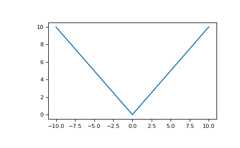
Plot the function over
[-10,10]:>>>importmatplotlib.pyplotasplt
>>>x=np.linspace(start=-10,stop=10,num=101)>>>plt.plot(x,np.absolute(x))>>>plt.show()
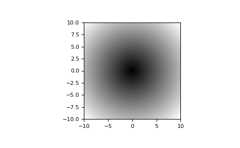
Plot the function over the complex plane:
>>>xx=x+1j*x[:,np.newaxis]>>>plt.imshow(np.abs(xx),extent=[-10,10,-10,10],cmap='gray')>>>plt.show()
The
absfunction can be used as a shorthand fornp.absoluteonndarrays.>>>x=np.array([-1.2,1.2])>>>abs(x)array([1.2, 1.2])