Accessing npm using two-factor authentication
See Details
Table of contents
Sign in from the command line using security-key flow
On the command line, type the
npm logincommand.When prompted, provide your username, password, and email address.
user@host:~$npm loginnpm notice Login on https://registry.npmjs.org/Username: monaPassword:Email:(this IS public) mona@github.comnpm notice Open https://www.npmjs.com/login/913c3ab1-89a0-44bd-be8d-d946e2e906f0 to use your security keyfor authentication or enter OTP from your authenticator appIf you have configured a security-key, open the provided URL shown in the command line. Alternatively, if you have configured a mobile authenticator skip to step 6.
Click onUse security key and follow the browser specific steps to authenticate.
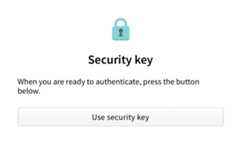
Copy the generated token

Enter the one-time password into the CLI prompt.
Enter one-time password:
Sign in from the command line using--auth-type=web
npm 8.14.0 and higher support login flow through the browsers. This will become the default behavior for the npm public registry in npm 9.
With an existing browser session
On the command line, type the
npm login --auth-type=webcommand.When prompted hit "ENTER" to open your browser to start the login flow or click the provided URL show in the command line.
user@host:~$npm loginnpm notice Login on https://registry.npmjs.org/Authenticate your account at:https://www.npmjs.com/login?next=/login/cli/b1a2f96a-ce09-4463-954c-c99f6773b922Press ENTER toopenin the browser...Click onUse security key and follow the browser specific steps to authenticate.
Note: If you have configured to use TOTP, you will see an TOTP prompt instead
Without an existing browser session
On the command line, type the
npm login --auth-type=webcommand.When prompted hit "ENTER" to open your browser to start the login flow or click the provided URL show in the command line.
user@host:~$npm loginnpm notice Login on https://registry.npmjs.org/Authenticate your account at:https://www.npmjs.com/login?next=/login/cli/b1a2f96a-ce09-4463-954c-c99f6773b922Press ENTER toopenin the browser...- On the npm "Sign In" page, enter your account details and clickSign In.
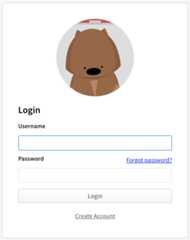
Click onUse security key and follow the browser specific steps to authenticate.
Note: If you have configured to use TOTP, you will see an TOTP prompt instead


