Viewing your subscriptions
To understand where your notifications are coming from and your notifications volume, we recommend reviewing your subscriptions and watched repositories regularly.
In this article
You receive notifications for your subscriptions of ongoing activity on GitHub. There are many reasons you can be subscribed to a conversation. For more information, seeAbout notifications.
We recommend auditing and unsubscribing from your subscriptions as a part of a healthy notifications workflow. For more information about your options for unsubscribing, seeManaging your subscriptions.
Diagnosing why you receive too many notifications
When your inbox has too many notifications to manage, consider whether you have oversubscribed or how you can change your notification settings to reduce the subscriptions you have and the types of notifications you're receiving.
To see an overview of your repository subscriptions, seeReviewing repositories that you're watching.
Tip
You can select the types of event to be notified of by using theCustom option of theWatch/Unwatch dropdown list in yourwatching page or on any repository page on GitHub. For more information, seeConfiguring notifications.
Many people forget about repositories that they've chosen to watch in the past. From the "Watched repositories" page you can quickly unwatch repositories. For more information on ways to unsubscribe, seeUnwatch recommendations on the GitHub Blog andManaging your subscriptions. You can also create a triage workflow to help with the notifications you receive. For guidance on triage workflows, seeCustomizing a workflow for triaging your notifications.
Reviewing all of your subscriptions
In the upper-right corner of any page, click.
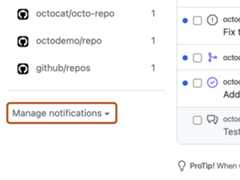
In the left sidebar, under the list of repositories that you have notifications from, use the "Manage notifications" drop-down to clickSubscriptions.
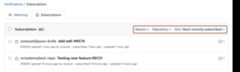
Use the filters and sort to narrow the list of subscriptions and begin unsubscribing to conversations you no longer want to receive notifications for.


Tip
- To review subscriptions you may have forgotten about, sort by "least recently subscribed."
- To review a list of repositories that you can still receive notifications for, see the repository list in the "filter by repository" drop-down menu.
Reviewing repositories that you're watching
In the left sidebar, under the list of repositories, use the "Manage notifications" drop-down menu and clickWatched repositories.
Evaluate the repositories that you are watching and decide if their updates are still relevant and helpful. When you watch a repository, you will be notified of all conversations for that repository.
Tip
Instead of watching a repository, consider only receiving notifications when there are updates to issues, pull requests, releases, security alerts, or discussions (if enabled for the repository), or any combination of these options, or completely unwatching a repository.
When you unwatch a repository, you can still be notified when you're @mentioned or participating in a thread. When you configure to receive notifications for certain event types, you're only notified when there are updates to these event types in the repository, you're participating in a thread, or you or a team you're on is @mentioned.