Deploying Deno to Cloudflare Workers
Cloudflare Workers allows you to run JavaScript on Cloudflare's edge network.
This is a short How To guide on deploying a Deno function to Cloudflare Workers.
Note: You would only be able to deployModule Workersinstead of web servers or apps.
SetupdenoflareJump to heading
In order to deploy Deno to Cloudflare, we'll use this community created CLIdenoflare.
denoinstall --unstable-worker-options --allow-read --allow-net--global --allow-env --allow-run--name denoflare--force\https://raw.githubusercontent.com/skymethod/denoflare/v0.6.0/cli/cli.tsCreate your functionJump to heading
In a new directory, let's create amain.ts file, which will contain our ModuleWorker function:
exportdefault{fetch(request: Request): Response{returnnewResponse("Hello, world!");},};At the very minimum, a Module Worker function mustexport default an objectthat exposes afetch function, which returns aResponse object.
You can test this locally by running:
denoflare serve main.tsIf you go tolocalhost:8080 in your browser, you'll see the response will say:
Hello, world!Configure.denoflareJump to heading
The next step is to create a.denoflare config file. In it, let's add:
{"$schema":"https://raw.githubusercontent.com/skymethod/denoflare/v0.5.11/common/config.schema.json","scripts":{"main":{"path":"/absolute/path/to/main.ts","localPort":8000}},"profiles":{"myprofile":{"accountId":"abcxxxxxxxxxxxxxxxxxxxxxxxxxxxxxx","apiToken":"abcxxxxxxxxx_-yyyyyyyyyyyy-11-dddddddd"}}}You can find youraccountId by going to yourCloudflare dashboard, clicking "Workers", andfinding "Account ID" on the right side.
You can generate anapiToken from yourCloudflare API Tokens settings.When you create an API token, be sure to use the template "Edit CloudflareWorkers".
After you add both to your.denoflare config, let's try pushing it toCloudflare:
denoflare push mainNext, you can view your new function in your Cloudflare account:
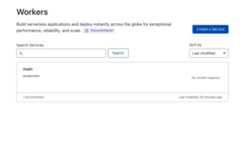
Boom!