

Load YouTube Content Owner data into BigQuery
You can load data from YouTube Content Owner to BigQuery using theBigQuery Data Transfer Service for YouTube Content Owner connector. With theBigQuery Data Transfer Service, you can schedule recurring transfer jobs thatadd your latest data from YouTube Content Owner toBigQuery.
Connector overview
The BigQuery Data Transfer Service for the YouTube Content Owner connector supports the following options for your data transfer.
| Data transfer options | Support |
|---|---|
| Supported reports | The YouTube Content Owner connector supports the transfer of data from the following reports:
The YouTube Content Owner connector supports theJune 18, 2018 API version. For information about how YouTube Content Owner reports are transformed into BigQuery tables and views, seeYouTube Content Owner report transformation. |
| Repeat frequency | The YouTube Content Owner connector supports daily data transfers. By default, data transfers are scheduled at the time when the data transfer is created. You can configure the time of data transfer when youset up your data transfer. |
| Refresh window | The YouTube Content Owner connector retrieves YouTube Content Owner data from up to 1 day at the time the data transfer is run. For more information, seeRefresh windows. |
| Backfill data availability | Run a data backfill to retrieve data outside of your scheduled data transfer. You can retrieve data as far back as the data retention policy on your data source allows. YouTube reports containing historical data are available for 30 days from the time that they are generated. (Reports that contain non-historical data are available for 60 days.) For more information, seeHistorical data. |
Data ingestion from YouTube Content Owner transfers
When you transfer data from YouTube Content Owner reports into BigQuery, thedata is loaded into BigQuery tables that are partitioned by date.The table partition that the data is loaded into corresponds to the date fromthe data source. If you schedule multiple transfers for the same date,BigQuery Data Transfer Service overwrites the partition for that specific date withthe latest data. Multiple transfers in the same day or running backfills don'tresult in duplicate data, and partitions for other dates are not affected.Refresh windows
Arefresh window is the number of days that a data transfer retrieves datawhen a data transfer occurs. For example, if the refresh window is three daysand a daily transfer occurs, the BigQuery Data Transfer Service retrieves all data fromyour source table from the past three days. In thisexample, when a daily transfer occurs, the BigQuery Data Transfer Service creates a newBigQuery destination table partition with a copy of your source table datafrom the current day, then automatically triggers backfill runs to update theBigQuery destination table partitions with your source table data from thepast two days. The automatically triggered backfill runs will either overwriteor incrementally update your BigQuery destination table,depending on whether or not incremental updates are supported in theBigQuery Data Transfer Service connector.
When you run a data transfer for the first time, the data transfer retrieves allsource data available within the refresh window. For example, if the refreshwindow is three days and you run the data transfer for the first time, theBigQuery Data Transfer Service retrieves all source data within three days.
To retrieve data outside the refresh window, such as historical data, or torecover data from any transfer outages or gaps, you can initiate or schedule abackfill run.
Limitations
- The minimum frequency that you can schedule a data transfer for is once every24 hours. By default, a data transfer starts at the time that you create thedata transfer. However, you can configure the transfer start time when youset up your transfer.
- The BigQuery Data Transfer Service does not support incremental data transfers during aYouTube Content Owner transfer. When you specify a date for a data transfer,all of the data that is available for that date is transferred.
Before you begin
Before you create a YouTube Content Owner data transfer:
- Verify that you have completed all actions required toenable the BigQuery Data Transfer Service.
- Create a BigQuery datasetto store YouTube data.
- Verify that you have aYouTube Content Owneraccount. A YouTube Content Owner is not the same as a YouTube channel.Typically, you only have a YouTube Content Owner account if you manage manydifferent channels.
- If you intend to setup transfer run notifications for Pub/Sub, youmust have
pubsub.topics.setIamPolicypermissions. Pub/Subpermissions are not required if you just set up email notifications. For moreinformation, seeBigQuery Data Transfer Service run notifications.
Required permissions
Ensure that you have granted the following permissions.
Required BigQuery roles
To get the permissions that you need to create a BigQuery Data Transfer Service data transfer, ask your administrator to grant you theBigQuery Admin (roles/bigquery.admin) IAM role on your project. For more information about granting roles, seeManage access to projects, folders, and organizations.
This predefined role contains the permissions required to create a BigQuery Data Transfer Service data transfer. To see the exact permissions that are required, expand theRequired permissions section:
Required permissions
The following permissions are required to create a BigQuery Data Transfer Service data transfer:
- BigQuery Data Transfer Service permissions:
bigquery.transfers.updatebigquery.transfers.get
- BigQuery permissions:
bigquery.datasets.getbigquery.datasets.getIamPolicybigquery.datasets.updatebigquery.datasets.setIamPolicybigquery.jobs.create
You might also be able to get these permissions withcustom roles or otherpredefined roles.
For more information, seeGrantbigquery.admin access.
Required YouTube roles
YouTube Content Manager or YouTube Content Owner.
A Content Manager is granted rights to administer YouTube content for aContent Owner. A Content Owner is an umbrella account that owns one or moreYouTube channels and the videos on those channels.
Hide revenue datais unchecked in YouTube Content Owner report settings.For revenue-related reports to transfer, the YouTube reports permissionsetting
Hide revenue datashould be unchecked for the user creating thetransfer.
Set up a YouTube Content Owner transfer
Setting up a YouTube Content Owner data transfer requires a:
- Content Owner ID: Provided by YouTube. When you login to YouTube as aContent Owner or Manager, your ID appears in the URL after
o=. For example,if the URL ishttps://studio.youtube.com/owner/AbCDE_8FghIjK?o=AbCDE_8FghIjK,the Content Owner ID isAbCDE_8FghIjK. To select a different Content Manageraccount, seeSign in to a Content Manager accountorYouTube Channel Switcher. Formore information on creating and managing your Content Manager account, seeConfigure Content Manager account settings. - Table Suffix: A user-friendly name for the channel provided by you whenyou set up the transfer. The suffix is appended to the job ID to create thetable name, for examplereportTypeId_suffix. The suffix is used toprevent separate data transfers from writing to the same tables. The table suffixmust be unique across all transfers that load data into the same dataset, andthe suffix should be short to minimize the length of the resulting table name.
If you use theYouTube Reporting APIand have existing reporting jobs, the BigQuery Data Transfer Service loads your reportdata. If you don't have existing reporting jobs, setting up the data transferautomatically enables YouTube reporting jobs.
To set up a YouTube Content Owner data transfer:
Console
Go to the BigQuery page in the Google Cloud console.Ensure that you are signed in to the account as either the Content Owneror Content Manager.
ClickTransfers.
ClickCreate Transfer.
On theCreate Transfer page:
In theSource type section, forSource, chooseYouTube Content Owner.

In theTransfer config name section, forDisplay name, enter aname for the data transfer such as
My Transfer. The transfer name canbe any value that lets you identify the transfer if you need to modifyit later.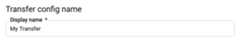
In theSchedule options section:
- ForRepeat frequency, choose an option for how often to run thedata transfer. If you selectDays, provide a valid time in UTC.
- If applicable, select eitherStart now orStart at set time,and provide a start date and run time.
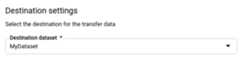
In theDestination settings section, forDestination dataset,choose the dataset that you created to store your data.
In theData source details section:
- ForContent owner ID, enter your Content Owner ID.
- ForTable suffix, enter a suffix, such as
MT.

In theService Account menu, select aservice account from the serviceaccounts that are associated with your Google Cloud project. Youcan associate a service account with your data transfer instead of usingyour user credentials. For more information about using service accountswith data transfers, seeUse service accounts.
If you signed in with afederated identity, then aservice account is required to create a data transfer. If you signedin with aGoogle Account, then aservice account for the data transfer is optional. The service accountmust have therequired permissions.
(Optional) In theNotification options section:
- Click the toggle to enable email notifications. When you enable thisoption, the transfer administrator receives an email notificationwhen a data transfer run fails.
- ForSelect a Pub/Sub topic, choose yourtopic name or clickCreate a topic. This option configures Pub/Sub runnotifications for yourtransfer.
ClickSave.
If this is your first time signing into the account, select an account,and then clickAllow. Select the same account where you are theContent Owner or Content Manager.
bq
Enter thebq mk command and supply the transfer creation flag —--transfer_config. The following flags are also required:
--data_source--target_dataset--display_name--params
Optional flags:
--service_account_name- Specifies a service account to use for ContentOwner transfer authentication instead of your user account.
bqmk\--transfer_config\--project_id=project_id\--target_dataset=dataset\--display_name=name\--params='parameters'\--data_source=data_source\--service_account_name=service_account_name
Where:
- project_id is your project ID.
- dataset is the target dataset for the transfer configuration.
- name is the display name for the transfer configuration. Thedata transfer name can be any value that lets you identify thetransfer if you need to modify it later.
- parameters contains the parameters for the created transferconfiguration in JSON format. For example:
--params='{"param":"param_value"}'. ForYouTube Content Owner data transfers, you must supply thecontent_owner_idandtable_suffixparameters. You may optionally set theconfigure_jobsparameter totrueto allow the BigQuery Data Transfer Serviceto manage YouTube reporting jobs for you. If there are YouTube reports thatdon't exist for your account, new reporting jobs are created toenable them. - data_source is the data source —
youtube_content_owner. - service_account_name is the service account name used toauthenticate your data transfer. The service account should be owned by the same
project_idused to create the transfer and it should have all of therequired permissions.
You can also supply the--project_id flag to specify a particularproject. If--project_id isn't specified, the default project is used.
For example, the following command creates a YouTube Content Owner data transfernamedMy Transfer using content owner IDAbCDE_8FghIjK, table suffixMT, and target datasetmydataset. The data transfer is created in the defaultproject:
bq mk \--transfer_config \--target_dataset=mydataset \--display_name='My Transfer' \--params='{"content_owner_id":"abCDE_8FghIjK","table_suffix":"MT","configure_jobs":"true"}' \--data_source=youtube_content_ownerAPI
Use theprojects.locations.transferConfigs.createmethod and supply an instance of theTransferConfigresource.
Java
Before trying this sample, follow theJava setup instructions in theBigQuery quickstart using client libraries. For more information, see theBigQueryJava API reference documentation.
To authenticate to BigQuery, set up Application Default Credentials. For more information, seeSet up authentication for client libraries.
importcom.google.api.gax.rpc.ApiException;importcom.google.cloud.bigquery.datatransfer.v1.CreateTransferConfigRequest;importcom.google.cloud.bigquery.datatransfer.v1.DataTransferServiceClient;importcom.google.cloud.bigquery.datatransfer.v1.ProjectName;importcom.google.cloud.bigquery.datatransfer.v1.TransferConfig;importcom.google.protobuf.Struct;importcom.google.protobuf.Value;importjava.io.IOException;importjava.util.HashMap;importjava.util.Map;// Sample to create youtube content owner channel transfer configpublicclassCreateYoutubeContentOwnerTransfer{publicstaticvoidmain(String[]args)throwsIOException{// TODO(developer): Replace these variables before running the sample.finalStringprojectId="MY_PROJECT_ID";StringdatasetId="MY_DATASET_ID";StringcontentOwnerId="MY_CONTENT_OWNER_ID";StringtableSuffix="_test";Map<String,Value>params=newHashMap<>();params.put("content_owner_id",Value.newBuilder().setStringValue(contentOwnerId).build());params.put("table_suffix",Value.newBuilder().setStringValue(tableSuffix).build());TransferConfigtransferConfig=TransferConfig.newBuilder().setDestinationDatasetId(datasetId).setDisplayName("Your Youtube Owner Channel Config Name").setDataSourceId("youtube_content_owner").setParams(Struct.newBuilder().putAllFields(params).build()).build();createYoutubeContentOwnerTransfer(projectId,transferConfig);}publicstaticvoidcreateYoutubeContentOwnerTransfer(StringprojectId,TransferConfigtransferConfig)throwsIOException{try(DataTransferServiceClientclient=DataTransferServiceClient.create()){ProjectNameparent=ProjectName.of(projectId);CreateTransferConfigRequestrequest=CreateTransferConfigRequest.newBuilder().setParent(parent.toString()).setTransferConfig(transferConfig).build();TransferConfigconfig=client.createTransferConfig(request);System.out.println("Youtube content owner channel transfer created successfully :"+config.getName());}catch(ApiExceptionex){System.out.print("Youtube content owner channel transfer was not created."+ex.toString());}}}Query your data
When your data is transferred to BigQuery, the data iswritten to ingestion-time partitioned tables. For more information, seePartitioned tables.
If you query your tables directly instead of using the auto-generated views, youmust use the_PARTITIONTIME pseudocolumn in your query. For more information,seeQuerying partitioned tables.
Troubleshoot YouTube Content Owner transfer setup
If you are having issues setting up your data transfer, seeYouTube transfer issuesinTroubleshooting transfer configurations.
Except as otherwise noted, the content of this page is licensed under theCreative Commons Attribution 4.0 License, and code samples are licensed under theApache 2.0 License. For details, see theGoogle Developers Site Policies. Java is a registered trademark of Oracle and/or its affiliates.
Last updated 2026-02-19 UTC.