

Understand reservations
This page describes how to use slot reservations tomanage your BigQuery workloads.
Slot reservations
In BigQuery,slots are allocated in poolscalledreservations. Reservations let you manage capacity and isolate workloadsin ways that make sense for your organization. For example, you might create areservation namedprod for production workloads, and a separate reservationnamedtest for testing, so that test jobs don't compete for resources withproduction jobs. Or, you might create reservations for different departments inyour organization to allocate compute costs.
Reservations also let administrators configure slot capacity based on theworkloads assigned to them. For example, if you have production-level,time-sensitive workloads, create a reservation with adequate baseline slots.Baseline slots are always available and ensure the reservation always hassufficient capacity. However, if you use autoscaling reservations, the capacityin a reservation isn't necessarily reserved. When you useautoscalingreservations, the capacity isautomatically scaled up and down based on the demand. In addition,idleslots can be shared across reservations.
Reservation assignments
To use allocated slots in a reservation, you mustassign it to one or more projects,folders, or organizations. When a job in a project runs, it uses slotsfrom its assigned reservation. Resources can inherit assignments from theirparent in theGoogle Cloud resource hierarchy.If a project is not assigned to a reservation, it inherits the assignment of theparent folder or organization, if it exists.
Projects use the single most specific reservation in the resource hierarchy towhich they are assigned. A folder assignment overrides an organizationassignment, and a project assignment overrides a folder assignment.
If a project doesn't have an assigned or inherited reservation, then thejob uses on-demand pricing. For more information about the resource hierarchy,seeorganizing BigQuery resources.
Resources can be assigned toNone to represent an absence of an assignment.Projects that are assigned toNone always use on-demand pricing. A common usecase forNone assignments is to assign an organization to a reservation andthen useNone to opt certain projects or folders out of that reservation. Formore information, seeAssign a project toNone.
When you create an assignment, you specify the job type for that assignment:
QUERY: Use this reservation for non-continuous query jobs, including SQL,DDL, DML, and BigQuery ML (built-in models) queries.BACKGROUND_CHANGE_DATA_CAPTURE: Use this reservation when you choose touse your ownreservation to runyour change data captureBigQuery (CDC)background jobs.BACKGROUND_CHANGE_DATA_CAPTUREreservations are not available in theStandard edition.BACKGROUND_COLUMN_METADATA_INDEX: Use this reservation when you choose touse your ownreservation to runyourBigLake metadata cachingbackground jobs. Also use this reservation when you replicate source databases to BigQuery with Datastream's background applyoperations.BACKGROUND_COLUMN_METADATA_INDEXreservations are not available in theStandard edition.BACKGROUND_SEARCH_INDEX_REFRESH: Use this reservation when you choose touse your ownreservation to runyourBigQuery search indexmanagement background jobs.BACKGROUND_SEARCH_INDEX_REFRESHreservations are not available in theStandard edition.BACKGROUND: Use this reservation when you choose touse your ownreservation to replicate source databases to BigQuery with Datastream's background apply operations. This reservation will also be used for the jobs described byBACKGROUND_CHANGE_DATA_CAPTURE,BACKGROUND_COLUMN_METADATA_INDEX, andBACKGROUND_SEARCH_INDEX_REFRESHas a fallback if a more specific reservation for those job types does not exist.BACKGROUNDreservations are not available in the Standard edition.CONTINUOUS: Use this reservation forcontinuous query jobs.ML_EXTERNAL: Use this reservation for BigQuery MLCREATE MODELqueries that use services that are external to BigQuery. Formore information, seeAssign slots to BigQuery ML workloads.ML_EXTERNALreservations are not available in the Standardedition.PIPELINE: Use this reservation for load and extract jobs.By default, load and extract jobs arefree anduse a shared pool of slots. BigQuery does not guaranteecapacity availability for this shared pool or the throughput yousee. If you are loading large amounts of data, your job might wait for slotsto become available.
When load and extract jobs are assigned to a reservation, they lose accessto the free pool. You shouldMonitor resource utilization andjobs to ensure your reservationshave enough capacity to meet your required job duration times.
You can't allocate individual slots to specific assignments. The BigQueryscheduler handles slot allocation for jobs using a reservation. For moreinformation about how slots are used, seefair scheduling in BigQuery.
Flexibly assign reservations
BigQuery lets you specify whichreservation a query should run on at runtime. This gives you more control overresource allocation and lets you avoid creating unnecessary projects. You canspecify a reservation at runtime using theCLI,UI,SQL,orAPI, overriding the defaultreservation assignment for your project, folder, or organization. The assignedreservation must be in the same region as the query you are running.These assignments are supported in alleditions.
You must haveaccess to the reservation in order to use thereservation when you run your query.
To flexibly assign reservations,run an interactivequery and specify the reservation.
Combine reservations with on-demand billing
You can use capacity-based in one region and on-demand in another region. Bydefault, all projects use on-demand billing. Within a region, you can opt aproject, folder, or organization into capacity-based billing by assigning it to areservation. For example, if you purchase a slot commitment in the USmulti-region and assign your organization to the default reservation, yourorganization will be on capacity-based billing in the US multi-region, but willremain on on-demand billing in all other regions.
Within a region, you can combine capacity-based and on-demand billing by explicitlyassigning projects to a reservation. Any project not assigned to a reservationremains on on-demand billing. You can also explicitly assign a project to useon-demand billing by assigning the reservation IDnone. This is useful if youassign a folder or an organization to a reservation, but want some projectswithin that folder or organization to use on-demand billing. For moreinformation, seeassign a project to none.
Projects with on-demand billing use capacity that's separate from your committedcapacity. Those projects don't affect the availability of your committedcapacity. If you query data in the streaming buffer, on-demand jobs aren'tcharged for bytes processed from streaming buffer, but jobs running in areservation use slots to process these bytes.
Specifying an administration project
When you create commitments and reservations, they are associated with a Google Cloud project.This project manages the BigQuery reservations resources, and isthe primary source of billing for these resources. This project does not have tobe the same project that holds your BigQuery jobs or datasets.
As a best practice, create a dedicated project for reservation resources. Thisproject is called theadministration project, because it centralizes thebilling and management of your commitments. Give this project a descriptive name likebq-COMPANY_NAME-admin. Then create one or more separateprojects to hold your BigQuery jobs.
Only projects within the sameOrganization resourceas the administration project can be assigned to a reservation. If theadministration project is not part of an Organization, then only that projectcan use the slots.
The administration project is billed for the committed slots. Projects that usethe slots are billed for storage but not billed for the slots. You can purchasemore than one type of plan (for example, annual and three-year) and put the slotsinto the same administration project.
Note: After you create a reservation or a commitment, you can't move it to adifferent administration project.As a best practice, limit the number of administration projects. This helps tosimplify billing management and slot allocation. One administration project forall of your organization's reservations is recommended where practical.Complex organizations might require additional administration projects to meetmanagement or billing requirements.
Using multiple administration projects
In some cases, you might want to create more than one administration project:
- To separate costs from multiple reservations and commitments into differentorganizational units.
- To map one or more slot commitments to different sets of reservations.
Idle slot capacity is not shared between reservations in differentadministration projects.
When you're on theCapacity management page of the BigQuery Google Cloud console,you can view reservations and commitments only for the selected administrativeproject.
Sizing slot reservations
BigQuery is architected to scale linearly with increasedresources. Depending on the workload, incremental capacity is likely to give youincremental performance. However, adding capacity also increases your costs.Therefore, choosing the optimal number of slots topurchase depends on your requirements for performance, throughput, and utility.
You can experiment with baseline and autoscaling slots to determine the bestconfiguration of slots. For example, you can test your workload with 500baseline slots, then 1,000, then 1,500, and 2,000, and observe the impact onperformance.
If the region where performance is tested has idle slots available, areservation might meet performance with fewer slots than expected. This occursbecause the reservation used the idle slots to fulfill the workload's slotrequirements. If idle slot availability decreases due to workload changes inother reservations, your workload performance might degrade. Therefore, forproduction-level, time-bound workloads, ensure the reservation is self-reliantin slot capacity. This prevents changes in idle slots from directly affectingjob performance.
After you allocate slots and run your workloads for at least seven days, you canuse theslot estimator to analyzeperformance and model the effect of adding or reducing slots.
You can also examine the current slot usage of your projects, along with thechosen monthly price that you want to pay. On-demand workloads have asoft slot cap of 2,000 slots, but it is important to check how many slots areactually being used by your projects by usingINFORMATION_SCHEMA.JOBS* views,Cloud Logging, the Jobs API, or BigQuery Auditlogs. For more information, seeMonitor reservations.

Manage workloads using reservations
You can use BigQuery reservations to allocatecapacity between workloads, teams, or departments by creating additionalreservations and assigning projects to these reservations. A reservation is anisolated pool of resources with the added benefit of being able to takeadvantage of idle capacity in a given region across your organization.
For example, you might have a total committed capacity of 1,000 slots andthree workload types: data science, ELT, and BI.
- You can create a
dsreservation with 500 slots, and assign allrelevant Google Cloud projects to thedsreservation. - You can create an
eltreservation with 300 slots, and assign projectsyou use for ELT workloads to theeltreservation. - You can create a
bireservation with 200 slots, and assign projectsconnected to your BI tools to thebireservation.

Instead of partitioning your capacity across workload types, you might choose tocreate reservations for individual teams or departments.
Manage reservations in different regions
Reservations are regional resources. Slots purchased and reservations createdin one region cannot be used in any other region. Project, folders, andorganizations can be assigned to reservations in one region and run on-demandin another. To manage reservations in another region, you must change theregion in the BigQueryCapacity Management page:
- In the BigQuery console, clickReservations.
- Click theLocation picker and select a region where you want tomanage reservations.
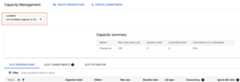
- After a region is selected, you can purchase slots, create reservations, andassign a project to a reservation.
Manage reservations in complex organizations
Reservations are organization-scoped resources. When you create reservations,you can assign capacity to any project within the same Google Cloudorganization. Most BigQuery users use a single administration projectfor their reservations and commitments. This administration project is associatedwith a Cloud Billing account, which is billed for the capacity.
However, if you have a complex organization with multiple divisions thatmanage their own bills, you might want to use multiple administrationprojects. Note thatidle slots can only beshared across reservations created in the same administration project.You should be aware of thequotas and limitsfor reservations and administration projects.
If you use multiple Google Cloud organizations, you must createat least one administration project for each organization, and then managereservations and commitments for each organization in its relatedadministration project. You can't share capacity across organizations.
Note:Changing the Cloud Billing accountthat is linked to the project doesn't create downtime in already existing commitments andreservations. Slots are linked to a project or organization and are independentfrom the Cloud Billing account.Manage enhanced control on reservations
Reservations in BigQuery offer enhanced control overhow reservations are used and provide additional security features. You candefine policies that specify which users or groups can access and use specificreservations. This ensures that sensitive data and workloads are isolated andprotected. As a reservation administrator, you can precisely control which usersor service accounts (principals) are authorized to use specific reservations.To do this, you use IAM conditions applied to theadministrative project (the project where the reservations are managed).
For example, you can create an IAM condition that grants thereservations.use permission to a specific group of users for all reservationswhose names begin with a certain prefix. This lets you manage accessto sets of related reservations.
Users must have thereservations.use permission to override the defaultreservation for their jobs. Theroles/bigquery.resourceAdmin androles/bigquery.resourceEditor roles provide this permission. You can grantaccess to individual users, groups, or service accounts. You can also definepolicies based on reservation attributes like name, as IAMconditions support attribute-based access control.
To grant IAM conditions on reservations, seeControlaccess toreservations.
Slot commitments
Aslot commitment is a purchase of slots for a specified period of time. Youcan purchase slots in 50 slot increments, up to yourregional slotquota. Capacity commitments are optional, butcan provide cost savings for steady-state workloads. Slot commitments are usedto cover baseline slots for your reservations. Any unused slot capacity is thenshared as idle slots across other reservations. Slot commitments don't apply toautoscaling slots. To ensure that youreceive the discounted rate for your committed slots, make sure that yourslot commitments are sufficient to cover your baseline slots. There is nolimit on the number of commitments that you can create. You are charged from themoment that your commitment purchase is successful. For current pricinginformation, seecapacity commitmentpricing.
Annual commitment. You purchase a 365-day commitment. You can choosewhether to renew or convert to a different type of commitment planafter 365 days.
Three-year commitment. You purchase a three year commitment. You canchoose whether to renew or convert to a different type of commitment planafter 3 years (1,095 days).
At the end of the commitment period, your commitment will renew based on theselected renewal plan.
You are billed monthly for annual or three-year commitment plans. However, yourfinancial commitment is for the entire commitment period and can't be canceledon a monthly basis. Your usage is updated in the billing report daily, which youcan view at any time.
Slot commitments are subject to capacity availability. When you attempt to purchase slotcommitments, the success of your purchase is not guaranteed. However, once yourcommitment purchase is successful, the capacity is available until the commitmentexpires.
If you purchase slot commitments before creating a reservation, then areservation nameddefault is created automatically as a convenience. Thedefault reservation has no special behavior. You can create additionalreservations if needed or use the default reservation.
We recommend assigning a non-zero baseline to your reservations for the mostpredictable performance and initial capacity. While you can configure areservation with zero baseline slots and set a maximum capacity intending to useautoscaling features, the effectiveness of this approach depends entirely onautoscaling being correctly enabled and actively acquiring slots. If autoscalingis not effectively functioning for such a zero-baseline reservation, it revertsto depending solely on available idle slot capacity, which offers no performanceguarantee and can lead to unpredictable or degraded query speeds.
Renew commitments
You select a renewal plan when you purchase a commitment. You can changethe renewal plan for a commitment at any time until it expires. Thefollowing renewal plans are available:
- None. After the end of the commitment period, the commitment is removed.Reservations are not affected.
- Annual. After the end of the commitment period, your commitment renews foranother year.
- Three-Year. After the end of the commitment period, your commitmentrenews for another three years.
For information about purchasing and renewing commitments, seeCreate a capacitycommitment.
For example, if you purchased an annual commitment at 6:00 PM on October 5,2019, then you started being charged at that second. You can delete or renew thecommitment after 6:00 PM on October 4, 2020, noting that 2020 is a leap year.You can change the renewal plans prior to 6:00 PM on October 4, 2020 as follows:
- If you choose to renew to an annual commitment, then at 6:00 PM on October 4,2020, your commitment renews for another year.
- If you choose to renew to a three-year commitment, then at 6:00 PM on October4, 2020, your commitment renews for three years.
Note: The renewal process can take up to roughly one hour after thecommitment expires. For example, if a commitment expires at 6:00 PM on October4, 2020, the renewed commitment record appears in the system between around6:00 PM and 7:00 PM on October 4, 2020. No on-demand charges are applied withinthis data update period as the effective start time for the created commitmentis 6:00 PM.
Commitment expiration
You can't delete a commitment once you create it.To delete an annual or three-year commitment, set its renewal plan toNONE.After the commitment expires, it is deleted automatically. To learn more aboutcommitment expirations, seeCommitmentexpiration.
If you accidentally purchase a commitment or made a mistake when you configuredyour commitment, contactCloud Billing Support for help.
Reservation limitations
- Reservations in one organization can't be shared with other organizations.
- You must use separate reservations and separate administrationprojects for each organization.
- Each organization can have a maximum of 10 administration projects withactive reservations in a single location.
- Idle capacity can't be shared between organizations or between differentadministration projects within a single organization.
- Idle capacity can't be shared across different regions.
- Commitments and reservations areregional resources.Commitments purchased in one region or multi-region can't be used forreservations in any other regions or multi-regions, even whenthe single region location is co-located with the multi-region location.For example, you can't use a commitment purchased inthe
EUmulti-region for a reservation ineurope-west4. - Commitments and reservations can't be moved from one region or multi-regionto another.
- Commitments purchased in one administration project can't be moved to adifferent administration project.
- Commitments purchased with oneeditioncan't be used with reservations of another edition.
- Idle slots aren't shared between reservations of differenteditions.
- Autoscaled slotsaren't shareable as they scale down when no longer required.
Reservation predictability
To use reservation predictability, you must first enablereservation fairness.
Reservation predictability allows you to set the absolute maximum number ofconsumed slots on a reservation. BigQuery offers baseline slots,idle slots, and autoscaling slots as potential capacity resources. When youcreate a reservation with a maximum size, confirm the number of baseline slotsand the appropriate configuration of autoscaling and idle slots based on yourpast workloads.
To enable reservation predictability, you must set the value of both the maximumslots and the scaling mode on the reservation. The number of maximum slots mustbe a positive number, and greater than the number of baseline slots assigned tothe reservation. To learn more about working with reservation predictability, seeCreate a reservation with dedicatedslots.You can't configure the value forautoscale_max_slots when you set the maximumslots value on the reservation.
The value ofignore_idle_slots must align with the scaling mode. If thescaling mode isALL_SLOTS orIDLE_SLOTS_ONLY,ignore_idle_slots must befalse. If the scaling mode isAUTSOCALE_ONLY,ignore_idle_slots must betrue.
You can configure your reservations to consume only the following combinationsof capacity resources up to the defined maximum:
Baseline slots + idle slots: The reservation slot capacity is greater thanzero, and the scaling mode is
IDLE_SLOTS_ONLY. The reservation consumes theconfigured number of baseline and available idle slots up to the maximum number ofslots. The reservation may not reach the maximum if there aren't sufficient idleslots available.Baseline slots + idle slots + autoscaling slots: The reservation slotcapacity is greater than zero, and the scaling mode is
ALL_SLOTS. Thereservation first consumes the configured number of baseline slots, then allavailable idle slots, then autoscaling slots.Baseline slots + autoscaling slots: The reservation slot capacity isgreater than zero, and the scaling mode is
AUTOSCALE_ONLY. The reservationfirst consumes the configured baseline slots, then autoscaling slots.Idle slots + autoscaling slots: The reservation slot capacity is zero, andthe scaling mode is
ALL_SLOTS. The reservation first consumes all availableidle slots, then autoscaling slots.Idle slots: The reservation slot capacity is zero, and the scaling mode is
IDLE_SLOTS_ONLY. The reservation consumes all available idle slots up to theconfigured maximum. The reservation may not reach the maximum if there aren'tsufficient idle slots available.
The following diagram shows the different configuration options available:

In the diagram, the five configuration options show how BigQueryconsumes slots up to your configured maximum. The first three options containbaseline slots, while the others have no baseline slots configured.
Limitations
Reservation predictability is subject to the following limitations:
Reservation predictability is only available with the Enterprise andEnterprise Plus editions, unless you choose the
AUTOSCALE_ONLYoption.Reservation predictability is best-effort. The overall usage might still exceedthe configured maximum.
What's next
- To learn more about working with reservation predictability, seeCreate areservation with dedicatedslots.
Reservation groups
Preview
This product or feature is subject to the "Pre-GA Offerings Terms" in the General Service Terms section of theService Specific Terms. Pre-GA products and features are available "as is" and might have limited support. For more information, see thelaunch stage descriptions.
To request support or provide feedback for this feature, contactbigquery-wlm-feedback@google.com.
To use reservation groups, you must first enablereservation fairness.
Reservation groups lets you manage the properties of multiple reservations, similar to how datasets organize tables.
Reservations with the same reservation group will share idle slots with each other first before being available to the organization:

Idle slot sharing with reservation groups
Idle slots are distributed evenly among ungrouped reservations and reservation groups and then evenly within reservation groups.
In the following example, there are three reservations and 1,200 idle slots. With no reservation groups, each reservation has a fair share of 400 idle slots. When reservations 1 and 2 are grouped together, the idle slot distribution changes. The idle slots are first distributed evenly among the reservation group and reservation 3 (600 idle slots to both). Then the 600 idle slots for the reservation group are distributed evenly to reservation 1 and 2.

Limitations
Reservation groups are subject to the following limitations:
Reservations sharing a reservation group must belong to the same project.
Reservation-based fairness must be enabled on the project.
The total size of reservations within a group cannot exceed 30k slots. This includes autoscale limits.
Reservations within a group must have the same edition.
Reservations within a group must have the samesecondary locations.
To learn more about working with reservation groups, seePrioritize idle slots with reservation groups.
Troubleshoot issues with reservations
This section is intended to help troubleshoot common issues encountered while interacting with reservations, such as determining reasons for a reservation not being used for a BigQuery job, identifying unknown reservations or problems while adding slots.
Unable to add more slots to the reservation size
If you encounter errors likeFailed to allocate slots for reservation in the current system state orFailed to update reservation: Failed to allocate slots for reservation while trying to add more slots to your reservation, this is usually a transient issue. To mitigate, do the following:
- Retry with a smaller number of slots
- If trying with a smaller number of slots fails, wait 15 minutes and retry the operation
If after retrying multiple times and waiting for 30 minutes you still receive the same error,contact BigQuery support.
There is insufficient quota to complete this request
If the error message statesThere is insufficient quota to complete this request, this means that the request exceeds the quota limit that is set for the project.
To resolve this error, do one of the following options:
- Add a smaller number of slots to the reservation so that the quota limit is not exceeded.
- Request a quota increase in the corresponding region. SeeRequesting a quota increase.
Reservation not used by BigQuery to run a job
There are multiple scenarios when a job might run using on-demand resources or a free shared slot pool instead of using the reservation that was created.
Query and reservation are in different regions
Reservations are regional resources. The query runs in the same location as any tables referenced in the query.
If the location of a table doesn't match the location of the reservation, the query runs using the shared slot pool and won't use the reservation.
Querying BigQuery Omni tables
When querying a BigQuery Omni table, make sure that the reservation is created in the same region as the table, not in a colocated region. If you create the reservation in the colocated BigQuery region, the query runs on-demand.
The reservation was created but the project was not assigned to it
To use the slots that you purchased you must create an assignment that assigns the project to the specific reservation. Make sure that the project has a correspondingassignment for the reservation.
Job type mismatch
Make sure to select the correctjob type when creating an assignment, otherwise the jobs will run using the shared slot pool.
For example, if you selectPIPELINE as the job type, all query jobs will run on-demand. Change the assignment type toQUERY to make the query jobs run using the reservation.
Multi-statement queries
If you are running multi-statement queries, the parent job object won't have a reservation associated with it, even if the child jobs were run under a reservation.
To confirm whether the job was actually using a reservation, look at the child job metadata for clarification.
Retrieving cached results
When the query job retrieves cached results, the reservation field will be empty because no actual computation is being performed and results are fetched from the temporary table directly.
Change data capture row modification operations
If you havechange data capture (CDC) tables, BigQuery will apply pending row modifications within themax_staleness interval as background jobs which will use theBACKGROUND assignment type. If there are noBACKGROUND assignments, they will use on-demand pricing. Consider creating aBACKGROUND assignment for the project to avoid high on-demand costs. You can identify these jobs having thequeueworker_cdc_background_merge_coalesce substring within the job identifier.
BigQuery ML model types that use external services
If no reservation assignment with anML_EXTERNAL job type is found in the project, the query job runs using on-demand pricing. TheQUERY job type assignment can be only be used for BigQuery ML models that aren't external models or matrix factorization models. Read through theReservation Assignment documentation to learn more.
Unrecognized reservations identified in the project
There are reservations owned by BigQuery that represent a free shared slot pool used for certain operations in BigQuery:
default-pipeline
By default, performing batch loading or batch exporting of data in BigQuery uses a shared free slot pool. If you inspect these load or extract jobs, the reservation used will be listed asdefault-pipeline.
There are no charges for using the shared slot pool. If you want consistent predictable performance, consider purchasing aPIPELINE reservation.
Except as otherwise noted, the content of this page is licensed under theCreative Commons Attribution 4.0 License, and code samples are licensed under theApache 2.0 License. For details, see theGoogle Developers Site Policies. Java is a registered trademark of Oracle and/or its affiliates.
Last updated 2025-12-15 UTC.