

Control access to resources with IAM
This document describes how to view, grant, and revoke access controls forBigQuery datasets and for the resources within datasets:tables, views, and routines. Although models are also dataset-level resources,you cannot grant access to individual models using IAM roles.
You can grant access to Google Cloud resources by usingallow policies, also known asIdentity and Access Management (IAM) policies, which areattached to resources. You can attach only one allow policy to each resource.The allow policy controls access to the resource itself, as well as anydescendants of that resource thatinherit the allow policy.
For more information on allow policies, seePolicy structurein the IAM documentation.
This document assumes familiarity with theIdentity and Access Management (IAM) in Google Cloud.
Limitations
- Routine access control lists (ACLs) aren't included inreplicated routines.
- Routines inside external or linked datasets don't supportaccess controls.
- Tables inside external or linked datasets don't supportaccess controls.
- Routine access controls can't be set with Terraform.
- Routine access controls can't be set with the Google Cloud SDK.
- Routine access controls can't be set using theBigQuery data control language (DCL).
- Data Catalog doesn't support routine access controls. If a user hasconditionally granted routine-level access, they won't see their routines inthe BigQuery side panel. As a workaround, grant dataset-levelaccess instead.
- The
INFORMATION_SCHEMA.OBJECT_PRIVILEGESviewdoesn't show access controls for routines.
Before you begin
Grant Identity and Access Management (IAM) roles that give users the necessary permissionsto perform each task in this document.
Required roles
To get the permissions that you need to modify IAM policies for resources, ask your administrator to grant you theBigQuery Data Owner (roles/bigquery.dataOwner) IAM role on the project. For more information about granting roles, seeManage access to projects, folders, and organizations.
This predefined role contains the permissions required to modify IAM policies for resources. To see the exact permissions that are required, expand theRequired permissions section:
Required permissions
The following permissions are required to modify IAM policies for resources:
- To get a dataset's access policy:
bigquery.datasets.get - To set a dataset's access policy:
bigquery.datasets.update - To get a dataset's access policy (Google Cloud console only):
bigquery.datasets.getIamPolicy - To set a dataset's access policy (console only):
bigquery.datasets.setIamPolicy - To get a table or view's policy:
bigquery.tables.getIamPolicy - To set a table or view's policy:
bigquery.tables.setIamPolicy - To get a routine's access policy:
bigquery.routines.getIamPolicy - To set a routine's access policy:
bigquery.routines.setIamPolicy - To create bq tool orSQL BigQuery jobs (optional):
bigquery.jobs.create
You might also be able to get these permissions withcustom roles or otherpredefined roles.
Work with dataset access controls
You can provide access to a dataset by granting anIAM principala predefined or custom role that determines what the principal can do with thedataset. This is also known as attaching anallow policyto a resource. After granting access, you can view the dataset's accesscontrols, and you can revoke access to the dataset.
Grant access to a dataset
You can't grant access to a dataset when you create it using the BigQuery web UI orthe bq command-line tool. You must create the dataset first and then grant access to it.The API lets you grant access during dataset creation by calling thedatasets.insert methodwith a defineddataset resource.
A project is the parent resource for a dataset, and a dataset is the parentresource for tables and views, routines, and models. When you grant a role atthe project level, the role and its permissions are inherited by the dataset andby the dataset's resources. Similarly, when you grant a role at the datasetlevel, the role and its permissions are inherited by the resources within thedataset.
You can provide access to a dataset by granting an IAM rolepermission to access the dataset or by conditionally granting access usingan IAM condition. For more information on granting conditionalaccess, seeControl access with IAM Conditions.
Note: Granting access to a dataset doesn't automatically list it in theExplorer pane.To grant an IAM role access to a dataset without usingconditions, select one of the following options:
Console
Go to theBigQuery page.
In the left pane, clickExplorer:

If you don't see the left pane, clickExpand left pane to open the pane.
In theExplorer pane, expand your project, clickDatasets, andthen select a dataset.
ClickSharing>Permissions.
ClickAdd principal.
In theNew principals field, enter a principal.
In theSelect a role list, select a predefined role or a custom role.
ClickSave.
To return to the dataset info, clickClose.
SQL
To grant principals access to datasets, use theGRANT DCL statement:
In the Google Cloud console, go to theBigQuery page.
In the query editor, enter the following statement:
GRANT`ROLE_LIST`ONSCHEMARESOURCE_NAMETO"USER_LIST"
Replace the following:
ROLE_LIST: a role or list of comma-separated roles that you want to grantRESOURCE_NAME: the name of the dataset that you're granting access toUSER_LIST: a comma-separated list of users that the role is granted toFor a list of valid formats, see
user_list.
ClickRun.
For more information about how to run queries, seeRun an interactive query.
The following example grants the BigQuery Data Viewer role tomyDataset:
GRANT`roles/bigquery.dataViewer`ONSCHEMA`myProject`.myDatasetTO"user:user@example.com","user:user2@example.com"bq
In the Google Cloud console, activate Cloud Shell.
At the bottom of the Google Cloud console, aCloud Shell session starts and displays a command-line prompt. Cloud Shell is a shell environment with the Google Cloud CLI already installed and with values already set for your current project. It can take a few seconds for the session to initialize.
To write the existing dataset information (including access controls) toa JSON file, use the
bq showcommand:bqshow\--format=prettyjson\PROJECT_ID:DATASET>PATH_TO_FILE
Replace the following:
- PROJECT_ID: your project ID
- DATASET: the name of your dataset
- PATH_TO_FILE: the path to the JSON file onyour local machine
Make changes to the
accesssection of the JSON file. You canadd to any of thespecialGroupentries:projectOwners,projectWriters,projectReaders, andallAuthenticatedUsers. You canalso add any of the following:userByEmail,groupByEmail, anddomain.For example, the
accesssection of a dataset's JSON file would looklike the following:{"access":[{"role":"READER","specialGroup":"projectReaders"},{"role":"WRITER","specialGroup":"projectWriters"},{"role":"OWNER","specialGroup":"projectOwners"},{"role":"READER","specialGroup":"allAuthenticatedUsers"},{"role":"READER","domain":"domain_name"},{"role":"WRITER","userByEmail":"user_email"},{"role":"READER","groupByEmail":"group_email"}],...}
When your edits are complete, use the
Caution: When you apply the JSON file thatcontains the access controls, the existing access controls areoverwritten.bq updatecommand and includethe JSON file using the--sourceflag. If the dataset is in a projectother than your default project, add the project ID to the dataset namein the following format:PROJECT_ID:DATASET.bqupdate
--sourcePATH_TO_FILE
PROJECT_ID:DATASETTo verify your access control changes, use the
bq showcommand againwithout writing the information to a file:bqshow--format=prettyjsonPROJECT_ID:DATASET
Terraform
Use thegoogle_bigquery_dataset_iam resources to updateaccess to a dataset.
google_bigquery_dataset_iam can conflict with each other as well as withthegoogle_bigquery_dataset_access resource. Read thegoogle_bigquery_dataset_iam documentation carefully before making access control changes usingTerraform.Set the access policy for a dataset
The following example shows how to use thegoogle_bigquery_dataset_iam_policy resource to set the IAM policy for themydataset dataset. This replaces any existing policy already attachedto the dataset:
# This file sets the IAM policy for the dataset created by# https://github.com/terraform-google-modules/terraform-docs-samples/blob/main/bigquery/bigquery_create_dataset/main.tf.# You must place it in the same local directory as that main.tf file,# and you must have already applied that main.tf file to create# the "default" dataset resource with a dataset_id of "mydataset".data"google_iam_policy""iam_policy"{binding{role="roles/bigquery.admin"members=["user:user@example.com",]}binding{role="roles/bigquery.dataOwner"members=["group:data.admin@example.com",]}binding{role="roles/bigquery.dataEditor"members=["serviceAccount:bqcx-1234567891011-12a3@gcp-sa-bigquery-condel.iam.gserviceaccount.com",]}}resource"google_bigquery_dataset_iam_policy""dataset_iam_policy"{dataset_id=google_bigquery_dataset.default.dataset_idpolicy_data=data.google_iam_policy.iam_policy.policy_data}
Set role membership for a dataset
The following example shows how to use thegoogle_bigquery_dataset_iam_binding resource to set membership in a given role for themydataset dataset. This replaces any existing membership in that role.Other roles within the IAM policy for the datasetare preserved:
# This file sets membership in an IAM role for the dataset created by# https://github.com/terraform-google-modules/terraform-docs-samples/blob/main/bigquery/bigquery_create_dataset/main.tf.# You must place it in the same local directory as that main.tf file,# and you must have already applied that main.tf file to create# the "default" dataset resource with a dataset_id of "mydataset".resource"google_bigquery_dataset_iam_binding""dataset_iam_binding"{dataset_id=google_bigquery_dataset.default.dataset_idrole="roles/bigquery.jobUser"members=["user:user@example.com","group:group@example.com"]}
Set role membership for a single principal
The following example shows how to use thegoogle_bigquery_dataset_iam_member resource to update the IAM policy for themydataset dataset to grant a role to one principal. Updating thisIAM policy does not affect access for any other principalsthat have been granted that role for the dataset.
# This file adds a member to an IAM role for the dataset created by# https://github.com/terraform-google-modules/terraform-docs-samples/blob/main/bigquery/bigquery_create_dataset/main.tf.# You must place it in the same local directory as that main.tf file,# and you must have already applied that main.tf file to create# the "default" dataset resource with a dataset_id of "mydataset".resource"google_bigquery_dataset_iam_member""dataset_iam_member"{dataset_id=google_bigquery_dataset.default.dataset_idrole="roles/bigquery.user"member="user:user@example.com"}
To apply your Terraform configuration in a Google Cloud project, complete the steps in the following sections.
Prepare Cloud Shell
- LaunchCloud Shell.
Set the default Google Cloud project where you want to apply your Terraform configurations.
You only need to run this command once per project, and you can run it in any directory.
export GOOGLE_CLOUD_PROJECT=PROJECT_ID
Environment variables are overridden if you set explicit values in the Terraform configuration file.
Prepare the directory
Each Terraform configuration file must have its own directory (alsocalled aroot module).
- InCloud Shell, create a directory and a new file within that directory. The filename must have the
.tfextension—for examplemain.tf. In this tutorial, the file is referred to asmain.tf.mkdirDIRECTORY && cdDIRECTORY && touch main.tf
If you are following a tutorial, you can copy the sample code in each section or step.
Copy the sample code into the newly created
main.tf.Optionally, copy the code from GitHub. This is recommended when the Terraform snippet is part of an end-to-end solution.
- Review and modify the sample parameters to apply to your environment.
- Save your changes.
- Initialize Terraform. You only need to do this once per directory.
terraform init
Optionally, to use the latest Google provider version, include the
-upgradeoption:terraform init -upgrade
Apply the changes
- Review the configuration and verify that the resources that Terraform is going to create or update match your expectations:
terraform plan
Make corrections to the configuration as necessary.
- Apply the Terraform configuration by running the following command and entering
yesat the prompt:terraform apply
Wait until Terraform displays the "Apply complete!" message.
- Open your Google Cloud project to view the results. In the Google Cloud console, navigate to your resources in the UI to make sure that Terraform has created or updated them.
API
To apply access controls when the dataset is created, call thedatasets.insert methodwith a defineddataset resource.To update your access controls, call thedatasets.patch method anduse theaccess property in theDataset resource.
Because thedatasets.update method replaces the entire dataset resource,datasets.patch is the preferred method for updating access controls.
Go
Before trying this sample, follow theGo setup instructions in theBigQuery quickstart using client libraries. For more information, see theBigQueryGo API reference documentation. To authenticate to BigQuery, set up Application Default Credentials. For more information, seeSet up authentication for client libraries.DatasetMetadataToUpdate type. Then call thedataset.Update() function to update the property.import("context""fmt""io""cloud.google.com/go/bigquery")// grantAccessToDataset creates a new ACL conceding the READER role to the group "example-analyst-group@google.com"// For more information on the types of ACLs available see:// https://cloud.google.com/storage/docs/access-control/listsfuncgrantAccessToDataset(wio.Writer,projectID,datasetIDstring)error{// TODO(developer): uncomment and update the following lines:// projectID := "my-project-id"// datasetID := "mydataset"ctx:=context.Background()// Create BigQuery handler.client,err:=bigquery.NewClient(ctx,projectID)iferr!=nil{returnfmt.Errorf("bigquery.NewClient: %w",err)}deferclient.Close()// Create dataset handlerdataset:=client.Dataset(datasetID)// Get metadatameta,err:=dataset.Metadata(ctx)iferr!=nil{returnfmt.Errorf("bigquery.Dataset.Metadata: %w",err)}// Find more details about BigQuery Entity Types here:// https://pkg.go.dev/cloud.google.com/go/bigquery#EntityType//// Find more details about BigQuery Access Roles here:// https://pkg.go.dev/cloud.google.com/go/bigquery#AccessRoleentityType:=bigquery.GroupEmailEntityentityID:="example-analyst-group@google.com"roleType:=bigquery.ReaderRole// Append a new access control entry to the existing access list.update:=bigquery.DatasetMetadataToUpdate{Access:append(meta.Access,&bigquery.AccessEntry{Role:roleType,EntityType:entityType,Entity:entityID,}),}// Leverage the ETag for the update to assert there's been no modifications to the// dataset since the metadata was originally read.meta,err=dataset.Update(ctx,update,meta.ETag)iferr!=nil{returnerr}fmt.Fprintf(w,"Details for Access entries in dataset %v.\n",datasetID)for_,access:=rangemeta.Access{fmt.Fprintln(w)fmt.Fprintf(w,"Role: %s\n",access.Role)fmt.Fprintf(w,"Entities: %v\n",access.Entity)}returnnil}
Java
Before trying this sample, follow theJava setup instructions in theBigQuery quickstart using client libraries. For more information, see theBigQueryJava API reference documentation. To authenticate to BigQuery, set up Application Default Credentials. For more information, seeSet up authentication for client libraries.importcom.google.cloud.bigquery.Acl;importcom.google.cloud.bigquery.Acl.Entity;importcom.google.cloud.bigquery.Acl.Group;importcom.google.cloud.bigquery.Acl.Role;importcom.google.cloud.bigquery.BigQuery;importcom.google.cloud.bigquery.BigQueryException;importcom.google.cloud.bigquery.BigQueryOptions;importcom.google.cloud.bigquery.Dataset;importcom.google.cloud.bigquery.DatasetId;importjava.util.ArrayList;importjava.util.List;publicclassGrantAccessToDataset{publicstaticvoidmain(String[]args){// TODO(developer): Replace these variables before running the sample.// Project and dataset from which to get the access policyStringprojectId="MY_PROJECT_ID";StringdatasetName="MY_DATASET_NAME";// Group to add to the ACLStringentityEmail="group-to-add@example.com";grantAccessToDataset(projectId,datasetName,entityEmail);}publicstaticvoidgrantAccessToDataset(StringprojectId,StringdatasetName,StringentityEmail){try{// Initialize client that will be used to send requests. This client only needs to be created// once, and can be reused for multiple requests.BigQuerybigquery=BigQueryOptions.getDefaultInstance().getService();// Create datasetId with the projectId and the datasetName.DatasetIddatasetId=DatasetId.of(projectId,datasetName);Datasetdataset=bigquery.getDataset(datasetId);// Create a new Entity with the corresponding type and email// "user-or-group-to-add@example.com"// For more information on the types of Entities available see:// https://cloud.google.com/java/docs/reference/google-cloud-bigquery/latest/com.google.cloud.bigquery.Acl.Entity// and// https://cloud.google.com/java/docs/reference/google-cloud-bigquery/latest/com.google.cloud.bigquery.Acl.Entity.TypeEntityentity=newGroup(entityEmail);// Create a new ACL granting the READER role to the group with the entity email// "user-or-group-to-add@example.com"// For more information on the types of ACLs available see:// https://cloud.google.com/storage/docs/access-control/listsAclnewEntry=Acl.of(entity,Role.READER);// Get a copy of the ACLs list from the dataset and append the new entry.List<Acl>acls=newArrayList<>(dataset.getAcl());acls.add(newEntry);// Update the ACLs by setting the new list.DatasetupdatedDataset=bigquery.update(dataset.toBuilder().setAcl(acls).build());System.out.println("ACLs of dataset \""+updatedDataset.getDatasetId().getDataset()+"\" updated successfully");}catch(BigQueryExceptione){System.out.println("ACLs were not updated \n"+e.toString());}}}
Node.js
Before trying this sample, follow theNode.js setup instructions in theBigQuery quickstart using client libraries. For more information, see theBigQueryNode.js API reference documentation. To authenticate to BigQuery, set up Application Default Credentials. For more information, seeSet up authentication for client libraries./** * TODO(developer): Update and un-comment below lines. */// const datasetId = "my_project_id.my_dataset_name";// ID of the user or group from whom you are adding access.// const entityId = "user-or-group-to-add@example.com";// One of the "Basic roles for datasets" described here:// https://cloud.google.com/bigquery/docs/access-control-basic-roles#dataset-basic-roles// const role = "READER";const{BigQuery}=require('@google-cloud/bigquery');// Instantiate a client.constclient=newBigQuery();// Type of entity you are granting access to.// Find allowed allowed entity type names here:// https://cloud.google.com/bigquery/docs/reference/rest/v2/datasets#resource:-datasetconstentityType='groupByEmail';asyncfunctiongrantAccessToDataset(){const[dataset]=awaitclient.dataset(datasetId).get();// The 'access entries' array is immutable. Create a copy for modifications.constentries=[...dataset.metadata.access];// Append an AccessEntry to grant the role to a dataset.// Find more details about the AccessEntry object in the BigQuery documentation:// https://cloud.google.com/python/docs/reference/bigquery/latest/google.cloud.bigquery.dataset.AccessEntryentries.push({role,[entityType]:entityId,});// Assign the array of AccessEntries back to the dataset.constmetadata={access:entries,};// Update will only succeed if the dataset// has not been modified externally since retrieval.//// See the BigQuery client library documentation for more details on metadata updates:// https://cloud.google.com/nodejs/docs/reference/bigquery/latest// Update just the 'access entries' property of the dataset.awaitclient.dataset(datasetId).setMetadata(metadata);console.log(`Role '${role}' granted for entity '${entityId}' in '${datasetId}'.`);}
Python
Before trying this sample, follow thePython setup instructions in theBigQuery quickstart using client libraries. For more information, see theBigQueryPython API reference documentation. To authenticate to BigQuery, set up Application Default Credentials. For more information, seeSet up authentication for client libraries.dataset.access_entries propertywith the access controls for a dataset. Then call theclient.update_dataset() function to update the property.fromgoogle.api_core.exceptionsimportPreconditionFailedfromgoogle.cloudimportbigqueryfromgoogle.cloud.bigquery.enumsimportEntityTypes# TODO(developer): Update and uncomment the lines below.# ID of the dataset to grant access to.# dataset_id = "my_project_id.my_dataset"# ID of the user or group receiving access to the dataset.# Alternatively, the JSON REST API representation of the entity,# such as the view's table reference.# entity_id = "user-or-group-to-add@example.com"# One of the "Basic roles for datasets" described here:# https://cloud.google.com/bigquery/docs/access-control-basic-roles#dataset-basic-roles# role = "READER"# Type of entity you are granting access to.# Find allowed allowed entity type names here:# https://cloud.google.com/python/docs/reference/bigquery/latest/enums#class-googlecloudbigqueryenumsentitytypesvalueentity_type=EntityTypes.GROUP_BY_EMAIL# Instantiate a client.client=bigquery.Client()# Get a reference to the dataset.dataset=client.get_dataset(dataset_id)# The `access_entries` list is immutable. Create a copy for modifications.entries=list(dataset.access_entries)# Append an AccessEntry to grant the role to a dataset.# Find more details about the AccessEntry object here:# https://cloud.google.com/python/docs/reference/bigquery/latest/google.cloud.bigquery.dataset.AccessEntryentries.append(bigquery.AccessEntry(role=role,entity_type=entity_type,entity_id=entity_id,))# Assign the list of AccessEntries back to the dataset.dataset.access_entries=entries# Update will only succeed if the dataset# has not been modified externally since retrieval.## See the BigQuery client library documentation for more details on `update_dataset`:# https://cloud.google.com/python/docs/reference/bigquery/latest/google.cloud.bigquery.client.Client#google_cloud_bigquery_client_Client_update_datasettry:# Update just the `access_entries` property of the dataset.dataset=client.update_dataset(dataset,["access_entries"],)# Show a success message.full_dataset_id=f"{dataset.project}.{dataset.dataset_id}"print(f"Role '{role}' granted for entity '{entity_id}'"f" in dataset '{full_dataset_id}'.")exceptPreconditionFailed:# A read-modify-write errorprint(f"Dataset '{dataset.dataset_id}' was modified remotely before this update. ""Fetch the latest version and retry.")
Predefined roles that grant access to datasets
You can grant the following IAM predefined roles access to adataset.
Caution: While it is possible to grant BigQuery Admin or BigQuery Studio Adminpermissions on a dataset, you shouldn't grant these roles at the dataset level.BigQuery Data Owner also grants all permissions for the dataset and is a lesspermissive role. BigQuery Admin and BigQuery Studio Admin are typically grantedat the project level.| Role | Description |
|---|---|
BigQuery Data Owner (roles/bigquery.dataOwner) | When granted on a dataset, this role grants these permissions:
|
BigQuery Data Editor (roles/bigquery.dataEditor) | When granted on a dataset, this role grants these permissions:
|
BigQuery Data Viewer (roles/bigquery.dataViewer) | When granted on a dataset, this role grants these permissions:
|
BigQuery Metadata Viewer (roles/bigquery.metadataViewer) | When granted on a dataset, this role grants these permissions:
|
Dataset permissions
Most permissions that begin withbigquery.datasets apply at the dataset level.bigquery.datasets.create doesn't. In order to create datasets,bigquery.datasets.create permission must be granted to a role on the parentcontainer–the project.
The following table lists all permissions for datasets and the lowest-levelresource the permission can be applied to.
| Permission | Resource | Action |
|---|---|---|
bigquery.datasets.create | Project | Create new datasets in the project. |
bigquery.datasets.get | Dataset | Get metadata and access controls for the dataset. Viewing permissions in the console also requires thebigquery.datasets.getIamPolicy permission. |
bigquery.datasets.getIamPolicy | Dataset | Required by the console to grant the user permission to get a dataset's access controls. Fails open. The console also requires thebigquery.datasets.get permission to view the dataset. |
bigquery.datasets.update | Dataset | Update metadata and access controls for the dataset. Updating access controls in the console also requires thebigquery.datasets.setIamPolicy permission. |
bigquery.datasets.setIamPolicy | Dataset | Required by the console to grant the user permission to set a dataset's access controls. Fails open. The console also requires thebigquery.datasets.update permission to update the dataset. |
bigquery.datasets.delete | Dataset | Delete a dataset. |
bigquery.datasets.createTagBinding | Dataset | Attach tags to the dataset. |
bigquery.datasets.deleteTagBinding | Dataset | Detach tags from the dataset. |
bigquery.datasets.listTagBindings | Dataset | List tags for the dataset. |
bigquery.datasets.listEffectiveTags | Dataset | List effective tags (applied and inherited) for the dataset. |
bigquery.datasets.link | Dataset | Create a linked dataset. |
bigquery.datasets.listSharedDatasetUsage | Project | List shared dataset usage statistics for datasets that you have access to in the project. This permission is required to query theINFORMATION_SCHEMA.SHARED_DATASET_USAGE view. |
View access controls for a dataset
You can view the explicitly set access controls for a dataset by choosing one ofthe following options. Toview inherited roles, for adataset, use the BigQuery web UI.
Console
Go to theBigQuery page.
In the left pane, clickExplorer:
In theExplorer pane, expand your project, clickDatasets, andthen select a dataset.
ClickSharing> Permissions.
The dataset's access controls appear in theDataset Permissions pane.
bq
In the Google Cloud console, activate Cloud Shell.
At the bottom of the Google Cloud console, aCloud Shell session starts and displays a command-line prompt. Cloud Shell is a shell environment with the Google Cloud CLI already installed and with values already set for your current project. It can take a few seconds for the session to initialize.
To get an existing policy and output it to a local file in JSON, use the
bq showcommandin Cloud Shell:bqshow\--format=prettyjson\PROJECT_ID:DATASET>PATH_TO_FILE
Replace the following:
- PROJECT_ID: your project ID
- DATASET: the name of your dataset
- PATH_TO_FILE: the path to the JSON file on yourlocal machine
SQL
Preview This product or feature is subject to the "Pre-GA Offerings Terms" in the General Service Terms section of theService Specific Terms. Pre-GA products and features are available "as is" and might have limited support. For more information, see thelaunch stage descriptions.
Query theINFORMATION_SCHEMA.OBJECT_PRIVILEGES view.Queries to retrieve access controls for a dataset must specify theobject_name.
In the Google Cloud console, go to theBigQuery page.
In the query editor, enter the following statement:
SELECTCOLUMN_LISTFROMPROJECT_ID.`region-REGION`.INFORMATION_SCHEMA.OBJECT_PRIVILEGESWHEREobject_name="DATASET";
Replace the following:
- COLUMN_LIST: a comma-separated list of columns from the
INFORMATION_SCHEMA.OBJECT_PRIVILEGESview - PROJECT_ID: your project ID
- REGION: aregion qualifier
- DATASET: the name of a dataset in your project
- COLUMN_LIST: a comma-separated list of columns from the
ClickRun.
For more information about how to run queries, seeRun an interactive query.
Example:
This query gets access controls formydataset.
SELECTobject_name,privilege_type,granteeFROMmy_project.`region-us`.INFORMATION_SCHEMA.OBJECT_PRIVILEGESWHEREobject_name="mydataset";
The output should look like the following:
+------------------+-----------------------------+-------------------------+| object_name | privilege_type | grantee |+------------------+-----------------------------+-------------------------+| mydataset | roles/bigquery.dataOwner | projectOwner:myproject || mydataset | roles/bigquery.dataViwer | user:user@example.com |+------------------+-----------------------------+-------------------------+API
To view the access controls for a dataset, call thedatasets.getmethod with a defineddataset resource.
The access controls appear in theaccess property of thedataset resource.
Go
Before trying this sample, follow theGo setup instructions in theBigQuery quickstart using client libraries. For more information, see theBigQueryGo API reference documentation. To authenticate to BigQuery, set up Application Default Credentials. For more information, seeSet up authentication for client libraries.client.Dataset().Metadata() function. The access policy is available in theAccess property.import("context""fmt""io""cloud.google.com/go/bigquery")// viewDatasetAccessPolicies retrieves the ACL for the given dataset// For more information on the types of ACLs available see:// https://cloud.google.com/storage/docs/access-control/listsfuncviewDatasetAccessPolicies(wio.Writer,projectID,datasetIDstring)error{// TODO(developer): uncomment and update the following lines:// projectID := "my-project-id"// datasetID := "mydataset"ctx:=context.Background()// Create new client.client,err:=bigquery.NewClient(ctx,projectID)iferr!=nil{returnfmt.Errorf("bigquery.NewClient: %w",err)}deferclient.Close()// Get dataset's metadata.meta,err:=client.Dataset(datasetID).Metadata(ctx)iferr!=nil{returnfmt.Errorf("bigquery.Client.Dataset.Metadata: %w",err)}fmt.Fprintf(w,"Details for Access entries in dataset %v.\n",datasetID)// Iterate over access permissions.for_,access:=rangemeta.Access{fmt.Fprintln(w)fmt.Fprintf(w,"Role: %s\n",access.Role)fmt.Fprintf(w,"Entity: %v\n",access.Entity)}returnnil}
Java
Before trying this sample, follow theJava setup instructions in theBigQuery quickstart using client libraries. For more information, see theBigQueryJava API reference documentation. To authenticate to BigQuery, set up Application Default Credentials. For more information, seeSet up authentication for client libraries.importcom.google.cloud.bigquery.Acl;importcom.google.cloud.bigquery.BigQuery;importcom.google.cloud.bigquery.BigQueryException;importcom.google.cloud.bigquery.BigQueryOptions;importcom.google.cloud.bigquery.Dataset;importcom.google.cloud.bigquery.DatasetId;importjava.util.List;publicclassGetDatasetAccessPolicy{publicstaticvoidmain(String[]args){// TODO(developer): Replace these variables before running the sample.// Project and dataset from which to get the access policy.StringprojectId="MY_PROJECT_ID";StringdatasetName="MY_DATASET_NAME";getDatasetAccessPolicy(projectId,datasetName);}publicstaticvoidgetDatasetAccessPolicy(StringprojectId,StringdatasetName){try{// Initialize client that will be used to send requests. This client only needs to be created// once, and can be reused for multiple requests.BigQuerybigquery=BigQueryOptions.getDefaultInstance().getService();// Create datasetId with the projectId and the datasetName.DatasetIddatasetId=DatasetId.of(projectId,datasetName);Datasetdataset=bigquery.getDataset(datasetId);// Show ACL details.// Find more information about ACL and the Acl Class here:// https://cloud.google.com/storage/docs/access-control/lists// https://cloud.google.com/java/docs/reference/google-cloud-bigquery/latest/com.google.cloud.bigquery.AclList<Acl>acls=dataset.getAcl();System.out.println("ACLs in dataset \""+dataset.getDatasetId().getDataset()+"\":");System.out.println(acls.toString());for(Aclacl:acls){System.out.println();System.out.println("Role: "+acl.getRole());System.out.println("Entity: "+acl.getEntity());}}catch(BigQueryExceptione){System.out.println("ACLs info not retrieved. \n"+e.toString());}}}
Node.js
Before trying this sample, follow theNode.js setup instructions in theBigQuery quickstart using client libraries. For more information, see theBigQueryNode.js API reference documentation. To authenticate to BigQuery, set up Application Default Credentials. For more information, seeSet up authentication for client libraries.Dataset#getMetadata() function.The access policy is available in the access property of the resulting metadata object./** * TODO(developer): Update and un-comment below lines */// const datasetId = "my_project_id.my_dataset";const{BigQuery}=require('@google-cloud/bigquery');// Instantiate a client.constbigquery=newBigQuery();asyncfunctionviewDatasetAccessPolicy(){constdataset=bigquery.dataset(datasetId);const[metadata]=awaitdataset.getMetadata();constaccessEntries=metadata.access||[];// Show the list of AccessEntry objects.// More details about the AccessEntry object in the BigQuery documentation:// https://cloud.google.com/nodejs/docs/reference/bigquery/latestconsole.log(`${accessEntries.length} Access entries in dataset '${datasetId}':`);for(constaccessEntryofaccessEntries){console.log(`Role:${accessEntry.role||'null'}`);console.log(`Special group:${accessEntry.specialGroup||'null'}`);console.log(`User by Email:${accessEntry.userByEmail||'null'}`);}}
Python
Before trying this sample, follow thePython setup instructions in theBigQuery quickstart using client libraries. For more information, see theBigQueryPython API reference documentation. To authenticate to BigQuery, set up Application Default Credentials. For more information, seeSet up authentication for client libraries.client.get_dataset() function.The access policy is available in thedataset.access_entries property.fromgoogle.cloudimportbigquery# Instantiate a client.client=bigquery.Client()# TODO(developer): Update and uncomment the lines below.# Dataset from which to get the access policy.# dataset_id = "my_dataset"# Get a reference to the dataset.dataset=client.get_dataset(dataset_id)# Show the list of AccessEntry objects.# More details about the AccessEntry object here:# https://cloud.google.com/python/docs/reference/bigquery/latest/google.cloud.bigquery.dataset.AccessEntryprint(f"{len(dataset.access_entries)} Access entries found "f"in dataset '{dataset_id}':")foraccess_entryindataset.access_entries:print()print(f"Role:{access_entry.role}")print(f"Special group:{access_entry.special_group}")print(f"User by Email:{access_entry.user_by_email}")
Revoke access to a dataset
To revoke access to a dataset, select one of the following options:
Console
Go to theBigQuery page.
In the left pane, clickExplorer:
In theExplorer pane, expand your project, clickDatasets, andthen select a dataset.
In the details panel, clickSharing> Permissions.
In theDataset Permissions dialog, expand the principal whose accessyou want to revoke.
ClickRemove principal.
In theRemove role from principal? dialog, clickRemove.
To return to dataset details, clickClose.
SQL
To remove a principal's access to a dataset, use theREVOKE DCL statement:
In the Google Cloud console, go to theBigQuery page.
In the query editor, enter the following statement:
REVOKE`ROLE_LIST`ONSCHEMARESOURCE_NAMEFROM"USER_LIST"
Replace the following:
ROLE_LIST: a role or list of comma-separated roles that you want to revokeRESOURCE_NAME: the name of the resource that you want to revoke permission onUSER_LIST: a comma-separated list of users who will have their roles revokedFor a list of valid formats, see
user_list.
ClickRun.
For more information about how to run queries, seeRun an interactive query.
The following example revokes the BigQuery Data Owner role frommyDataset:
REVOKE`roles/bigquery.dataOwner`ONSCHEMA`myProject`.myDatasetFROM"group:group@example.com","serviceAccount:user@test-project.iam.gserviceaccount.com"bq
In the Google Cloud console, activate Cloud Shell.
At the bottom of the Google Cloud console, aCloud Shell session starts and displays a command-line prompt. Cloud Shell is a shell environment with the Google Cloud CLI already installed and with values already set for your current project. It can take a few seconds for the session to initialize.
To write the existing dataset information (including access controls) toa JSON file, use the
bq showcommand:bqshow\--format=prettyjson\PROJECT_ID:DATASET>PATH_TO_FILE
Replace the following:
- PROJECT_ID: your project ID
- DATASET: the name of your dataset
- PATH_TO_FILE: the path to the JSON file onyour local machine
Make changes to the
accesssection of the JSON file. You canremove any of thespecialGroupentries:projectOwners,projectWriters,projectReaders, andallAuthenticatedUsers. You canalso remove any of the following:userByEmail,groupByEmail, anddomain.For example, the
accesssection of a dataset's JSON file would looklike the following:{"access":[{"role":"READER","specialGroup":"projectReaders"},{"role":"WRITER","specialGroup":"projectWriters"},{"role":"OWNER","specialGroup":"projectOwners"},{"role":"READER","specialGroup":"allAuthenticatedUsers"},{"role":"READER","domain":"domain_name"},{"role":"WRITER","userByEmail":"user_email"},{"role":"READER","groupByEmail":"group_email"}],...}
When your edits are complete, use the
Caution: When you apply the JSON file thatcontains the access controls, the existing access controls areoverwritten.bq updatecommand and includethe JSON file using the--sourceflag. If the dataset is in a projectother than your default project, add the project ID to the dataset namein the following format:PROJECT_ID:DATASET.bqupdate
--sourcePATH_TO_FILE
PROJECT_ID:DATASETTo verify your access control changes, use the
showcommand withoutwriting the information to a file:bqshow--format=prettyjsonPROJECT_ID:DATASET
API
Call thedatasets.patch methodand use theaccess property in theDataset resource to update your accesscontrols.
Because thedatasets.update method replaces the entire dataset resource,datasets.patch is the preferred method for updating access controls.
Go
Before trying this sample, follow theGo setup instructions in theBigQuery quickstart using client libraries. For more information, see theBigQueryGo API reference documentation. To authenticate to BigQuery, set up Application Default Credentials. For more information, seeSet up authentication for client libraries.DatasetMetadataToUpdate type. Then call thedataset.Update() function to update the property.import("context""fmt""io""cloud.google.com/go/bigquery")// revokeAccessToDataset creates a new ACL removing the dataset access to "example-analyst-group@google.com" entity// For more information on the types of ACLs available see:// https://cloud.google.com/storage/docs/access-control/listsfuncrevokeAccessToDataset(wio.Writer,projectID,datasetID,entitystring)error{// TODO(developer): uncomment and update the following lines:// projectID := "my-project-id"// datasetID := "mydataset"// entity := "user@mydomain.com"ctx:=context.Background()// Create BigQuery client.client,err:=bigquery.NewClient(ctx,projectID)iferr!=nil{returnfmt.Errorf("bigquery.NewClient: %w",err)}deferclient.Close()// Get dataset handlerdataset:=client.Dataset(datasetID)// Get dataset metadatameta,err:=dataset.Metadata(ctx)iferr!=nil{returnerr}// Create new access entry list by copying the existing and omiting the access entry entity valuevarnewAccessList[]*bigquery.AccessEntryfor_,entry:=rangemeta.Access{ifentry.Entity!=entity{newAccessList=append(newAccessList,entry)}}// Only proceed with update if something in the access list was removed.// Additionally, we use the ETag from the initial metadata to ensure no// other changes were made to the access list in the interim.iflen(newAccessList) <len(meta.Access){update:=bigquery.DatasetMetadataToUpdate{Access:newAccessList,}meta,err=dataset.Update(ctx,update,meta.ETag)iferr!=nil{returnerr}}else{returnfmt.Errorf("any access entry was revoked")}fmt.Fprintf(w,"Details for Access entries in dataset %v.\n",datasetID)for_,access:=rangemeta.Access{fmt.Fprintln(w)fmt.Fprintf(w,"Role: %s\n",access.Role)fmt.Fprintf(w,"Entity: %v\n",access.Entity)}returnnil}
Java
Before trying this sample, follow theJava setup instructions in theBigQuery quickstart using client libraries. For more information, see theBigQueryJava API reference documentation. To authenticate to BigQuery, set up Application Default Credentials. For more information, seeSet up authentication for client libraries.importcom.google.cloud.bigquery.Acl;importcom.google.cloud.bigquery.Acl.Entity;importcom.google.cloud.bigquery.Acl.Group;importcom.google.cloud.bigquery.BigQuery;importcom.google.cloud.bigquery.BigQueryException;importcom.google.cloud.bigquery.BigQueryOptions;importcom.google.cloud.bigquery.Dataset;importcom.google.cloud.bigquery.DatasetId;importjava.util.List;publicclassRevokeDatasetAccess{publicstaticvoidmain(String[]args){// TODO(developer): Replace these variables before running the sample.// Project and dataset from which to get the access policy.StringprojectId="MY_PROJECT_ID";StringdatasetName="MY_DATASET_NAME";// Group to remove from the ACLStringentityEmail="group-to-remove@example.com";revokeDatasetAccess(projectId,datasetName,entityEmail);}publicstaticvoidrevokeDatasetAccess(StringprojectId,StringdatasetName,StringentityEmail){try{// Initialize client that will be used to send requests. This client only needs// to be created once, and can be reused for multiple requests.BigQuerybigquery=BigQueryOptions.getDefaultInstance().getService();// Create datasetId with the projectId and the datasetName.DatasetIddatasetId=DatasetId.of(projectId,datasetName);Datasetdataset=bigquery.getDataset(datasetId);// Create a new Entity with the corresponding type and email// "user-or-group-to-remove@example.com"// For more information on the types of Entities available see:// https://cloud.google.com/java/docs/reference/google-cloud-bigquery/latest/com.google.cloud.bigquery.Acl.Entity// and// https://cloud.google.com/java/docs/reference/google-cloud-bigquery/latest/com.google.cloud.bigquery.Acl.Entity.TypeEntityentity=newGroup(entityEmail);// To revoke access to a dataset, remove elements from the Acl list.// Find more information about ACL and the Acl Class here:// https://cloud.google.com/storage/docs/access-control/lists// https://cloud.google.com/java/docs/reference/google-cloud-bigquery/latest/com.google.cloud.bigquery.Acl// Remove the entity from the ACLs list.List<Acl>acls=dataset.getAcl().stream().filter(acl->!acl.getEntity().equals(entity)).toList();// Update the ACLs by setting the new list.bigquery.update(dataset.toBuilder().setAcl(acls).build());System.out.println("ACLs of \""+datasetName+"\" updated successfully");}catch(BigQueryExceptione){System.out.println("ACLs were not updated \n"+e.toString());}}}
Node.js
Before trying this sample, follow theNode.js setup instructions in theBigQuery quickstart using client libraries. For more information, see theBigQueryNode.js API reference documentation. To authenticate to BigQuery, set up Application Default Credentials. For more information, seeSet up authentication for client libraries.Dataset#get()method to retrieve the current metadata. Modify the access property to exclude the desired entity, and then call theDataset#setMetadata()function to apply the updated access list./** * TODO(developer): Update and un-comment below lines */// const datasetId = "my_project_id.my_dataset"// ID of the user or group from whom you are revoking access.// const entityId = "user-or-group-to-remove@example.com"const{BigQuery}=require('@google-cloud/bigquery');// Instantiate a client.constbigquery=newBigQuery();asyncfunctionrevokeDatasetAccess(){const[dataset]=awaitbigquery.dataset(datasetId).get();// To revoke access to a dataset, remove elements from the access list.//// See the BigQuery client library documentation for more details on access entries:// https://cloud.google.com/nodejs/docs/reference/bigquery/latest// Filter access entries to exclude entries matching the specified entity_id// and assign a new list back to the access list.dataset.metadata.access=dataset.metadata.access.filter(entry=>{return!(entry.entity_id===entityId||entry.userByEmail===entityId||entry.groupByEmail===entityId);});// Update will only succeed if the dataset// has not been modified externally since retrieval.//// See the BigQuery client library documentation for more details on metadata updates:// https://cloud.google.com/bigquery/docs/updating-datasets// Update just the 'access entries' property of the dataset.awaitdataset.setMetadata(dataset.metadata);console.log(`Revoked access to '${entityId}' from '${datasetId}'.`);}
Python
Before trying this sample, follow thePython setup instructions in theBigQuery quickstart using client libraries. For more information, see theBigQueryPython API reference documentation. To authenticate to BigQuery, set up Application Default Credentials. For more information, seeSet up authentication for client libraries.dataset.access_entries property with the access controls for a dataset. Then call theclient.update_dataset() function to update the property.fromgoogle.cloudimportbigqueryfromgoogle.api_core.exceptionsimportPreconditionFailed# TODO(developer): Update and uncomment the lines below.# ID of the dataset to revoke access to.# dataset_id = "my-project.my_dataset"# ID of the user or group from whom you are revoking access.# Alternatively, the JSON REST API representation of the entity,# such as a view's table reference.# entity_id = "user-or-group-to-remove@example.com"# Instantiate a client.client=bigquery.Client()# Get a reference to the dataset.dataset=client.get_dataset(dataset_id)# To revoke access to a dataset, remove elements from the AccessEntry list.## See the BigQuery client library documentation for more details on `access_entries`:# https://cloud.google.com/python/docs/reference/bigquery/latest/google.cloud.bigquery.dataset.Dataset#google_cloud_bigquery_dataset_Dataset_access_entries# Filter `access_entries` to exclude entries matching the specified entity_id# and assign a new list back to the AccessEntry list.dataset.access_entries=[entryforentryindataset.access_entriesifentry.entity_id!=entity_id]# Update will only succeed if the dataset# has not been modified externally since retrieval.## See the BigQuery client library documentation for more details on `update_dataset`:# https://cloud.google.com/python/docs/reference/bigquery/latest/google.cloud.bigquery.client.Client#google_cloud_bigquery_client_Client_update_datasettry:# Update just the `access_entries` property of the dataset.dataset=client.update_dataset(dataset,["access_entries"],)# Notify user that the API call was successful.full_dataset_id=f"{dataset.project}.{dataset.dataset_id}"print(f"Revoked dataset access for '{entity_id}' to ' dataset '{full_dataset_id}.'")exceptPreconditionFailed:# A read-modify-write error.print(f"Dataset '{dataset.dataset_id}' was modified remotely before this update. ""Fetch the latest version and retry.")
Work with table and view access controls
Views are treated as table resources in BigQuery. You can provideaccess to a table or view by granting anIAM principala predefined or custom role that determines what the principal can do with thetable or view. This is also known as attaching anallow policyto a resource. After granting access, you can view the access controls for thetable or view, and you can revoke access to the table or view.
Grant access to a table or view
For fine-grained access control, you can grant a predefined or customIAM role on a specific table or view. The table or view alsoinherits access controls specified at the dataset level and higher. For example,if you grant a principal the BigQuery Data Owner role on a dataset, thatprincipal also has BigQuery Data Owner permissions on the tables and views inthe dataset.
To grant access to a table or view, select one of the following options:
Console
Go to theBigQuery page.
In the left pane, clickExplorer:
In theExplorer pane, expand your project, clickDatasets, andthen select a dataset.
ClickOverview> Tables, and then click a table or a view.
ClickShare> Manage permissions.
ClickAdd principal.
In theNew principals field, enter a principal.
In theSelect a role list, select a predefined role or a custom role.
ClickSave.
To return to the table or view details, clickClose.
SQL
To grant principals access to tables or views, use theGRANT DCL statement:
In the Google Cloud console, go to theBigQuery page.
In the query editor, enter the following statement:
GRANT`ROLE_LIST`ONRESOURCE_TYPERESOURCE_NAMETO"USER_LIST"
Replace the following:
ROLE_LIST: a role or list of comma-separated roles that you want to grantRESOURCE_TYPE: the type of resource that the role is applied toSupported values include
TABLE,VIEW,MATERIALIZED VIEWandEXTERNAL TABLE.RESOURCE_NAME: the name of the resource that you want to grant the permission onUSER_LIST: a comma-separated list of users that the role is granted toFor a list of valid formats, see
user_list.
ClickRun.
For more information about how to run queries, seeRun an interactive query.
The following example grants the BigQuery Data Viewer role onmyTable:
GRANT`roles/bigquery.dataViewer`ONTABLE`myProject`.myDataset.myTableTO"user:user@example.com","user:user2@example.com"bq
In the Google Cloud console, activate Cloud Shell.
At the bottom of the Google Cloud console, aCloud Shell session starts and displays a command-line prompt. Cloud Shell is a shell environment with the Google Cloud CLI already installed and with values already set for your current project. It can take a few seconds for the session to initialize.
To grant access to a table or view, use the
bq add-iam-policy-bindingcommand:bqadd-iam-policy-binding--member=MEMBER_TYPE:MEMBER--role=ROLE--table=trueRESOURCE
Replace the following:
- MEMBER_TYPE: the type of member, such as
user,group,serviceAccount, ordomain. - MEMBER: the member's email address or domainname.
- ROLE: the role that you want to grant to themember.
- RESOURCE: the name of the table or view whosepolicy you want to update.
- MEMBER_TYPE: the type of member, such as
Terraform
Use thegoogle_bigquery_table_iam resources to update access to a table.
google_bigquery_table_iamcan conflict with each other. We recommend reading thegoogle_bigquery_table_iam documentation carefully before making access control changes by usingTerraform.Set the access policy for a table
The following example shows how to use thegoogle_bigquery_table_iam_policy resource to set the IAM policy for themytable table. This replaces any existing policy already attachedto the table:
# This file sets the IAM policy for the table created by# https://github.com/terraform-google-modules/terraform-docs-samples/blob/main/bigquery/bigquery_create_table/main.tf.# You must place it in the same local directory as that main.tf file,# and you must have already applied that main.tf file to create# the "default" table resource with a table_id of "mytable".data"google_iam_policy""iam_policy"{binding{role="roles/bigquery.dataOwner"members=["user:user@example.com",]}}resource"google_bigquery_table_iam_policy""table_iam_policy"{dataset_id=google_bigquery_table.default.dataset_idtable_id=google_bigquery_table.default.table_idpolicy_data=data.google_iam_policy.iam_policy.policy_data}
Set role membership for a table
The following example shows how to use thegoogle_bigquery_table_iam_binding resource to set membership in a given role for themytable table. This replaces any existing membership in that role.Other roles within the IAM policy for the tableare preserved.
# This file sets membership in an IAM role for the table created by# https://github.com/terraform-google-modules/terraform-docs-samples/blob/main/bigquery/bigquery_create_table/main.tf.# You must place it in the same local directory as that main.tf file,# and you must have already applied that main.tf file to create# the "default" table resource with a table_id of "mytable".resource"google_bigquery_table_iam_binding""table_iam_binding"{dataset_id=google_bigquery_table.default.dataset_idtable_id=google_bigquery_table.default.table_idrole="roles/bigquery.dataOwner"members=["group:group@example.com",]}
Set role membership for a single principal
The following example shows how to use thegoogle_bigquery_table_iam_member resource to update the IAM policy for themytable table to grant a role to one principal. Updating thisIAM policy does not affect access for any other principalsthat have been granted that role for the dataset.
# This file adds a member to an IAM role for the table created by# https://github.com/terraform-google-modules/terraform-docs-samples/blob/main/bigquery/bigquery_create_table/main.tf.# You must place it in the same local directory as that main.tf file,# and you must have already applied that main.tf file to create# the "default" table resource with a table_id of "mytable".resource"google_bigquery_table_iam_member""table_iam_member"{dataset_id=google_bigquery_table.default.dataset_idtable_id=google_bigquery_table.default.table_idrole="roles/bigquery.dataEditor"member="serviceAccount:bqcx-1234567891011-12a3@gcp-sa-bigquery-condel.iam.gserviceaccount.com"}
To apply your Terraform configuration in a Google Cloud project, complete the steps in the following sections.
Prepare Cloud Shell
- LaunchCloud Shell.
Set the default Google Cloud project where you want to apply your Terraform configurations.
You only need to run this command once per project, and you can run it in any directory.
export GOOGLE_CLOUD_PROJECT=PROJECT_ID
Environment variables are overridden if you set explicit values in the Terraform configuration file.
Prepare the directory
Each Terraform configuration file must have its own directory (alsocalled aroot module).
- InCloud Shell, create a directory and a new file within that directory. The filename must have the
.tfextension—for examplemain.tf. In this tutorial, the file is referred to asmain.tf.mkdirDIRECTORY && cdDIRECTORY && touch main.tf
If you are following a tutorial, you can copy the sample code in each section or step.
Copy the sample code into the newly created
main.tf.Optionally, copy the code from GitHub. This is recommended when the Terraform snippet is part of an end-to-end solution.
- Review and modify the sample parameters to apply to your environment.
- Save your changes.
- Initialize Terraform. You only need to do this once per directory.
terraform init
Optionally, to use the latest Google provider version, include the
-upgradeoption:terraform init -upgrade
Apply the changes
- Review the configuration and verify that the resources that Terraform is going to create or update match your expectations:
terraform plan
Make corrections to the configuration as necessary.
- Apply the Terraform configuration by running the following command and entering
yesat the prompt:terraform apply
Wait until Terraform displays the "Apply complete!" message.
- Open your Google Cloud project to view the results. In the Google Cloud console, navigate to your resources in the UI to make sure that Terraform has created or updated them.
API
To retrieve the current policy, call the
tables.getIamPolicymethod.Edit the policy to add members or access controls, or both.For the format required for the policy, see thePolicyreference topic.
Caution: Before you set the policy, always retrieve the current policy toobtain the current value foretag. Your updated policy filemust include the same value foretagas the current policy you arereplacing, or the update fails. This feature prevents concurrentupdates from occurring.
In the policy file, the value forversionremains1. Thisversion number refers to the IAM policyschemaversion, not the version of the policy. The value foretagisthe policy version number.Call
Note: Empty bindings with no members are not allowed and resultin an error.tables.setIamPolicyto write the updated policy.
Go
Before trying this sample, follow theGo setup instructions in theBigQuery quickstart using client libraries. For more information, see theBigQueryGo API reference documentation. To authenticate to BigQuery, set up Application Default Credentials. For more information, seeSet up authentication for client libraries.IAM().SetPolicy() functionto save changes to the access policy for a table or view.import("context""fmt""io""cloud.google.com/go/bigquery""cloud.google.com/go/iam")// grantAccessToResource creates a new ACL conceding the VIEWER role to the group "example-analyst-group@google.com"// For more information on the types of ACLs available see:// https://cloud.google.com/storage/docs/access-control/listsfuncgrantAccessToResource(wio.Writer,projectID,datasetID,resourceIDstring)error{// Resource can be a table or a view//// TODO(developer): uncomment and update the following lines:// projectID := "my-project-id"// datasetID := "mydataset"// resourceID := "myresource"ctx:=context.Background()// Create new clientclient,err:=bigquery.NewClient(ctx,projectID)iferr!=nil{returnfmt.Errorf("bigquery.NewClient: %w",err)}deferclient.Close()// Get resource policy.policy,err:=client.Dataset(datasetID).Table(resourceID).IAM().Policy(ctx)iferr!=nil{returnfmt.Errorf("bigquery.Dataset.Table.IAM.Policy: %w",err)}// Find more details about IAM Roles here:// https://pkg.go.dev/cloud.google.com/go/iam#RoleNameentityID:="example-analyst-group@google.com"roleType:=iam.Viewer// Add new policy.policy.Add(fmt.Sprintf("group:%s",entityID),roleType)// Update resource's policy.err=client.Dataset(datasetID).Table(resourceID).IAM().SetPolicy(ctx,policy)iferr!=nil{returnfmt.Errorf("bigquery.Dataset.Table.IAM.Policy: %w",err)}// Get resource policy again expecting the update.policy,err=client.Dataset(datasetID).Table(resourceID).IAM().Policy(ctx)iferr!=nil{returnfmt.Errorf("bigquery.Dataset.Table.IAM.Policy: %w",err)}fmt.Fprintf(w,"Details for Access entries in table or view %v.\n",resourceID)for_,role:=rangepolicy.Roles(){fmt.Fprintln(w)fmt.Fprintf(w,"Role: %s\n",role)fmt.Fprintf(w,"Entities: %v\n",policy.Members(role))}returnnil}
Java
Before trying this sample, follow theJava setup instructions in theBigQuery quickstart using client libraries. For more information, see theBigQueryJava API reference documentation. To authenticate to BigQuery, set up Application Default Credentials. For more information, seeSet up authentication for client libraries.importcom.google.cloud.Identity;importcom.google.cloud.Policy;importcom.google.cloud.Role;importcom.google.cloud.bigquery.BigQuery;importcom.google.cloud.bigquery.BigQueryException;importcom.google.cloud.bigquery.BigQueryOptions;importcom.google.cloud.bigquery.TableId;publicclassGrantAccessToTableOrView{publicstaticvoidmain(String[]args){// TODO(developer): Replace these variables before running the sample.// Project, dataset and resource (table or view) from which to get the access policy.StringprojectId="MY_PROJECT_ID";StringdatasetName="MY_DATASET_NAME";StringresourceName="MY_TABLE_NAME";// Role to add to the policy accessRolerole=Role.of("roles/bigquery.dataViewer");// Identity to add to the policy accessIdentityidentity=Identity.user("user-add@example.com");grantAccessToTableOrView(projectId,datasetName,resourceName,role,identity);}publicstaticvoidgrantAccessToTableOrView(StringprojectId,StringdatasetName,StringresourceName,Rolerole,Identityidentity){try{// Initialize client that will be used to send requests. This client only needs// to be created once, and can be reused for multiple requests.BigQuerybigquery=BigQueryOptions.getDefaultInstance().getService();// Create table identity given the projectId, the datasetName and the resourceName.TableIdtableId=TableId.of(projectId,datasetName,resourceName);// Add new user identity to current IAM policy.Policypolicy=bigquery.getIamPolicy(tableId);policy=policy.toBuilder().addIdentity(role,identity).build();// Update the IAM policy by setting the new one.bigquery.setIamPolicy(tableId,policy);System.out.println("IAM policy of resource \""+resourceName+"\" updated successfully");}catch(BigQueryExceptione){System.out.println("IAM policy was not updated. \n"+e.toString());}}}
Node.js
Before trying this sample, follow theNode.js setup instructions in theBigQuery quickstart using client libraries. For more information, see theBigQueryNode.js API reference documentation. To authenticate to BigQuery, set up Application Default Credentials. For more information, seeSet up authentication for client libraries.Table#getIamPolicy() functionto retrieve the current IAM policy for a table or view, modify the policy by adding new bindings, and then useTable#setIamPolicy() functionto save changes to the access policy./** * TODO(developer): Update and un-comment below lines */// const projectId = "YOUR_PROJECT_ID";// const datasetId = "YOUR_DATASET_ID";// const tableId = "YOUR_TABLE_ID";// const principalId = "YOUR_PRINCIPAL_ID";// const role = "YOUR_ROLE";const{BigQuery}=require('@google-cloud/bigquery');// Instantiate a client.constclient=newBigQuery();asyncfunctiongrantAccessToTableOrView(){constdataset=client.dataset(datasetId);consttable=dataset.table(tableId);// Get the IAM access policy for the table or view.const[policy]=awaittable.getIamPolicy();// Initialize bindings array.if(!policy.bindings){policy.bindings=[];}// To grant access to a table or view// add bindings to the Table or View policy.//// Find more details about Policy and Binding objects here:// https://cloud.google.com/security-command-center/docs/reference/rest/Shared.Types/Policy// https://cloud.google.com/security-command-center/docs/reference/rest/Shared.Types/Bindingconstbinding={role,members:[principalId],};policy.bindings.push(binding);// Set the IAM access policy with updated bindings.awaittable.setIamPolicy(policy);// Show a success message.console.log(`Role '${role}' granted for principal '${principalId}' on resource '${datasetId}.${tableId}'.`);}awaitgrantAccessToTableOrView();
Python
Before trying this sample, follow thePython setup instructions in theBigQuery quickstart using client libraries. For more information, see theBigQueryPython API reference documentation. To authenticate to BigQuery, set up Application Default Credentials. For more information, seeSet up authentication for client libraries.client.set_iam_policy() functionto save changes to the access policy for a table or view.fromgoogle.cloudimportbigquery# TODO(developer): Update and uncomment the lines below.# Google Cloud Platform project.# project_id = "my_project_id"# Dataset where the table or view is.# dataset_id = "my_dataset"# Table or view name to get the access policy.# resource_name = "my_table"# Principal to grant access to a table or view.# For more information about principal identifiers see:# https://cloud.google.com/iam/docs/principal-identifiers# principal_id = "user:bob@example.com"# Role to grant to the principal.# For more information about BigQuery roles see:# https://cloud.google.com/bigquery/docs/access-control# role = "roles/bigquery.dataViewer"# Instantiate a client.client=bigquery.Client()# Get the full table or view name.full_resource_name=f"{project_id}.{dataset_id}.{resource_name}"# Get the IAM access policy for the table or view.policy=client.get_iam_policy(full_resource_name)# To grant access to a table or view, add bindings to the IAM policy.## Find more details about Policy and Binding objects here:# https://cloud.google.com/security-command-center/docs/reference/rest/Shared.Types/Policy# https://cloud.google.com/security-command-center/docs/reference/rest/Shared.Types/Bindingbinding={"role":role,"members":[principal_id,],}policy.bindings.append(binding)# Set the IAM access policy with updated bindings.updated_policy=client.set_iam_policy(full_resource_name,policy)# Show a success message.print(f"Role '{role}' granted for principal '{principal_id}'"f" on resource '{full_resource_name}'.")
Predefined roles that grant access to tables and views
Views are treated as table resources in BigQuery. Forfine-grained access control, you can grant a predefined or customIAM role on a specific table or view. The table or view alsoinherits access controls specified at the dataset level and higher. For example,if you grant a principal the BigQuery Data Owner role on a dataset, thatprincipal also has Data Owner permissions on the tables and views in thedataset.
The following predefined IAM roles have permissions on tables orviews.
Caution: While it is possible to grant BigQuery Admin or BigQuery Studio Adminpermissions to a table or view, you shouldn't grant these roles at the table orview level. BigQuery Data Owner also grants all permissions for tables and viewsand is a less permissive role. BigQuery Admin and BigQuery Studio Admin aretypically granted at the project level.| Role | Description |
|---|---|
BigQuery Data Owner (roles/bigquery.dataOwner) | When granted on a table or view, this role grants these permissions:
|
BigQuery Data Editor (roles/bigquery.dataEditor) | When granted on a table or view, this role grants these permissions:
|
BigQuery Data Viewer (roles/bigquery.dataViewer) | When granted on a table or view, this role grants these permissions:
|
BigQuery Metadata Viewer (roles/bigquery.metadataViewer) | When granted on a table or view, this role grants these permissions:
|
Permissions for tables and views
Views are treated as table resources in BigQuery. All table-levelpermissions apply to views.
Most permissions that begin withbigquery.tables apply at the table level.bigquery.tables.create andbigquery.tables.list don't. In order to createand list tables or views,bigquery.tables.create andbigquery.tables.listpermissions must be granted to a role on a parent container–the dataset or theproject.
The following table lists all permissions for tables and views and thelowest-level resource they can be granted to.
| Permission | Resource | Action |
|---|---|---|
bigquery.tables.create | Dataset | Create new tables in the dataset. |
bigquery.tables.createIndex | Table | Create a search index on the table. |
bigquery.tables.deleteIndex | Table | Delete a search index on the table. |
bigquery.tables.createSnapshot | Table | Create a snapshot of the table. Creating a snapshot requires several additional permissions at the table and dataset level. For details, seePermissions and roles for creating table snapshots. |
bigquery.tables.deleteSnapshot | Table | Delete a snapshot of the table. |
bigquery.tables.delete | Table | Delete a table. |
bigquery.tables.createTagBinding | Table | Createresource tag bindings on a table. |
bigquery.tables.deleteTagBinding | Table | Deleteresource tag bindings on a table. |
bigquery.tables.listTagBindings | Table | Listresource tag bindings on a table. |
bigquery.tables.listEffectiveTags | Table | List effective tags (applied and inherited) for the table. |
bigquery.tables.export | Table | Export the table's data. Running an extract job also requiresbigquery.jobs.create permissions. |
bigquery.tables.get | Table | Get metadata for a table. |
bigquery.tables.getData | Table | Query the table's data. Running a query job also requiresbigquery.jobs.create permissions. |
bigquery.tables.getIamPolicy | Table | Get access controls for the table. |
bigquery.tables.list | Dataset | List all tables and table metadata in the dataset. |
bigquery.tables.replicateData | Table | Replicate table data. This permission is required for creating replica materialized views. |
bigquery.tables.restoreSnapshot | Table | Restore a table snapshot. |
bigquery.tables.setCategory | Table | Set policy tags in the table's schema. |
bigquery.tables.setColumnDataPolicy | Table | Set column-level access policies on a table. |
bigquery.tables.setIamPolicy | Table | Set access controls on a table. |
bigquery.tables.update | Table | Update table.metadata. bigquery.tables.get is also required to update table metadata in the console. |
bigquery.tables.updateData | Table | Update table data. |
bigquery.tables.updateIndex | Table | Update a search index on the table. |
View access controls for a table or view
To view the access controls for a table or view, choose one of the followingoptions:
Console
Go to theBigQuery page.
In the left pane, clickExplorer:
In theExplorer pane, expand your project, clickDatasets, andthen select a dataset.
ClickOverview> Tables, and then click a table or a view.
ClickShare.
The table or view access controls appear in theShare pane.
bq
In the Google Cloud console, activate Cloud Shell.
At the bottom of the Google Cloud console, aCloud Shell session starts and displays a command-line prompt. Cloud Shell is a shell environment with the Google Cloud CLI already installed and with values already set for your current project. It can take a few seconds for the session to initialize.
To get an existing access policy and output it to a local file in JSON,use the
bq get-iam-policycommandin Cloud Shell:bqget-iam-policy\--table=true\PROJECT_ID:DATASET.RESOURCE>PATH_TO_FILE
Replace the following:
- PROJECT_ID: your project ID
- DATASET: the name of your dataset
- RESOURCE: the name of the table or view whosepolicy you want to view
- PATH_TO_FILE: the path to the JSON file on yourlocal machine
SQL
Preview This product or feature is subject to the "Pre-GA Offerings Terms" in the General Service Terms section of theService Specific Terms. Pre-GA products and features are available "as is" and might have limited support. For more information, see thelaunch stage descriptions.
Query theINFORMATION_SCHEMA.OBJECT_PRIVILEGES view.Queries to retrieve access controls for a table or view must specify theobject_schema andobject_name.
In the Google Cloud console, go to theBigQuery page.
In the query editor, enter the following statement:
SELECTCOLUMN_LISTFROMPROJECT_ID.`region-REGION`.INFORMATION_SCHEMA.OBJECT_PRIVILEGESWHEREobject_schema="DATASET"ANDobject_name="TABLE";
Replace the following:
- COLUMN_LIST: a comma-separated list of columns from the
INFORMATION_SCHEMA.OBJECT_PRIVILEGESview - PROJECT_ID: your project ID
- REGION: aregion qualifier
- DATASET: the name of a dataset that contains the table or view
- TABLE: the name of the table or view
- COLUMN_LIST: a comma-separated list of columns from the
ClickRun.
For more information about how to run queries, seeRun an interactive query.
Example:
SELECTobject_name,privilege_type,granteeFROMmy_project.`region-us`.INFORMATION_SCHEMA.OBJECT_PRIVILEGESWHEREobject_schema="mydataset"ANDobject_name="mytable";
+------------------+-----------------------------+--------------------------+| object_name | privilege_type | grantee |+------------------+-----------------------------+--------------------------+| mytable | roles/bigquery.dataEditor | group:group@example.com|| mytable | roles/bigquery.dataOwner | user:user@example.com|+------------------+-----------------------------+--------------------------+API
To retrieve the current policy, call thetables.getIamPolicy method.
tables as the value forresource in this API call.Go
Before trying this sample, follow theGo setup instructions in theBigQuery quickstart using client libraries. For more information, see theBigQueryGo API reference documentation. To authenticate to BigQuery, set up Application Default Credentials. For more information, seeSet up authentication for client libraries.IAM().Policy() function. Then call theRoles() function to get the access policy for a table or view.import("context""fmt""io""cloud.google.com/go/bigquery")// viewTableOrViewAccessPolicies retrieves the ACL for the given resource// For more information on the types of ACLs available see:// https://cloud.google.com/storage/docs/access-control/listsfuncviewTableOrViewAccessPolicies(wio.Writer,projectID,datasetID,resourceIDstring)error{// Resource can be a table or a view//// TODO(developer): uncomment and update the following lines:// projectID := "my-project-id"// datasetID := "my-dataset-id"// resourceID := "my-resource-id"ctx:=context.Background()// Create new client.client,err:=bigquery.NewClient(ctx,projectID)iferr!=nil{returnfmt.Errorf("bigquery.NewClient: %w",err)}deferclient.Close()// Get resource's policy access.policy,err:=client.Dataset(datasetID).Table(resourceID).IAM().Policy(ctx)iferr!=nil{returnfmt.Errorf("bigquery.Dataset.Table.IAM.Policy: %w",err)}fmt.Fprintf(w,"Details for Access entries in table or view %v.\n",resourceID)for_,role:=rangepolicy.Roles(){fmt.Fprintln(w)fmt.Fprintf(w,"Role: %s\n",role)fmt.Fprintf(w,"Entities: %v\n",policy.Members(role))}returnnil}
Java
Before trying this sample, follow theJava setup instructions in theBigQuery quickstart using client libraries. For more information, see theBigQueryJava API reference documentation. To authenticate to BigQuery, set up Application Default Credentials. For more information, seeSet up authentication for client libraries.importcom.google.cloud.Policy;importcom.google.cloud.bigquery.BigQuery;importcom.google.cloud.bigquery.BigQueryException;importcom.google.cloud.bigquery.BigQueryOptions;importcom.google.cloud.bigquery.TableId;publicclassGetTableOrViewAccessPolicy{publicstaticvoidmain(String[]args){// TODO(developer): Replace these variables before running the sample.// Project, dataset and resource (table or view) from which to get the access policy.StringprojectId="MY_PROJECT_ID";StringdatasetName="MY_DATASET_NAME";StringresourceName="MY_RESOURCE_NAME";getTableOrViewAccessPolicy(projectId,datasetName,resourceName);}publicstaticvoidgetTableOrViewAccessPolicy(StringprojectId,StringdatasetName,StringresourceName){try{// Initialize client that will be used to send requests. This client only needs// to be created once, and can be reused for multiple requests.BigQuerybigquery=BigQueryOptions.getDefaultInstance().getService();// Create table identity given the projectId, the datasetName and the resourceName.TableIdtableId=TableId.of(projectId,datasetName,resourceName);// Get the table IAM policy.Policypolicy=bigquery.getIamPolicy(tableId);// Show policy details.// Find more information about the Policy Class here:// https://cloud.google.com/java/docs/reference/google-cloud-core/latest/com.google.cloud.PolicySystem.out.println("IAM policy info of resource \""+resourceName+"\" retrieved succesfully");System.out.println();System.out.println("IAM policy info: "+policy.toString());}catch(BigQueryExceptione){System.out.println("IAM policy info not retrieved. \n"+e.toString());}}}
Node.js
Before trying this sample, follow theNode.js setup instructions in theBigQuery quickstart using client libraries. For more information, see theBigQueryNode.js API reference documentation. To authenticate to BigQuery, set up Application Default Credentials. For more information, seeSet up authentication for client libraries.Table#getIamPolicy() function.The access policy details are available in the returned policy object./** * TODO(developer): Update and un-comment below lines */// const projectId = "YOUR_PROJECT_ID"// const datasetId = "YOUR_DATASET_ID"// const resourceName = "YOUR_RESOURCE_NAME";const{BigQuery}=require('@google-cloud/bigquery');// Instantiate a client.constclient=newBigQuery();asyncfunctionviewTableOrViewAccessPolicy(){constdataset=client.dataset(datasetId);consttable=dataset.table(resourceName);// Get the IAM access policy for the table or view.const[policy]=awaittable.getIamPolicy();// Initialize bindings if they don't existif(!policy.bindings){policy.bindings=[];}// Show policy details.// Find more details for the Policy object here:// https://cloud.google.com/bigquery/docs/reference/rest/v2/Policyconsole.log(`Access Policy details for table or view '${resourceName}'.`);console.log(`Bindings:${JSON.stringify(policy.bindings,null,2)}`);console.log(`etag:${policy.etag}`);console.log(`Version:${policy.version}`);}
Revoke access to a table or view
To revoke access to a table or view, select one of the following options:
Console
Go to theBigQuery page.
In the left pane, clickExplorer:
In theExplorer pane, expand your project, clickDatasets, andthen select a dataset.
ClickOverview> Tables, and then click a table or a view.
In the details pane, clickShare> Manage permissions.
In theShare dialog, expand the principal whose access you wantto revoke.
ClickDelete.
In theRemove role from principal? dialog, clickRemove.
To return to the table or view details, clickClose.
SQL
To remove access to tables or views from principals, use theREVOKE DCL statement:
In the Google Cloud console, go to theBigQuery page.
In the query editor, enter the following statement:
REVOKE`ROLE_LIST`ONRESOURCE_TYPERESOURCE_NAMEFROM"USER_LIST"
Replace the following:
ROLE_LIST: a role or list of comma-separated roles that you want to revokeRESOURCE_TYPE: the type of resource that the role is revoked fromSupported values include
TABLE,VIEW,MATERIALIZED VIEWandEXTERNAL TABLE.RESOURCE_NAME: the name of the resource that you want to revoke permission onUSER_LIST: a comma-separated list of users who will have their roles revokedFor a list of valid formats, see
user_list.
ClickRun.
For more information about how to run queries, seeRun an interactive query.
The following example revokes the BigQuery Data Owner role onmyTable:
REVOKE`roles/bigquery.dataOwner`ONTABLE`myProject`.myDataset.myTableFROM"group:group@example.com","serviceAccount:user@myproject.iam.gserviceaccount.com"bq
In the Google Cloud console, activate Cloud Shell.
At the bottom of the Google Cloud console, aCloud Shell session starts and displays a command-line prompt. Cloud Shell is a shell environment with the Google Cloud CLI already installed and with values already set for your current project. It can take a few seconds for the session to initialize.
To revoke access to a table or view, use the
bq remove-iam-policy-bindingcommand:bqremove-iam-policy-binding--member=MEMBER_TYPE:MEMBER--role=ROLE--table=trueRESOURCE
Replace the following:
- MEMBER_TYPE: the type of member, such as
user,group,serviceAccount, ordomain - MEMBER: the member's email address or domainname
- ROLE: the role that you want to revoke from themember
- RESOURCE: the name of the table or view whosepolicy you want to update
- MEMBER_TYPE: the type of member, such as
API
To retrieve the current policy, call the
tables.getIamPolicymethod.Edit the policy to remove members or bindings, or both.For the format required for the policy, see thePolicyreference topic.
Caution: When you set the policy, always retrieve the current policy as afirst step to obtain the current value foretag. Your updated policyfile must include the same value foretagas the current policy you arereplacing, or the update fails. This feature prevents concurrentupdates from occurring.
In the policy file, the value forversionremains1. Thisversion number refers to the IAM policyschemaversion, not the version of the policy. The value foretagisthe policy version number.Call
tables.setIamPolicyto write the updated policy.
Go
Before trying this sample, follow theGo setup instructions in theBigQuery quickstart using client libraries. For more information, see theBigQueryGo API reference documentation. To authenticate to BigQuery, set up Application Default Credentials. For more information, seeSet up authentication for client libraries.policy.Remove() functionto remove the access.Then call theIAM().SetPolicy() functionto save changes to the access policy for a table or view.import("context""fmt""io""cloud.google.com/go/bigquery""cloud.google.com/go/iam")// revokeTableOrViewAccessPolicies creates a new ACL removing the VIEWER role to group "example-analyst-group@google.com"// For more information on the types of ACLs available see:// https://cloud.google.com/storage/docs/access-control/listsfuncrevokeTableOrViewAccessPolicies(wio.Writer,projectID,datasetID,resourceIDstring)error{// Resource can be a table or a view//// TODO(developer): uncomment and update the following lines:// projectID := "my-project-id"// datasetID := "mydataset"// resourceID := "myresource"ctx:=context.Background()// Create new clientclient,err:=bigquery.NewClient(ctx,projectID)iferr!=nil{returnfmt.Errorf("bigquery.NewClient: %w",err)}deferclient.Close()// Get resource policy.policy,err:=client.Dataset(datasetID).Table(resourceID).IAM().Policy(ctx)iferr!=nil{returnfmt.Errorf("bigquery.Dataset.Table.IAM.Policy: %w",err)}// Find more details about IAM Roles here:// https://pkg.go.dev/cloud.google.com/go/iam#RoleNameentityID:="example-analyst-group@google.com"roleType:=iam.Viewer// Revoke policy access.policy.Remove(fmt.Sprintf("group:%s",entityID),roleType)// Update resource's policy.err=client.Dataset(datasetID).Table(resourceID).IAM().SetPolicy(ctx,policy)iferr!=nil{returnfmt.Errorf("bigquery.Dataset.Table.IAM.Policy: %w",err)}// Get resource policy again expecting the update.policy,err=client.Dataset(datasetID).Table(resourceID).IAM().Policy(ctx)iferr!=nil{returnfmt.Errorf("bigquery.Dataset.Table.IAM.Policy: %w",err)}fmt.Fprintf(w,"Details for Access entries in table or view %v.\n",resourceID)for_,role:=rangepolicy.Roles(){fmt.Fprintln(w)fmt.Fprintf(w,"Role: %s\n",role)fmt.Fprintf(w,"Entities: %v\n",policy.Members(role))}returnnil}
Java
Before trying this sample, follow theJava setup instructions in theBigQuery quickstart using client libraries. For more information, see theBigQueryJava API reference documentation. To authenticate to BigQuery, set up Application Default Credentials. For more information, seeSet up authentication for client libraries.importcom.google.cloud.Identity;importcom.google.cloud.Policy;importcom.google.cloud.Role;importcom.google.cloud.bigquery.BigQuery;importcom.google.cloud.bigquery.BigQueryException;importcom.google.cloud.bigquery.BigQueryOptions;importcom.google.cloud.bigquery.TableId;importjava.util.HashMap;importjava.util.HashSet;importjava.util.Map;importjava.util.Set;publicclassRevokeAccessToTableOrView{publicstaticvoidmain(String[]args){// TODO(developer): Replace these variables before running the sample.// Project, dataset and resource (table or view) from which to get the access policyStringprojectId="MY_PROJECT_ID";StringdatasetName="MY_DATASET_NAME";StringresourceName="MY_RESOURCE_NAME";// Role to remove from the access policyRolerole=Role.of("roles/bigquery.dataViewer");// Identity to remove from the access policyIdentityuser=Identity.user("user-add@example.com");revokeAccessToTableOrView(projectId,datasetName,resourceName,role,user);}publicstaticvoidrevokeAccessToTableOrView(StringprojectId,StringdatasetName,StringresourceName,Rolerole,Identityidentity){try{// Initialize client that will be used to send requests. This client only needs// to be created once, and can be reused for multiple requests.BigQuerybigquery=BigQueryOptions.getDefaultInstance().getService();// Create table identity given the projectId, the datasetName and the resourceName.TableIdtableId=TableId.of(projectId,datasetName,resourceName);// Remove either identities or roles, or both from bindings and replace it in// the current IAM policy.Policypolicy=bigquery.getIamPolicy(tableId);// Create a copy of an immutable map.Map<Role,Set<Identity>>bindings=newHashMap<>(policy.getBindings());// Remove all identities with a specific role.bindings.remove(role);// Update bindings.policy=policy.toBuilder().setBindings(bindings).build();// Remove one identity in all the existing roles.for(RoleroleKey:bindings.keySet()){if(bindings.get(roleKey).contains(identity)){// Create a copy of an immutable set if the identity is present in the role.Set<Identity>identities=newHashSet<>(bindings.get(roleKey));// Remove identity.identities.remove(identity);bindings.put(roleKey,identities);if(bindings.get(roleKey).isEmpty()){// Remove the role if it has no identities.bindings.remove(roleKey);}}}// Update bindings.policy=policy.toBuilder().setBindings(bindings).build();// Update the IAM policy by setting the new one.bigquery.setIamPolicy(tableId,policy);System.out.println("IAM policy of resource \""+resourceName+"\" updated successfully");}catch(BigQueryExceptione){System.out.println("IAM policy was not updated. \n"+e.toString());}}}
Node.js
Before trying this sample, follow theNode.js setup instructions in theBigQuery quickstart using client libraries. For more information, see theBigQueryNode.js API reference documentation. To authenticate to BigQuery, set up Application Default Credentials. For more information, seeSet up authentication for client libraries.Table#getIamPolicy() method.Modify the policy to remove the desired role or principal, and then apply the updated policy using theTable#setIamPolicy() method./** * TODO(developer): Update and un-comment below lines */// const projectId = "YOUR_PROJECT_ID"// const datasetId = "YOUR_DATASET_ID"// const tableId = "YOUR_TABLE_ID"// const roleToRemove = "YOUR_ROLE"// const principalToRemove = "YOUR_PRINCIPAL_ID"const{BigQuery}=require('@google-cloud/bigquery');// Instantiate a client.constclient=newBigQuery();asyncfunctionrevokeAccessToTableOrView(){constdataset=client.dataset(datasetId);consttable=dataset.table(tableId);// Get the IAM access policy for the table or view.const[policy]=awaittable.getIamPolicy();// Initialize bindings array.if(!policy.bindings){policy.bindings=[];}// To revoke access to a table or view,// remove bindings from the Table or View policy.//// Find more details about Policy objects here:// https://cloud.google.com/security-command-center/docs/reference/rest/Shared.Types/Policyif(principalToRemove){// Create a copy of bindings for modifications.constbindings=[...policy.bindings];// Filter out the principal from each binding.for(constbindingofbindings){if(binding.members){binding.members=binding.members.filter(m=>m!==principalToRemove);}}// Filter out bindings with empty members.policy.bindings=bindings.filter(binding=>binding.members &&binding.members.length >0);}if(roleToRemove){// Filter out all bindings with the roleToRemove// and assign a new list back to the policy bindings.policy.bindings=policy.bindings.filter(b=>b.role!==roleToRemove);}// Set the IAM access policy with updated bindings.awaittable.setIamPolicy(policy);// Both role and principal are removedif(roleToRemove!==null &&principalToRemove!==null){console.log(`Role '${roleToRemove}' revoked for principal '${principalToRemove}' on resource '${datasetId}.${tableId}'.`);}// Only role is removedif(roleToRemove!==null &&principalToRemove===null){console.log(`Role '${roleToRemove}' revoked for all principals on resource '${datasetId}.${tableId}'.`);}// Only principal is removedif(roleToRemove===null &&principalToRemove!==null){console.log(`Access revoked for principal '${principalToRemove}' on resource '${datasetId}.${tableId}'.`);}// No changes were madeif(roleToRemove===null &&principalToRemove===null){console.log(`No changes made to access policy for '${datasetId}.${tableId}'.`);}}
Work with access controls for routines
Preview
This feature is subject to the "Pre-GA Offerings Terms" in the General Service Terms section of theService Specific Terms. Pre-GA features are available "as is" and might have limited support. For more information, see thelaunch stage descriptions.
To provide feedback or request support for this feature, emailbigquery-security@google.com.
You can provide access to a routine by granting an IAMprincipal](/iam/docs/principal-identifiers#allow) a predefined or custom rolethat determines what the principal can do with the routine. This is also knownas attaching anallow policy to a resource. Aftergranting access, you can view the access controls for the routine, and youcan revoke access to the routine.
Grant access to a routine
For fine-grained access control, you can grant a predefined or customIAM role on a specific routine. The routine also inherits accesscontrols specified at the dataset level and higher. For example, if you grant aprincipal the BigQuery Data Owner role on a dataset, that principal also hasData Owner permissions on the routines in the dataset.
Select one of the following options:
Console
Go to theBigQuery page.
In the left pane, clickExplorer:
In theExplorer pane, expand your project, clickDatasets, andthen select a dataset.
Go to theRoutines tab and click a routine.
ClickShare.
ClickAdd members.
In theNew members field, enter a principal.
In theSelect a role list, select a predefined role or a custom role.
ClickSave.
To return to the routine info, clickDone.
bq
In the Google Cloud console, activate Cloud Shell.
At the bottom of the Google Cloud console, aCloud Shell session starts and displays a command-line prompt. Cloud Shell is a shell environment with the Google Cloud CLI already installed and with values already set for your current project. It can take a few seconds for the session to initialize.
To write the existing routine information (including access controls) toa JSON file, use the
bq get-iam-policycommand:bqget-iam-policy\PROJECT_ID:DATASET.ROUTINE\ >PATH_TO_FILE
Replace the following:
- PROJECT_ID: your project ID
- DATASET: the name of the dataset thatcontains the routine that you want to update
- ROUTINE: the name of the resource to update
- PATH_TO_FILE: the path to the JSON file onyour local machine
etag. Your updated policyfile must include the same value foretagas the current policy you arereplacing, or the update fails. This feature prevents concurrentupdates from occurring.
In the policy file, the value forversionremains1. Thisversion number refers to the IAM policyschemaversion, not the version of the policy. The value foretagisthe policy version number.Make changes to the
bindingssection of the JSON file. A binding bindsone or more principals to a singlerole. Principals canbe user accounts, service accounts, Google groups, and domains. Forexample, thebindingssection of a routine's JSON file would look likethe following:{"bindings":[{"role":"roles/bigquery.dataViewer","members":["user:user@example.com","group:group@example.com","domain:example.com",]},],"etag":"BwWWja0YfJA=","version":1}
To update the access policy, use the
bq set-iam-policycommand:bqset-iam-policyPROJECT_ID:DATASET.ROUTINEPATH_TO_FILE
To verify your access control changes, use the
bq get-iam-policycommandagain without writing the information to a file:bqget-iam-policy--format=prettyjson\\PROJECT_ID:DATASET.ROUTINE
API
To retrieve the current policy, call the
routines.getIamPolicymethod.Edit the policy to add principals, bindings, or both.For the format required for the policy, see thePolicyreference topic.
Caution: Before you set the policy, always retrieve the current policy toobtain the current value foretag. Your updated policy filemust include the same value foretagas the current policy you arereplacing, or the update fails. This feature prevents concurrentupdates from occurring.
In the policy file, the value forversionremains1. Thisversion number refers to the IAM policyschemaversion, not the version of the policy. The value foretagisthe policy version number.Call
routines.setIamPolicyto write the updated policy.
Predefined roles that grant access to routines
For fine-grained access control, you can grant a predefined or customIAM role on a specific routine. The routine also inherits accesscontrols specified at the dataset level and higher. For example, if you grant aprincipal the Data Owner role on a dataset, that principal also has Data Ownerpermissions on the routines in the dataset through inheritance.
The following predefined IAM roles have permissions on routines.
Caution: While it is possible to grant BigQuery Admin or BigQuery Studio Adminpermissions on a routine, you shouldn't grant these roles at the routine level.BigQuery Data Editor also grants all permissions for the routine and is a lesspermissive role. BigQuery Admin and BigQuery Studio Admin are typically grantedat the project level.| Role | Description |
|---|---|
BigQuery Data Owner (roles/bigquery.dataOwner) | When granted on a routine, this role grants these permissions:
You shouldn't grant the Data Owner role at the routine level. Data Editor also grants all permissions for the routine and is a less permissive role. Note: Principals that are granted the Data Owner role at the dataset level can create routines and list routines in the dataset. |
BigQuery Data Editor (roles/bigquery.dataEditor) | When granted on a routine, this role grants these permissions:
|
BigQuery Data Viewer (roles/bigquery.dataViewer) | When granted on a routine, this role grants these permissions:
|
BigQuery Metadata Viewer (roles/bigquery.metadataViewer) | When granted on a routine, this role grants these permissions:
|
Permissions for routines
Most permissions that begin withbigquery.routines apply at the routine level.bigquery.routines.create andbigquery.routines.list don't. In order tocreate and list routines,bigquery.routines.create andbigquery.routines.list permissions must be granted to a role on the parentcontainer–the dataset.
The following table lists all permissions for routines and the lowest-levelresource they can be granted to.
| Permission | Resource | Description |
|---|---|---|
bigquery.routines.create | Dataset | Create a routine in the dataset. This permission also requiresbigquery.jobs.create to run a query job that contains aCREATE FUNCTION statement. |
bigquery.routines.delete | Routine | Delete a routine. |
bigquery.routines.get | Routine | Reference a routine created by someone else. This permission also requiresbigquery.jobs.create to run a query job that references the routine, and you also need permission to access any resources that the routine references, such as tables or views. |
bigquery.routines.list | Dataset | List routines in the dataset and show metadata for routines. |
bigquery.routines.update | Routine | Update routine definitions and metadata. |
bigquery.routines.getIamPolicy | Routine | Get access controls for the routine. |
bigquery.routines.setIamPolicy | Routine | Set access controls for the routine. |
View the access controls for a routine
To view the access controls for a routine, choose one of the following options:
Console
Go to theBigQuery page.
In the left pane, clickExplorer:
In theExplorer pane, expand your project, clickDatasets, andthen select a dataset.
Go to theRoutines tab and click a routine.
ClickShare.
The routine's access controls appear in theShare pane.
bq
Thebq get-iam-policy command does not provide support for viewing accesscontrols on a routine.
SQL
TheINFORMATION_SCHEMA.OBJECT_PRIVILEGES viewdoesn't show access controls for routines.
API
To retrieve the current policy, call theroutines.getIamPolicy method.
Revoke access to a routine
To revoke access to a routine, select one of the following options:
Console
Go to theBigQuery page.
In the left pane, clickExplorer:
In theExplorer pane, expand your project, clickDatasets, andthen select a dataset.
Go to theRoutines tab and click a routine.
In the details pane, clickShare> Permissions.
In theRoutine Permissions dialog, expand the principal whose accessyou want to revoke.
ClickRemove principal.
In theRemove role from principal? dialog, clickRemove.
ClickClose.
bq
In the Google Cloud console, activate Cloud Shell.
At the bottom of the Google Cloud console, aCloud Shell session starts and displays a command-line prompt. Cloud Shell is a shell environment with the Google Cloud CLI already installed and with values already set for your current project. It can take a few seconds for the session to initialize.
To write the existing routine information (including access controls) toa JSON file, use the
bq get-iam-policycommand:bqget-iam-policy--routinePROJECT_ID:DATASET.ROUTINE >PATH_TO_FILEReplace the following:
- PROJECT_ID: your project ID
- DATASET: the name of the dataset that containsthe routine that you want to update
- ROUTINE: the name of the resource to update
- PATH_TO_FILE: the path to the JSON file onyour local machine
etag. Your updated policyfile must include the sameetagvalue as the current policy that youare replacing, or the update fails. This feature prevents concurrentupdates from occurring.In the policy file, the value for
versionremains1. This numberrefers to the IAM policyschema version, not theversion of the policy. The value foretagvalue is the policyversion number.Make changes to the
accesssection of the JSON file. You can removeany of thespecialGroupentries:projectOwners,projectWriters,projectReaders, andallAuthenticatedUsers. You can also remove anyof the following:userByEmail,groupByEmail, anddomain.For example, the
accesssection of a routine's JSON file would looklike the following:{"bindings":[{"role":"roles/bigquery.dataViewer","members":["user:user@example.com","group:group@example.com","domain:google.com",]},],"etag":"BwWWja0YfJA=","version":1}
To update the access policy, use the
bq set-iam-policycommand:bqset-iam-policy--routinePROJECT_ID:DATASET.ROUTINEPATH_TO_FILE
To verify your access control changes, use the
get-iam-policycommandagain without writing the information to a file:bqget-iam-policy--routine--format=prettyjsonPROJECT_ID:DATASET.ROUTINE
API
To retrieve the current policy, call the
routines.getIamPolicymethod.Edit the policy to add principals or bindings, or both.For the format required for the policy, see thePolicyreference topic.
Caution: When you set the policy, always retrieve the current policy as afirst step to obtain the current value foretag. Your updated policy filemust include the same value foretagas the current policy you arereplacing, or the update fails. This feature prevents concurrentupdates from occurring.
In the policy file, the value forversionremains1. Thisversion number refers to the IAM policyschemaversion, not the version of the policy. The value foretagisthe policy version number.
View inherited access controls for a resource
You can examine the inherited IAM roles for a resource by usingthe BigQuery web UI. You'll need theappropriate permissions to view inheritancein the console. To examine inheritance for a dataset, table, view, or routine:
In the Google Cloud console, go to theBigQuery page.
In the left pane, clickExplorer:
In theExplorer pane, expand your project, clickDatasets, andthen select a dataset, or select a table, view, or routine in the dataset.
ClickShare> Manage permissions.
Verify that theShow inherited roles in table option is enabled.
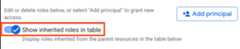
Expand a role in the table.
In theInheritance column, the hexagonal icon indicates whether the rolewas inherited from a parent resource.
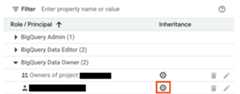
gcloud beta projects get-ancestors-iam-policy command.Deny access to a resource
Preview
This feature is subject to the "Pre-GA Offerings Terms" in the General Service Terms section of theService Specific Terms. Pre-GA features are available "as is" and might have limited support. For more information, see thelaunch stage descriptions.
Note: To provide feedback or ask questions that are related to this previewrelease, contactbigquery-security@google.com.IAM deny policies let you setguardrails on access to BigQuery resources. You can define deny rulesthat prevent selected principals from usingcertain permissions, regardless ofthe roles they're granted.
For information about how to create, update, and delete deny policies, seeDeny access to resources.
Special cases
Consider the following scenarios when you createIAM deny policieson a few BigQuery permissions:
Access to authorized resources (views,routines,datasets,orstored procedures) lets youcreate,drop,ormanipulate a table,along with reading and modifying table data, even if you don't have directpermission to perform those operations. It can alsoget model data or metadata andinvoke other stored procedureson the underlying table. This capability implies that the authorized resourceshave the following permissions:
bigquery.tables.getbigquery.tables.listbigquery.tables.getDatabigquery.tables.updateDatabigquery.tables.createbigquery.tables.deletebigquery.routines.getbigquery.routines.listbigquery.datasets.getbigquery.models.getDatabigquery.models.getMetadata
To deny access to these authorized resources, add one of thefollowing values to the
deniedPrincipalfield when you create the deny policy:Value Use case principalSet://goog/public:allBlocks all principals including authorized resources. principalSet://bigquery.googleapis.com/projects/PROJECT_NUMBER/*Blocks all BigQuery authorized resources in the specified project. PROJECT_NUMBERis an automatically generated unique identifier for your project of typeINT64.To exempt certain principals from the deny policy, specify thoseprincipals in the
exceptionPrincipalsfield of your deny policy. For example,exceptionPrincipals: "principalSet://bigquery.googleapis.com/projects/1234/*".BigQuerycaches query resultsof a job owner for 24 hours, which the job owner can access without needingthe
bigquery.tables.getDatapermission on the table containing thedata. Hence, adding an IAM deny policy to thebigquery.tables.getDatapermission doesn't block access to cached resultsfor the job owner until the cache expires. To block the job owner access tocached results, create a separate deny policy on thebigquery.jobs.createpermission.To prevent unintended data access when using deny policies to block data readoperations, we recommend that you also review and revoke any existingsubscriptions on the dataset.
To create aIAM deny policy forviewing dataset access controls, deny the following permissions:
bigquery.datasets.getbigquery.datasets.getIamPolicy
To create aIAM deny policy forupdating dataset access controls, deny the following permissions:
bigquery.datasets.updatebigquery.datasets.setIamPolicy
What's next
Learn how to use theprojects.testIamPermissions methodto test user access to a resource.
Except as otherwise noted, the content of this page is licensed under theCreative Commons Attribution 4.0 License, and code samples are licensed under theApache 2.0 License. For details, see theGoogle Developers Site Policies. Java is a registered trademark of Oracle and/or its affiliates.
Last updated 2025-12-15 UTC.