
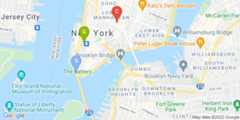
Maps Static API
Embed a Google Maps image on your web page using a simple HTTP request, with no need for any other code.
Get Started
Start building with the Maps Static API.
Get started with Google Maps Platform
Follow the Google Maps Platform getting started guide to create an account, generate an API key, and start building.
Embed a Maps Static API image
Add a Maps Static API image to your map by using an <img> tag.
Customize the style of a map
Customize just about every aspect of the map, including roads, geographical features, points of interest, and more.
Add markers and icons to a map
Add markers to a map, customize their size and color, and use your own custom images.
Features
Browse docs for core features of the Maps Static API.
Map location
Specify lat/lng coordinates to center the map.
Markers
Display one or more sets of markers on the map.
Custom styling
Apply your own custom styles to a map.
Map types
Display the road, satellite, hybrid, terrain, and custom maps.
Paths
Draw customizable paths between points on the map.
Custom viewport
Define the viewport by specifying visible locations.
Help & support
Get help. Give help. Join the community.

Stack Overflow
Get help. Give Help. Build Maps karma.

Issue Tracker
Report a bug or open a feature request.

Platform status
Find out about platform incidents and outages.

Support
Get help from the Google Maps Platform team.
Except as otherwise noted, the content of this page is licensed under theCreative Commons Attribution 4.0 License, and code samples are licensed under theApache 2.0 License. For details, see theGoogle Developers Site Policies. Java is a registered trademark of Oracle and/or its affiliates.
Last updated 2025-08-27 UTC.