
Send curated content

Page Summary
This solution uses Google Forms to let users select content they want to receive and automatically emails them their chosen content using Apps Script.
The script installs an event-driven trigger that activates upon each form submission, generating and sending an email from a Google Docs template.
The content offered can be any type linked by a URL.
Setting up the script involves making a copy of a Google Sheet and running a specific function in Apps Script to install the trigger.
The solution utilizes the Script, Document, Mail, and Spreadsheet Apps Script services to manage triggers, access document templates, send emails, and update the form responses sheet.
Coding level: Beginner
Duration: 20 minutes
Project type: Automation with anevent-driven trigger
Objectives
- Understand what the solution does.
- Understand what the Apps Script services do within thesolution.
- Set up the script.
- Run the script.
About this solution
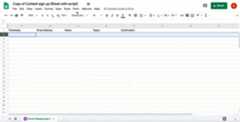
If you have various types of content you'd like to offer your audience, you canlet users choose what content they receive from you with Google Forms.This solution lets users select the topics they're interested in, thenautomatically emails them their chosen content.
How it works
The script installs an event-driven trigger that runs each time a user submitsa form. With each form submission, the script creates and sends an email froma Google Docs template. The email includes the user's name and the content theyselected. The content you offer can be of any type as long as it’s referenced bya URL.
Apps Script services
This solution uses the following services:
- Script service–Installs the event-driventrigger that fires whenever someone submits the form.
- Document service–Opens theDocs templatethat the script uses to create the email.
- Mail service–Creates and sends the email withthe user’s name and content selection.
- Spreadsheet service–Adds a confirmationto theForm responses sheet after the script sends the email.
Prerequisites
To use this sample, you need the following prerequisites:
- A Google Account (Google Workspace accounts mightrequire administrator approval).
- A web browser with access to the internet.
Set up the script
Click the following button to make a copy of theSend curated contentspreadsheet. The Apps Script project for thissolution is attached to the spreadsheet.
Make a copyIn your copied spreadsheet, clickExtensions>Apps Script.
In the function dropdown, selectinstallTrigger.
ClickRun.
When prompted, authorize the script.If the OAuth consent screen displays the warning,This app isn't verified,continue by selectingAdvanced>Go to {Project Name} (unsafe).
Important: If you runinstallTrigger more than once, the script createsmultiple triggers that each send an email when a user submits the form. Todelete extra triggers and avoid duplicate emails, clickTriggers. Right-click on each extra triggerand clickDelete trigger.
Run the script
- Switch back to the spreadsheet and clickTools>Manage form>Go to live form.
- Fill out the form and clickSubmit.
- Check your email for an email with links to the content you selected.
Review the code
To review the Apps Script code for this solution, clickView source code below:
View source code
Code.gs
// To learn how to use this script, refer to the documentation:// https://developers.google.com/apps-script/samples/automations/content-signup/*Copyright 2022 Google LLCLicensed under the Apache License, Version 2.0 (the "License");you may not use this file except in compliance with the License.You may obtain a copy of the License at https://www.apache.org/licenses/LICENSE-2.0Unless required by applicable law or agreed to in writing, softwaredistributed under the License is distributed on an "AS IS" BASIS,WITHOUT WARRANTIES OR CONDITIONS OF ANY KIND, either express or implied.See the License for the specific language governing permissions andlimitations under the License.*/// To use your own template doc, update the below variable with the URL of your own Google Doc template.// Make sure you update the sharing settings so that 'anyone' or 'anyone in your organization' can view.constEMAIL_TEMPLATE_DOC_URL="https://docs.google.com/document/d/1enes74gWsMG3dkK3SFO08apXkr0rcYBd3JHKOb2Nksk/edit?usp=sharing";// Update this variable to customize the email subject.constEMAIL_SUBJECT="Hello, here is the content you requested";// Update this variable to the content titles and URLs you want to offer. Make sure you update the form so that the content titles listed here match the content titles you list in the form.consttopicUrls={"Google Calendar how-to videos":"https://www.youtube.com/playlist?list=PLU8ezI8GYqs7IPb_UdmUNKyUCqjzGO9PJ","Google Drive how-to videos":"https://www.youtube.com/playlist?list=PLU8ezI8GYqs7Y5d1cgZm2Obq7leVtLkT4","Google Docs how-to videos":"https://www.youtube.com/playlist?list=PLU8ezI8GYqs4JKwZ-fpBP-zSoWPL8Sit7","Google Sheets how-to videos":"https://www.youtube.com/playlist?list=PLU8ezI8GYqs61ciKpXf_KkV7ZRbRHVG38",};/** * Installs a trigger on the spreadsheet for when someone submits a form. */functioninstallTrigger(){ScriptApp.newTrigger("onFormSubmit").forSpreadsheet(SpreadsheetApp.getActive()).onFormSubmit().create();}/** * Sends a customized email for every form response. * * @param {Object} event - Form submit event */functiononFormSubmit(e){constresponses=e.namedValues;// If the question title is a label, it can be accessed as an object field.// If it has spaces or other characters, it can be accessed as a dictionary.consttimestamp=responses.Timestamp[0];constemail=responses["Email address"][0].trim();constname=responses.Name[0].trim();consttopicsString=responses.Topics[0].toLowerCase();// Parse topics of interest into a list (since there are multiple items// that are saved in the row as blob of text).consttopics=Object.keys(topicUrls).filter((topic)=>{// indexOf searches for the topic in topicsString and returns a non-negative// index if the topic is found, or it will return -1 if it's not found.returntopicsString.indexOf(topic.toLowerCase())!==-1;});// If there is at least one topic selected, send an email to the recipient.letstatus="";if(topics.length >0){MailApp.sendEmail({to:email,subject:EMAIL_SUBJECT,htmlBody:createEmailBody(name,topics),});status="Sent";}else{status="No topics selected";}// Append the status on the spreadsheet to the responses' row.constsheet=SpreadsheetApp.getActiveSheet();constrow=sheet.getActiveRange().getRow();constcolumn=e.values.length+1;sheet.getRange(row,column).setValue(status);console.log(`status=${status}; responses=${JSON.stringify(responses)}`);}/** * Creates email body and includes the links based on topic. * * @param {string} recipient - The recipient's email address. * @param {string[]} topics - List of topics to include in the email body. * @return {string} - The email body as an HTML string. */functioncreateEmailBody(name,topics){lettopicsHtml=topics.map((topic)=>{consturl=topicUrls[topic];return`<li><a href="${url}">${topic}</a></li>`;}).join("");topicsHtml=`<ul>${topicsHtml}</ul>`;// Make sure to update the emailTemplateDocId at the top.constdocId=DocumentApp.openByUrl(EMAIL_TEMPLATE_DOC_URL).getId();letemailBody=docToHtml(docId);emailBody=emailBody.replace(/{{NAME}}/g,name);emailBody=emailBody.replace(/{{TOPICS}}/g,topicsHtml);returnemailBody;}/** * Downloads a Google Doc as an HTML string. * * @param {string} docId - The ID of a Google Doc to fetch content from. * @return {string} The Google Doc rendered as an HTML string. */functiondocToHtml(docId){// Downloads a Google Doc as an HTML string.consturl=`https://docs.google.com/feeds/download/documents/export/Export?id=${docId}&exportFormat=html`;constparam={method:"get",headers:{Authorization:`Bearer${ScriptApp.getOAuthToken()}`},muteHttpExceptions:true,};returnUrlFetchApp.fetch(url,param).getContentText();}
Contributors
This sample is maintained by Google with the help of Google Developer Experts.
Next steps
Except as otherwise noted, the content of this page is licensed under theCreative Commons Attribution 4.0 License, and code samples are licensed under theApache 2.0 License. For details, see theGoogle Developers Site Policies. Java is a registered trademark of Oracle and/or its affiliates.
Last updated 2025-12-11 UTC.