
Record time & activities in Calendar & Sheets

Page Summary
This solution is a beginner-level automation project that takes 15 minutes to set up, using a custom menu to sync Google Calendar events with Google Sheets to create a timesheet or import activities.
The script uses a sidebar to configure sync settings, including selecting calendars and time periods, and optionally overwriting event details with information from the spreadsheet.
Key Apps Script services utilized are the HTML service for the sidebar, Properties service for storing settings, Calendar service for retrieving events, and Spreadsheet service for managing data in the sheet and updating Calendar.
Prerequisites include a Google Account and internet access, and the setup involves creating a Google Calendar and making a copy of the provided sample spreadsheet with the attached Apps Script project.
The script allows you to categorize time by customer, project, and task in the Sheets file, providing a dashboard view of total time spent by these categories.
Coding level: Beginner
Duration: 15 minutes
Project type: Automation with acustom menu
Objectives
- Understand what the solution does.
- Understand what the Apps Script services do within thesolution.
- Set up your environment.
- Set up the script.
- Run the script.
About this solution
Keep track of time spent on projects for customers. You can record yourproject-related time in Google Calendar, then sync it with Google Sheets tocreate a timesheet or import your activity into another timesheet managementsystem. You can categorize your time by customer, project, and task.
How it works
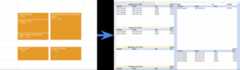
The script provides a sidebar that lets you select the calendars to sync, thetime period to sync with, and whether to overwrite event titles anddescriptions with information entered in the spreadsheet. Once those settingsare configured, you can sync events and view your activities on a dashboard.
The script brings in events from the calendars and time period you specify fromCalendar to the spreadsheet. You can add customers, projects, andtasks to thecategories sheet and then tag the events accordingly in thehours sheet.This way, when you view thedashboard sheet, you can view total time bycustomer, project, and task.
Apps Script services
This solution uses the following services:
- HTML service–Builds the sidebar used toconfigure synchronization settings.
- Properties service–Stores the settingsthe user selects on the sidebar.
- Calendar service–Sends theevent information to the spreadsheet.
- Spreadsheet service–Writes the eventsto the spreadsheet, and if configured, sends updated title and descriptioninformation to Calendar.
Prerequisites
To use this sample, you need the following prerequisites:
- A Google Account (Google Workspace accounts mightrequire administrator approval).
- A web browser with access to the internet.
Set up your environment
If you plan to use an existing calendar, you can skip this step.
- Go tocalendar.google.com.
- Next toOther calendars, click Add other calendars>Create new calendar.
- Name your calendar and clickCreate calendar.
- Add some events to the calendar.
Set up the script
Click the following button to make a copy of theRecord time and activities sample spreadsheet. The Apps Script project for this solution is attached to the spreadsheet.
Make a copy
Run the script
Sync calendar events
- ClickmyTime>Settings. You mightneed to refresh the page for this custom menu to appear.
When prompted, authorize the script.If the OAuth consent screen displays the warning,This app isn't verified,continue by selectingAdvanced>Go to {Project Name} (unsafe).
ClickmyTime>Settings again.
From the list of available calendars, select the calendar you created andany other calendars you want to sync.
Configure the rest of the settings and clickSave.
ClickmyTime>Sync calendarevents.
Set up the dashboard
- Go to theCategories sheet.
- Add customers, projects, and tasks.
- Go to theHours sheet.
- For each synced event, select the customer, project, and task.
- Go to theDashboard sheet.
- The first section provides daily totals. To update the list of dates forthe daily totals, change the date in cell
A1. - The next section provides weekly totals and corresponds to the dateselected in
A1. - The last three sections provide overall totals by task, project, andcustomer.
- The first section provides daily totals. To update the list of dates forthe daily totals, change the date in cell
Review the code
To review the Apps Script code for this solution, clickView source code below:
View source code
Code.gs
// To learn how to use this script, refer to the documentation:// https://developers.google.com/apps-script/samples/automations/calendar-timesheet/*Copyright 2022 Jasper DuizendstraLicensed under the Apache License, Version 2.0 (the "License");you may not use this file except in compliance with the License.You may obtain a copy of the License at https://www.apache.org/licenses/LICENSE-2.0Unless required by applicable law or agreed to in writing, softwaredistributed under the License is distributed on an "AS IS" BASIS,WITHOUT WARRANTIES OR CONDITIONS OF ANY KIND, either express or implied.See the License for the specific language governing permissions andlimitations under the License.*//** * Runs when the spreadsheet is opened and adds the menu options * to the spreadsheet menu */constonOpen=()=>{SpreadsheetApp.getUi().createMenu("myTime").addItem("Sync calendar events","run").addItem("Settings","settings").addToUi();};/** * Opens the sidebar */constsettings=()=>{consthtml=HtmlService.createHtmlOutputFromFile("Page").setTitle("Settings");SpreadsheetApp.getUi().showSidebar(html);};/** * returns the settings from the script properties */constgetSettings=()=>{constsettings={};// get the current settingsconstsavedCalendarSettings=JSON.parse(PropertiesService.getScriptProperties().getProperty("calendar")||"[]",);// get the primary calendarconstprimaryCalendar=CalendarApp.getAllCalendars().filter((cal)=>cal.isMyPrimaryCalendar()).map((cal)=>({name:"Primary calendar",id:cal.getId(),}));// get the secondary calendarsconstsecundaryCalendars=CalendarApp.getAllCalendars().filter((cal)=>cal.isOwnedByMe() &&!cal.isMyPrimaryCalendar()).map((cal)=>({name:cal.getName(),id:cal.getId(),}));// the current available calendarsconstavailableCalendars=primaryCalendar.concat(secundaryCalendars);// find any calendars that were removedconstunavailebleCalendars=[];for(constsavedCalendarSettingofsavedCalendarSettings){if(!availableCalendars.find((availableCalendar)=>availableCalendar.id===savedCalendarSetting.id,)){unavailebleCalendars.push(savedCalendarSetting);}}// map the current settings to the available calendarsconstcalendarSettings=availableCalendars.map((availableCalendar)=>{if(savedCalendarSettings.find((savedCalendar)=>savedCalendar.id===availableCalendar.id,)){availableCalendar.sync=true;}returnavailableCalendar;});// add the calendar settings to the settingssettings.calendarSettings=calendarSettings;constsavedFrom=PropertiesService.getScriptProperties().getProperty("syncFrom");settings.syncFrom=savedFrom;constsavedTo=PropertiesService.getScriptProperties().getProperty("syncTo");settings.syncTo=savedTo;constsavedIsUpdateTitle=PropertiesService.getScriptProperties().getProperty("isUpdateTitle")==="true";settings.isUpdateCalendarItemTitle=savedIsUpdateTitle;constsavedIsUseCategoriesAsCalendarItemTitle=PropertiesService.getScriptProperties().getProperty("isUseCategoriesAsCalendarItemTitle",)==="true";settings.isUseCategoriesAsCalendarItemTitle=savedIsUseCategoriesAsCalendarItemTitle;constsavedIsUpdateDescription=PropertiesService.getScriptProperties().getProperty("isUpdateDescription",)==="true";settings.isUpdateCalendarItemDescription=savedIsUpdateDescription;returnsettings;};/** * Saves the settings from the sidebar */constsaveSettings=(settings)=>{PropertiesService.getScriptProperties().setProperty("calendar",JSON.stringify(settings.calendarSettings),);PropertiesService.getScriptProperties().setProperty("syncFrom",settings.syncFrom,);PropertiesService.getScriptProperties().setProperty("syncTo",settings.syncTo,);PropertiesService.getScriptProperties().setProperty("isUpdateTitle",settings.isUpdateCalendarItemTitle,);PropertiesService.getScriptProperties().setProperty("isUseCategoriesAsCalendarItemTitle",settings.isUseCategoriesAsCalendarItemTitle,);PropertiesService.getScriptProperties().setProperty("isUpdateDescription",settings.isUpdateCalendarItemDescription,);return"Settings saved";};/** * Builds the myTime object and runs the synchronisation */construn=()=>{myTime({mainSpreadsheetId:SpreadsheetApp.getActiveSpreadsheet().getId(),}).run();};/** * The main function used for the synchronisation * @param {Object} par The main parameter object. * @return {Object} The myTime Object. */constmyTime=(par)=>{/** * Format the sheet */constformatSheet=()=>{// sort decending on start datehourSheet.sort(3,false);// hide the technical columnshourSheet.hideColumns(1,2);// remove any extra rowsif(hourSheet.getLastRow() >1&&hourSheet.getLastRow() <hourSheet.getMaxRows()){hourSheet.deleteRows(hourSheet.getLastRow()+1,hourSheet.getMaxRows()-hourSheet.getLastRow(),);}// set the validation for the customersletrule=SpreadsheetApp.newDataValidation().requireValueInRange(categoriesSheet.getRange("A2:A"),true).setAllowInvalid(true).build();hourSheet.getRange("I2:I").setDataValidation(rule);// set the validation for the projectsrule=SpreadsheetApp.newDataValidation().requireValueInRange(categoriesSheet.getRange("B2:B"),true).setAllowInvalid(true).build();hourSheet.getRange("J2:J").setDataValidation(rule);// set the validation for the tsaksrule=SpreadsheetApp.newDataValidation().requireValueInRange(categoriesSheet.getRange("C2:C"),true).setAllowInvalid(true).build();hourSheet.getRange("K2:K").setDataValidation(rule);if(isUseCategoriesAsCalendarItemTitle){hourSheet.getRange("L2:L").setFormulaR1C1('IF(OR(R[0]C[-3]="tbd";R[0]C[-2]="tbd";R[0]C[-1]="tbd");""; CONCATENATE(R[0]C[-3];"|";R[0]C[-2];"|";R[0]C[-1];"|"))',);}// set the hours, month, week and number collumnshourSheet.getRange("P2:P").setFormulaR1C1('=IF(R[0]C[-12]="";"";R[0]C[-12]-R[0]C[-13])');hourSheet.getRange("Q2:Q").setFormulaR1C1('=IF(R[0]C[-13]="";"";month(R[0]C[-13]))');hourSheet.getRange("R2:R").setFormulaR1C1('=IF(R[0]C[-14]="";"";WEEKNUM(R[0]C[-14];2))');hourSheet.getRange("S2:S").setFormulaR1C1("=R[0]C[-3]");};/** * Activate the synchronisation */functionrun(){console.log("Started processing hours.");constprocessCalendar=(setting)=>{SpreadsheetApp.flush();// current calendar infoconstcalendarName=setting.name;constcalendarId=setting.id;console.log(`processing${calendarName} with the id${calendarId} from${syncStartDate} to${syncEndDate}`,);// get the calendarconstcalendar=CalendarApp.getCalendarById(calendarId);// get the calendar events and create lookupsconstevents=calendar.getEvents(syncStartDate,syncEndDate);consteventsLookup=events.reduce((jsn,event)=>{jsn[event.getId()]=event;returnjsn;},{});// get the sheet events and create lookupsconstexistingEvents=hourSheet.getDataRange().getValues().slice(1);constexistingEventsLookUp=existingEvents.reduce((jsn,row,index)=>{if(row[0]!==calendarId){returnjsn;}jsn[row[1]]={event:row,row:index+2,};returnjsn;},{});// handle a calendar eventconsthandleEvent=(event)=>{consteventId=event.getId();// new eventif(!existingEventsLookUp[eventId]){hourSheet.appendRow([calendarId,eventId,event.getStartTime(),event.getEndTime(),calendarName,event.getCreators().join(","),event.getTitle(),event.getDescription(),event.getTag("Client")||"tbd",event.getTag("Project")||"tbd",event.getTag("Task")||"tbd",isUpdateCalendarItemTitle?"":event.getTitle(),isUpdateCalendarItemDescription?"":event.getDescription(),event.getGuestList().map((guest)=>guest.getEmail()).join(","),event.getLocation(),undefined,undefined,undefined,undefined,]);returntrue;}// existing eventconstexisitingEvent=existingEventsLookUp[eventId].event;constexisitingEventRow=existingEventsLookUp[eventId].row;if(event.getStartTime()-exisitingEvent[startTimeColumn-1]!==0){hourSheet.getRange(exisitingEventRow,startTimeColumn).setValue(event.getStartTime());}if(event.getEndTime()-exisitingEvent[endTimeColumn-1]!==0){hourSheet.getRange(exisitingEventRow,endTimeColumn).setValue(event.getEndTime());}if(event.getCreators().join(",")!==exisitingEvent[creatorsColumn-1]){hourSheet.getRange(exisitingEventRow,creatorsColumn).setValue(event.getCreators()[0]);}if(event.getGuestList().map((guest)=>guest.getEmail()).join(",")!==exisitingEvent[guestListColumn-1]){hourSheet.getRange(exisitingEventRow,guestListColumn).setValue(event.getGuestList().map((guest)=>guest.getEmail()).join(","),);}if(event.getLocation()!==exisitingEvent[locationColumn-1]){hourSheet.getRange(exisitingEventRow,locationColumn).setValue(event.getLocation());}if(event.getTitle()!==exisitingEvent[titleColumn-1]){if(!isUpdateCalendarItemTitle){hourSheet.getRange(exisitingEventRow,titleColumn).setValue(event.getTitle());}if(isUpdateCalendarItemTitle){event.setTitle(exisitingEvent[titleColumn-1]);}}if(event.getDescription()!==exisitingEvent[descriptionColumn-1]){if(!isUpdateCalendarItemDescription){hourSheet.getRange(exisitingEventRow,descriptionColumn).setValue(event.getDescription());}if(isUpdateCalendarItemDescription){event.setDescription(exisitingEvent[descriptionColumn-1]);}}returntrue;};// process each event for the calendarevents.every(handleEvent);// remove any events in the sheet that are not in de calendarexistingEvents.every((event,index)=>{if(event[0]!==calendarId){returntrue;}if(eventsLookup[event[1]]){returntrue;}if(event[3] <syncStartDate){returntrue;}hourSheet.getRange(index+2,1,1,20).clear();returntrue;});returntrue;};// process the calendarssettings.calendarSettings.filter((calenderSetting)=>calenderSetting.sync===true).every(processCalendar);formatSheet();SpreadsheetApp.setActiveSheet(hourSheet);console.log("Finished processing hours.");}constmainSpreadSheetId=par.mainSpreadsheetId;constmainSpreadsheet=SpreadsheetApp.openById(mainSpreadSheetId);consthourSheet=mainSpreadsheet.getSheetByName("Hours");constcategoriesSheet=mainSpreadsheet.getSheetByName("Categories");constsettings=getSettings();constsyncStartDate=newDate();syncStartDate.setDate(syncStartDate.getDate()-Number(settings.syncFrom));constsyncEndDate=newDate();syncEndDate.setDate(syncEndDate.getDate()+Number(settings.syncTo));constisUpdateCalendarItemTitle=settings.isUpdateCalendarItemTitle;constisUseCategoriesAsCalendarItemTitle=settings.isUseCategoriesAsCalendarItemTitle;constisUpdateCalendarItemDescription=settings.isUpdateCalendarItemDescription;conststartTimeColumn=3;constendTimeColumn=4;constcreatorsColumn=6;constoriginalTitleColumn=7;constoriginalDescriptionColumn=8;constclientColumn=9;constprojectColumn=10;consttaskColumn=11;consttitleColumn=12;constdescriptionColumn=13;constguestListColumn=14;constlocationColumn=15;returnObject.freeze({run:run,});};
Page.html
<!DOCTYPE html><!-- Copyright 2022 Google LLC Licensed under the Apache License, Version 2.0 (the "License"); you may not use this file except in compliance with the License. You may obtain a copy of the License at http://www.apache.org/licenses/LICENSE-2.0 Unless required by applicable law or agreed to in writing, software distributed under the License is distributed on an "AS IS" BASIS, WITHOUT WARRANTIES OR CONDITIONS OF ANY KIND, either express or implied. See the License for the specific language governing permissions and limitations under the License.--><html><head> <link rel="stylesheet" href="https://ssl.gstatic.com/docs/script/css/add-ons1.css"> <style> #main { display: none } #categories-as-item-title { display: none } #show_title_warning { display: none } #show_description_warning { display: none } .red { color: red; } .branding-below { bottom: 56px; top: 0; } input[type=number] { width: 50px; height: 15px; } </style></head><body> <div> Please wait... </div> <div> <div> <b>Synchronise calendars</b> <div> <span></span> </div> </div> <div> <b>Synchronisation period</b> <br>Synchronise from the last <input type="number" name="sync-from"> days <br>Synchronise up to the coming <input type="number" name="sync-to"> days </div> <div> <b>Update the calendar items</b><br> <input type="checkbox"> <label for="is-update-calendar-item-title">Overwrite the calendar item title</label> <span>The calendar title will be overwritten with the values in title column of the sheet</span> </div> <div> <input type="checkbox"> <label for="is-use-categories-as-item-title">Use categories as the calendar item title</label> </div> <div> <input type="checkbox"> <label for="is-update-calendar-item-description">Overwrite the calendar item description</label> <span>The calendar description will be overwritten with the values in description column of the sheet</span> </div> <div> <button>Save</button> </div> <div> <span></span> <span></span> </div> </div> <div> <span> myTime v1.2.0</span> </div></body><script> // event handler for categrories document.getElementById('is-update-calendar-item-title').addEventListener('change', (event) => { if (event.target.checked) { document.getElementById('categories-as-item-title').style.display = "block"; document.getElementById('show_title_warning').style.display = "block"; } else { document.getElementById('categories-as-item-title').style.display = "none"; document.getElementById('is-use-categories-as-item-title').checked = false; document.getElementById('show_title_warning').style.display = "none"; } }) document.getElementById('is-update-calendar-item-description').addEventListener('change', (event) => { if (event.target.checked) { document.getElementById('show_description_warning').style.display = "block"; } else { document.getElementById('show_description_warning').style.display = "none"; } }) // generic error handler const onFailure = (error) => { console.debug(error); document.getElementById('generic-error').innerHTML = error.message; } // receiving the settings const onSuccessGetSettings = (settings) => { console.debug(settings); settings.calendarSettings.forEach((calendar, index) => { const div = document.createElement('div'); const check = document.createElement('input'); check.className = 'calendar-check'; check.className = 'calendar-check red'; check.type = 'checkbox'; check.id = 'calendar' + index; check.value = (calendar.id); check.name = (calendar.name); check.checked = (calendar.sync); const label = document.createElement('label') label.htmlFor = "calendar" + index; label.appendChild(document.createTextNode(calendar.name)); if (index == 0) { label.className = 'red'; } div.appendChild(check); div.appendChild(label); document.getElementById('checks').appendChild(div); }); document.getElementById('sync-from').value = settings.syncFrom || 31; document.getElementById('sync-to').value = settings.syncTo || 31; document.getElementById('is-update-calendar-item-title').checked = settings.isUpdateCalendarItemTitle; if (settings.isUpdateCalendarItemTitle) { document.getElementById('categories-as-item-title').style.display = "block"; document.getElementById('is-use-categories-as-item-title').checked = settings.isUseCategoriesAsCalendarItemTitle; document.getElementById('show_title_warning').style.display = "block"; } if (settings.isUpdateCalendarItemDescription) { document.getElementById('is-update-calendar-item-description').checked = settings.isUpdateCalendarItemDescription; document.getElementById('show_description_warning').style.display = "block"; } document.getElementById('wait').style.display = "none"; document.getElementById('main').style.display = "block"; } // receiving the settings saved confirmation const onSuccessSaveSettings = (msg) => { console.debug(msg); document.getElementById('generic-message').innerHTML = msg; } // save the settings const saveSettings = () => { document.getElementById('generic-message').innerHTML = ''; const checks = document.getElementsByClassName('calendar-check'); const calendarSettings = []; for (let check of checks) { if (!check.checked) { continue; } calendarSettings.push({ name: check.name, id: check.value, sync: check.checked }); } const settings = {}; settings.calendarSettings = calendarSettings; settings.syncFrom = document.getElementById('sync-from').value; settings.syncTo = document.getElementById('sync-to').value; settings.isUpdateCalendarItemTitle = document.getElementById('is-update-calendar-item-title').checked; if (settings.isUpdateCalendarItemTitle) { settings.isUseCategoriesAsCalendarItemTitle = document.getElementById('is-use-categories-as-item-title').checked; } if (!settings.isUpdateCalendarItemTitle) { settings.isUseCategoriesAsCalendarItemTitle = false; } settings.isUpdateCalendarItemDescription = document.getElementById('is-update-calendar-item-description').checked; console.debug(settings) google.script.run .withFailureHandler(onFailure) .withSuccessHandler(onSuccessSaveSettings) .saveSettings(settings); } // get the initial settings google.script.run .withFailureHandler(onFailure) .withSuccessHandler(onSuccessGetSettings) .getSettings();</script></html>Contributors
This sample was created by Jasper Duizendstra, Google Cloud Architect and GoogleDeveloper Expert. Find Jasper on Twitter@Duizendstra.
This sample is maintained by Google with the help of Google Developer Experts.
Next steps
Except as otherwise noted, the content of this page is licensed under theCreative Commons Attribution 4.0 License, and code samples are licensed under theApache 2.0 License. For details, see theGoogle Developers Site Policies. Java is a registered trademark of Oracle and/or its affiliates.
Last updated 2025-12-11 UTC.