
Authorization for Google Services

Page Summary
Apps Script needs user authorization to access private data from Google services.
Authorization scopes are determined automatically by scanning the script code.
Users can revoke a script's access to their data through their Google account settings.
The user identity a script runs with and the data it can access vary depending on the type of script and how it's run.
You can use JsDoc annotations like
@OnlyCurrentDocto limit authorization requests for certain add-ons or scripts.
Apps Script requires user authorization to access private data frombuilt-in Google services oradvanced Google services.
Granting access rights
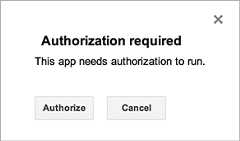
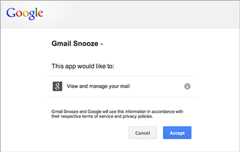
Apps Script determines the authorization scopes (like access your Google Sheetsfiles or Gmail) automatically, based on a scan of the code. Code that iscommented out can still generate an authorization request. If a script needsauthorization, you'll see one of the authorization dialogs shown here when it isrun.
Scripts that you have previously authorized also ask for additionalauthorization if a code change adds new services. Scripts may not requestauthorization if you access the script as a web app that runs underthe script owner's user identity.
Warning: Web apps and other scripts that use sensitive scopes are subject toreview by Google. Users attempting to authorize such apps may see a warningscreen saying the app isunverified by Google. SeeOAuth client verificationfor details.Revoking access rights
To revoke a script's access to your data, follow these steps:
- Visit thepermissions pagefor your Google account. (To navigate tothis page in the future, visitGoogle.com, thenclick your account picture in the top-right corner of the screen. Next, clickMy Account, thenConnected apps & sites under the"Sign-in & security" section, and thenManage Apps.)
- Click the name of the script whose authorization you want to revoke, thenclickRemove on the right, thenOK in the resulting dialog.
Permissions and types of scripts
The user identity that a script runs with — and thus the data it can access —varies based on the scenario in which the script is run, as shown in the tablebelow.
| Type of script | Script runs as... |
|---|---|
| Standalone,add-on, or bound to Docs, Sheets, Slides, or Forms | User at the keyboard |
| Custom function in a spreadsheet | Anonymous user; however,quota limits count against user at the keyboard |
| Web app orGoogle Sites gadget | User at the keyboard or script owner, dependent onoptions selected when deploying the app |
| Installable trigger | User who created the trigger |
Manual authorization scopes for Sheets, Docs, Slides, and Forms
If you're building anadd-on or other script thatuses theSpreadsheet service,Document service,Slides service, orForms service, you can force the authorizationdialog to ask only for access to files in which the add-on or script is used,rather than all of a user's spreadsheets, documents, or forms. To do so, includethe followingJsDoc annotation in a file-level comment:
/***@OnlyCurrentDoc*/An opposing annotation,@NotOnlyCurrentDoc, is available if your scriptincludes alibrary that declares@OnlyCurrentDoc, but the master script actually requires access to more thanthe current file.
Authorization lifecycle for add-ons
Add-ons for Google Sheets, Docs, Slides, and Formsgenerally follow the same authorization model as scripts that arebound to a document. In certaincircumstances, however, theironOpen(e) andonEdit(e) functions run in ano-authorization mode that presents some additional complications. For moreinformation, see theguide to the add-ons authorization lifecycle.
OAuth application user limits
Applications that use OAuth to access Google user data, including AppsScript projects, are subject to authorization limits. SeeOAuth application user limitsfor details.
Re-authentication Behavior with Apps Script
Apps Script does not enforce there-authentication frequency that youconfigure in your Google Cloud Services settings. This is becauseApps Script can run automatically using triggers, which operatewithout direct user interaction. These automated executions don't trigger there-authentication prompts. Your Apps Script application won'tautomatically ask you to re-authenticate after the time period you've specified(for example, 12 hours).
Except as otherwise noted, the content of this page is licensed under theCreative Commons Attribution 4.0 License, and code samples are licensed under theApache 2.0 License. For details, see theGoogle Developers Site Policies. Java is a registered trademark of Oracle and/or its affiliates.
Last updated 2025-12-11 UTC.