4.2 Slidy presentation
To create aSlidy presentation from R Markdown, you specify theslidy_presentation output format in the YAML metadata of your document. You can create a slide show broken up into sections by using the## heading tag (you can also create a new slide without a header using a horizontal rule (---). For example, here is a simple slide show (see Figure4.2 for two sample slides):
---title: "Habits"author: John Doedate: March 22, 2005output: slidy_presentation---# In the morning## Getting up-Turn off alarm-Get out of bed## Breakfast-Eat eggs-Drink coffee# In the evening## Dinner-Eat spaghetti-Drink wine---```{r, cars, fig.cap="A scatterplot.", echo=FALSE}plot(cars)```## Going to sleep-Get in bed-Count sheep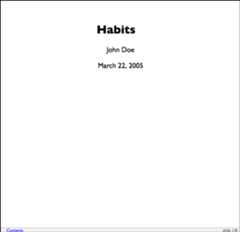
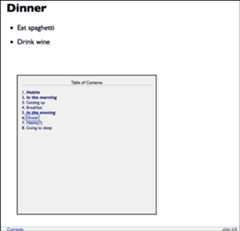
FIGURE 4.2: Two sample slides in a Slidy presentation.
4.2.1 Display modes
The following single character keyboard shortcuts enable alternate display modes:
'C': Show table of contents (the right sub-figure in Figure4.2 has shown the table of contents).'F': Toggles the display of the footer.'A': Toggles display of current vs all slides (useful for printing handouts).'S': Make fonts smaller.'B': Make fonts larger .
4.2.2 Text size
You can use thefont_adjustment option to increase or decrease the default font size (e.g.,-1 or+1) for the entire presentation. For example:
---output:slidy_presentation:font_adjustment:-1---If you want to decrease the text size on an individual slide you can use the.smaller slide attribute. For example:
## Getting up {.smaller}If you want to increase the text size on an individual slide you can use the.bigger slide attribute. For example:
## Getting up {.bigger}You can also manually adjust the font size during the presentation using the'S' (smaller) and'B' (bigger) keys.
4.2.3 Footer elements
You can add a countdown timer to the footer of your slides using theduration option (duration is specified in minutes). For example:
---output:slidy_presentation:duration:45---You can also add custom footer text (e.g., organization name and/or copyright) using thefooter option. For example:
---output:slidy_presentation:footer:"Copyright (c) 2014, RStudio"---4.2.4 Other features
Refer to Section3.1 for the documentation of other features of Slidy presentations, including figure options (Section3.1.5), appearance and style (Section3.1.4), MathJax equations (Section3.1.8), data frame printing (Section3.1.6), Markdown extensions (Section3.1.10.4), keeping Markdown (Section3.1.10.1), document dependencies (Section3.1.9), header and before/after body inclusions (Section3.1.10.2), custom templates (Section3.1.10.3), Pandoc arguments (Section3.1.10.5), and shared options (Section3.1.11).
Slidy presentations have several features in common with ioslides presentations in Section4.1. For incremental bullets, see Section4.1.2. For custom CSS, see Section4.1.3.5. For printing Slidy slides to PDF, see Section4.1.10.