4.3 Beamer presentation
To create a Beamer presentation from R Markdown, you specify thebeamer_presentation output format in the YAML metadata of your document. You can create a slide show broken up into sections by using the# and## heading tags (you can also create a new slide without a header using a horizontal rule (---). For example, here is a simple slide show (see Figure4.3 for two sample slides):
---title: "Habits"author: John Doedate: March 22, 2005output: beamer_presentation---# In the morning## Getting up-Turn off alarm-Get out of bed## Breakfast-Eat eggs-Drink coffee# In the evening## Dinner-Eat spaghetti-Drink wine---```{r, cars, fig.cap="A scatterplot.", echo=FALSE}plot(cars)```## Going to sleep-Get in bed-Count sheep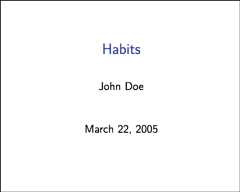
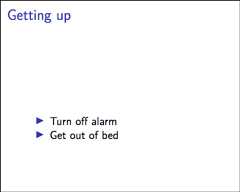
FIGURE 4.3: Two sample slides in a Beamer presentation.
Within R Markdown documents that generate PDF output, you can use raw LaTeX and even define LaTeX macros. See Pandoc’s manual for details.
4.3.1 Themes
You can specify Beamer themes using thetheme,colortheme, andfonttheme options. For example:
---output:beamer_presentation:theme:"AnnArbor"colortheme:"dolphin"fonttheme:"structurebold"---Figure4.4 shows two sample slides of theAnnArbor theme in the above example. You can find a list of possible themes and color themes athttps://hartwork.org/beamer-theme-matrix/.
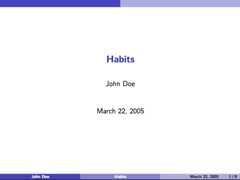
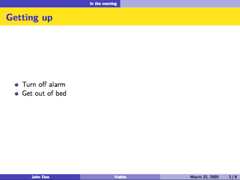
FIGURE 4.4: Two sample slides with the AnnArbor theme in Beamer.
4.3.2 Slide level
Theslide_level option defines the heading level that defines individual slides. By default, this is the highest header level in the hierarchy that is followed immediately by content, and not another header, somewhere in the document. This default can be overridden by specifying an explicitslide_level:
---output:beamer_presentation:slide_level:2---4.3.3 Other features
Refer to Section3.1 for the documentation of other features of Beamer presentations, including table of contents (Section3.1.1), figure options (Section3.1.5), appearance and style (Section3.1.4), data frame printing (Section3.1.6), Markdown extensions (Section3.1.10.4), header and before/after body inclusions (Section3.1.10.2), custom templates (Section3.1.10.3), Pandoc arguments (Section3.1.10.5), and shared options (Section3.1.11).
Beamer presentations have a few features in common with ioslides presentations in Section4.1 and PDF documents in Section3.3. For incremental bullets, see Section4.1.2. For how to keep the intermediate LaTeX output file, see Section3.3.7.2.