


 在Mac上安装DataGrip时遇到使用JDK1.8及以上版本连接数据源时的SSLHandshakeException错误。问题源于SSL协议或加密套件配置不正确。避免修改JDK jar包,只需将连接配置中的'useSSL'设置为'FALSE'即可解决此问题。测试结果显示该方法有效。
mac 安装 dataGrip 时使用 jdk 1.8版本以上 连接数据源回有如下报错:
javax.net.ssl.SSLHandshakeException: No appropriate protocol (protocol is disabled or cipher suites are inappropriate) The following required algorithms might be disabled: SSLv3, TLSv1, TLSv1.1, RC4, DES, MD5withRSA, DH keySize < 1024, EC keySize < 224, 3DES_EDE_CBC, anon, NULL, include jdk.disabled.namedCurves. Edit the list of disabled algorithms to include required algorithms. You can try to enable TLSv1 or TLSv1.1 first. JDBC driver may have disabled TLS 1.1 and its earlier versions.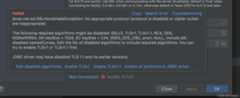
很多解决方案是修改jdk 里的jar 包配置,修改ssl方式。其实针对于mac 很难找到jre 安装目录。
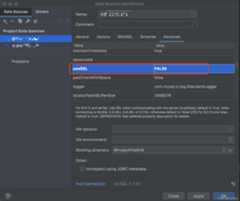
因此其实只要修改连接信息的一项配置就可以了。
解决方式如下:
将 useSSL 改为 FALSE 就可以。
测试结果如下: 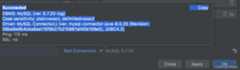








 扫一扫
扫一扫


12 条评论您还未登录,请先登录后发表或查看评论
12 条评论



11-19 1万+
1万+
1万+



 到【灌水乐园】发言


