
サクサク読めて、
アプリ限定の機能も多数!
アプリで開く
はじめに 初めてPythonのFlaskとHerokuを使って、スクレイピングした情報をjsonで返すAPIを作ったので、その際におこなった方法をまとめたいと思います。herokuでHelloWorldまでに使用するものやPythonの環境構築などは前編にあたる Re:ゼロからFlaskで始めるHeroku生活 〜環境構築とこんにちは世界〜 にて、 今回作るプログラムをHerokuにデプロイするまでは後編にあたる Re:ゼロからFlaskで始めるHeroku生活 〜PhantomJSをHerokuへ〜 にて書いているので合わせてご覧ください 今回やること 勉強になれば車輪の再発明でもいいじゃない 今回はSlideShareを題材として、SeleniumをとPhantomJSを使ったスクレイピングのやり方を書きます。 1つの記事にまとめた際長くなってしまった為、Herokuにデプロイする流

view-source:https://munchery.com/menus/sf/#/0/dinnerNotice that the data is wrapped by a <script> tag? That data is in JSON format and is rendered toHTML upon loading. We have the option to parse the JSON data, but let’s say we want to extract based on what we see or generated. Let’s write the steps on how we’d do that:Go to www.munchery.com. (be sure to check their robots.txt and terms before p

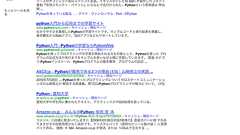
Selenium便利なんだけど、ブラウザ立ちあげないといけないのはサーバーで使いにくくて不便だよなと思っていたのだけどPhantomJS使えることを知ったので早速遊んでた。なにやりたいかというとGoogle Patent Searchから特許ID抜き出したいのだけど、Python+Selenium+PhantomJSの組み合わせでできることがわかった。 from selenium import webdriver import time driver = webdriver.PhantomJS() driver.get("https://www.google.co.jp/webhp?hl=ja&tab=ww&authuser=0#authuser=0&hl=ja&q=python") print driver.current_url time.sleep(2) driver.save_sc
 1
1リリース、障害情報などのサービスのお知らせ
最新の人気エントリーの配信
処理を実行中です
j次のブックマーク
k前のブックマーク
lあとで読む
eコメント一覧を開く
oページを開く


