
サクサク読めて、
アプリ限定の機能も多数!
アプリで開く

概要 フロント開発をするとき、レイアウトやアニメーション、その他CSS等の生成をしてくれるWebツールのまとめです。 使いやすそうなツールがあれば追記していく予定です。 ドキュメント類 何はともあれドキュメントは読む癖をつけて、正しい使い方ができるようになるのが良いでしょうということで mdn (Mozilla DeveloperNetwork の略) ウェブ標準ドキュメント 個人ブログやQiita内で「こう使うといい!」って書いてあってもその内容自体が間違っている可能性もあるので、より正確な情報を得るにはmdnを参照する Can I use ブラウザごとにCSSやjsの標準関数等が使用可能かどうか一覧表示してくれる ジェネレーター系 InteractiveCSS Grid Generator Gridを使ったレイアウトをGUIで作り、コード生成できる そのレイアウトをもとにCodeP

先日のNext.js Conf でVercel はNext.js の新しいバージョン「12」をリリースした。 興味深いのは、Vercel は同時にEdge Functionsというサービスを開始したことだ。 Edge Functions –Vercel 謳い文句のひとつに Push your functions to the edge とあるように、「エッジ」で実行される「関数」を提供するプラットフォームである。 ここで言うエッジとはなにかというと、Vercel は明言していないが CDN のエッジのことだ。Vercel の例のように「CDN のエッジで実行する系」が増えている。例えば以下の 7 つだ。Cloudflare Workers Fastly Compute@EdgeAWS CloudFront FunctionsAWSLambda@EdgeDeno Depl
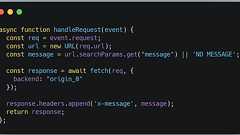
In December, we announced the beta ofCloudflare Pages: a fast, secure, and free way for frontend developers tobuild, host, and collaborate on Jamstack sites.It’s been incredible to see what happens when you put a powerful tool in developers’ hands. Injust a few months of beta, thousands of developers have deployed over ten thousand projects, reaching millions of people around the world. Today,

What doesBundlephobia do?JavaScriptbloat is more real today thanit ever was. Sites continuously get bigger as more (often redundant) libraries are thrown to solve new problems. Until of-course, the big rewrite happens.Bundlephobia lets you understand the performance cost ofnpm install ing a new npm package beforeit becomes a part of yourbundle. Analyze size, compositions and exportsCredits

JavaScript Package Inspector Package Viewer — Browse package files at any version. Package Diff — Compare packages across versions. Deep Links — Link to specificlines in files and diffs. Download Contents — Download any directory or file. Motivations Published packages don't always include a link to their source onGitHub. The linked repository is notnecessarily representative of published packa
はじめにJavaScriptを含んだHTMLを表示するのにGitHubでレポジトリを作ってGitHub Pagesを作るという手もありますが、ちょっとしたHTMLだと、わざわざレポジトリ作るのも面倒です。 FirefoxのBugzillaを見ていたら、984796 –SVG path getTotalLength returns large incorrect numberでたまたま見つけたbl.ocks.org - aboutが便利だったので紹介します。 使い方 index.html というファイル名でGistを作成します。 あとは、GistのURLの https://gist.github.com を http://bl.ocks.org に置き換えてアクセスすれば表示されます。bl.ocks.org - aboutに上げられている https://gist.github.co

7月19日. 久しぶりの3連休. 予定はぎっしりだった. だが神からのお告げがあった. なんか作れと. 気づいたらオレの指はMacbookAir の薄いキーボードの上だった. ってことで連休中にちょっとしたツール作りました. 気軽にプログラミングを始められるWebエディタです. 名前は runstant. run + instant の略で, インスタントラーメンのように一瞬で気軽に実行できるよって意味です. ログイン不要, サーバー通信なしで一瞬で プログラミングを始めることができます!! 一応, tmlib.js 公式エディタ的な 位置づけなのでデフォルトで tmlib.js のサンプルが入ってます. とりあえず触ってみてください -> こちら 特徴 ログインの必要ないよ 状態を hash で保存するのでサーバー通信しないよhtml/css/javascript が書けるよ ちょ

Grow in your career and unlock new opportunities by learning in-demand skills inAI, data, coding, cybersecurity, and more. Transform your team with Codecademy Teams trainingHelp everyone on your teambuild job-ready skills with a plan that offers flexible content assignment, progress tracking, and more.

82017Bookmarklets!CreateHatena::Let でブックマークレットをかんたんに作成・公開しよう! 現在閲覧しているサイトのスクリーンショットをクリップボードに入れますjavascript:(async()=>{if(!window.html2canvas){await new Promise(((res,rej)=>{const s=document.cre...
リリース、障害情報などのサービスのお知らせ
最新の人気エントリーの配信
処理を実行中です
j次のブックマーク
k前のブックマーク
lあとで読む
eコメント一覧を開く
oページを開く


