
サクサク読めて、
アプリ限定の機能も多数!
アプリで開く

Embrace, enhance, unsweep classicUI from under the rug Restore and improve taskbar Show labels on task icons Adjust icon size and margins Move taskbar totop, left or right edges Drag and drop stuff onto taskbar Center task icons but keep Start button on the left Split into segments, use dynamic translucency Separate corner icons withWindows 7/10UI Auto-hide when covered by maximized window Res
Stability and performance are a very high priority for Windhawk.It was designed to be constantly running in the background without having a noticeable impact on the system. There's no need to be a computer expert to use Windhawk,it can be used by everybody. Sophisticated mods can be installed withjust a couple of clicks, and customized via user friendly options. The mods that Windhawk offers ar
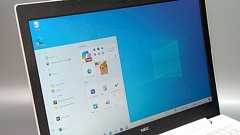
Windows 10のサポート期限切れが今年秋(2025年10月14日)に迫っています。現在Windows 10を使っている人は、すみやかにアップデートするか、もしPCが非対応という場合は、PCごと買い直さなくてはいけません。そうした移行を促すメッセージが頻繁に出てくることに、うんざりしているユーザは少なくないのではないでしょうか。 もっとも、今のこの時期までWindows10を使い続けているという人は、相当なこだわりがある人も多いはずです。Windows 11に移行するにしても、なるべくWindows10と同じ操作環境を維持したいというのが、多くの人に共通する願いでしょう。 そうした方や、すでにアップグレードした方向けに、Windows 11をなるべくWindows 10に近づける設定の数々が、ネットで広く共有されています。今回はその中から、特に見た目や使い勝手への影響が大きいポイントに
You may also installit with: 📦 winget install -e --id WinDirStat.WinDirStat (or use winget upgrade subsequently) 📦 scoop install extras/windirstat (requires scoop bucket add extras) Looking for WinDirStat 1.x? Visit the Legacy Downloads page. WinDirStat is Open Source software. You can redistribute and/or modifyit under the terms of the GNU Public License, version 2 (GPLv2). Last Updated:
すまほん!! »PC » 神アプリ!Windowsのマルチディスプレイを完璧に使いこなす「Little Big Mouse」を解説します 「なぜそんなにたくさんモニターを使うのですか?」「そこにモニターがあるからさ」 つい最近、自宅のデスクトップPCのモニターが6枚になってしまいました。もともと、自分のPCから出力できる画面数は4つが最大だったのですが、DisplayLinkアダプターを利用するとポートを増設することができると知り、思わず購入。押入れの奥に眠っていたモバイルモニター2枚を引き出し、接続することで6画面を実現してしまいました。 筆者の持論を展開すると、パソコンにおいてメモリの容量が「机の広さ」に例えられるのと同じように、PC作業中の人間にとって、表示画面の広さはまさに机の広さ。もちろん作業領域はスペースが許す限りデカけりゃデカいほど良く、また多くのウィンドウを常時表示してお

ZoomIt を使用して作成 はじめに ZoomIt は、技術プレゼンテーションやデモ用の画面ズーム、注釈、記録ツールです。 ZoomIt を使用して、スクリーンショットをクリップボードまたはファイルに切り取ることもできます。 ZoomIt はトレイ内で目立たずに実行され、カスタマイズ可能なホットキーで起動して、画面の領域を拡大したり、ズーム中に移動したり、ズームした画像上に描画したりできます。 私は特定のニーズに合わせて ZoomIt を作成し、すべてのプレゼンテーションで使用しています。 ZoomIt はWindows のすべてのバージョンで動作し、タブレット上での ZoomIt 描画にタッチ入力とペン入力を使用できます。 ZoomIt の使用 ZoomIt を初めて実行すると、ZoomIt の動作を説明する構成ダイアログが表示され、ズーム用とズームせずに描画モードに入る用の代替ホッ

Update Oct. 31, 2024: We are committed to delivering a secure and trusted experience with Recall. We recently shared updates to thesecurity andprivacy architecture for Recall in aWindowsBlog post. To ensure we deliver on these important updates, we’re taking additional time to refine the experience before previewingit withWindows Insiders. Originally planned for October, Recall will now be a


先日MinGWというgccコンパイラをインストールしたのですが、UTF-8で保存したC言語ソースコードをWindowsのコマンドプロンプトでコンパイルし実行したら見事文字化けしました。 gccのコンパイラ側のスイッチで gcc test.c -finput-charset=UTF-8 -fexec-charset=CP932 などではうまくいかなかったため、上記方法にたどりつきました。 再現イメージ 普通にgcc ***.cとしてコンパイルして作成された実行ファイルa.exeをそのまま実行してみる。 見事に文字化け! 次にコマンドプロンプトをUTF-8の文字コード出力に対応させるコマンド chcp 65001 を実行。(実行後は、コマンドプロンプト画面の情報がクリアされ、先頭行に「Active code page: 65001」と表示されます) 再度a.exeを実行してみると… 文字化けが

TDM-GCC 10.3.0 is now available, along with GDB 10.2, binutils 2.36.1, and new versions of the MinGW.org and MinGW-w64 runtime distributions. Thanks for your patience! Keep reading for download links and changenotes. I'm proud to present a new series of TDM-GCC binaries based around GCC 9.It's been a long time coming, but getting back into the groove of delivering aWindows-friendly GCC toolchai

リリース、障害情報などのサービスのお知らせ
最新の人気エントリーの配信
処理を実行中です
j次のブックマーク
k前のブックマーク
lあとで読む
eコメント一覧を開く
oページを開く


