
7.2.Feature extraction#
Thesklearn.feature_extraction module can be used to extractfeatures in a format supported by machine learning algorithms from datasetsconsisting of formats such as text and image.
Note
Feature extraction is very different fromFeature selection:the former consists of transforming arbitrary data, such as text orimages, into numerical features usable for machine learning. The latteris a machine learning technique applied to these features.
7.2.1.Loading features from dicts#
The classDictVectorizer can be used to convert featurearrays represented as lists of standard Pythondict objects to theNumPy/SciPy representation used by scikit-learn estimators.
While not particularly fast to process, Python’sdict has theadvantages of being convenient to use, being sparse (absent featuresneed not be stored) and storing feature names in addition to values.
DictVectorizer implements what is called one-of-K or “one-hot”coding for categorical (aka nominal, discrete) features. Categoricalfeatures are “attribute-value” pairs where the value is restrictedto a list of discrete possibilities without ordering (e.g. topicidentifiers, types of objects, tags, names…).
In the following, “city” is a categorical attribute while “temperature”is a traditional numerical feature:
>>>measurements=[...{'city':'Dubai','temperature':33.},...{'city':'London','temperature':12.},...{'city':'San Francisco','temperature':18.},...]>>>fromsklearn.feature_extractionimportDictVectorizer>>>vec=DictVectorizer()>>>vec.fit_transform(measurements).toarray()array([[ 1., 0., 0., 33.], [ 0., 1., 0., 12.], [ 0., 0., 1., 18.]])>>>vec.get_feature_names_out()array(['city=Dubai', 'city=London', 'city=San Francisco', 'temperature'], ...)
DictVectorizer accepts multiple string values for onefeature, like, e.g., multiple categories for a movie.
Assume a database classifies each movie using some categories (not mandatory)and its year of release.
>>>movie_entry=[{'category':['thriller','drama'],'year':2003},...{'category':['animation','family'],'year':2011},...{'year':1974}]>>>vec.fit_transform(movie_entry).toarray()array([[0.000e+00, 1.000e+00, 0.000e+00, 1.000e+00, 2.003e+03], [1.000e+00, 0.000e+00, 1.000e+00, 0.000e+00, 2.011e+03], [0.000e+00, 0.000e+00, 0.000e+00, 0.000e+00, 1.974e+03]])>>>vec.get_feature_names_out()array(['category=animation', 'category=drama', 'category=family', 'category=thriller', 'year'], ...)>>>vec.transform({'category':['thriller'],...'unseen_feature':'3'}).toarray()array([[0., 0., 0., 1., 0.]])
DictVectorizer is also a useful representation transformationfor training sequence classifiers in Natural Language Processing modelsthat typically work by extracting feature windows around a particularword of interest.
For example, suppose that we have a first algorithm that extracts Part ofSpeech (PoS) tags that we want to use as complementary tags for traininga sequence classifier (e.g. a chunker). The following dict could besuch a window of features extracted around the word ‘sat’ in the sentence‘The cat sat on the mat.’:
>>>pos_window=[...{...'word-2':'the',...'pos-2':'DT',...'word-1':'cat',...'pos-1':'NN',...'word+1':'on',...'pos+1':'PP',...},...# in a real application one would extract many such dictionaries...]
This description can be vectorized into a sparse two-dimensional matrixsuitable for feeding into a classifier (maybe after being piped into aTfidfTransformer for normalization):
>>>vec=DictVectorizer()>>>pos_vectorized=vec.fit_transform(pos_window)>>>pos_vectorized<Compressed Sparse...dtype 'float64' with 6 stored elements and shape (1, 6)>>>>pos_vectorized.toarray()array([[1., 1., 1., 1., 1., 1.]])>>>vec.get_feature_names_out()array(['pos+1=PP', 'pos-1=NN', 'pos-2=DT', 'word+1=on', 'word-1=cat', 'word-2=the'], ...)
As you can imagine, if one extracts such a context around each individualword of a corpus of documents the resulting matrix will be very wide(many one-hot-features) with most of them being valued to zero mostof the time. So as to make the resulting data structure able to fit inmemory theDictVectorizer class uses ascipy.sparse matrix bydefault instead of anumpy.ndarray.
7.2.2.Feature hashing#
The classFeatureHasher is a high-speed, low-memory vectorizer thatuses a technique known asfeature hashing,or the “hashing trick”.Instead of building a hash table of the features encountered in training,as the vectorizers do, instances ofFeatureHasherapply a hash function to the featuresto determine their column index in sample matrices directly.The result is increased speed and reduced memory usage,at the expense of inspectability;the hasher does not remember what the input features looked likeand has noinverse_transform method.
Since the hash function might cause collisions between (unrelated) features,a signed hash function is used and the sign of the hash valuedetermines the sign of the value stored in the output matrix for a feature.This way, collisions are likely to cancel out rather than accumulate error,and the expected mean of any output feature’s value is zero. This mechanismis enabled by default withalternate_sign=True and is particularly usefulfor small hash table sizes (n_features<10000). For large hash tablesizes, it can be disabled, to allow the output to be passed to estimators likeMultinomialNB orchi2feature selectors that expect non-negative inputs.
FeatureHasher accepts either mappings(like Python’sdict and its variants in thecollections module),(feature,value) pairs, or strings,depending on the constructor parameterinput_type.Mappings are treated as lists of(feature,value) pairs,while single strings have an implicit value of 1,so['feat1','feat2','feat3'] is interpreted as[('feat1',1),('feat2',1),('feat3',1)].If a single feature occurs multiple times in a sample,the associated values will be summed(so('feat',2) and('feat',3.5) become('feat',5.5)).The output fromFeatureHasher is always ascipy.sparse matrixin the CSR format.
Feature hashing can be employed in document classification,but unlikeCountVectorizer,FeatureHasher does not do wordsplitting or any other preprocessing except Unicode-to-UTF-8 encoding;seeVectorizing a large text corpus with the hashing trick, below, for a combined tokenizer/hasher.
As an example, consider a word-level natural language processing taskthat needs features extracted from(token,part_of_speech) pairs.One could use a Python generator function to extract features:
deftoken_features(token,part_of_speech):iftoken.isdigit():yield"numeric"else:yield"token={}".format(token.lower())yield"token,pos={},{}".format(token,part_of_speech)iftoken[0].isupper():yield"uppercase_initial"iftoken.isupper():yield"all_uppercase"yield"pos={}".format(part_of_speech)
Then, theraw_X to be fed toFeatureHasher.transformcan be constructed using:
raw_X=(token_features(tok,pos_tagger(tok))fortokincorpus)
and fed to a hasher with:
hasher=FeatureHasher(input_type='string')X=hasher.transform(raw_X)
to get ascipy.sparse matrixX.
Note the use of a generator comprehension,which introduces laziness into the feature extraction:tokens are only processed on demand from the hasher.
Implementation details#
FeatureHasher uses the signed 32-bit variant of MurmurHash3.As a result (and because of limitations inscipy.sparse),the maximum number of features supported is currently\(2^{31} - 1\).
The original formulation of the hashing trick by Weinberger et al.used two separate hash functions\(h\) and\(\xi\)to determine the column index and sign of a feature, respectively.The present implementation works under the assumptionthat the sign bit of MurmurHash3 is independent of its other bits.
Since a simple modulo is used to transform the hash function to a column index,it is advisable to use a power of two as then_features parameter;otherwise the features will not be mapped evenly to the columns.
References
References
Kilian Weinberger, Anirban Dasgupta, John Langford, Alex Smola andJosh Attenberg (2009).Feature hashing for large scale multitask learning. Proc. ICML.
7.2.3.Text feature extraction#
7.2.3.1.The Bag of Words representation#
Text Analysis is a major application field for machine learningalgorithms. However the raw data, a sequence of symbols, cannot be feddirectly to the algorithms themselves as most of them expect numericalfeature vectors with a fixed size rather than the raw text documentswith variable length.
In order to address this, scikit-learn provides utilities for the mostcommon ways to extract numerical features from text content, namely:
tokenizing strings and giving an integer id for each possible token,for instance by using white-spaces and punctuation as token separators.
counting the occurrences of tokens in each document.
normalizing and weighting with diminishing importance tokens thatoccur in the majority of samples / documents.
In this scheme, features and samples are defined as follows:
eachindividual token occurrence frequency (normalized or not)is treated as afeature.
the vector of all the token frequencies for a givendocument isconsidered a multivariatesample.
A corpus of documents can thus be represented by a matrix with one rowper document and one column per token (e.g. word) occurring in the corpus.
We callvectorization the general process of turning a collectionof text documents into numerical feature vectors. This specific strategy(tokenization, counting and normalization) is called theBag of Wordsor “Bag of n-grams” representation. Documents are described by wordoccurrences while completely ignoring the relative position informationof the words in the document.
7.2.3.2.Sparsity#
As most documents will typically use a very small subset of the words used inthe corpus, the resulting matrix will have many feature values that arezeros (typically more than 99% of them).
For instance a collection of 10,000 short text documents (such as emails)will use a vocabulary with a size in the order of 100,000 unique words intotal while each document will use 100 to 1000 unique words individually.
In order to be able to store such a matrix in memory but also to speedup algebraic operations matrix / vector, implementations will typicallyuse a sparse representation such as the implementations available in thescipy.sparse package.
7.2.3.3.Common Vectorizer usage#
CountVectorizer implements both tokenization and occurrencecounting in a single class:
>>>fromsklearn.feature_extraction.textimportCountVectorizer
This model has many parameters, however the default values are quitereasonable (please see thereference documentation for the details):
>>>vectorizer=CountVectorizer()>>>vectorizerCountVectorizer()
Let’s use it to tokenize and count the word occurrences of a minimalisticcorpus of text documents:
>>>corpus=[...'This is the first document.',...'This is the second second document.',...'And the third one.',...'Is this the first document?',...]>>>X=vectorizer.fit_transform(corpus)>>>X<Compressed Sparse...dtype 'int64' with 19 stored elements and shape (4, 9)>
The default configuration tokenizes the string by extracting words ofat least 2 letters. The specific function that does this step can berequested explicitly:
>>>analyze=vectorizer.build_analyzer()>>>analyze("This is a text document to analyze.")==(...['this','is','text','document','to','analyze'])True
Each term found by the analyzer during the fit is assigned a uniqueinteger index corresponding to a column in the resulting matrix. Thisinterpretation of the columns can be retrieved as follows:
>>>vectorizer.get_feature_names_out()array(['and', 'document', 'first', 'is', 'one', 'second', 'the', 'third', 'this'], ...)>>>X.toarray()array([[0, 1, 1, 1, 0, 0, 1, 0, 1], [0, 1, 0, 1, 0, 2, 1, 0, 1], [1, 0, 0, 0, 1, 0, 1, 1, 0], [0, 1, 1, 1, 0, 0, 1, 0, 1]]...)
The converse mapping from feature name to column index is stored in thevocabulary_ attribute of the vectorizer:
>>>vectorizer.vocabulary_.get('document')1
Hence words that were not seen in the training corpus will be completelyignored in future calls to the transform method:
>>>vectorizer.transform(['Something completely new.']).toarray()array([[0, 0, 0, 0, 0, 0, 0, 0, 0]]...)
Note that in the previous corpus, the first and the last documents haveexactly the same words hence are encoded in equal vectors. In particularwe lose the information that the last document is an interrogative form. Topreserve some of the local ordering information we can extract 2-gramsof words in addition to the 1-grams (individual words):
>>>bigram_vectorizer=CountVectorizer(ngram_range=(1,2),...token_pattern=r'\b\w+\b',min_df=1)>>>analyze=bigram_vectorizer.build_analyzer()>>>analyze('Bi-grams are cool!')==(...['bi','grams','are','cool','bi grams','grams are','are cool'])True
The vocabulary extracted by this vectorizer is hence much bigger andcan now resolve ambiguities encoded in local positioning patterns:
>>>X_2=bigram_vectorizer.fit_transform(corpus).toarray()>>>X_2array([[0, 0, 1, 1, 1, 1, 1, 0, 0, 0, 0, 0, 1, 1, 0, 0, 0, 0, 1, 1, 0], [0, 0, 1, 0, 0, 1, 1, 0, 0, 2, 1, 1, 1, 0, 1, 0, 0, 0, 1, 1, 0], [1, 1, 0, 0, 0, 0, 0, 0, 1, 0, 0, 0, 1, 0, 0, 1, 1, 1, 0, 0, 0], [0, 0, 1, 1, 1, 1, 0, 1, 0, 0, 0, 0, 1, 1, 0, 0, 0, 0, 1, 0, 1]]...)
In particular the interrogative form “Is this” is only present in thelast document:
>>>feature_index=bigram_vectorizer.vocabulary_.get('is this')>>>X_2[:,feature_index]array([0, 0, 0, 1]...)
7.2.3.4.Using stop words#
Stop words are words like “and”, “the”, “him”, which are presumed to beuninformative in representing the content of a text, and which may beremoved to avoid them being construed as informative for prediction. Sometimes,however, similar words are useful for prediction, such as in classifyingwriting style or personality.
There are several known issues in our provided ‘english’ stop word list. Itdoes not aim to be a general, ‘one-size-fits-all’ solution as some tasksmay require a more custom solution. See[NQY18] for more details.
Please take care in choosing a stop word list.Popular stop word lists may include words that are highly informative tosome tasks, such ascomputer.
You should also make sure that the stop word list has had the samepreprocessing and tokenization applied as the one used in the vectorizer.The wordwe’ve is split intowe andve by CountVectorizer’s defaulttokenizer, so ifwe’ve is instop_words, butve is not,ve willbe retained fromwe’ve in transformed text. Our vectorizers will try toidentify and warn about some kinds of inconsistencies.
References
J. Nothman, H. Qin and R. Yurchak (2018).“Stop Word Lists in Free Open-source Software Packages”.InProc. Workshop for NLP Open Source Software.
7.2.3.5.Tf–idf term weighting#
In a large text corpus, some words will be very present (e.g. “the”, “a”,“is” in English) hence carrying very little meaningful information aboutthe actual contents of the document. If we were to feed the direct countdata directly to a classifier those very frequent terms would shadowthe frequencies of rarer yet more interesting terms.
In order to re-weight the count features into floating point valuessuitable for usage by a classifier it is very common to use the tf–idftransform.
Tf meansterm-frequency while tf–idf means term-frequency timesinverse document-frequency:\(\text{tf-idf(t,d)}=\text{tf(t,d)} \times \text{idf(t)}\).
Using theTfidfTransformer’s default settings,TfidfTransformer(norm='l2',use_idf=True,smooth_idf=True,sublinear_tf=False)the term frequency, the number of times a term occurs in a given document,is multiplied with idf component, which is computed as
\(\text{idf}(t) = \log{\frac{1 + n}{1+\text{df}(t)}} + 1\),
where\(n\) is the total number of documents in the document set, and\(\text{df}(t)\) is the number of documents in the document set thatcontain term\(t\). The resulting tf-idf vectors are then normalized by theEuclidean norm:
\(v_{norm} = \frac{v}{||v||_2} = \frac{v}{\sqrt{v{_1}^2 +v{_2}^2 + \dots + v{_n}^2}}\).
This was originally a term weighting scheme developed for information retrieval(as a ranking function for search engines results) that has also found gooduse in document classification and clustering.
The following sections contain further explanations and examples thatillustrate how the tf-idfs are computed exactly and how the tf-idfscomputed in scikit-learn’sTfidfTransformerandTfidfVectorizer differ slightly from the standard textbooknotation that defines the idf as
\(\text{idf}(t) = \log{\frac{n}{1+\text{df}(t)}}.\)
In theTfidfTransformer andTfidfVectorizerwithsmooth_idf=False, the“1” count is added to the idf instead of the idf’s denominator:
\(\text{idf}(t) = \log{\frac{n}{\text{df}(t)}} + 1\)
This normalization is implemented by theTfidfTransformerclass:
>>>fromsklearn.feature_extraction.textimportTfidfTransformer>>>transformer=TfidfTransformer(smooth_idf=False)>>>transformerTfidfTransformer(smooth_idf=False)
Again please see thereference documentation for the details on all the parameters.
Numeric example of a tf-idf matrix#
Let’s take an example with the following counts. The first term is present100% of the time hence not very interesting. The two other features onlyin less than 50% of the time hence probably more representative of thecontent of the documents:
>>>counts=[[3,0,1],...[2,0,0],...[3,0,0],...[4,0,0],...[3,2,0],...[3,0,2]]...>>>tfidf=transformer.fit_transform(counts)>>>tfidf<Compressed Sparse...dtype 'float64' with 9 stored elements and shape (6, 3)>>>>tfidf.toarray()array([[0.81940995, 0. , 0.57320793], [1. , 0. , 0. ], [1. , 0. , 0. ], [1. , 0. , 0. ], [0.47330339, 0.88089948, 0. ], [0.58149261, 0. , 0.81355169]])
Each row is normalized to have unit Euclidean norm:
\(v_{norm} = \frac{v}{||v||_2} = \frac{v}{\sqrt{v{_1}^2 +v{_2}^2 + \dots + v{_n}^2}}\)
For example, we can compute the tf-idf of the first term in the firstdocument in thecounts array as follows:
\(n = 6\)
\(\text{df}(t)_{\text{term1}} = 6\)
\(\text{idf}(t)_{\text{term1}} =\log \frac{n}{\text{df}(t)} + 1 = \log(1)+1 = 1\)
\(\text{tf-idf}_{\text{term1}} = \text{tf} \times \text{idf} = 3 \times 1 = 3\)
Now, if we repeat this computation for the remaining 2 terms in the document,we get
\(\text{tf-idf}_{\text{term2}} = 0 \times (\log(6/1)+1) = 0\)
\(\text{tf-idf}_{\text{term3}} = 1 \times (\log(6/2)+1) \approx 2.0986\)
and the vector of raw tf-idfs:
\(\text{tf-idf}_{\text{raw}} = [3, 0, 2.0986].\)
Then, applying the Euclidean (L2) norm, we obtain the following tf-idfsfor document 1:
\(\frac{[3, 0, 2.0986]}{\sqrt{\big(3^2 + 0^2 + 2.0986^2\big)}}= [ 0.819, 0, 0.573].\)
Furthermore, the default parametersmooth_idf=True adds “1” to the numeratorand denominator as if an extra document was seen containing every term in thecollection exactly once, which prevents zero divisions:
\(\text{idf}(t) = \log{\frac{1 + n}{1+\text{df}(t)}} + 1\)
Using this modification, the tf-idf of the third term in document 1 changes to1.8473:
\(\text{tf-idf}_{\text{term3}} = 1 \times \log(7/3)+1 \approx 1.8473\)
And the L2-normalized tf-idf changes to
\(\frac{[3, 0, 1.8473]}{\sqrt{\big(3^2 + 0^2 + 1.8473^2\big)}}= [0.8515, 0, 0.5243]\):
>>>transformer=TfidfTransformer()>>>transformer.fit_transform(counts).toarray()array([[0.85151335, 0. , 0.52433293], [1. , 0. , 0. ], [1. , 0. , 0. ], [1. , 0. , 0. ], [0.55422893, 0.83236428, 0. ], [0.63035731, 0. , 0.77630514]])
The weights of eachfeature computed by thefit method call are stored in a modelattribute:
>>>transformer.idf_array([1., 2.25, 1.84])
As tf-idf is very often used for text features, there is also anotherclass calledTfidfVectorizer that combines all the options ofCountVectorizer andTfidfTransformer in a single model:
>>>fromsklearn.feature_extraction.textimportTfidfVectorizer>>>vectorizer=TfidfVectorizer()>>>vectorizer.fit_transform(corpus)<Compressed Sparse...dtype 'float64' with 19 stored elements and shape (4, 9)>
While the tf-idf normalization is often very useful, there mightbe cases where the binary occurrence markers might offer betterfeatures. This can be achieved by using thebinary parameterofCountVectorizer. In particular, some estimators such asBernoulli Naive Bayes explicitly model discrete boolean randomvariables. Also, very short texts are likely to have noisy tf-idf valueswhile the binary occurrence info is more stable.
As usual the best way to adjust the feature extraction parametersis to use a cross-validated grid search, for instance by pipelining thefeature extractor with a classifier:
Examples
Classification of text documents using sparse features:Feature encoding using a Tf-idf-weighted document-term sparse matrix.
FeatureHasher and DictVectorizer Comparison: Efficiencycomparison of the different feature extractors.
Clustering text documents using k-means: Document clusteringand comparison with
HashingVectorizer.Sample pipeline for text feature extraction and evaluation:Tuning hyperparamters of
TfidfVectorizeras part of a pipeline.
7.2.3.6.Decoding text files#
Text is made of characters, but files are made of bytes. These bytes representcharacters according to someencoding. To work with text files in Python,their bytes must bedecoded to a character set called Unicode.Common encodings are ASCII, Latin-1 (Western Europe), KOI8-R (Russian)and the universal encodings UTF-8 and UTF-16. Many others exist.
Note
An encoding can also be called a ‘character set’,but this term is less accurate: several encodings can existfor a single character set.
The text feature extractors in scikit-learn know how to decode text files,but only if you tell them what encoding the files are in.TheCountVectorizer takes anencoding parameter for this purpose.For modern text files, the correct encoding is probably UTF-8,which is therefore the default (encoding="utf-8").
If the text you are loading is not actually encoded with UTF-8, however,you will get aUnicodeDecodeError.The vectorizers can be told to be silent about decoding errorsby setting thedecode_error parameter to either"ignore"or"replace". See the documentation for the Python functionbytes.decode for more details(typehelp(bytes.decode) at the Python prompt).
Troubleshooting decoding text#
If you are having trouble decoding text, here are some things to try:
Find out what the actual encoding of the text is. The file might comewith a header or README that tells you the encoding, or there might be somestandard encoding you can assume based on where the text comes from.
You may be able to find out what kind of encoding it is in generalusing the UNIX command
file. The Pythonchardetmodule comes witha script calledchardetect.pythat will guess the specific encoding,though you cannot rely on its guess being correct.You could try UTF-8 and disregard the errors. You can decode bytestrings with
bytes.decode(errors='replace')to replace alldecoding errors with a meaningless character, or setdecode_error='replace'in the vectorizer. This may damage theusefulness of your features.Real text may come from a variety of sources that may have used differentencodings, or even be sloppily decoded in a different encoding than theone it was encoded with. This is common in text retrieved from the Web.The Python packageftfycan automatically sort out some classes ofdecoding errors, so you could try decoding the unknown text as
latin-1and then usingftfyto fix errors.If the text is in a mish-mash of encodings that is simply too hard to sortout (which is the case for the 20 Newsgroups dataset), you can fall back ona simple single-byte encoding such as
latin-1. Some text may displayincorrectly, but at least the same sequence of bytes will always representthe same feature.
For example, the following snippet useschardet(not shipped with scikit-learn, must be installed separately)to figure out the encoding of three texts.It then vectorizes the texts and prints the learned vocabulary.The output is not shown here.
>>>importchardet>>>text1=b"Sei mir gegr\xc3\xbc\xc3\x9ft mein Sauerkraut">>>text2=b"holdselig sind deine Ger\xfcche">>>text3=b"\xff\xfeA\x00u\x00f\x00\x00F\x00l\x00\xfc\x00g\x00e\x00l\x00n\x00\x00d\x00e\x00s\x00\x00G\x00e\x00s\x00a\x00n\x00g\x00e\x00s\x00,\x00\x00H\x00e\x00r\x00z\x00l\x00i\x00e\x00b\x00c\x00h\x00e\x00n\x00,\x00\x00t\x00r\x00a\x00g\x00\x00i\x00c\x00h\x00\x00d\x00i\x00c\x00h\x00\x00f\x00o\x00r\x00t\x00">>>decoded=[x.decode(chardet.detect(x)['encoding'])...forxin(text1,text2,text3)]>>>v=CountVectorizer().fit(decoded).vocabulary_>>>forterminv:print(v)
(Depending on the version ofchardet, it might get the first one wrong.)
For an introduction to Unicode and character encodings in general,see Joel Spolsky’sAbsolute Minimum Every Software Developer Must KnowAbout Unicode.
7.2.3.7.Applications and examples#
The bag of words representation is quite simplistic but surprisinglyuseful in practice.
In particular in asupervised setting it can be successfully combinedwith fast and scalable linear models to traindocument classifiers,for instance:
In anunsupervised setting it can be used to group similar documentstogether by applying clustering algorithms such asK-means:
Finally it is possible to discover the main topics of a corpus byrelaxing the hard assignment constraint of clustering, for instance byusingNon-negative matrix factorization (NMF or NNMF):
7.2.3.8.Limitations of the Bag of Words representation#
A collection of unigrams (what bag of words is) cannot capture phrasesand multi-word expressions, effectively disregarding any word orderdependence. Additionally, the bag of words model doesn’t account for potentialmisspellings or word derivations.
N-grams to the rescue! Instead of building a simple collection ofunigrams (n=1), one might prefer a collection of bigrams (n=2), whereoccurrences of pairs of consecutive words are counted.
One might alternatively consider a collection of character n-grams, arepresentation resilient against misspellings and derivations.
For example, let’s say we’re dealing with a corpus of two documents:['words','wprds']. The second document contains a misspellingof the word ‘words’.A simple bag of words representation would consider these two asvery distinct documents, differing in both of the two possible features.A character 2-gram representation, however, would find the documentsmatching in 4 out of 8 features, which may help the preferred classifierdecide better:
>>>ngram_vectorizer=CountVectorizer(analyzer='char_wb',ngram_range=(2,2))>>>counts=ngram_vectorizer.fit_transform(['words','wprds'])>>>ngram_vectorizer.get_feature_names_out()array([' w', 'ds', 'or', 'pr', 'rd', 's ', 'wo', 'wp'], ...)>>>counts.toarray().astype(int)array([[1, 1, 1, 0, 1, 1, 1, 0], [1, 1, 0, 1, 1, 1, 0, 1]])
In the above example,char_wb analyzer is used, which creates n-gramsonly from characters inside word boundaries (padded with space on eachside). Thechar analyzer, alternatively, creates n-grams thatspan across words:
>>>ngram_vectorizer=CountVectorizer(analyzer='char_wb',ngram_range=(5,5))>>>ngram_vectorizer.fit_transform(['jumpy fox'])<Compressed Sparse...dtype 'int64' with 4 stored elements and shape (1, 4)>>>>ngram_vectorizer.get_feature_names_out()array([' fox ', ' jump', 'jumpy', 'umpy '], ...)>>>ngram_vectorizer=CountVectorizer(analyzer='char',ngram_range=(5,5))>>>ngram_vectorizer.fit_transform(['jumpy fox'])<Compressed Sparse...dtype 'int64' with 5 stored elements and shape (1, 5)>>>>ngram_vectorizer.get_feature_names_out()array(['jumpy', 'mpy f', 'py fo', 'umpy ', 'y fox'], ...)
The word boundaries-aware variantchar_wb is especially interestingfor languages that use white-spaces for word separation as it generatessignificantly less noisy features than the rawchar variant inthat case. For such languages it can increase both the predictiveaccuracy and convergence speed of classifiers trained using suchfeatures while retaining the robustness with regards to misspellings andword derivations.
While some local positioning information can be preserved by extractingn-grams instead of individual words, bag of words and bag of n-gramsdestroy most of the inner structure of the document and hence most ofthe meaning carried by that internal structure.
In order to address the wider task of Natural Language Understanding,the local structure of sentences and paragraphs should thus be takeninto account. Many such models will thus be casted as “Structured output”problems which are currently outside of the scope of scikit-learn.
7.2.3.9.Vectorizing a large text corpus with the hashing trick#
The above vectorization scheme is simple but the fact that it holds anin-memory mapping from the string tokens to the integer feature indices(thevocabulary_ attribute) causes severalproblems when dealing with largedatasets:
the larger the corpus, the larger the vocabulary will grow and hence thememory use too,
fitting requires the allocation of intermediate data structuresof size proportional to that of the original dataset.
building the word-mapping requires a full pass over the dataset hence it isnot possible to fit text classifiers in a strictly online manner.
pickling and un-pickling vectorizers with a large
vocabulary_can be veryslow (typically much slower than pickling / un-pickling flat data structuressuch as a NumPy array of the same size),it is not easily possible to split the vectorization work into concurrent subtasks as the
vocabulary_attribute would have to be a shared state with afine grained synchronization barrier: the mapping from token string tofeature index is dependent on the ordering of the first occurrence of each tokenhence would have to be shared, potentially harming the concurrent workers’performance to the point of making them slower than the sequential variant.
It is possible to overcome those limitations by combining the “hashing trick”(Feature hashing) implemented by theFeatureHasher class and the textpreprocessing and tokenization features of theCountVectorizer.
This combination is implemented inHashingVectorizer,a transformer class that is mostly API compatible withCountVectorizer.HashingVectorizer is stateless,meaning that you don’t have to callfit on it:
>>>fromsklearn.feature_extraction.textimportHashingVectorizer>>>hv=HashingVectorizer(n_features=10)>>>hv.transform(corpus)<Compressed Sparse...dtype 'float64' with 16 stored elements and shape (4, 10)>
You can see that 16 non-zero feature tokens were extracted in the vectoroutput: this is less than the 19 non-zeros extracted previously by theCountVectorizer on the same toy corpus. The discrepancy comes fromhash function collisions because of the low value of then_features parameter.
In a real world setting, then_features parameter can be left to itsdefault value of2**20 (roughly one million possible features). If memoryor downstream models size is an issue selecting a lower value such as2**18 might help without introducing too many additional collisions on typicaltext classification tasks.
Note that the dimensionality does not affect the CPU training time ofalgorithms which operate on CSR matrices (LinearSVC(dual=True),Perceptron,SGDClassifier) but it does foralgorithms that work with CSC matrices (LinearSVC(dual=False),Lasso(),etc.).
Let’s try again with the default setting:
>>>hv=HashingVectorizer()>>>hv.transform(corpus)<Compressed Sparse...dtype 'float64' with 19 stored elements and shape (4, 1048576)>
We no longer get the collisions, but this comes at the expense of a much largerdimensionality of the output space.Of course, other terms than the 19 used heremight still collide with each other.
TheHashingVectorizer also comes with the following limitations:
it is not possible to invert the model (no
inverse_transformmethod),nor to access the original string representation of the features,because of the one-way nature of the hash function that performs the mapping.it does not provide IDF weighting as that would introduce statefulness in themodel. A
TfidfTransformercan be appended to it in a pipeline ifrequired.
Performing out-of-core scaling with HashingVectorizer#
An interesting development of using aHashingVectorizer is the abilityto performout-of-core scaling. This means that we can learn from data thatdoes not fit into the computer’s main memory.
A strategy to implement out-of-core scaling is to stream data to the estimatorin mini-batches. Each mini-batch is vectorized usingHashingVectorizerso as to guarantee that the input space of the estimator has always the samedimensionality. The amount of memory used at any time is thus bounded by thesize of a mini-batch. Although there is no limit to the amount of data that canbe ingested using such an approach, from a practical point of view the learningtime is often limited by the CPU time one wants to spend on the task.
For a full-fledged example of out-of-core scaling in a text classificationtask seeOut-of-core classification of text documents.
7.2.3.10.Customizing the vectorizer classes#
It is possible to customize the behavior by passing a callableto the vectorizer constructor:
>>>defmy_tokenizer(s):...returns.split()...>>>vectorizer=CountVectorizer(tokenizer=my_tokenizer)>>>vectorizer.build_analyzer()(u"Some... punctuation!")==(...['some...','punctuation!'])True
In particular we name:
preprocessor: a callable that takes an entire document as input (as asingle string), and returns a possibly transformed version of the document,still as an entire string. This can be used to remove HTML tags, lowercasethe entire document, etc.tokenizer: a callable that takes the output from the preprocessorand splits it into tokens, then returns a list of these.analyzer: a callable that replaces the preprocessor and tokenizer.The default analyzers all call the preprocessor and tokenizer, but customanalyzers will skip this. N-gram extraction and stop word filtering takeplace at the analyzer level, so a custom analyzer may have to reproducethese steps.
(Lucene users might recognize these names, but be aware that scikit-learnconcepts may not map one-to-one onto Lucene concepts.)
To make the preprocessor, tokenizer and analyzers aware of the modelparameters it is possible to derive from the class and override thebuild_preprocessor,build_tokenizer andbuild_analyzerfactory methods instead of passing custom functions.
Tips and tricks#
If documents are pre-tokenized by an external package, then store them infiles (or strings) with the tokens separated by whitespace and pass
analyzer=str.splitFancy token-level analysis such as stemming, lemmatizing, compoundsplitting, filtering based on part-of-speech, etc. are not included in thescikit-learn codebase, but can be added by customizing either thetokenizer or the analyzer.Here’s a
CountVectorizerwith a tokenizer and lemmatizer usingNLTK:>>>fromnltkimportword_tokenize>>>fromnltk.stemimportWordNetLemmatizer>>>classLemmaTokenizer:...def__init__(self):...self.wnl=WordNetLemmatizer()...def__call__(self,doc):...return[self.wnl.lemmatize(t)fortinword_tokenize(doc)]...>>>vect=CountVectorizer(tokenizer=LemmaTokenizer())
(Note that this will not filter out punctuation.)
The following example will, for instance, transform some British spellingto American spelling:
>>>importre>>>defto_british(tokens):...fortintokens:...t=re.sub(r"(...)our$",r"\1or",t)...t=re.sub(r"([bt])re$",r"\1er",t)...t=re.sub(r"([iy])s(e$|ing|ation)",r"\1z\2",t)...t=re.sub(r"ogue$","og",t)...yieldt...>>>classCustomVectorizer(CountVectorizer):...defbuild_tokenizer(self):...tokenize=super().build_tokenizer()...returnlambdadoc:list(to_british(tokenize(doc)))...>>>print(CustomVectorizer().build_analyzer()(u"color colour"))[...'color', ...'color']
for other styles of preprocessing; examples include stemming, lemmatization,or normalizing numerical tokens, with the latter illustrated in:
Customizing the vectorizer can also be useful when handling Asian languagesthat do not use an explicit word separator such as whitespace.
7.2.4.Image feature extraction#
7.2.4.1.Patch extraction#
Theextract_patches_2d function extracts patches from an image storedas a two-dimensional array, or three-dimensional with color information alongthe third axis. For rebuilding an image from all its patches, usereconstruct_from_patches_2d. For example let us generate a 4x4 pixelpicture with 3 color channels (e.g. in RGB format):
>>>importnumpyasnp>>>fromsklearn.feature_extractionimportimage>>>one_image=np.arange(4*4*3).reshape((4,4,3))>>>one_image[:,:,0]# R channel of a fake RGB picturearray([[ 0, 3, 6, 9], [12, 15, 18, 21], [24, 27, 30, 33], [36, 39, 42, 45]])>>>patches=image.extract_patches_2d(one_image,(2,2),max_patches=2,...random_state=0)>>>patches.shape(2, 2, 2, 3)>>>patches[:,:,:,0]array([[[ 0, 3], [12, 15]], [[15, 18], [27, 30]]])>>>patches=image.extract_patches_2d(one_image,(2,2))>>>patches.shape(9, 2, 2, 3)>>>patches[4,:,:,0]array([[15, 18], [27, 30]])
Let us now try to reconstruct the original image from the patches by averagingon overlapping areas:
>>>reconstructed=image.reconstruct_from_patches_2d(patches,(4,4,3))>>>np.testing.assert_array_equal(one_image,reconstructed)
ThePatchExtractor class works in the same way asextract_patches_2d, only it supports multiple images as input. It isimplemented as a scikit-learn transformer, so it can be used in pipelines. See:
>>>five_images=np.arange(5*4*4*3).reshape(5,4,4,3)>>>patches=image.PatchExtractor(patch_size=(2,2)).transform(five_images)>>>patches.shape(45, 2, 2, 3)
7.2.4.2.Connectivity graph of an image#
Several estimators in scikit-learn can use connectivity information betweenfeatures or samples. For instance Ward clustering(Hierarchical clustering) can cluster together only neighboring pixelsof an image, thus forming contiguous patches:
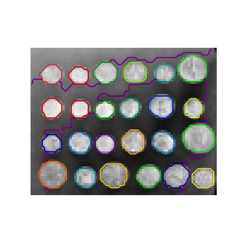
For this purpose, the estimators use a ‘connectivity’ matrix, givingwhich samples are connected.
The functionimg_to_graph returns such a matrix from a 2D or 3Dimage. Similarly,grid_to_graph builds a connectivity matrix forimages given the shape of these images.
These matrices can be used to impose connectivity in estimators that useconnectivity information, such as Ward clustering(Hierarchical clustering), but also to build precomputed kernels,or similarity matrices.