mpl_toolkits.mplot3d.axes3d.Axes3D.bar3d#
- Axes3D.bar3d(x,y,z,dx,dy,dz,color=None,zsort='average',shade=True,lightsource=None,*args,axlim_clip=False,data=None,**kwargs)[source]#
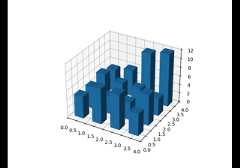
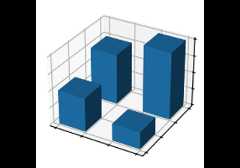
Generate a 3D barplot.
This method creates three-dimensional barplot where the width,depth, height, and color of the bars can all be uniquely set.
- Parameters:
- x, y, zarray-like
The coordinates of the anchor point of the bars.
- dx, dy, dzfloat or array-like
The width, depth, and height of the bars, respectively.
- colorsequence of colors, optional
The color of the bars can be specified globally orindividually. This parameter can be:
A single color, to color all bars the same color.
An array of colors of length N bars, to color each barindependently.
An array of colors of length 6, to color the faces of thebars similarly.
An array of colors of length 6 * N bars, to color each faceindependently.
When coloring the faces of the boxes specifically, this isthe order of the coloring:
-Z (bottom of box)
+Z (top of box)
-Y
+Y
-X
+X
- zsort{'average', 'min', 'max'}, default: 'average'
The z-axis sorting scheme passed onto
Poly3DCollection- shadebool, default: True
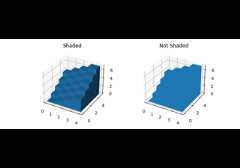
When true, this shades the dark sides of the bars (relativeto the plot's source of light).
- lightsource
LightSource, optional The lightsource to use whenshade is True.
- axlim_clipbool, default: False
Whether to hide the bars with points outside the axes view limits.
Added in version 3.10.
- dataindexable object, optional
If given, all parameters also accept a string
s, which isinterpreted asdata[s]ifsis a key indata.- **kwargs
Any additional keyword arguments are passed onto
Poly3DCollection.
- Returns:
- collection
Poly3DCollection A collection of three-dimensional polygons representing the bars.
- collection