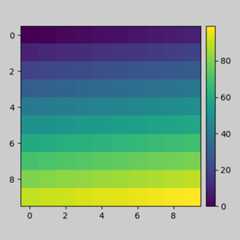
tight_layout automatically adjusts subplot params so that thesubplot(s) fits in to the figure area. This is an experimentalfeature and may not work for some cases. It only checks the extentsof ticklabels, axis labels, and titles.
In matplotlib, the location of axes (including subplots) are specified innormalized figure coordinates. It can happen that your axis labels ortitles (or sometimes even ticklabels) go outside the figure area, and are thusclipped.
plt.rcParams['savefig.facecolor']="0.8"defexample_plot(ax,fontsize=12):ax.plot([1,2])ax.locator_params(nbins=3)ax.set_xlabel('x-label',fontsize=fontsize)ax.set_ylabel('y-label',fontsize=fontsize)ax.set_title('Title',fontsize=fontsize)plt.close('all')fig,ax=plt.subplots()example_plot(ax,fontsize=24)
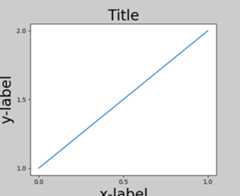
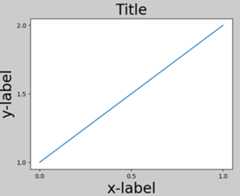
To prevent this, the location of axes needs to be adjusted. Forsubplots, this can be done by adjusting the subplot params(Move the edge of an axes to make room for tick labels). Matplotlib v1.1 introduces a newcommandtight_layout() that does thisautomatically for you.
plt.tight_layout()
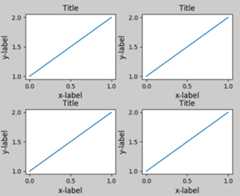
When you have multiple subplots, often you see labels of differentaxes overlapping each other.
plt.close('all')fig,((ax1,ax2),(ax3,ax4))=plt.subplots(nrows=2,ncols=2)example_plot(ax1)example_plot(ax2)example_plot(ax3)example_plot(ax4)
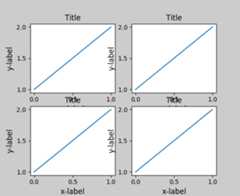
tight_layout() will also adjust spacing betweensubplots to minimize the overlaps.
plt.tight_layout()
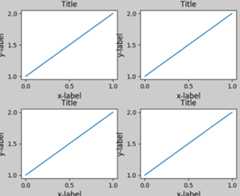
tight_layout() can take keyword arguments ofpad,w_pad andh_pad. These control the extra padding around thefigure border and between subplots. The pads are specified in fractionof fontsize.
plt.tight_layout(pad=0.4,w_pad=0.5,h_pad=1.0)
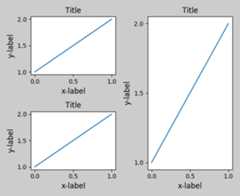
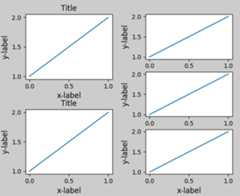
tight_layout() will work even if the sizes ofsubplots are different as far as their grid specification iscompatible. In the example below,ax1 andax2 are subplots of a 2x2grid, whileax3 is of a 1x2 grid.
plt.close('all')fig=plt.figure()ax1=plt.subplot(221)ax2=plt.subplot(223)ax3=plt.subplot(122)example_plot(ax1)example_plot(ax2)example_plot(ax3)plt.tight_layout()
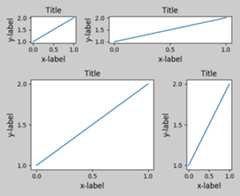
It works with subplots created withsubplot2grid(). In general, subplots createdfrom the gridspec (Customizing Location of Subplot Using GridSpec) will work.
plt.close('all')fig=plt.figure()ax1=plt.subplot2grid((3,3),(0,0))ax2=plt.subplot2grid((3,3),(0,1),colspan=2)ax3=plt.subplot2grid((3,3),(1,0),colspan=2,rowspan=2)ax4=plt.subplot2grid((3,3),(1,2),rowspan=2)example_plot(ax1)example_plot(ax2)example_plot(ax3)example_plot(ax4)plt.tight_layout()
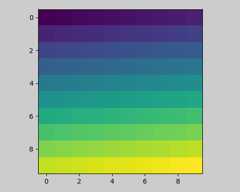
Although not thoroughly tested, it seems to work for subplots withaspect != “auto” (e.g., axes with images).
arr=np.arange(100).reshape((10,10))plt.close('all')fig=plt.figure(figsize=(5,4))ax=plt.subplot(111)im=ax.imshow(arr,interpolation="none")plt.tight_layout()
tight_layout()only considers ticklabels, axislabels, and titles. Thus, other artists may be clipped and also mayoverlap.- It assumes that the extra space needed for ticklabels, axis labels,and titles is independent of original location of axes. This isoften true, but there are rare cases where it is not.
- pad=0 clips some of the texts by a few pixels. This may be a bug ora limitation of the current algorithm and it is not clear why ithappens. Meanwhile, use of pad at least larger than 0.3 isrecommended.
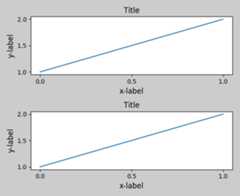
GridSpec has its owntight_layout() method(the pyplot apitight_layout() also works).
plt.close('all')fig=plt.figure()importmatplotlib.gridspecasgridspecgs1=gridspec.GridSpec(2,1)ax1=fig.add_subplot(gs1[0])ax2=fig.add_subplot(gs1[1])example_plot(ax1)example_plot(ax2)gs1.tight_layout(fig)
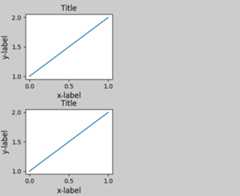
You may provide an optionalrect parameter, which specifies the bounding boxthat the subplots will be fit inside. The coordinates must be in normalizedfigure coordinates and the default is (0, 0, 1, 1).
gs1.tight_layout(fig,rect=[0,0,0.5,1])
For example, this can be used for a figure with multiple gridspecs.
gs2=gridspec.GridSpec(3,1)forssings2:ax=fig.add_subplot(ss)example_plot(ax)ax.set_title("")ax.set_xlabel("")ax.set_xlabel("x-label",fontsize=12)gs2.tight_layout(fig,rect=[0.5,0,1,1],h_pad=0.5)
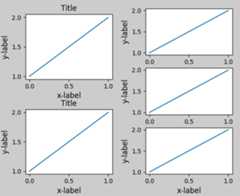
We may try to match the top and bottom of two grids
top=min(gs1.top,gs2.top)bottom=max(gs1.bottom,gs2.bottom)gs1.update(top=top,bottom=bottom)gs2.update(top=top,bottom=bottom)
While this should be mostly good enough, adjusting top and bottommay require adjustment of hspace also. To update hspace & vspace, wecalltight_layout() again with updatedrect argument. Note that the rect argument specifies the area including theticklabels, etc. Thus, we will increase the bottom (which is 0 for the normalcase) by the difference between thebottom from above and the bottom of eachgridspec. Same thing for the top.
top=min(gs1.top,gs2.top)bottom=max(gs1.bottom,gs2.bottom)gs1.tight_layout(fig,rect=[None,0+(bottom-gs1.bottom),0.5,1-(gs1.top-top)])gs2.tight_layout(fig,rect=[0.5,0+(bottom-gs2.bottom),None,1-(gs2.top-top)],h_pad=0.5)
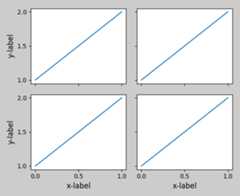
While limited, the axes_grid1 toolkit is also supported.
plt.close('all')fig=plt.figure()frommpl_toolkits.axes_grid1importGridgrid=Grid(fig,rect=111,nrows_ncols=(2,2),axes_pad=0.25,label_mode='L',)foraxingrid:example_plot(ax)ax.title.set_visible(False)plt.tight_layout()
If you create a colorbar with thecolorbar()command, the created colorbar is an instance of Axes,not Subplot, sotight_layout does not work. With Matplotlib v1.1, you may create acolorbar as a subplot using the gridspec.
plt.close('all')arr=np.arange(100).reshape((10,10))fig=plt.figure(figsize=(4,4))im=plt.imshow(arr,interpolation="none")plt.colorbar(im,use_gridspec=True)plt.tight_layout()
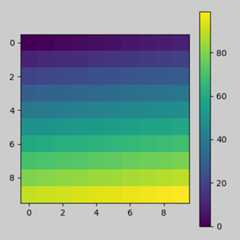
Another option is to use AxesGrid1 toolkit toexplicitly create an axes for colorbar.
plt.close('all')arr=np.arange(100).reshape((10,10))fig=plt.figure(figsize=(4,4))im=plt.imshow(arr,interpolation="none")frommpl_toolkits.axes_grid1importmake_axes_locatabledivider=make_axes_locatable(plt.gca())cax=divider.append_axes("right","5%",pad="3%")plt.colorbar(im,cax=cax)plt.tight_layout()