Uh oh!
There was an error while loading.Please reload this page.
- Notifications
You must be signed in to change notification settings - Fork98
🔵 Make TypeScript errors prettier and human-readable in VSCode 🎀
License
yoavbls/pretty-ts-errors
Folders and files
| Name | Name | Last commit message | Last commit date | |
|---|---|---|---|---|
Repository files navigation

Make TypeScript errors prettier and human-readable in VSCode.


TypeScript errors become messier as the complexity of types increases. At some point, TypeScript will throw on you a shitty heap of parentheses and"...".
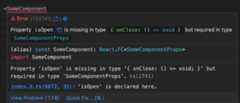
This extension will help you understand what's going on. For example, in this relatively simple error:


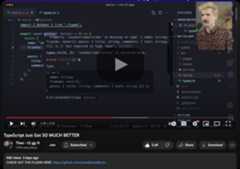
and others from:Web Dev Simplified,Josh tried coding,trash dev,andmore
- Syntax highlighting with your theme colors for types in error messages, supporting both light and dark themes
- A button that leads you to the relevant type declaration next to the type in the error message
- A button that navigates you to the error attypescript.tv, where you can find a detailed explanation, sometimes with a video
- A button that navigates you tots-error-translator, where you can read the error in plain English
- Node and Deno TypeScript error reporters (in
.tsfiles) - JSDoc type errors (in
.jsand.jsxfiles) - React, Solid and Qwik errors (in
.tsxand.mdxfiles) - Astro, Svelte and Vue files when TypeScript is enabled (in
.astro,.svelteand.vuefiles) - Ember and Glimmer TypeScript errors and template issues reported by Glint (in
.hbs,.gjs, and.gtsfiles)
code --install-extension yoavbls.pretty-ts-errorsOr simply by searching forpretty-ts-errors in theVSCode marketplace
Follow the instructionsthere. unfortunately, this hack is required because of VSCode limitations.
- TypeScript errors contain types that are not valid in TypeScript.
Yes, these types include things like... more ...,{ ... }, etc in an inconsistent manner. Some are also cutting in the middle because they're too long. - Types can't be syntax highlighted in code blocks because the part of
type X = ...is missing, so I needed to create a new TextMate grammar, a superset of TypeScript grammar calledtype. - VSCode markdown blocks all styling options, so I had to find hacks to style the error messages. e.g., there isn't an inlined code block on VSCode markdown, so I used a code block inside a codicon icon, which is the only thing that can be inlined. That's why it can't be copied. but it isn't a problem because you can still hover on the error and copy things from the original error pane.





 Kent C. Dodds |  Matt Pocock |  Alex / KATT |  Tanner Linsley |  Theo Browne |
Every penny will be invested in other contributors to the project, especially ones that work
on things that I can't be doing myself like adding support to the extension for other IDEs 🫂
Help by upvoting or commenting on issues we need to be resolvedhere
Any other contribution is welcome. Feel free to open any issue / PR you think.
About
🔵 Make TypeScript errors prettier and human-readable in VSCode 🎀
Topics
Resources
License
Contributing
Uh oh!
There was an error while loading.Please reload this page.
Stars
Watchers
Forks
Sponsor this project
Uh oh!
There was an error while loading.Please reload this page.
Uh oh!
There was an error while loading.Please reload this page.