- Notifications
You must be signed in to change notification settings - Fork9
Visualize your Container
Singularity Hub generates views for you to interactively explore the guts of your container.
Singularity provides each container build with a details view that includes the build specification file, along with calculated metrics and renderings of the build process and container contents. You are allowed one private build, and can disable your Github pushes from building at any time with Disable.

Notice the pale yellow box around the description? We pull the original description from the Github Repository, and update the collection as this changes, however for individual containers you can click on the description to edit it for the container.
If the build was successful or errored with a log, it will be available for viewing:
Data is also available programatically via ourAPI.
We have added a new view, developed for Singularity Registry, to compare sizes of contained collections across Singularity Hub:
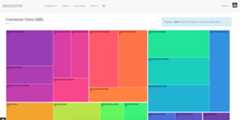
You can also see a nightly generated tree of the same collections.
Need help?submit an issue and let us know!