Uh oh!
There was an error while loading.Please reload this page.
- Notifications
You must be signed in to change notification settings - Fork0
QOI Importer & Exporter for Unity
License
MIT, Unknown licenses found
Licenses found
MIT
LICENSEUnknown
LICENSE.metaNotificationsYou must be signed in to change notification settings
ltmx/Unity.QOI
Folders and files
| Name | Name | Last commit message | Last commit date | |
|---|---|---|---|---|
Repository files navigation


- Supports RGB & RGBA Formats
anyTexture2D.EncodeToQOI()// Returns a byte array of the encoded Texture2DanyTexture2D.SaveToFile(TextureEncodingFormat.QOI)// Opens a native window to save your file
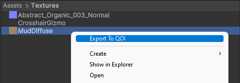
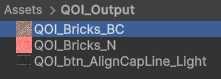
Most settings have been mapped from how unity imports other image formats, to ensure behaviour compatibility

- Copy this URL:
https://github.com/LTMX/Unity.QOI.git - In Unity menu bar, go to
Window > Package ManagerHelp - In Unity Package Manager, click
(+ button) > Add package from Git URL...(info / troubleshooting Git URL packages in Unity) - Paste URL from step 1 into the URL box and click
Add - Unity.QOI will now automatically update from GitHub
- Or manually download the latest .ZIP fromReleasesand unzip to
/<your project folder>/Packages/com.ltmx.unity.qoi/
- please post bug reports or (small) feature requests as anIssue
- Pull Requests are welcome and encouraged !
This project is licensed under the MIT License (License)
About
QOI Importer & Exporter for Unity
Topics
Resources
License
MIT, Unknown licenses found
Licenses found
MIT
LICENSEUnknown
LICENSE.metaUh oh!
There was an error while loading.Please reload this page.
Stars
Watchers
Forks
Sponsor this project
Uh oh!
There was an error while loading.Please reload this page.

Packages0
No packages published
Contributors2
Uh oh!
There was an error while loading.Please reload this page.