- Notifications
You must be signed in to change notification settings - Fork287
🐒 Show current site all UserJS,The easier way to install UserJs for Tampermonkey. 显示当前网站的所有可用Tampermonkey脚本
jae-jae/Userscript-Plus
Folders and files
| Name | Name | Last commit message | Last commit date | |
|---|---|---|---|---|
Repository files navigation
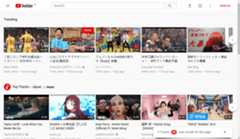


Show current site all UserJS,The easier way to install UserJs for Tampermonkey.
Userscript + is aTampermonkey user script, the role is when you browse the web, from the bottom right corner automatically for you to recommend the current pageTampermonkey script, and can install a designated script.
Many times, we do not know whether some sites have users to provide the script to optimize the page, butUserscript+ will be able to help you automatically find the applicable UserJS, and by default, according to the score from high to low order recommended to you, bring you a newTampermonkey use experience!
- Install the Chrome/Firefox plugin
Tampermonkey
Chrome Store:https://chrome.google.com/webstore/detail/tampermonkey/dhdgffkkebhmkfjojejmpbldmpobfkfo
Firefox addons:https://addons.mozilla.org/en-US/firefox/addon/tampermonkey
Install
Userscript+You can install this script via
GreasyForkorGitHub::

Chrome webstore:https://chrome.google.com/webstore/detail/okiocdganiomklllkfkmhneoibegifch
Github:https://github.com/jae-jae/Userscript-Plus/raw/master/crx/extension.crx
Firefox Add-ons:https://addons.mozilla.org/en-US/firefox/addon/userscript-for-tampermonkey
- Automatically appear in the lower right corner, recommend scripts for you, and will automatically disappear after 10 seconds
- Filter the top 50 script with the highest score
- The script list supports search filtering
- The script list supports custom sorting
- Supports one-click installation script
- Support for viewing script details
- Support access to the script home page and author home page
- Click the close button, the current site
this sessionall the pages will no longer appear prompt box - A prompt box is displayed only when found available script for the current site
- i18n international multilingual support.(Locale contributions are welcomed!)
- Vue + iView UI design smooth and beautiful
Edit script => Settings tab => Includes/Excludes
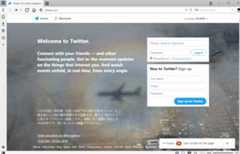
In theTampermonkey to enter the script editing interface, selectSettingtab, this tab below theIncludes/Excludesoption, set the white list and blacklist here, see Figure:
In some sites below the plug-in interface icon is not displayed,Such as:Github
Reason:This is because the security policy of these sites to prevent the plug-in icon font file loading, resulting in the icon does not display properly.
If you are willing to contribute code to this project, please follow thestandard specification.
MIT
About
🐒 Show current site all UserJS,The easier way to install UserJs for Tampermonkey. 显示当前网站的所有可用Tampermonkey脚本
Topics
Resources
Uh oh!
There was an error while loading.Please reload this page.
Stars
Watchers
Forks
Releases
Packages0
Uh oh!
There was an error while loading.Please reload this page.
Contributors8
Uh oh!
There was an error while loading.Please reload this page.