Uh oh!
There was an error while loading.Please reload this page.
- Notifications
You must be signed in to change notification settings - Fork131
Like Vercel, but open source and for all languages.
License
hunvreus/devpush
Folders and files
| Name | Name | Last commit message | Last commit date | |
|---|---|---|---|---|
Repository files navigation
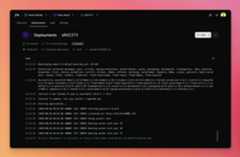
An open-source and self-hostable alternative to Vercel, Render, Netlify and the likes. It allows you to build and deploy any app (Python, Node.js, PHP, ...) with zero-downtime updates, real-time logs, team management, customizable environments and domains, etc.
- Git-based deployments: Push to deploy from GitHub with zero-downtime rollouts and instant rollback.
- Multi-language support: Python, Node.js, PHP... basically anything that can run on Docker.
- Environment management: Multiple environments with branch mapping and encrypted environment variables.
- Real-time monitoring: Live and searchable build and runtime logs.
- Team collaboration: Role-based access control with team invitations and permissions.
- Custom domains: Support for custom domain and automatic Let's Encrypt SSL certificates.
- Self-hosted and open source: Run on your own servers, MIT licensed.
- Server: Ubuntu 20.04+ or Debian 11+ with SSH access and sudo privileges. AHetzner CPX31 works well.
- DNS: We recommendCloudflare.
- GitHub account: You'll create a GitHub App for login and repository access.
- Email provider: AResend account for login emails and invitations.
⚠️ Supported on Ubuntu/Debian. Other distros may work but aren't officially supported (yet).
- Install on a fresh server:
curl -fsSL https://install.devpu.sh| sudo bashCreate a GitHub App atdevpu.sh/docs/guides/create-github-app
Configure by editing
/var/lib/devpush/.envwith your GitHub App credentials and domains.Set DNS:
Aexample.com→ server IP (app hostname)A*.example.com→ server IP (deployments)
Start the service:
sudo systemctl start devpush.service
For more information, including manual installation or updates, refer tothe documentation.
Prerequisites: Docker and Docker Compose v2+. On macOS,Colima works well as an alternative to Docker Desktop.
git clone https://github.com/hunvreus/devpush.gitcd devpushmkdir -p datacp .env.dev.example data/.env# Edit data/.env with your GitHub App credentials
Start the stack:
./scripts/start.sh
The stack auto-detects development mode on macOS and enables hot reloading. Data is stored in./data/.
Key scripts:
./scripts/start.sh/stop.sh/restart.sh— manage the stack./scripts/compose.sh logs -f app— view logs./scripts/db-generate.sh— create database migration./scripts/clean.sh— remove all Docker resources and data
SeeARCHITECTURE.md for codebase structure.
Seedevpu.sh/docs for installation, configuration, and usage. For technical details, seeARCHITECTURE.md.
| Script | What it does |
|---|---|
scripts/backup.sh | Create backup of data directory, database, and code metadata (--output <file>,--verbose) |
scripts/build-runners.sh | Build runner images (--no-cache,--image <name>) |
scripts/clean.sh | Stop stack and remove all Docker resources and data (--keep-docker,--keep-data,--yes) |
scripts/compose.sh | Docker compose wrapper with correct files/env (--) |
scripts/db-generate.sh | Generate Alembic migration (prompts for message) |
scripts/db-migrate.sh | Apply Alembic migrations (--timeout <sec>) |
scripts/install.sh | Server setup: Docker, user, clone repo, .env, systemd (--repo <url>,--ref <ref>,--yes,--no-telemetry,--verbose) |
scripts/restart.sh | Restart services (--no-migrate) |
scripts/restore.sh | Restore from backup archive (--archive <file>,--no-db,--no-data,--no-code,--no-restart,--no-backup,--remove-runners,--timeout <sec>,--yes,--verbose) |
scripts/start.sh | Start stack (--no-migrate,--timeout <sec>,--verbose) |
scripts/status.sh | Show stack status |
scripts/stop.sh | Stop services (--hard) |
scripts/uninstall.sh | Uninstall from server (--yes,--skip-backup,--no-telemetry,--verbose) |
scripts/update.sh | Update by tag (--ref <tag>,--all,--full,--components <csv>,--no-migrate,--no-telemetry,--yes,--verbose) |
| Variable | Description |
|---|---|
SECRET_KEY | App secret for sessions/CSRF. Auto-generated by install.sh. |
ENCRYPTION_KEY | Fernet key for encrypting secrets. Auto-generated by install.sh. |
POSTGRES_PASSWORD | PostgreSQL password. Auto-generated by install.sh. |
SERVICE_UID | Container user UID. Auto-set to match host user. |
SERVICE_GID | Container user GID. Auto-set to match host user. |
SERVER_IP | Public IP of the server. Auto-detected by install.sh. |
CERT_CHALLENGE_PROVIDER | ACME challenge provider:default (HTTP-01) orcloudflare,route53,gcloud,digitalocean,azure (DNS-01). Default:default. |
GITHUB_APP_ID | GitHub App ID. |
GITHUB_APP_NAME | GitHub App name. |
GITHUB_APP_PRIVATE_KEY | GitHub App private key (PEM format, use\n for newlines). |
GITHUB_APP_WEBHOOK_SECRET | GitHub webhook secret. |
GITHUB_APP_CLIENT_ID | GitHub OAuth client ID. |
GITHUB_APP_CLIENT_SECRET | GitHub OAuth client secret. |
APP_HOSTNAME | Domain for the app (e.g.,example.com). |
DEPLOY_DOMAIN | Domain for deployments (wildcard root). No default—set explicitly (e.g.,deploy.example.com). |
LE_EMAIL | Email for Let's Encrypt notifications. |
EMAIL_SENDER_ADDRESS | Email sender for invites/login. |
RESEND_API_KEY | API key forResend. |
GOOGLE_CLIENT_ID | Google OAuth client ID (optional). |
GOOGLE_CLIENT_SECRET | Google OAuth client secret (optional). |
APP_NAME | Display name. Default:/dev/push. |
APP_DESCRIPTION | App description. |
EMAIL_SENDER_NAME | Sender display name. Default:/dev/push. |
POSTGRES_DB | Database name. Default:devpush. |
POSTGRES_USER | Database user. Default:devpush-app. |
REDIS_URL | Redis URL. Default:redis://redis:6379. |
DOCKER_HOST | Docker API. Default:tcp://docker-proxy:2375. |
DATA_DIR | Data directory. Default:/var/lib/devpush. |
APP_DIR | Code directory. Default:/opt/devpush. |
DEFAULT_CPUS | Default CPU limit per deployment. No limit if not provided. |
MAX_CPUS | Maximum allowed CPU override per project. Used only whenDEFAULT_CPUS is set. Required to let user customize CPU. |
DEFAULT_MEMORY_MB | Default memory limit (MB) per deployment. No limit if not provided. |
MAX_MEMORY_MB | Maximum allowed memory override per project. Used only whenDEFAULT_MEMORY_MB is set. Required to let user customize memory. |
JOB_TIMEOUT | Job timeout (seconds). Default:320. |
DEPLOYMENT_TIMEOUT | Deployment timeout (seconds). Default:300. |
LOG_LEVEL | Logging level. Default:WARNING. |
About
Like Vercel, but open source and for all languages.
Topics
Resources
License
Contributing
Uh oh!
There was an error while loading.Please reload this page.
Stars
Watchers
Forks
Sponsor this project
Uh oh!
There was an error while loading.Please reload this page.