Uh oh!
There was an error while loading.Please reload this page.
- Notifications
You must be signed in to change notification settings - Fork36
Running Code in the Editor
Note
ReadGodot Docs for more details about@tool.
If a GodotJS class is annotated withtool(), it'll be instantiated in the editor. CallEngine.is_editor_hint() in the script to check if it's running in the editor.
It's also possible to show warnings on aNode onScene panel with_get_configuration_warnings defined. Here is a simple example:
import{Engine,PackedStringArray,Sprite2D,Variant}from"godot";import{export_,tool}from"godot.annotations";@tool()exportdefaultclassMyEditorSpriteextendsSprite2D{/** * get/set property for `export` (both must be defined) */ @export_(Variant.Type.TYPE_FLOAT)getspeed():number{returnthis._speed;}setspeed(value:number){if(this._speed!=value){this._speed=value;this.update_configuration_warnings();}}/** * plain field for `export` */ @export_(Variant.Type.TYPE_INT)unused_int=0;private_clockwise=false;private_speed=0;_ready(){this._clockwise=Engine.is_editor_hint();}_process(delta:number){conststep=Math.PI*delta*(this._clockwise ?this._speed :-this._speed);this.rotation=this.rotation+step;// this version is available only if `JSB_EXCLUDE_GETSET_METHODS` is disabled on your side// this.set_rotation(this.get_rotation() + step);}_get_configuration_warnings(){letwarnings=newPackedStringArray();if(this._speed>=-0.01&&this._speed<0.01){warnings.append("speed is too low");}returnwarnings;// it's OK to directly use javascript Array as the return value (except the complains from ts compiler):// return this._speed >= -0.01 && this._speed < 0.01 ? ["speed is too low"] : [];// So, you need to write it like this one which would be slightly ugly:// return <any> (this._speed >= -0.01 && this._speed < 0.01 ? ["speed is too low"] : []);}}
By attaching this script on aSprite2D node and setting_speed as0, a warning message will be listed onScene panel if_speed is too small.

Sometimes, you need to run code just one time to automate a certain task that is not available in the editor out of the box. Some examples might be:
Use as a playground for
GodotJSscripting without having to run a project. print() output is displayed in the editor Output panel.Scale all light nodes in the currently edited scene, as you noticed your level ends up looking too dark or too bright after placing lights where desired.
Replace nodes that were copy-pasted with scene instances to make them easier to modify later.
This is available in Godot by extendingEditorScript in a script. This provides a way to run individual scripts in the editor without having to create an editor plugin.
import{EditorScript}from"godot";import{tool}from"godot.annotations";@tool()exportdefaultclassMyEditorScript1extendsEditorScript{_run(){console.log("my editor script run");}}
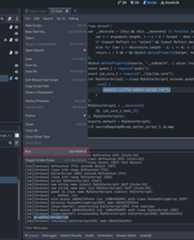
This_run() method is executed when you useFile > Run or the keyboard shortcutCtrl + Shift + X while theEditorScript is the currently open script in the script editor. This keyboard shortcut is only effective when currently focused on the script editor.
Scripts can also be executed from command line arguments, making them very suitable for batch processing tasks, such as generating config files, converting formats, and so on.
./bin/your_godot_binary_file --path"path\to\your_project" --script res://tests/read_xlsx.tsIt's an example script which leveragesxlsx.js for directly reading data from Excel xlsx files, re-saving it as csv or anything you want.
import*asjsbfrom"godot-jsb";import{FileAccess}from"godot";console.log("please run 'npm install' in the directory './' at first if 'xlsx' module can not be resolved");//NOTE xlsx requires 'stream' module if 'require' exists// but, actually, this module is not utilized by xlsx in practice,// pretending it exists helps avoid errors as a workaround.jsb.internal.add_module("stream",{});import*asxlsxfrom"xlsx";letfilename="res://test.xlsx";letwb=xlsx.read(FileAccess.get_file_as_bytes(filename).to_array_buffer(),{type:"buffer"});console.log("read excel:",filename);for(letsheetIndexinwb.SheetNames){letsheetName=wb.SheetNames[sheetIndex]console.log(`read sheet:${sheetName}`);letsheet=wb.Sheets[sheetName];letcsv=xlsx.utils.sheet_to_csv(sheet);console.log("to_csv:",csv);letrange=xlsx.utils.decode_range(sheet["!ref"]!);for(letrow=range.s.r;row<=range.e.r;row++){for(letcol=range.s.c;col<=range.e.c;col++){letcell=sheet[xlsx.utils.encode_cell({c:col,r:row})];if(cell){console.log(cell.v);}}}}
Scripting
Utilities
Experimental Features
Advanced
Misc