You signed in with another tab or window.Reload to refresh your session.You signed out in another tab or window.Reload to refresh your session.You switched accounts on another tab or window.Reload to refresh your session.Dismiss alert
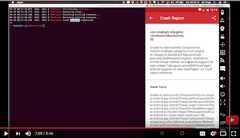
Sherlock reports any crash that occurres in your application as a notification. You just need to initialize Sherlock at the start of your application and it will take care of the rest.
Motivation
The motivation behind creating Sherlock is to make the life of Developer and tester easier. Whenever a tester is testingthe app and he/she encounters a crash, most of the time they don't have enough details in their hand to enable developer tostart fixing the crash immediately. Now with the help of Sherlock, any tester will have enough info to report the crash.
To start using Sherlock just add the below line in theonCreate() method of Application class.
publicclassMyApplicationextendsApplication {@OverridepublicvoidonCreate() {super.onCreate();Sherlock.init(this);//Initializing Sherlock }}
Once you addSherlock.init(this) Sherlock will take care of reporting all the crashes to you.
See All Crashes
You can view all the crashes by starting theCrashListActivity.
Get All Crashes Captured By Sherlock
Sherlock also provides you a way to get all the crashes which are reported by Sherlock in form of java object. You can get themusing below line of code.
Sherlock.getInstance().getAllCrashes()
Before accessinggetInstance() make sure that you have initialized Sherlock, otherwise it will throwSherlockNotInitializedException.
App Info
By default Sherlock only captures the version of your application and shows that as part of crash details. If you want toprovide some extra details regarding app, you can do so by providing an AppInfoProvider to the Sherlock.
Sherlock.setAppInfoProvider(newAppInfoProvider() {@OverridepublicAppInfogetAppInfo() {returnnewAppInfo.Builder() .with("Version","2.21")//You can get the actual version using "AppInfoUtil.getAppVersion(context)" .with("BuildNumber","221B") .build(); }});
Contributing
You can contribute to Sherlock by forking the repo and creating pull requests. You can also contribute by reporting bugs/issues.If you want to see a new feature in Sherlock, just add that as an issue with enough details.
LICENSE
Copyright (C) 2017 Ajit SinghLicensed under the Apache License, Version 2.0 (the "License");you may not use this file except in compliance with the License.You may obtain a copy of the License at http://www.apache.org/licenses/LICENSE-2.0Unless required by applicable law or agreed to in writing, softwaredistributed under the License is distributed on an "AS IS" BASIS,WITHOUT WARRANTIES OR CONDITIONS OF ANY KIND, either express or implied.See the License for the specific language governing permissions andlimitations under the License.
About
Sherlock reports any crash that occurs in your application