- Notifications
You must be signed in to change notification settings - Fork117
Browser Extension Analysis Framework - Scan, Analyze Chrome, firefox and Brave extensions for vulnerabilities and intels
License
Tuhinshubhra/ExtAnalysis
Folders and files
| Name | Name | Last commit message | Last commit date | |
|---|---|---|---|---|
Repository files navigation



Features •Installation •Use •Modules Used •Screenshots •License
- Download & Analyze Extensions From:
- Analyze Installed Extensions of:
- Google Chrome
- Mozilla Firefox
- Opera Browser (Coming Soon)
- Upload and Scan Extensions. Supported formats:
- .crx
- .xpi
- .zip
- View Basic Informations:
- Name, Author, Description and Version
- Manifest Viewer
- In depth permission information
- Extract Intels from files which include:
- URLs and domains
- IPv6 and IPv4 addresses
- Bitcoin addresses
- Email addresses
- File comments
- Base64 encoded strings
- View and Edit files. Supported file types:
- html
- json
- JavaScript
- css
- VirusTotal Scans For:
- URLs
- Domains
- Files
- RetireJS Vulnerability scan for JavaScript files
- Network graph of all files and URLs
- Reconnaissance tools for extracted URLs:
- Whois Scan
- HTTP headers viewer
- URL Source viewer
- GEO-IP location
- Some Fun Stuffs that include:
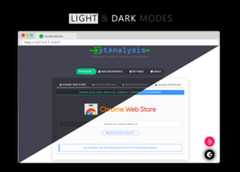
- Dark Mode
- Inbuilt chiptune player (Jam on to some classic chiptune while ExtAnalysis does the work)
Installing ExtAnalysis is simple! It runs on python3, so make surepython3 andpython3-pip are installed and follow these steps:
git clone https://github.com/Tuhinshubhra/ExtAnalysiscd ExtAnalysispip3 install -r requirements.txtFor proper analysis don't forget to add your virustotal api.
Once the installation is done you can jump straight ahead and run ExtAnalysis by running the command:$python3 extanalysis.pyIt should automatically launch ExtAnalysis in a new browser window.
For other options check out the help menu$python3 extanalysis.py --help
usage: extanalysis.py [-h HOST] [-p PORT] [-v] [-u] [-q] [--help]optional arguments: -h HOST, --host HOST Host to run ExtAnalysis on. Default host is 127.0.0.1 -p PORT, --port PORT Port to run ExtAnalysis on. Default port is 13337 -v, --version Shows version and quits -u, --update Checks for update -q, --quiet Quiet mode shows only errors on cli! --help Shows this help menu and exitsUse the followinglink
docker build -t extanalysis .docker run --rm -it -p 13337:13337 extanalysis -h 0.0.0.0docker compose builddocker compose up## Or just:docker compose up --build## To run only for one-time usedocker-compose run --rm --build -it -p 13337:13337 extanalysis -h 0.0.0.0## To run in the backgrounddocker compose up -d
flaskfor the webserverpython-whoisfor Whois lookupmaxminddbfor parsing the Geo-IP databaserequestsfor http headers and source code viewer
You can contribute to the development of ExtAnalysis by improving some code or even reporting by bugs.
For any other queries feel free to contact me via twitter:@r3dhax0r
Below is a list of people who contributed to the development of ExtAnalysis (only pull requests!)
- WebBreacher
- Nilay Nath Sharan
ExtAnalysis is licensed underGNU General Public License v3.0.Attribution to all the third-party libraries used can be found in theCREDITS file.
About
Browser Extension Analysis Framework - Scan, Analyze Chrome, firefox and Brave extensions for vulnerabilities and intels
Topics
Resources
License
Uh oh!
There was an error while loading.Please reload this page.
Stars
Watchers
Forks
Packages0
Uh oh!
There was an error while loading.Please reload this page.