- Notifications
You must be signed in to change notification settings - Fork627
Fast, Simple, Typed ORM for .NET
License
ServiceStack/ServiceStack.OrmLite
Folders and files
| Name | Name | Last commit message | Last commit date | |
|---|---|---|---|---|
Repository files navigation
Follow@ServiceStack,view the docs, useStackOverflow orCustomer Forums for support.
OrmLite's goal is to provide a convenient, DRY, config-free, RDBMS-agnostic typed wrapper that retainsa high affinity with SQL, exposing intuitive APIs that generate predictable SQL and maps cleanly to(DTO-friendly) disconnected POCO's. This approach makes easier to reason-about your data access makingit obvious what SQL is getting executed at what time, whilst mitigating unexpected behavior,implicit N+1 queries and leaky data access prevalent in Heavy ORMs.
OrmLite was designed with a focus on the core objectives:
- Provide a set of light-weight C# extension methods around .NET's impl-agnostic
System.Data.*interfaces - Map a POCO class 1:1 to an RDBMS table, cleanly by conventions, without any attributes required.
- Create/Drop DB Table schemas using nothing but POCO class definitions (IOTW a true code-first ORM)
- Simplicity - typed, wrist friendly API for common data access patterns.
- High performance - with support for indexes, text blobs, etc.
- Amongst thefastest Micro ORMs for .NET.
- Expressive power and flexibility - with access to IDbCommand and raw SQL
- Cross platform - supports multiple dbs (currently: Sql Server, Sqlite, MySql, PostgreSQL, Firebird) running on both .NET and Mono platforms.
In OrmLite:1 Class = 1 Table. There should be no surprising or hidden behaviour, the Typed APIthat produces the Querydoesn't impact how results get intuitively mappedto the returned POCO's which could be different to the POCO used to create the query, e.g. containing onlya subset of the fields you want populated.
Any non-scalar properties (i.e. complex types) are text blobbed by default in a schema-less text fieldusing any of theavailable pluggable text serializers.Support forPOCO-friendly references is also available to providea convenient API to persist related models. Effectively this allows you to create a table from anyPOCO type and it should persist as expected in a DB Table with columns for each of the classes 1stlevel public properties.
Install the NuGet package for your RDBMS Provider, e.g:
$ dotnet add package ServiceStack.OrmLite.PostgreSQLPackage Reference:
<PackageReferenceInclude="ServiceStack.OrmLite.SqlServer"Version="5.*" />
- ServiceStack.OrmLite.PostgreSQL
- ServiceStack.OrmLite.SqlServer
- ServiceStack.OrmLite.SqlServer.Data (usesMicrosoft.Data.SqlClient)
- ServiceStack.OrmLite.Sqlite
- ServiceStack.OrmLite.Sqlite.Data (usesMicrosoft.Data.SQLite)
- ServiceStack.OrmLite.Sqlite.Cil (usesUses SQLitePCLRaw.bundle_cil)
- ServiceStack.OrmLite.Sqlite.Windows (Windows / .NET Framework only)
- ServiceStack.OrmLite.MySql
- ServiceStack.OrmLite.MySqlConnector (usesMySqlConnector)
These packages contain both.NET Framework v4.5 and.NET Standard 2.0 versions and supports both .NET Framework and .NET Core projects.
The.Core packages contains only.NET Standard 2.0 versions which can be used in ASP.NET Core Apps running on the .NET Framework:
- ServiceStack.OrmLite.SqlServer.Core
- ServiceStack.OrmLite.PostgreSQL.Core
- ServiceStack.OrmLite.MySql.Core
- ServiceStack.OrmLite.Sqlite.Core
Unofficial Releases maintained by ServiceStack Community:
Latest v4+ on NuGet is acommercial release withfree quotas.
OrmLite has great support AWS's managed RDS Databases, follow these getting started guides to help getting up and running quickly:
Since September 2013, ServiceStack source code is available under GNU Affero General PublicLicense/FOSS License Exception, see license.txt in the source.Alternativecommercial licensing is also available.
Contributors need to approve theContributor License Agreementbefore submitting pull-requests, see theContributing wiki for more details.
First Install the NuGet package of the RDBMS you want to use, e.g:
PM> Install-Package ServiceStack.OrmLite.SqlServerEach RDBMS includes a specialized dialect provider that encapsulated the differences in each RDBMSto support OrmLite features. The available Dialect Providers for each RDBMS is listed below:
SqlServerDialect.Provider // SQL Server Version 2012+SqliteDialect.Provider // SqlitePostgreSqlDialect.Provider // PostgreSQL MySqlDialect.Provider // MySqlOracleDialect.Provider // OracleFirebirdDialect.Provider // FirebirdVistaDbDialect.Provider // Vista DBThere are a number of different SQL Server dialects to take advantage of features available in each version. For any version before SQL Server 2008 please useSqlServer2008Dialect.Provider, for any other version please use the best matching version:
SqlServer2008Dialect.Provider // SQL Server <= 2008SqlServer2012Dialect.Provider // SQL Server 2012SqlServer2014Dialect.Provider // SQL Server 2014SqlServer2016Dialect.Provider // SQL Server 2016SqlServer2017Dialect.Provider // SQL Server 2017+To configure OrmLite you need the DB Connection string along the Dialect Provider of the RDBMS you'reconnecting to, e.g:
vardbFactory=newOrmLiteConnectionFactory(connectionString,SqlServerDialect.Provider);
If you're using an IOC you can registerOrmLiteConnectionFactory as asingleton, e.g:
container.Register<IDbConnectionFactory>(c=>newOrmLiteConnectionFactory(":memory:",SqliteDialect.Provider));//InMemory Sqlite DB
You can then use thedbFactory to open ADO.NET DB Connections to your database.If connecting to an empty database you can use OrmLite's Create Table API's to create any tablesyou need based solely on the Schema definition of your POCO and populate it with any initialseed data you need, e.g:
using(vardb=dbFactory.Open()){if(db.CreateTableIfNotExists<Poco>()){db.Insert(newPoco{Id=1,Name="Seed Data"});}varresult=db.SingleById<Poco>(1);result.PrintDump();//= {Id: 1, Name:Seed Data}}
The best way to learn about OrmLite is to take theOrmLite Interactive Tourwhich lets you try out and explore different OrmLite features immediately from the comfort of your ownbrowser without needing to install anything:
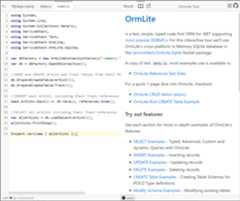
You can customize, enhance or replace how OrmLite handles specific .NET Types with the newOrmLite Type Converters.
There's also support for SQL Server-specificSqlGeography,SqlGeometry andSqlHierarchyId Types,Seedocs on SQL Server Typesfor instructions on how to enable them.
A quick overview of Async API's can be seen in the class diagram below:

Essentially most of OrmLite public API's now have async equivalents of the same name and an additional conventional*Async suffix.The Async API's also take an optionalCancellationToken making converting sync code trivial, where you just need toadd theAsync suffix andawait keyword, as can be seen in theCustomer Orders UseCase upgrade to Async diff, e.g:
Sync:
db.Insert(newEmployee{Id=1,Name="Employee 1"});db.Save(product1,product2);varcustomer=db.Single<Customer>(new{customer.Email});
Async:
awaitdb.InsertAsync(newEmployee{Id=1,Name="Employee 1"});awaitdb.SaveAsync(product1,product2);varcustomer=awaitdb.SingleAsync<Customer>(new{customer.Email});
Effectively the only Data Access API's that doesn't have async equivalents are
*LazyAPIs yielding a lazysequence (incompatible with async) as well asSchema DDL API's which are typically not used at runtime.
For a quick preview of many of the new Async API's in action, checkoutApiSqlServerTestsAsync.cs.
Currently only a limited number of RDBMS providers offer async API's, which at this time are only:
We've also added a.NET 4.5 build for Sqliteas it's a common use-case to swapout to use Sqlite's in-memory provider for faster tests.But as Sqlite doesn't provide async API's under-the-hood we fallback topseudo async support where we just wrap its synchronous responses inTask results.
OrmLite provides terse and intuitive typed API's for database querying from simplelambda expressions to more complex LINQ-Like Typed SQL Expressions which you can use toconstruct more complex queries. To give you a flavour here are some examples:
intagesAgo=DateTime.Today.AddYears(-20).Year;db.Select<Author>(x=>x.Birthday>=newDateTime(agesAgo,1,1)&&x.Birthday<=newDateTime(agesAgo,12,31));
db.Select<Author>(x=>Sql.In(x.City,"London","Madrid","Berlin"));
db.Select<Author>(x=>x.Earnings<=50);
db.Select<Author>(x=>x.Name.StartsWith("A"));
db.Select<Author>(x=>x.Name.EndsWith("garzon"));
db.Select<Author>(x=>x.Name.Contains("Benedict"));
db.Select<Author>(x=>x.Rate==10&&x.City=="Mexico");
db.Select<Author>(x=>x.Rate.ToString()=="10");//impicit string casting
db.Select<Author>(x=>"Rate "+x.Rate=="Rate 10");//server string concatenation
OrmLite also includes a number of convenient API's providing DRY, typed data access for common queries:
Personperson=db.SingleById<Person>(1);
Personperson=db.Single<Person>(x=>x.Age==42);
varq=db.From<Person>().Where(x=>x.Age>40).Select(Sql.Count("*"));intpeopleOver40=db.Scalar<int>(q);
intpeopleUnder50=db.Count<Person>(x=>x.Age<50);
boolhas42YearOlds=db.Exists<Person>(new{Age=42});
intmaxAgeUnder50=db.Scalar<Person,int>(x=>Sql.Max(x.Age), x=>x.Age<50);
varq=db.From<Person>().Where(x=>x.Age==27).Select(x=>x.LastName);List<string>results=db.Column<string>(q);
varq=db.From<Person>().Where(x=>x.Age<50).Select(x=>x.Age);HashSet<int>results=db.ColumnDistinct<int>(q);
varq=db.From<Person>().Where(x=>x.Age<50).Select(x=>new{x.Id,x.LastName});Dictionary<int,string>results=db.Dictionary<int,string>(q);
varq=db.From<Person>().Where(x=>x.Age<50).Select(x=>new{x.Age,x.LastName});Dictionary<int,List<string>>results=db.Lookup<int,string>(q);
The newdb.KeyValuePair<K,V> API is similar todb.Dictionary<K,V> where it uses thefirst 2 columns for its Key/Value Pairs tocreate a Dictionary but is more appropriate when the results can contain duplicate Keys or when ordering needs to be preserved:
varq=db.From<StatsLog>().GroupBy(x=>x.Name).Select(x=>new{x.Name,Count=Sql.Count("*")}).OrderByDescending("Count");varresults=db.KeyValuePairs<string,int>(q);
To see the behaviour of the different APIs, all examples uses this simple model
publicclassPerson{publicintId{get;set;}publicstringFirstName{get;set;}publicstringLastName{get;set;}publicint?Age{get;set;}}
In its most simple form, updating any model without any filters will update every field, except theId whichis used to filter the update to this specific record:
db.Update(newPerson{Id=1,FirstName="Jimi",LastName="Hendrix",Age=27});
If you supply your own where expression, it updates every field (inc. Id) but uses your filter instead:
db.Update(newPerson{Id=1,FirstName="JJ"}, p=>p.LastName=="Hendrix");
One way to limit the fields which gets updated is to use anAnonymous Type:
db.Update<Person>(new{FirstName="JJ"}, p=>p.LastName=="Hendrix");
Or by usingUpdateNonDefaults which only updates the non-default values in your model using the filter specified:
db.UpdateNonDefaults(newPerson{FirstName="JJ"}, p=>p.LastName=="Hendrix");
As updating a partial row is a common use-case in Db's, we've added a number of methods for justthis purpose, namedUpdateOnly.
The lambda syntax lets you update only the fields listed in property initializers, e.g:
db.UpdateOnly(()=>newPerson{FirstName="JJ"});
The second argument lets you specify a filter for updates:
db.UpdateOnly(()=>newPerson{FirstName="JJ"},where: p=>p.LastName=="Hendrix");
Alternatively you can pass in a POCO directly, in which case the first expression in anUpdateOnlystatement is used to specify which fields should be updated:
db.UpdateOnly(newPerson{FirstName="JJ"},onlyFields: p=>p.FirstName);db.UpdateOnly(newPerson{FirstName="JJ",Age=12},onlyFields: p=>new{p.FirstName,p.Age});db.UpdateOnly(newPerson{FirstName="JJ",Age=12},onlyFields: p=>new[]{"Name","Age"});
When present, the second expression is used as the where filter:
db.UpdateOnly(newPerson{FirstName="JJ"},onlyFields: p=>p.FirstName,where: p=>p.LastName=="Hendrix");
Instead of using the expression filters above you can choose to use an SqlExpression builder which provides more flexibility when you want to programatically construct the update statement:
varq=db.From<Person>().Update(p=>p.FirstName);db.UpdateOnly(newPerson{FirstName="JJ",LastName="Hendo"},onlyFields:q);
Using an Object Dictionary:
varupdateFields=newDictionary<string,object>{[nameof(Person.FirstName)]="JJ",};db.UpdateOnly<Person>(updateFields, p=>p.LastName=="Hendrix");
Using a typed SQL Expression:
varq=db.From<Person>().Where(x=>x.FirstName=="Jimi").Update(p=>p.FirstName);db.UpdateOnly(newPerson{FirstName="JJ"},onlyFields:q);
TheUpdateAdd API provides several Typed API's for updating existing values:
//Increase everyone's Score by 3 pointsdb.UpdateAdd(()=>newPerson{Score=3});//Remove 5 points from Jackson Scoredb.UpdateAdd(()=>newPerson{Score=-5},where: x=>x.LastName=="Jackson");//Graduate everyone and increase everyone's Score by 2 pointsdb.UpdateAdd(()=>newPerson{Points=2,Graduated=true});//Add 10 points to Michael's scorevarq=db.From<Person>().Where(x=>x.FirstName=="Michael");db.UpdateAdd(()=>newPerson{Points=10},q);
Note: Any non-numeric values in an
UpdateAddstatement (e.g. strings) are replaced as normal.
Insert's are pretty straight forward since in most cases you want to insert every field:
db.Insert(newPerson{Id=1,FirstName="Jimi",LastName="Hendrix",Age=27});
You can useInsertOnly for the rare cases you don't want to insert every field
db.InsertOnly(()=>newPerson{FirstName="Amy"});
Alternative API using an SqlExpression
varq=db.From<Person>().Insert(p=>new{p.FirstName});db.InsertOnly(newPerson{FirstName="Amy"},onlyFields:q)
Like updates for DELETE's we also provide APIs that take a where Expression:
db.Delete<Person>(p=>p.Age==27);
Or an SqlExpression:
varq=db.From<Person>().Where(p=>p.Age==27);db.Delete<Person>(q);
As well as un-typed, string-based expressions:
db.Delete<Person>(where:"Age = @age",new{age=27});
Using a SqlExpression to delete rows by querying from a joined table:
varq=db.From<Person>().Join<PersonJoin>((x,y)=>x.Id==y.PersonId).Where<PersonJoin>(x=>x.Id==2);db.Delete(q);
Not supported in MySql
The API is minimal, providing basic shortcuts for the primitive SQL statements:

OrmLite makes available most of its functionality via extension methods to add enhancments over ADO.NET'sIDbConnection, providinga Typed RDBMS-agnostic API that transparently handles differences in each supported RDBMS provider.
OrmLite is able toCREATE,DROP andALTER RDBMS Tables from your code-first Data Models with rich annotations forcontrolling how the underlying RDBMS Tables are constructed.
The Example below utilizes several annotations to customize the definition and behavior of RDBMS tables based on a POCOspublic properties:
publicclassPlayer{publicintId{get;set;}// 'Id' is PrimaryKey by convention[Required]publicstringFirstName{get;set;}// Creates NOT NULL Column[Alias("Surname")]// Maps to [Surname] RDBMS columnpublicstringLastName{get;set;}[Index(Unique=true)]// Creates Unique IndexpublicstringEmail{get;set;}publicList<Phone>PhoneNumbers{get;set;}// Complex Types blobbed by default[Reference]publicList<GameItem>GameItems{get;set;}// 1:M Reference Type saved separately[Reference]publicProfileProfile{get;set;}// 1:1 Reference Type saved separatelypublicintProfileId{get;set;}// 1:1 Self Ref Id on Parent Table[ForeignKey(typeof(Level),OnDelete="CASCADE")]// Creates ON DELETE CASCADE ConstraintpublicGuidSavedLevelId{get;set;}// Creates Foreign Key ReferencepubliculongRowVersion{get;set;}// Optimistic Concurrency Updates}publicclassPhone// Blobbed Type only{publicPhoneKindKind{get;set;}publicstringNumber{get;set;}publicstringExt{get;set;}}publicenumPhoneKind{Home,Mobile,Work,}[Alias("PlayerProfile")]// Maps to [PlayerProfile] RDBMS Table[CompositeIndex(nameof(Username),nameof(Region))]// Creates Composite IndexpublicclassProfile{[AutoIncrement]// Auto Insert Id assigned by RDBMSpublicintId{get;set;}publicPlayerRoleRole{get;set;}// Native support for EnumspublicRegionRegion{get;set;}publicstringUsername{get;set;}publiclongHighScore{get;set;}[Default(1)]// Created in RDBMS with DEFAULT (1)publiclongGamesPlayed{get;set;}[CheckConstraint("Energy BETWEEN 0 AND 100")]// Creates RDBMS Check ConstraintpublicshortEnergy{get;set;}publicstringProfileUrl{get;set;}publicDictionary<string,string>Meta{get;set;}}publicenumPlayerRole// Enums saved as strings by default{Leader,Player,NonPlayer,}[EnumAsInt]// Enum Saved as intpublicenumRegion{Africa=1,Americas=2,Asia=3,Australasia=4,Europe=5,}publicclassGameItem{[PrimaryKey]// Specify field to use as Primary Key[StringLength(50)]// Creates VARCHAR COLUMNpublicstringName{get;set;}publicintPlayerId{get;set;}// Foreign Table Reference Id[StringLength(StringLengthAttribute.MaxText)]// Creates "TEXT" RDBMS ColumnpublicstringDescription{get;set;}[Default(OrmLiteVariables.SystemUtc)]// Populated with UTC Date by RDBMSpublicDateTimeDateAdded{get;set;}}publicclassLevel{publicGuidId{get;set;}// Unique Identifer/GUID Primary Keypublicbyte[]Data{get;set;}// Saved as BLOB/Binary where possible}
We can drop the existing tables and re-create the above table definitions with:
using(vardb=dbFactory.Open()){if(db.TableExists<Level>())db.DeleteAll<Level>();// Delete ForeignKey data if exists//DROP and CREATE ForeignKey Tables in dependent orderdb.DropTable<Player>();db.DropTable<Level>();db.CreateTable<Level>();db.CreateTable<Player>();//DROP and CREATE tables without Foreign Keys in any orderdb.DropAndCreateTable<Profile>();db.DropAndCreateTable<GameItem>();varsavedLevel=newLevel{Id=Guid.NewGuid(),Data=newbyte[]{1,2,3,4,5},};db.Insert(savedLevel);varplayer=newPlayer{Id=1,FirstName="North",LastName="West",Email="north@west.com",PhoneNumbers=newList<Phone>{newPhone{Kind=PhoneKind.Mobile,Number="123-555-5555"},newPhone{Kind=PhoneKind.Home,Number="555-555-5555",Ext="123"},},GameItems=newList<GameItem>{newGameItem{Name="WAND",Description="Golden Wand of Odyssey"},newGameItem{Name="STAFF",Description="Staff of the Magi"},},Profile=newProfile{Username="north",Role=PlayerRole.Leader,Region=Region.Australasia,HighScore=100,GamesPlayed=10,ProfileUrl="https://www.gravatar.com/avatar/205e460b479e2e5b48aec07710c08d50.jpg",Meta=newDictionary<string,string>{{"Quote","I am gamer"}},},SavedLevelId=savedLevel.Id,};db.Save(player,references:true);}
This will add a record in all the above tables with all the Reference data properties automatically populated which we can quickly seeby selecting the insertedPlayer record and all its referenced data by usingOrmLite's Load APIs, e.g:
vardbPlayer=db.LoadSingleById<Player>(player.Id);dbPlayer.PrintDump();
Which uses theDump Utils to quickly display the populated data to the console:
{ Id: 1, FirstName: North, LastName: West, Email: north@west.com, PhoneNumbers: [ { Kind: Mobile, Number: 123-555-5555 }, { Kind: Home, Number: 555-555-5555, Ext: 123 } ], GameItems: [ { Name: WAND, PlayerId: 1, Description: Golden Wand of Odyssey, DateAdded: 2018-01-17T07:53:45-05:00 }, { Name: STAFF, PlayerId: 1, Description: Staff of the Magi, DateAdded: 2018-01-17T07:53:45-05:00 } ], Profile: { Id: 1, Role: Leader, Region: Australasia, Username: north, HighScore: 100, GamesPlayed: 10, Energy: 0, ProfileUrl: "https://www.gravatar.com/avatar/205e460b479e2e5b48aec07710c08d50.jpg", Meta: { Quote: I am gamer } }, ProfileId: 1, SavedLevelId: 7690dfa4d31949ab9bce628c34d1c549, RowVersion: 2}Feel free to continue expirementing withthis Example Live on Gistlyn.
If your SQL doesn't start with aSELECT statement, it is assumed a WHERE clause is being provided, e.g:
vartracks=db.Select<Track>("Artist = @artist AND Album = @album",new{artist="Nirvana",album="Heart Shaped Box"});
Which is equivalent to:
vartracks=db.Select<Track>("SELECT * FROM track WHERE Artist = @artist AND Album = @album",new{artist="Nirvana",album="Heart Shaped Box"});
UseSql* APIs for when you want to query custom SQL that is not a SELECT statement, e.g:
vartracks=db.SqlList<Track>("EXEC GetArtistTracks @artist, @album",new{artist="Nirvana",album="Heart Shaped Box"});
Select returns multiple records:
List<Track>tracks=db.Select<Track>()
Single returns a single record:
Tracktrack=db.Single<Track>(x=>x.RefId==refId)
Dictionary returns a Dictionary made from the first two columns:
Dictionary<int,string>trackIdNamesMap=db.Dictionary<int,string>(db.From<Track>().Select(x=>new{x.Id,x.Name}))Dictionary<int,string>trackIdNamesMap=db.Dictionary<int,string>("select Id, Name from Track")
Lookup returns anDictionary<K, List<V>> made from the first two columns:
Dictionary<int,List<string>>albumTrackNames=db.Lookup<int,string>(db.From<Track>().Select(x=>new{x.AlbumId,x.Name}))Dictionary<int,List<string>>albumTrackNames=db.Lookup<int,string>("select AlbumId, Name from Track")
Column returns a List of first column values:
List<string>trackNames=db.Column<string>(db.From<Track>().Select(x=>x.Name))List<string>trackNames=db.Column<string>("select Name from Track")
HashSet returns a HashSet of distinct first column values:
HashSet<string>uniqueTrackNames=db.ColumnDistinct<string>(db.From<Track>().Select(x=>x.Name))HashSet<string>uniqueTrackNames=db.ColumnDistinct<string>("select Name from Track")
Scalar returns a single scalar value:
vartrackCount=db.Scalar<int>(db.From<Track>().Select(Sql.Count("*")))vartrackCount=db.Scalar<int>("select count(*) from Track")
Anonymous types passed intoWhere are treated like anAND filter:
vartrack3=db.Where<Track>(new{AlbumName="Throwing Copper",TrackNo=3})
SingleById(s), SelectById(s), etc provide strong-typed convenience methods to fetch by a Table'sId primary key field.
vartrack=db.SingleById<Track>(1);vartracks=db.SelectByIds<Track>(new[]{1,2,3});
The newEnsure() API on OrmLite's typedSqlExpression<T> can be used to ensure that a condition is always applied irrespectiveof other conditions, e.g:
varq=db.From<Rockstar>();q.Ensure(x=>x.Id==1);//always applied//...q.Where(x=>x.Age==27);q.Or(x=>x.LivingStatus==LivingStatus.Dead);varrows=db.Select(q);
Custom SQL Ensure parameterized expressions:
q.Ensure("Id = {0}",1);
varq=db.From<Rockstar>().Join<RockstarAlbum>((r,a)=>r.Id==a.RockstarId);q.Ensure<Rockstar,RockstarAlbum>((r,a)=>a.Name=="Nevermind"&&r.Id==a.RockstarId);q.Where(x=>x.Age==27).Or(x=>x.LivingStatus==LivingStatus.Dead);q.Ensure(x=>x.Id==3);varrows=db.Select(q);
These APIs are useful for mandatory filters like "Soft Deletes" and Multitenant records.
TheSql.In() API supports nesting and combining of multiple Typed SQL Expressions togetherin a single SQL Query, e.g:
varusaCustomerIds=db.From<Customer>(c=>c.Country=="USA").Select(c=>c.Id);varusaCustomerOrders=db.Select(db.From<Order>().Where(x=>Sql.In(x.CustomerId,usaCustomerIds)));
db.Select<Author>(x=>Sql.In(x.City,"London","Madrid","Berlin"));varcities=new[]{"London","Madrid","Berlin"};db.Select<Author>(x=>Sql.In(x.City,cities));
OrmLite also supports providing collection of values which is automatically split into multiple DB parameters to simplify executing parameterized SQL with multiple IN Values, e.g:
varids=new[]{1,2,3};varresults=db.Select<Table>("Id in (@ids)",new{ids});varnames=newList<string>{"foo","bar","qux"};varresults=db.SqlList<Table>("SELECT * FROM Table WHERE Name IN (@names)",new{names});
TheSqlSpread() API is useful to generate an escaped list of parameterized values for use in SQLIN() statements and SQL functions:
vardialect=db.Dialect();dialect.SqlSpread(1,2,3);//= 1,2,3dialect.SqlSpread("A","B","C");//= 'A','B','C'dialect.SqlSpread("A'B","C\"D");//= 'A''B','C\"D'
ThePgSql.Array() provides a typed API for generatingPostgreSQL Array Expressions, e.g:
PgSql.Array(1,2,3)//= ARRAY[1,2,3]varstrings=new[]{"A","B","C"};PgSql.Array(strings)//= ARRAY['A','B','C']
Which you can safely use in Custom SQL Expressions that use PostgreSQL's native ARRAY support:
q.And($"{PgSql.Array(anyTechnologyIds)} && technology_ids")q.And($"{PgSql.Array(labelSlugs)} && labels");
If you want and empty collection to returnnull instead of an emptyARRAY[] you can use thenullIfEmpty overload:
PgSql.Array(newstring[0],nullIfEmpty:true)//= nullPgSql.Array(new[]{"A","B","C"},nullIfEmpty:true)//= ARRAY['A','B','C']
API's ending withLazy yield an IEnumerable sequence letting you stream the results without having to map the entire resultset into a disconnected List of POCO's first, e.g:
varlazyQuery=db.SelectLazy<Person>("Age > @age",new{age=40});// Iterate over a lazy sequenceforeach(varpersoninlazyQuery){//...}
Save andSaveAll will Insert if no record withId exists, otherwise it Updates.
Save will populate any[AutoIncrement] or[AutoId] Primary Keys, e.g:
db.Save(item);item.Id// RDBMS populated Auto Id
Alternatively you can also manually Select and Retrieve the Inserted RDBMS Auto Id in a single query withInsert APIs by specifyingselectIdentity:true:
item.Id=db.Insert(item,selectIdentity:true);
vartopVIPs=db.WhereLazy<Person>(new{Age=27}).Where(p=>IsVip(p)).Take(5)
- AllInsert,Update, andDelete methods take multiple params, while
InsertAll,UpdateAllandDeleteAlltake IEnumerables. - Methods containing the wordEach return an IEnumerable and are lazily loaded (i.e. non-buffered).
Whilst OrmLite aims to provide a light-weight typed wrapper around SQL, it offers a number of convenient features that makes working with RDBMS's a clean and enjoyable experience:
Starting with the most basic example you can simply specify the table you want to join with:
varq=db.From<Customer>().Join<CustomerAddress>();vardbCustomers=db.Select<Customer>(q);
This query roughly maps to the following SQL:
SELECT Customer.*FROM CustomerINNER JOIN CustomerAddressON (Customer.Id==CustomerAddress.CustomerId)
Just like beforeq is an instance ofSqlExpression<Customer> which is bounded to the baseCustomer type (and what any subsequent implicit API's apply to).
To better illustrate the above query, lets expand it to the equivalent explicit query:
SqlExpression<Customer>q=db.From<Customer>();q.Join<Customer,CustomerAddress>((cust,address)=>cust.Id==address.CustomerId);List<Customer>dbCustomers=db.Select(q);
The above query implicitly joins together theCustomer andCustomerAddress POCO's using the same{ParentType}Id property convention used inOrmLite's support for References, e.g:
classCustomer{publicintId{get;set;} ...}classCustomerAddress{publicintId{get;set;}publicintCustomerId{get;set;}// Reference based on Property name convention}
References based on matching alias names is also supported, e.g:
[Alias("LegacyCustomer")]classCustomer{publicintId{get;set;} ...}classCustomerAddress{publicintId{get;set;}[Alias("LegacyCustomerId")]// Matches `LegacyCustomer` AliaspublicintRenamedCustomerId{get;set;}// Reference based on Alias Convention}
Self References are also supported for1:1 relations where the Foreign Key can instead be on the parent table:
publicclassCustomer{ ...publicintCustomerAddressId{get;set;}[Reference]publicCustomerAddressPrimaryAddress{get;set;}}
References that don't follow the above naming conventions can be declared explicitly usingthe[References] and[ForeignKey] attributes:
publicclassCustomer{[References(typeof(CustomerAddress))]publicintPrimaryAddressId{get;set;}[Reference]publicCustomerAddressPrimaryAddress{get;set;}}
Reference Attributes take precedence over naming conventions
The example below shows a customer with multipleCustomerAddress references which are able to be matched withthe{PropertyReference}Id naming convention, e.g:
publicclassCustomer{[AutoIncrement]publicintId{get;set;}publicstringName{get;set;}[References(typeof(CustomerAddress))]publicint?HomeAddressId{get;set;}[References(typeof(CustomerAddress))]publicint?WorkAddressId{get;set;}[Reference]publicCustomerAddressHomeAddress{get;set;}[Reference]publicCustomerAddressWorkAddress{get;set;}}
Once defined, it can be saved and loaded via OrmLite's normal Reference and Select API's, e.g:
varcustomer=newCustomer{Name="The Customer",HomeAddress=newCustomerAddress{Address="1 Home Street",Country="US"},WorkAddress=newCustomerAddress{Address="2 Work Road",Country="UK"},};db.Save(customer,references:true);varc=db.LoadSelect<Customer>(x=>x.Name=="The Customer");c.WorkAddress.Address.Print();// 2 Work RoadvarukAddress=db.Single<CustomerAddress>(x=>x.Country=="UK");ukAddress.Address.Print();// 2 Work Road
The implicit relationship above allows you to use any of these equilvalent APIs to JOIN tables:
q.Join<CustomerAddress>();q.Join<Customer,CustomerAddress>();q.Join<Customer,CustomerAddress>((cust,address)=>cust.Id==address.CustomerId);
TheSelectMulti API lets you select from multiple joined tables into a typed tuple
varq=db.From<Customer>().Join<Customer,CustomerAddress>().Join<Customer,Order>().Where(x=>x.CreatedDate>=newDateTime(2016,01,01)).And<CustomerAddress>(x=>x.Country=="Australia");varresults=db.SelectMulti<Customer,CustomerAddress,Order>(q);foreach(vartupleinresults){Customercustomer=tuple.Item1;CustomerAddresscustAddress=tuple.Item2;OrdercustOrder=tuple.Item3;}
Thanks to Micro ORM's lightweight abstractions over ADO.NET that maps to clean POCOs, we can also useOrmLite's embedded version ofDapper's QueryMultiple:
varq=db.From<Customer>().Join<Customer,CustomerAddress>().Join<Customer,Order>().Select("*");using(varmulti=db.QueryMultiple(q.ToSelectStatement())){varresults=multi.Read<Customer,CustomerAddress,Order,Tuple<Customer,CustomerAddress,Order>>(Tuple.Create).ToList();foreach(vartupleinresults){Customercustomer=tuple.Item1;CustomerAddresscustAddress=tuple.Item2;OrdercustOrder=tuple.Item3;}}
SelectMulti APIs for populatingmultiple tables now supportsSELECT DISTINCT with:
vartuples=db.SelectMulti<Customer,CustomerAddress>(q.SelectDistinct());
Another implicit behaviour when selecting from a typed SqlExpression is that results are mapped to theCustomer POCO. To change this default we just need to explicitly specify what POCO it should map to instead:
List<FullCustomerInfo>customers=db.Select<FullCustomerInfo>(db.From<Customer>().Join<CustomerAddress>());
WhereFullCustomerInfo is any POCO that contains a combination of properties matching any of the joinedtables in the query.
The above example is also equivalent to the shorthanddb.Select<Into,From>() API:
varq=db.From<Customer>().Join<CustomerAddress>();varcustomers=db.Select<FullCustomerInfo,Customer>(q);
Rules for how results are mapped is simply each property onFullCustomerInfo is mapped to the first matching property in any of the tables in the order they were added to the SqlExpression.
The mapping also includes a fallback for referencing fully-qualified names in the format:{TableName}{FieldName} allowing you to reference ambiguous fields, e.g:
CustomerId=> "Customer"."Id"OrderId=> "Order"."Id"CustomerName=> "Customer"."Name"OrderCost=> "Order"."Cost"
In addition to populating Typed POCOs, OrmLite has a number of flexible options for accessing dynamic resultsets with adhoc schemas:
The C# 7 Value Tuple support enables a terse, clean and typed API for accessing the Dynamic Result Sets returned when using a custom Select expression:
varquery=db.From<Employee>().Join<Department>().OrderBy(e=>e.Id).Select<Employee,Department>((e,d)=>new{e.Id,e.LastName,d.Name});varresults=db.Select<(intid,stringlastName,stringdeptName)>(query);varrow=results[i];$"row: ${row.id}, ${row.lastName}, ${row.deptName}".Print();
Full Custom SQL Example:
varresults=db.SqlList<(intcount,stringmin,stringmax,intsum)>("SELECT COUNT(*), MIN(Word), MAX(Word), Sum(Total) FROM Table");
Partial Custom SQL Select Example:
varquery=db.From<Table>().Select("COUNT(*), MIN(Word), MAX(Word), Sum(Total)");varresult=db.Single<(intcount,stringmin,stringmax,intsum)>(query);
Same as above, but using Typed APIs:
varresult=db.Single<(intcount,stringmin,stringmax,intsum)>(db.From<Table>().Select(x=>new{Count=Sql.Count("*"),Min=Sql.Min(x.Word),Max=Sql.Max(x.Word),Sum=Sql.Sum(x.Total)}));
There's also support for returning unstructured resultsets inList<object>, e.g:
varresults=db.Select<List<object>>(db.From<Poco>().Select("COUNT(*), MIN(Id), MAX(Id)"));results[0].PrintDump();
Output of objects in the returnedList<object>:
[ 10, 1, 10]You can also SelectDictionary<string,object> to return a dictionary of column names mapped with their values, e.g:
varresults=db.Select<Dictionary<string,object>>(db.From<Poco>().Select("COUNT(*) Total, MIN(Id) MinId, MAX(Id) MaxId"));results[0].PrintDump();
Output of objects in the returnedDictionary<string,object>:
{ Total: 10, MinId: 1, MaxId: 10}and can be used for API's returning aSingle row result:
varresult=db.Single<List<object>>(db.From<Poco>().Select("COUNT(*) Total, MIN(Id) MinId, MAX(Id) MaxId"));
or useobject to fetch an unknownScalar value:
objectresult=db.Scalar<object>(db.From<Poco>().Select(x=>x.Id));
You can also select data from multiple tables intodynamic result setswhich provideseveral Convenience APIsfor accessing data from an unstructured queries.
Using dynamic:
varq=db.From<Employee>().Join<Department>().Select<Employee,Department>((e,d)=>new{e.FirstName,d.Name});List<dynamic>results=db.Select<dynamic>(q);foreach(dynamicresultinresults){stringfirstName=result.FirstName;stringdeptName=result.Name;}
Dictionary of Objects:
List<Dictionary<string,object>>rows=db.Select<Dictionary<string,object>>(q);
List of Objects:
List<List<object>>rows=db.Select<Dictionary<string,object>>(q);
Custom Key/Value Dictionary:
Dictionary<string,string>rows=db.Dictionary<string,string>(q);
OrmLite's Dictionary APIs allow you to customize which parts of a Data Model should be modified byconverting it into then manipulating an Object Dictionary, e.g:
varrow=newPerson{FirstName="John",LastName="Smith"};Dictionary<string,object>obj=row.ToObjectDictionary();obj[nameof(Person.LastName)]=null;row.Id=(int)db.Insert<Person>(obj,selectIdentity:true);
Personrow=db.SingleById<Person>(row.Id);varobj=row.ToObjectDictionary();obj[nameof(Person.LastName)]="Smith";db.Update<Person>(obj);
// By Primary Key Idvarfields=newDictionary<string,object>{[nameof(Person.Id)]=1,[nameof(Person.FirstName)]="John",[nameof(Person.LastName)]=null,};db.UpdateOnly<Person>(fields);// By Custom Where Expressionvarfields=newDictionary<string,object>{[nameof(Person.FirstName)]="John",[nameof(Person.LastName)]=null,};db.UpdateOnly<Person>(fields, p=>p.LastName=="Hendrix");
db.Delete<Rockstar>(newDictionary<string,object>{["Age"]=27});
The[BelongTo] attribute can be used for specifying how Custom POCO results are mapped when the resultset is ambiguous, e.g:
classA{publicintId{get;set;}}classB{publicintId{get;set;}publicintAId{get;set;}}classC{publicintId{get;set;}publicintBId{get;set;}}classCombined{publicintId{get;set;}[BelongTo(typeof(B))]publicintBId{get;set;}}varq=db.From<A>().Join<B>().LeftJoin<B,C>();varresults=db.Select<Combined>(q);//Combined.BId = B.Id
Seeing how the SqlExpression is constructed, joined and mapped, we can take a look at a more advanced example to showcase more of the new API's available:
List<FullCustomerInfo>rows=db.Select<FullCustomerInfo>(// Map results to FullCustomerInfo POCOdb.From<Customer>()// Create typed Customer SqlExpression.LeftJoin<CustomerAddress>()// Implicit left join with base table.Join<Customer,Order>((c,o)=>c.Id==o.CustomerId)// Explicit join and condition.Where(c=>c.Name=="Customer 1")// Implicit condition on base table.And<Order>(o=>o.Cost<2)// Explicit condition on joined Table.Or<Customer,Order>((c,o)=>c.Name==o.LineItem));// Explicit condition with joined Tables
The comments next to each line document each Type of API used. Some of the new API's introduced in this example include:
- Usage of
LeftJoinfor specifying a LEFT JOIN,RightJoinandFullJoinalso available - Usage of
And<Table>(), to specify anAND condition on a Joined table - Usage of
Or<Table1,Table2>, to specify anOR condition against 2 joined tables
More code examples of References and Joined tables are available in:
OrmLite lets you Store and Load related entities in separate tables using[Reference] attributes in primary tables in conjunction with{Parent}Id property convention in child tables, e.g:
publicclassCustomer{[AutoIncrement]publicintId{get;set;}publicstringName{get;set;}[Reference]// Save in CustomerAddress tablepublicCustomerAddressPrimaryAddress{get;set;}[Reference]// Save in Order tablepublicList<Order>Orders{get;set;}}publicclassCustomerAddress{[AutoIncrement]publicintId{get;set;}publicintCustomerId{get;set;}//`{Parent}Id` convention to refer to CustomerpublicstringAddressLine1{get;set;}publicstringAddressLine2{get;set;}publicstringCity{get;set;}publicstringState{get;set;}publicstringCountry{get;set;}}publicclassOrder{[AutoIncrement]publicintId{get;set;}publicintCustomerId{get;set;}//`{Parent}Id` convention to refer to CustomerpublicstringLineItem{get;set;}publicintQty{get;set;}publicdecimalCost{get;set;}}
With the above structure you can save a POCO and all its entity references withdb.Save(T,references:true), e.g:
varcustomer=newCustomer{Name="Customer 1",PrimaryAddress=newCustomerAddress{AddressLine1="1 Australia Street",Country="Australia"},Orders=new[]{newOrder{LineItem="Line 1",Qty=1,Cost=1.99m},newOrder{LineItem="Line 2",Qty=2,Cost=2.99m},}.ToList(),};db.Save(customer,references:true);
This saves the root customer POCO in theCustomer table, its related PrimaryAddress in theCustomerAddress table and its 2 Orders in theOrder table.
TheLoad* API's are used to automatically load a POCO and all it's child references, e.g:
varcustomer=db.LoadSingleById<Customer>(customerId);
Using Typed SqlExpressions:
varcustomers=db.LoadSelect<Customer>(x=>x.Name=="Customer 1");
More examples available inLoadReferencesTests.cs
Unlike normal complex properties, references:
- Doesn't persist as complex type blobs
- Doesn't impact normal querying
- Saves and loads references independently from itself
- Are serializable with Text serializers (only populated are visible).
- Loads related data only 1-reference-level deep
Basically they provides a better story when dealing with referential data that doesn't impact the POCO's ability to be used as DTO's.
TheMerge extension method can stitch disconnected POCO collections together as per their relationships defined in OrmLite's POCO References.
For example you can select a collection of Customers who've made an order with quantities of 10 or more and in a separate query select their filtered Orders and then merge the results of these 2 distinct queries together with:
//Select Customers who've had orders with Quantities of 10 or morevarq=db.From<Customer>().Join<Order>().Where<Order>(o=>o.Qty>=10).SelectDistinct();List<Customer>customers=db.Select<Customer>(q);//Select Orders with Quantities of 10 or moreList<Order>orders=db.Select<Order>(o=>o.Qty>=10);customers.Merge(orders);// Merge disconnected Orders with their related Customerscustomers.PrintDump();// Print merged customers and orders datasets
You can selectively specifying which references you want to load using theinclude parameter, e.g:
varcustomerWithAddress=db.LoadSingleById<Customer>(customer.Id,include:new[]{"PrimaryAddress"});//AlternativevarcustomerWithAddress=db.LoadSingleById<Customer>(customer.Id,include: x=>new{x.PrimaryAddress});
You can specify SQL Aliases for ambiguous columns using anonymous properties, e.g:
varq=db.From<Table>().Join<JoinedTable>().Select<Table,JoinedTable>((a,b)=>new{a,JoinId=b.Id,JoinName=b.Name});
Which is roughly equivalent to:
SELECT a.*, b.Id AS JoinId, b.Name AS JoinNameWhere it selects all columns from the primaryTable as well asId andName columns fromJoinedTable,returning them in theJoinId andJoinName custom aliases.
You can also query POCO References on JOIN tables, e.g:
varq=db.From<Table>().Join<Join1>().Join<Join1,Join2>().Where(x=>!x.IsValid.HasValue&&x.Join1.IsValid&&x.Join1.Join2.Name==theName&&x.Join1.Join2.IntValue==intValue).GroupBy(x=>x.Join1.Join2.IntValue).Having(x=>Sql.Max(x.Join1.Join2.IntValue)!=10).Select(x=>x.Join1.Join2.IntValue);
TheTableAlias APIs lets you specify table aliases when joining same table multiple times together to differentiate from anyambiguous columns in Queries with multiple self-reference joins, e.g:
varq=db.From<Page>(db.TableAlias("p1")).Join<Page>((p1,p2)=>p1.PageId==p2.PageId&&p2.ActivityId==activityId,db.TableAlias("p2")).Join<Page,Category>((p2,c)=>Sql.TableAlias(p2.Category)==c.Id).Join<Page,Page>((p1,p2)=>Sql.TableAlias(p1.Rank,"p1")<Sql.TableAlias(p2.Rank,"p2")).Select<Page>(p=>new{ActivityId=Sql.TableAlias(p.ActivityId,"p2")});varrows=db.Select(q);
In addition to creating an Index with unique constraints using[Index(Unique=true)] you can now use[Unique] to enforce a single column should only contain unique values or annotate the class with[UniqueConstraint] to specify a composite unique constraint, e.g:
[UniqueConstraint(nameof(PartialUnique1),nameof(PartialUnique2),nameof(PartialUnique3))]publicclassUniqueTest{[AutoIncrement]publicintId{get;set;}[Unique]publicstringUniqueField{get;set;}publicstringPartialUnique1{get;set;}publicstringPartialUnique2{get;set;}publicstringPartialUnique3{get;set;}}
Support for Auto populatingGuid Primary Keys is available using the[AutoId] attribute, e.g:
publicclassTable{[AutoId]publicGuidId{get;set;}}
In SQL Server it will populateId primary key withnewid(), inPostgreSQL it usesuuid_generate_v4() which requires installing the theuuid-ossp extension by running the SQL below on each PostgreSQL RDBMS it's used on:
CREATE EXTENSION IF NOT EXISTS "uuid-ossp"For all other RDBMS's OrmLite will populate theId withGuid.NewGuid(). In all RDBMS's it will populate theId property ondb.Insert() ordb.Save() with the new value, e.g:
varrow=newTable{ ...};db.Insert(row);row.Id//= Auto populated with new Guid
The[Sequence] attribute can be used as an alternative to[AutoIncrement] for inserting rows with an auto incrementing integer value populated by SQL Server, but instead of needing anIDENTITY column it can populate a normalINT column from a user-defined Sequence, e.g:
publicclassSequenceTest{[Sequence("Seq_SequenceTest_Id"),ReturnOnInsert]publicintId{get;set;}publicstringName{get;set;}publicstringUserName{get;set;}publicstringEmail{get;set;}[Sequence("Seq_Counter")]publicintCounter{get;set;}}varuser=newSequenceTest{Name="me",Email="me@mydomain.com"};db.Insert(user);user.Id//= Populated by next value in "Seq_SequenceTest_Id" SQL Server Sequence
The new[ReturnOnInsert] attribute tells OrmLite which columns to return the values of, in this case it returns the new Sequence value the row was inserted with. Sequences offer more flexibility thanIDENTITY columns where you can use multiple sequences in a table or have the same sequence shared across multiple tables.
When creating tables, OrmLite will also create any missing Sequences automatically so you can continue to have reproducible tests and consistent Startups states that's unreliant on external state. But it doesn't drop sequences when OrmLite drops the table as they could have other external dependents.
To be able to use the new sequence support you'll need to use an SQL Server dialect greater than SQL Server 2012+, e.g:
vardbFactory=newOrmLiteConnectionFactory(connString,SqlServer2012Dialect.Provider);
Using the same JOIN Filter feature OrmLite also lets you add SQL Server Hints on JOIN Table expressions, e.g:
varq=db.From<Car>().Join<Car,CarType>((c,t)=>c.CarId==t.CarId,SqlServerTableHint.ReadUncommitted);
Which emits the appropriate SQL Server hints:
SELECT"Car"."CarId","CarType"."CarTypeName"FROM"Car"INNER JOIN"CarType" WITH (READUNCOMMITTED)ON ("Car"."CarId"="CarType"."CarId")
The generated SQL from a TypedSqlExpression can also be customized using.WithSqlFilter(), e.g:
varq=db.From<Table>().Where(x=>x.Age==27).WithSqlFilter(sql=>sql+" option (recompile)");varq=db.From<Table>().Where(x=>x.Age==27).WithSqlFilter(sql=>sql+" WITH UPDLOCK");varresults=db.Select(q);
Optimistic concurrency can be added to any table by adding theulong RowVersion { get; set; } property, e.g:
publicclassPoco{ ...publiculongRowVersion{get;set;}}
RowVersion is implemented efficiently in all major RDBMS's, i.e:
- Uses
rowversiondatatype in SqlServer - Uses PostgreSql's
xminsystem column (no column on table required) - Uses UPDATE triggers on MySql, Sqlite and Oracle whose lifetime is attached to Create/Drop tables APIs
Despite their differing implementations each provider works the same way where theRowVersion property is populated when the record is selected and only updates the record if the RowVersion matches with what's in the database, e.g:
varrowId=db.Insert(newPoco{Text="Text"},selectIdentity:true);varrow=db.SingleById<Poco>(rowId);row.Text+=" Updated";db.Update(row);//success!row.Text+="Attempting to update stale record";//Can't update stale recordAssert.Throws<OptimisticConcurrencyException>(()=>db.Update(row));//Can update latest versionvarupdatedRow=db.SingleById<Poco>(rowId);// fresh versionupdatedRow.Text+="Update Success!";db.Update(updatedRow);updatedRow=db.SingleById<Poco>(rowId);db.Delete(updatedRow);// can delete fresh version
Optimistic concurrency is only verified on API's that update or delete an entire entity, i.e. it's not enforced in partial updates. There's also an Alternative API available for DELETE's:
db.DeleteById<Poco>(id:updatedRow.Id,rowversion:updatedRow.RowVersion)
To improve reuse of OrmLite's Data Models in Dapper, OrmLite also supportsbyte[] RowVersion which lets you use OrmLite Data Models withbyte[] RowVersion properties in Dapper queries.
An optionalFunc<IDbCommand> commandFilter is available in allINSERT andUPDATE APIs to allow customization and inspection of the populatedIDbCommand before it's run.This feature is utilized in theConflict Resolution Extension methodswhere you can specify the conflict resolution strategy when a Primary Key or Unique constraint violation occurs:
db.InsertAll(rows, dbCmd=>dbCmd.OnConflictIgnore());//Equivalent to:db.InsertAll(rows, dbCmd=>dbCmd.OnConflict(ConflictResolution.Ignore));
In this case it will ignore any conflicts that occurs and continue inserting the remaining rows in SQLite, MySql and PostgreSQL, whilst in SQL Server it's a NOOP.
SQLite offersadditional fine-grained behavior that can be specified for when a conflict occurs:
- ROLLBACK
- ABORT
- FAIL
- IGNORE
- REPLACE
As the queries for retrieving table names can vary amongst different RDBMS's, we've abstracted their implementations behind uniform APIswhere you can now get a list of table names and their row counts for all supported RDBMS's with:
List<string>tableNames=db.GetTableNames();List<KeyValuePair<string,long>>tableNamesWithRowCounts=db.GetTableNamesWithRowCounts();
*Asyncvariants also available
Both APIs can be called with an optionalschema if you only want the tables for a specific schema.It defaults to using the more efficient RDBMS APIs, which if offered typically returns an approximate estimate of rowcounts in each table.
If you need exact table row counts, you can specifylive:true:
vartablesWithRowCounts=db.GetTableNamesWithRowCounts(live:true);
OrmLite provides Typed APIs for modifying Table Schemas that makes it easy to inspect the state of anRDBMS Table which can be used to determine what modifications you want on it, e.g:
classPoco{publicintId{get;set;}publicstringName{get;set;}publicstringSsn{get;set;}}db.DropTable<Poco>();db.TableExists<Poco>();//= falsedb.CreateTable<Poco>();db.TableExists<Poco>();//= truedb.ColumnExists<Poco>(x=>x.Ssn);//= truedb.DropColumn<Poco>(x=>x.Ssn);db.ColumnExists<Poco>(x=>x.Ssn);//= false
In a future version of your Table POCO you can useColumnExists to detect which columns haven't beenadded yet, then useAddColumn to add it, e.g:
classPoco{publicintId{get;set;}publicstringName{get;set;}[Default(0)]publicintAge{get;set;}}if(!db.ColumnExists<Poco>(x=>x.Age))//= falsedb.AddColumn<Poco>(x=>x.Age);db.ColumnExists<Poco>(x=>x.Age);//= true
Additional Modify Schema APIs available in OrmLite include:
AlterTableAddColumnAlterColumnChangeColumnNameDropColumnAddForeignKeyDropForeignKeyCreateIndexDropIndex
TheSql.Cast() provides a cross-database abstraction for casting columns or expressions in SQL queries, e.g:
db.Insert(newSqlTest{Value=123.456});varresults=db.Select<(intid,stringtext)>(db.From<SqlTest>().Select(x=>new{x.Id,text=Sql.Cast(x.Id,Sql.VARCHAR)+" : "+Sql.Cast(x.Value,Sql.VARCHAR)+" : "+Sql.Cast("1 + 2",Sql.VARCHAR)+" string"}));results[0].text//= 1 : 123.456 : 3 string
You can use theColumn<T> andTable<T>() methods to resolve the quoted names of a Column or Table within SQL Fragments (taking into account any configured aliases or naming strategies).
Usage Example of the new APIs inside aCustomJoin() expression used to join on a custom SELECT expression:
q.CustomJoin($"LEFT JOIN (SELECT{q.Column<Job>(x=>x.Id)} ...")q.CustomJoin($"LEFT JOIN (SELECT{q.Column<Job>(nameof(Job.Id))} ...")q.CustomJoin($"LEFT JOIN (SELECT{q.Column<Job>(x=>x.Id,tablePrefix:true)} ...")//Equivalent to:q.CustomJoin($"LEFT JOIN (SELECT{q.Table<Job>()}.{q.Column<Job>(x=>x.Id)} ...")q.Select($"{q.Column<Job>(x=>x.Id)} as JobId,{q.Column<Task>(x=>x.Id)} as TaskId")//Equivalent to:q.Select<Job,Task>((j,t)=>new{JobId=j.Id,TaskId=t.Id})
To enable even finer-grained control of parameterized queries we've added new overloads that take a collection of IDbDataParameter's:
List<T>Select<T>(stringsql,IEnumerable<IDbDataParameter>sqlParams)T Single<T>(stringsql,IEnumerable<IDbDataParameter>sqlParams)T Scalar<T>(stringsql,IEnumerable<IDbDataParameter>sqlParams)List<T>Column<T>(stringsql,IEnumerable<IDbDataParameter>sqlParams)IEnumerable<T>ColumnLazy<T>(stringsql,IEnumerable<IDbDataParameter>sqlParams)HashSet<T>ColumnDistinct<T>(stringsql,IEnumerable<IDbDataParameter>sqlParams)Dictionary<K, List<V>>Lookup<K,V>(stringsql,IEnumerable<IDbDataParameter>sqlParams)List<T>SqlList<T>(stringsql,IEnumerable<IDbDataParameter>sqlParams)List<T>SqlColumn<T>(stringsql,IEnumerable<IDbDataParameter>sqlParams)T SqlScalar<T>(stringsql,IEnumerable<IDbDataParameter>sqlParams)
Including Async equivalents for each of the above Sync API's.
The new API's let you execute parameterized SQL with finer-grained control over theIDbDataParameter used, e.g:
IDbDataParameterpAge=db.CreateParam("age",40,dbType:DbType.Int16);db.Select<Person>("SELECT * FROM Person WHERE Age > @pAge",new[]{pAge});
The newCreateParam() extension method above is a useful helper for creating custom IDbDataParameter's.
The newOrmLiteConfig.OnDbNullFilter lets you to replace DBNull values with a custom value, so you could convert allnull strings to be populated with"NULL" using:
OrmLiteConfig.OnDbNullFilter= fieldDef=>fieldDef.FieldType==typeof(string)?"NULL":null;
One way to see what queries OrmLite generates is to enable adebug enabled logger, e.g:
LogManager.LogFactory=newConsoleLogFactory(debugEnabled:true);
Where it will log the generated SQL and Params OrmLite executes to the Console.
An alternative to debug logging which can easily get lost in the noisy stream of other debug messages is to use theBeforeExecFilter andAfterExecFilter filters where you can inspect executed commands with a custom lambda expression before and after each query is executed. So if one of your a queries are failing you can put a breakpoint inBeforeExecFilter to inspect the populatedIDbCommand object before it's executed or use the.GetDebugString() extension method for an easy way to print the Generated SQL and DB Params to the Console:
OrmLiteConfig.BeforeExecFilter= dbCmd=>Console.WriteLine(dbCmd.GetDebugString());//OrmLiteConfig.AfterExecFilter = dbCmd => Console.WriteLine(dbCmd.GetDebugString());
You can useOrmLiteUtils.PrintSql() for the common debugging task of viewing the generated SQL OrmLite executes:
OrmLiteUtils.PrintSql();
To later disable logging use:
OrmLiteUtils.UnPrintSql();
OrmLite's core Exec filters makes it possible to inject your own behavior, tracing, profiling, etc.
It's useful in situations like wanting to use SqlServer in production but use anin-memory Sqlite database in tests and being able to emulate any missing SQL Server Stored Procedures in code:
publicclassMockStoredProcExecFilter:OrmLiteExecFilter{publicoverrideTExec<T>(IDbConnectiondbConn,Func<IDbCommand,T>filter){try{returnbase.Exec(dbConn,filter);}catch(Exceptionex){if(dbConn.GetLastSql()=="exec sp_name @firstName, @age")return(T)(object)newPerson{FirstName="Mocked"};throw;}}}OrmLiteConfig.ExecFilter=newMockStoredProcExecFilter();using(vardb=OpenDbConnection()){varperson=db.SqlScalar<Person>("exec sp_name @firstName, @age",new{firstName="aName",age=1});person.FirstName.Print();//Mocked}
Results filters makes it trivial to implement theCaptureSqlFilter which allows you to capture SQL Statements without running them.CaptureSqlFilteris just a simple Results Filter which can be used to quickly found out what SQL your DB calls generate by surrounding DB access in a using scope, e.g:
using(varcaptured=newCaptureSqlFilter())using(vardb=OpenDbConnection()){db.Where<Person>(new{Age=27});captured.SqlStatements[0].PrintDump();}
Emits the Executed SQL along with any DB Parameters:
{ Sql: "SELECT ""Id"", ""FirstName"", ""LastName"", ""Age"" FROM ""Person"" WHERE ""Age"" = @Age", Parameters: { Age: 27 }}Or if you want to do things like executing each operation multiple times, e.g:
publicclassReplayOrmLiteExecFilter:OrmLiteExecFilter{publicintReplayTimes{get;set;}publicoverrideTExec<T>(IDbConnectiondbConn,Func<IDbCommand,T>filter){varholdProvider=OrmLiteConfig.DialectProvider;vardbCmd=CreateCommand(dbConn);try{varret=default(T);for(vari=0;i<ReplayTimes;i++){ret=filter(dbCmd);}returnret;}finally{DisposeCommand(dbCmd);OrmLiteConfig.DialectProvider=holdProvider;}}}OrmLiteConfig.ExecFilter=newReplayOrmLiteExecFilter{ReplayTimes=3};using(vardb=OpenDbConnection()){db.DropAndCreateTable<PocoTable>();db.Insert(newPocoTable{Name="Multiplicity"});varrowsInserted=db.Count<PocoTable>(x=>x.Name=="Multiplicity");//3}
The Result Filters also lets you easily mock results and avoid hitting the database, typically useful in Unit Testing Services to mock OrmLite API's directly instead of using a repository, e.g:
using(newOrmLiteResultsFilter{PrintSql=true,SingleResult=newPerson{Id=1,FirstName="Mocked",LastName="Person",Age=100},}){db.Single<Person>(x=>x.Age==42).FirstName// Mocked db.Single(db.From<Person>().Where(x=>x.Age==42)).FirstName// Mocked db.Single<Person>(new{Age=42}).FirstName// Mocked db.Single<Person>("Age = @age",new{age=42}).FirstName// Mocked}
More examples showing how to mock different API's including support for nesting available inMockAllApiTests.cs
There's also a specific filter for strings available which allows you to apply custom sanitization on String fields, e.g. you can ensure all strings are right trimmed with:
OrmLiteConfig.StringFilter= s=>s.TrimEnd();db.Insert(newPoco{Name="Value with trailing "});db.Select<Poco>().First().Name// "Value with trailing"
Pluggable serialization lets you specify different serialization strategies of Complex Types for each available RDBMS provider, e.g:
//ServiceStack's JSON and JSV FormatSqliteDialect.Provider.StringSerializer=newJsvStringSerializer();PostgreSqlDialect.Provider.StringSerializer=newJsonStringSerializer();//.NET's XML and JSON DataContract serializersSqlServerDialect.Provider.StringSerializer=newDataContractSerializer();MySqlDialect.Provider.StringSerializer=newJsonDataContractSerializer();//.NET XmlSerializerOracleDialect.Provider.StringSerializer=newXmlSerializableSerializer();
You can also provide a custom serialization strategy by implementingIStringSerializer.
By default all dialects use the existingJsvStringSerializer, except for PostgreSQL which due to its built-in support for JSON, uses the JSON format by default.
Similar to interceptors in some heavy ORM's, Insert and Update filters get fired just before anyINSERT orUPDATE operation using OrmLite's typed API's (i.e. not dynamic SQL or partial updates using anon types). This functionality can be used for easily auto-maintaining Audit information for your POCO data models, e.g:
publicinterfaceIAudit{DateTimeCreatedDate{get;set;}DateTimeModifiedDate{get;set;}stringModifiedBy{get;set;}}OrmLiteConfig.InsertFilter=(dbCmd,row)=>{if(rowisIAuditauditRow)auditRow.CreatedDate=auditRow.ModifiedDate=DateTime.UtcNow;};OrmLiteConfig.UpdateFilter=(dbCmd,row)=>{if(rowisIAuditauditRow)auditRow.ModifiedDate=DateTime.UtcNow;};
Which will ensure that theCreatedDate andModifiedDate fields are populated on every insert and update.
The filters can also be used for validation where throwing an exception will prevent the operation and bubble the exception, e.g:
OrmLiteConfig.InsertFilter=OrmLiteConfig.UpdateFilter=(dbCmd,row)=>{if(rowisIAuditauditRow&&auditRow.ModifiedBy==null)thrownewArgumentNullException("ModifiedBy");};try{db.Insert(newAuditTable());}catch(ArgumentNullException){//throws ArgumentNullException}db.Insert(newAuditTable{ModifiedBy="Me!"});//succeeds
A number of new hooks are available to provide more flexibility when creating and dropping your RDBMS tables.
The new[CustomSelect] can be used to define properties you want populated from a Custom SQL Function orExpression instead of a normal persisted column, e.g:
publicclassBlock{publicintId{get;set;}publicintWidth{get;set;}publicintHeight{get;set;}[CustomSelect("Width * Height")]publicintArea{get;set;}[Default(OrmLiteVariables.SystemUtc)]publicDateTimeCreatedDate{get;set;}[CustomSelect("FORMAT(CreatedDate, 'yyyy-MM-dd')")]publicstringDateFormat{get;set;}}db.Insert(newBlock{Id=1,Width=10,Height=5});varblock=db.SingleById<Block>(1);block.Area.Print();//= 50block.DateFormat.Print();//= 2016-06-08 (SQL Server)
The[CustomSelect] attribute can be used to populate a property with a dynamic SQL Expression instead of an existing column, e.g:
publicclassFeatureRequest{publicintId{get;set;}publicintUp{get;set;}publicintDown{get;set;}[CustomSelect("1 + Up - Down")]publicintPoints{get;set;}}
You can also order by the SQL Expression by referencing the property as you would a normal column. By extension this feature now also works in AutoQuery where you canselect it in a partial result set and order the results by using its property name, e.g:
/features?fields=id,points&orderBy=pointsTheSql.Custom() API lets you use raw SQL Fragments in Custom.Select() expressions, e.g:
varq=db.From<Table>().Select(x=>new{FirstName=x.FirstName,LastName=x.LastName,Initials=Sql.Custom("CONCAT(LEFT(FirstName,1), LEFT(LastName,1))")});
The[CustomField] attribute can be used for specifying custom field declarations in the generated Create table DDL statements, e.g:
publicclassPocoTable{publicintId{get;set;}[CustomField("CHAR(20)")]publicstringCharColumn{get;set;}[CustomField("DECIMAL(18,4)")]publicdecimal?DecimalColumn{get;set;}[CustomField(OrmLiteVariables.MaxText)]//= {MAX_TEXT}publicstringMaxText{get;set;}[CustomField(OrmLiteVariables.MaxTextUnicode)]//= {NMAX_TEXT}publicstringMaxUnicodeText{get;set;}}db.CreateTable<PocoTable>();
Generates and executes the following SQL in SQL Server:
CREATETABLE "PocoTable" ("Id"INTEGERPRIMARY KEY,"CharColumn"CHAR(20)NULL,"DecimalColumn"DECIMAL(18,4)NULL,"MaxText"VARCHAR(MAX)NULL,"MaxUnicodeText" NVARCHAR(MAX)NULL );
OrmLite replaces any variable placeholders with the value in each RDBMS DialectProvider's
VariablesDictionary.
The[CustomInsert] and[CustomUpdate] attributes can be used to override what values rows are inserted during INSERT's and UPDATE's.
We can use this to insert a salted and hashed password using PostgreSQL native functions:
publicclassCustomSqlUser{[AutoIncrement]publicintId{get;set;}publicstringEmail{get;set;}[CustomInsert("crypt({0}, gen_salt('bf'))"),CustomUpdate("crypt({0}, gen_salt('bf'))")]publicstringPassword{get;set;}}varuser=newCustomSqlUser{Email="user@email.com",Password="secret"};db.Insert(user);
We can then useSql.Custom() to create a partially typed custom query to match on the hashed password, e.g:
varquotedSecret=db.Dialect().GetQuotedValue("secret");varq=db.From<CustomSqlUser>().Where(x=>x.Password==Sql.Custom($"crypt({quotedSecret}, password)"));varrow=db.Single(q);
Pre / Post Custom SQL Hooks allow you to inject custom SQL before and after tables are created or dropped, e.g:
[PostCreateTable("INSERT INTO TableWithSeedData (Name) VALUES ('Foo');"+"INSERT INTO TableWithSeedData (Name) VALUES ('Bar');")]publicclassTableWithSeedData{[AutoIncrement]publicintId{get;set;}publicstringName{get;set;}}
Which like other ServiceStack attributes, can also be added dynamically, e.g:
typeof(TableWithSeedData).AddAttributes(newPostCreateTableAttribute("INSERT INTO TableWithSeedData (Name) VALUES ('Foo');"+"INSERT INTO TableWithSeedData (Name) VALUES ('Bar');"));
Custom SQL Hooks also allow executing custom SQL before and after a table has been created or dropped, i.e:
[PreCreateTable(runSqlBeforeTableCreated)][PostCreateTable(runSqlAfterTableCreated)][PreDropTable(runSqlBeforeTableDropped)][PostDropTable(runSqlAfterTableDropped)]publicclassTable{}
TheIUntypedApi interface is useful for when you only have access to a late-bound object runtime type which is accessible viadb.CreateTypedApi, e.g:
publicclassBaseClass{publicintId{get;set;}}publicclassTarget:BaseClass{publicstringName{get;set;}}varrow=(BaseClass)newTarget{Id=1,Name="Foo"};varuseType=row.GetType();vartypedApi=db.CreateTypedApi(useType);db.DropAndCreateTables(useType);typedApi.Save(row);vartypedRow=db.SingleById<Target>(1);typedRow.Name//= Foovar updateRow=(BaseClass)newTarget{Id=1,Name="Bar"};typedApi.Update(updateRow);typedRow=db.SingleById<Target>(1);typedRow.Name//= BartypedApi.Delete(typedRow,new{Id=1});typedRow=db.SingleById<Target>(1);//= null
OrmLite's T4 Templateare useful in database-first development or when wanting to use OrmLite with an existingRDBMS by automatically generating POCO's and strong-typed wrappersfor executing stored procedures.
OrmLite's T4 support can be added via NuGet with:
PM> Install-Package ServiceStack.OrmLite.T4OrmLite's Expression support satisfies the most common RDBMS queries with a strong-typed API.For more complex queries you can easily fall back to raw SQL where the Custom SQL API'slet you to map custom SqlExpressions into different responses:
varq=db.From<Person>().Where(x=>x.Age<50).Select("*");List<Person>results=db.SqlList<Person>(q);List<Person>results=db.SqlList<Person>("SELECT * FROM Person WHERE Age < @age",new{age=50});List<string>results=db.SqlColumn<string>(db.From<Person>().Select(x=>x.LastName));List<string>results=db.SqlColumn<string>("SELECT LastName FROM Person");HashSet<int>results=db.ColumnDistinct<int>(db.From<Person>().Select(x=>x.Age));HashSet<int>results=db.ColumnDistinct<int>("SELECT Age FROM Person");varq=db.From<Person>().Where(x=>x.Age<50).Select(Sql.Count("*"));intresult=db.SqlScalar<int>(q);intresult=db.SqlScalar<int>("SELCT COUNT(*) FROM Person WHERE Age < 50");
Db.ExecuteSql("INSERT INTO page_stats (ref_id, fav_count) VALUES (@refId, @favCount)",new{refId,favCount})//Async:Db.ExecuteSqlAsync("UPDATE page_stats SET view_count = view_count + 1 WHERE id = @id",new{id})
You can use OrmLite's TypedSqlExpression to create a subselect expression that you can use to create and execute atypedINSERT INTO SELECTSqlExpression with:
varq=db.From<User>().Where(x=>x.UserName=="UserName").Select(x=>new{x.UserName,x.Email,GivenName=x.FirstName,Surname=x.LastName,FullName=x.FirstName+" "+x.LastName});varid=db.InsertIntoSelect<CustomUser>(q)
The Raw SQL API's provide a convenient way for mapping results of any Custom SQL likeexecuting Stored Procedures:
List<Poco>results=db.SqlList<Poco>("EXEC GetAnalyticsForWeek 1");List<Poco>results=db.SqlList<Poco>("EXEC GetAnalyticsForWeek @weekNo",new{weekNo=1});List<int>results=db.SqlList<int>("EXEC GetTotalsForWeek 1");List<int>results=db.SqlList<int>("EXEC GetTotalsForWeek @weekNo",new{weekNo=1});intresult=db.SqlScalar<int>("SELECT 10");
TheSqlProc API provides even greater customization by letting you modify the underlyingADO.NET Stored Procedure call by returning a preparedIDbCommand allowing foradvanced customization like setting and retriving OUT parameters, e.g:
stringspSql=@"DROP PROCEDURE IF EXISTS spSearchLetters; CREATE PROCEDURE spSearchLetters (IN pLetter varchar(10), OUT pTotal int) BEGIN SELECT COUNT(*) FROM LetterFrequency WHERE Letter = pLetter INTO pTotal; SELECT * FROM LetterFrequency WHERE Letter = pLetter; END";db.ExecuteSql(spSql);using(varcmd=db.SqlProc("spSearchLetters",new{pLetter="C"})){varpTotal=cmd.AddParam("pTotal",direction:ParameterDirection.Output);varresults=cmd.ConvertToList<LetterFrequency>();vartotal=pTotal.Value;}
An alternative approach is to useSqlList which lets you use a filter to customize aStored Procedure or any other command type, e.g:
IDbDataParameterpTotal=null;varresults=db.SqlList<LetterFrequency>("spSearchLetters", cmd=>{cmd.CommandType=CommandType.StoredProcedure;cmd.AddParam("pLetter","C");pTotal=cmd.AddParam("pTotal",direction:ParameterDirection.Output);});vartotal=pTotal.Value;
More examples can be found inSqlServerProviderTests.
Creating a foreign key in OrmLite can be done by adding[References(typeof(ForeignKeyTable))] on the relation property,which will result in OrmLite creating the Foreign Key relationship when it creates the DB table withdb.CreateTable<Poco>.
Additional fine-grain options and behaviour are available in the[ForeignKey] attribute which will let you specify the desired behaviour when deleting or updating related rows in Foreign Key tables.
An example of a table with the different available options:
publicclassTableWithAllCascadeOptions{[AutoIncrement]publicintId{get;set;}[References(typeof(ForeignKeyTable1))]publicintSimpleForeignKey{get;set;}[ForeignKey(typeof(ForeignKeyTable2),OnDelete="CASCADE",OnUpdate="CASCADE")]publicint?CascadeOnUpdateOrDelete{get;set;}[ForeignKey(typeof(ForeignKeyTable3),OnDelete="NO ACTION")]publicint?NoActionOnCascade{get;set;}[Default(typeof(int),"17")][ForeignKey(typeof(ForeignKeyTable4),OnDelete="SET DEFAULT")]publicintSetToDefaultValueOnDelete{get;set;}[ForeignKey(typeof(ForeignKeyTable5),OnDelete="SET NULL")]publicint?SetToNullOnDelete{get;set;}}
To provide richer support for non-standard default values, each RDBMS Dialect Provider contains aOrmLiteDialectProvider.Variables placeholder dictionary for storing common, but non-standard RDBMS functionality.We can use this to declaratively define non-standard default values that works across all supported RDBMS'slike automatically populating a column with the RDBMS UTC Date when Inserted with adefault(T) Value:
publicclassPoco{[Default(OrmLiteVariables.SystemUtc)]//= {SYSTEM_UTC}publicDateTimeCreatedTimeUtc{get;set;}}
OrmLite variables need to be surrounded with{} braces to identify that it's a placeholder variable, e.g{SYSTEM_UTC}.
TheForeignKeyTestsshow the resulting behaviour with each of these configurations in more detail.
Note: Only supported on RDBMS's with foreign key/referential action support, e.g.Sql Server,PostgreSQL,MySQL. Otherwise they're ignored.
We now support multiple nested database connections so you can now trivially use OrmLite to access multiple databaseson different connections. TheOrmLiteConnectionFactory class has been extended to support named connections whichallows you to conveniently define all your db connections when you register it in your IOC and access them with thenamed property when you use them.
A popular way of scaling RDBMS's is to create a Master / Shard setup where datasets for queries that span entire systemare kept in the master database, whilst context-specific related data can be kept together in an isolated shard.This feature makes it trivial to maintain multiple separate db shards with a master database in a different RDBMS.
Here's an (entire source code) sample of the code needed to define, and populate a Master/Shard setup.Sqlite can create DB shards on the fly so only the blank SqlServer master database needed to be created out-of-band:
publicclassMasterRecord{publicGuidId{get;set;}publicintRobotId{get;set;}publicstringRobotName{get;set;}publicDateTime?LastActivated{get;set;}}publicclassRobot{publicintId{get;set;}publicstringName{get;set;}publicboolIsActivated{get;set;}publiclongCellCount{get;set;}publicDateTimeCreatedDate{get;set;}}constintNoOfShards=10;constintNoOfRobots=1000;vardbFactory=newOrmLiteConnectionFactory("Data Source=host;Initial Catalog=RobotsMaster;Integrated Security=SSPI",//Connection StringSqlServerDialect.Provider);dbFactory.Run(db=>db.CreateTable<MasterRecord>(overwrite:false));NoOfShards.Times(i=>{varnamedShard="robots-shard"+i;dbFactory.RegisterConnection(namedShard,$"~/App_Data/{shardId}.sqlite".MapAbsolutePath(),//Connection StringSqliteDialect.Provider);dbFactory.OpenDbConnection(namedShard).Run(db=>db.CreateTable<Robot>(overwrite:false));});varnewRobots=NoOfRobots.Times(i=>//Create 1000 RobotsnewRobot{Id=i,Name="R2D"+i,CreatedDate=DateTime.UtcNow,CellCount=DateTime.Now.ToUnixTimeMs()%100000});foreach(varnewRobotinnewRobots){using(IDbConnectiondb=dbFactory.OpenDbConnection())//Open Connection to Master DB{db.Insert(newMasterRecord{Id=Guid.NewGuid(),RobotId=newRobot.Id,RobotName=newRobot.Name});using(IDbConnectionrobotShard=dbFactory.OpenDbConnection("robots-shard"+newRobot.Id%NoOfShards))//Shard{robotShard.Insert(newRobot);}}}
Using theSQLite Manager Firefox extensionwe can peek at one of the created shards to see 100 Robots in each shard. This is the dump ofrobots-shard0.sqlite:

As expected each shard has every 10th robot inside.
Below is a complete stand-alone example. No other config or classes is required for it to run. It's also available as astand-alone unit test.
publicenumPhoneType{Home,Work,Mobile,}publicenumAddressType{Home,Work,Other,}publicclassAddress{publicstringLine1{get;set;}publicstringLine2{get;set;}publicstringZipCode{get;set;}publicstringState{get;set;}publicstringCity{get;set;}publicstringCountry{get;set;}}publicclassCustomer{publicCustomer(){this.PhoneNumbers=newDictionary<PhoneType,string>();this.Addresses=newDictionary<AddressType,Address>();}[AutoIncrement]// Creates Auto primary keypublicintId{get;set;}publicstringFirstName{get;set;}publicstringLastName{get;set;}[Index(Unique=true)]// Creates Unique IndexpublicstringEmail{get;set;}publicDictionary<PhoneType,string>PhoneNumbers{get;set;}//BlobbedpublicDictionary<AddressType,Address>Addresses{get;set;}//BlobbedpublicDateTimeCreatedAt{get;set;}}publicclassOrder{[AutoIncrement]publicintId{get;set;}[References(typeof(Customer))]//Creates Foreign KeypublicintCustomerId{get;set;}[References(typeof(Employee))]//Creates Foreign KeypublicintEmployeeId{get;set;}publicAddressShippingAddress{get;set;}//Blobbed (no Address table)publicDateTime?OrderDate{get;set;}publicDateTime?RequiredDate{get;set;}publicDateTime?ShippedDate{get;set;}publicint?ShipVia{get;set;}publicdecimalFreight{get;set;}publicdecimalTotal{get;set;}}publicclassOrderDetail{[AutoIncrement]publicintId{get;set;}[References(typeof(Order))]//Creates Foreign KeypublicintOrderId{get;set;}publicintProductId{get;set;}publicdecimalUnitPrice{get;set;}publicshortQuantity{get;set;}publicdecimalDiscount{get;set;}}publicclassEmployee{publicintId{get;set;}publicstringName{get;set;}}publicclassProduct{publicintId{get;set;}publicstringName{get;set;}publicdecimalUnitPrice{get;set;}}//Setup SQL Server Connection FactoryvardbFactory=newOrmLiteConnectionFactory(@"Data Source=.\SQLEXPRESS;AttachDbFilename=|DataDirectory|\App_Data\Database1.mdf;Integrated Security=True;User Instance=True",SqlServerDialect.Provider);//Use in-memory Sqlite DB instead//var dbFactory = new OrmLiteConnectionFactory(// ":memory:", false, SqliteDialect.Provider);//Non-intrusive: All extension methods hang off System.Data.* interfacesusing(IDbConnectiondb=Config.OpenDbConnection()){//Re-Create all table schemas:db.DropTable<OrderDetail>();db.DropTable<Order>();db.DropTable<Customer>();db.DropTable<Product>();db.DropTable<Employee>();db.CreateTable<Employee>();db.CreateTable<Product>();db.CreateTable<Customer>();db.CreateTable<Order>();db.CreateTable<OrderDetail>();db.Insert(newEmployee{Id=1,Name="Employee 1"});db.Insert(newEmployee{Id=2,Name="Employee 2"});varproduct1=newProduct{Id=1,Name="Product 1",UnitPrice=10};varproduct2=newProduct{Id=2,Name="Product 2",UnitPrice=20};db.Save(product1,product2);varcustomer=newCustomer{FirstName="Orm",LastName="Lite",Email="ormlite@servicestack.net",PhoneNumbers={{PhoneType.Home,"555-1234"},{PhoneType.Work,"1-800-1234"},{PhoneType.Mobile,"818-123-4567"},},Addresses={{AddressType.Work,newAddress{Line1="1 Street",Country="US",State="NY",City="New York",ZipCode="10101"}},},CreatedAt=DateTime.UtcNow,};varcustomerId=db.Insert(customer,selectIdentity:true);//Get Auto Inserted Idcustomer=db.Single<Customer>(new{customer.Email});//QueryAssert.That(customer.Id,Is.EqualTo(customerId));//Direct access to System.Data.Transactions:using(IDbTransactiontrans=db.OpenTransaction(IsolationLevel.ReadCommitted)){varorder=newOrder{CustomerId=customer.Id,EmployeeId=1,OrderDate=DateTime.UtcNow,Freight=10.50m,ShippingAddress=newAddress{Line1="3 Street",Country="US",State="NY",City="New York",ZipCode="12121"},};db.Save(order);//Inserts 1st time//order.Id populated on Save().varorderDetails=new[]{newOrderDetail{OrderId=order.Id,ProductId=product1.Id,Quantity=2,UnitPrice=product1.UnitPrice,},newOrderDetail{OrderId=order.Id,ProductId=product2.Id,Quantity=2,UnitPrice=product2.UnitPrice,Discount=.15m,}};db.Save(orderDetails);order.Total=orderDetails.Sum(x=>x.UnitPrice*x.Quantity*x.Discount)+order.Freight;db.Save(order);//Updates 2nd Timetrans.Commit();}}
Running this against a SQL Server database will yield the results below:

Notice the POCO types are stored in thevery fastandVersatileJSV Format which although hard to do -is actually more compact, human and parser-friendly than JSON :)
You may use the[Ignore] attribute to denote DTO properties that are not fields in the table. This will force the SQL generation to ignore that property.
In its simplest useage, OrmLite can persist any POCO type without any attributes required:
publicclassSimpleExample{publicintId{get;set;}publicstringName{get;set;}}//Set once before use (i.e. in a static constructor).OrmLiteConfig.DialectProvider=SqliteDialect.Provider;using(IDbConnectiondb="/path/to/db.sqlite".OpenDbConnection()){db.CreateTable<SimpleExample>(true);db.Insert(newSimpleExample{Id=1,Name="Hello, World!"});varrows=db.Select<SimpleExample>();Assert.That(rows,Has.Count(1));Assert.That(rows[0].Id,Is.EqualTo(1));}
To get a better idea of the features of OrmLite lets walk through a complete example using sample tables from the Northwind database._ (Full source code for this example isavailable here.) _
So with no other configuration using only the classes below:
[Alias("Shippers")]publicclassShipper:IHasId<int>{[AutoIncrement][Alias("ShipperID")]publicintId{get;set;}[Required][Index(Unique=true)][StringLength(40)]publicstringCompanyName{get;set;}[StringLength(24)]publicstringPhone{get;set;}[References(typeof(ShipperType))]publicintShipperTypeId{get;set;}}[Alias("ShipperTypes")]publicclassShipperType:IHasId<int>{[AutoIncrement][Alias("ShipperTypeID")]publicintId{get;set;}[Required][Index(Unique=true)][StringLength(40)]publicstringName{get;set;}}publicclassSubsetOfShipper{publicintShipperId{get;set;}publicstringCompanyName{get;set;}}publicclassShipperTypeCount{publicintShipperTypeId{get;set;}publicintTotal{get;set;}}
Creating tables is a simple 1-liner:
using(IDbConnectiondb=":memory:".OpenDbConnection()){db.CreateTable<ShipperType>();db.CreateTable<Shipper>();}/* In debug mode the line above prints:DEBUG: CREATE TABLE "ShipperTypes"( "ShipperTypeID" INTEGER PRIMARY KEY AUTOINCREMENT, "Name" VARCHAR(40) NOT NULL);DEBUG: CREATE UNIQUE INDEX uidx_shippertypes_name ON "ShipperTypes" ("Name" ASC);DEBUG: CREATE TABLE "Shippers"( "ShipperID" INTEGER PRIMARY KEY AUTOINCREMENT, "CompanyName" VARCHAR(40) NOT NULL, "Phone" VARCHAR(24) NULL, "ShipperTypeId" INTEGER NOT NULL, CONSTRAINT "FK_Shippers_ShipperTypes" FOREIGN KEY ("ShipperTypeId") REFERENCES "ShipperTypes" ("ShipperID"));DEBUG: CREATE UNIQUE INDEX uidx_shippers_companyname ON "Shippers" ("CompanyName" ASC);*/
As we have direct access to IDbCommand and friends - playing with transactions is easy:
vartrainsType=newShipperType{Name="Trains"};varplanesType=newShipperType{Name="Planes"};//Playing with transactionsusing(IDbTransactiondbTrans=db.OpenTransaction()){db.Save(trainsType);db.Save(planesType);dbTrans.Commit();}using(IDbTransactiondbTrans=db.OpenTransaction(IsolationLevel.ReadCommitted)){db.Insert(newShipperType{Name="Automobiles"});Assert.That(db.Select<ShipperType>(),Has.Count.EqualTo(3));}Assert.That(db.Select<ShipperType>(),Has.Count(2));
No ORM is complete without the standard crud operations:
//Performing standard Insert's and Selectsdb.Insert(newShipper{CompanyName="Trains R Us",Phone="555-TRAINS",ShipperTypeId=trainsType.Id});db.Insert(newShipper{CompanyName="Planes R Us",Phone="555-PLANES",ShipperTypeId=planesType.Id});db.Insert(newShipper{CompanyName="We do everything!",Phone="555-UNICORNS",ShipperTypeId=planesType.Id});vartrainsAreUs=db.Single<Shipper>("ShipperTypeId = @Id",new{trainsType.Id});Assert.That(trainsAreUs.CompanyName,Is.EqualTo("Trains R Us"));Assert.That(db.Select<Shipper>("CompanyName = @company OR Phone = @phone",new{company="Trains R Us",phone="555-UNICORNS"}),Has.Count.EqualTo(2));Assert.That(db.Select<Shipper>("ShipperTypeId = @Id",new{planesType.Id}),Has.Count.EqualTo(2));//Lets update a recordtrainsAreUs.Phone="666-TRAINS";db.Update(trainsAreUs);Assert.That(db.SingleById<Shipper>(trainsAreUs.Id).Phone,Is.EqualTo("666-TRAINS"));//Then make it dissappeardb.Delete(trainsAreUs);Assert.That(db.SingleById<Shipper>(trainsAreUs.Id),Is.Null);//And bring it back againdb.Insert(trainsAreUs);
And with access to raw sql when you need it - the database is your oyster :)
varpartialColumns=db.Select<SubsetOfShipper>(typeof(Shipper),"ShipperTypeId = @Id",new{planesType.Id});Assert.That(partialColumns,Has.Count.EqualTo(2));//Select into another POCO class that matches sqlvarrows=db.Select<ShipperTypeCount>("SELECT ShipperTypeId, COUNT(*) AS Total FROM Shippers GROUP BY ShipperTypeId ORDER BY COUNT(*)");Assert.That(rows,Has.Count.EqualTo(2));Assert.That(rows[0].ShipperTypeId,Is.EqualTo(trainsType.Id));Assert.That(rows[0].Total,Is.EqualTo(1));Assert.That(rows[1].ShipperTypeId,Is.EqualTo(planesType.Id));Assert.That(rows[1].Total,Is.EqualTo(2));//And finally lets quickly clean up the mess we've made:db.DeleteAll<Shipper>();db.DeleteAll<ShipperType>();Assert.That(db.Select<Shipper>(),Has.Count.EqualTo(0));Assert.That(db.Select<ShipperType>(),Has.Count.EqualTo(0));
Select Filters let you specify a customSelectFilter that lets you modify queries that useSqlExpression<T> before they're executed. This could be used to make working with "Soft Deletes" Tables easier where it can be made to apply a customx.IsDeleted != true condition on everySqlExpression.
By either using aSelectFilter on concrete POCO Table Types, e.g:
SqlExpression<Table1>.SelectFilter= q=>q.Where(x=>x.IsDeleted!=true);SqlExpression<Table2>.SelectFilter= q=>q.Where(x=>x.IsDeleted!=true);
Or alternatively using generic delegate that applies to all SqlExpressions, but you'll only have access to aIUntypedSqlExpression which offers a limited API surface area but will still let you execute a custom filterfor allSqlExpression<T> that could be used to add a condition for all tables implementing a customISoftDelete interface with:
OrmLiteConfig.SqlExpressionSelectFilter= q=>{if(q.ModelDef.ModelType.HasInterface(typeof(ISoftDelete))){q.Where<ISoftDelete>(x=>x.IsDeleted!=true);}};
Both solutions above will transparently add thex.IsDeleted != true to allSqlExpression<T> based queriesso it only returns results which aren'tIsDeleted from any of queries below:
varresults=db.Select(db.From<Table>());varresult=db.Single(db.From<Table>().Where(x=>x.Name=="foo"));varresult=db.Single(x=>x.Name=="foo");
OrmLite includes support forSQL Check Constraints which will create your Table schema with the[CheckConstraint] specified, e.g:
publicclassTable{[AutoIncrement]publicintId{get;set;}[Required][CheckConstraint("Age > 1")]publicintAge{get;set;}[CheckConstraint("Name IS NOT NULL")]publicstringName{get;set;}}
The Typed SqlExpression bitwise operations support depends on the RDBMS used.
E.g. all RDBMS's support BitwiseAnd andOr operators:
db.Select<Table>(x=>(x.Flags|2)==3);db.Select<Table>(x=>(x.Flags&2)==2);
All RDBMS Except for SQL Server support bit shift operators:
db.Select<Table>(x=>(x.Flags<<1)==4);db.Select<Table>(x=>(x.Flags>>1)==1);
Whilst only SQL Server and MySQL Support Exclusive Or:
db.Select<Table>(x=>(x.Flags^2)==3);
OrmLite allows access to many advanced SQL Server features includingMemory-Optimized Tables where you can tellSQL Server to maintain specific tables in Memory using the[SqlServerMemoryOptimized] attribute, e.g:
[SqlServerMemoryOptimized(SqlServerDurability.SchemaOnly)]publicclassSqlServerMemoryOptimizedCacheEntry:ICacheEntry{[PrimaryKey][StringLength(StringLengthAttribute.MaxText)][SqlServerBucketCount(10000000)]publicstringId{get;set;}[StringLength(StringLengthAttribute.MaxText)]publicstringData{get;set;}publicDateTimeCreatedDate{get;set;}publicDateTime?ExpiryDate{get;set;}publicDateTimeModifiedDate{get;set;}}
The[SqlServerBucketCount] attribute can be used toconfigure the bucket count for a hash indexwhilst the new[SqlServerCollate] attribute can be used to specify an SQL Server collation.
The[PgSql*] specific attributes lets you use attributes to define PostgreSQL rich data types, e.g:
publicclassMyPostgreSqlTable{[PgSqlJson]publicList<Poco>AsJson{get;set;}[PgSqlJsonB]publicList<Poco>AsJsonB{get;set;}[PgSqlTextArray]publicstring[]AsTextArray{get;set;}[PgSqlIntArray]publicint[]AsIntArray{get;set;}[PgSqlBigIntArray]publiclong[]AsLongArray{get;set;}}
By default all arrays of .NET's built-innumeric,string andDateTime types will be stored in PostgreSQL array types:
publicclassTable{publicGuidId{get;set;}publicint[]Ints{get;set;}publiclong[]Longs{get;set;}publicfloat[]Floats{get;set;}publicdouble[]Doubles{get;set;}publicdecimal[]Decimals{get;set;}publicstring[]Strings{get;set;}publicDateTime[]DateTimes{get;set;}publicDateTimeOffset[]DateTimeOffsets{get;set;}}
You can opt-in to annotate other collections likeList<T> to also be stored in array types by annotating them with[Pgsql*] attributes, e.g:
publicclassTable{publicGuidId{get;set;}[PgSqlIntArray]publicList<int>ListInts{get;set;}[PgSqlBigIntArray]publicList<long>ListLongs{get;set;}[PgSqlFloatArray]publicList<float>ListFloats{get;set;}[PgSqlDoubleArray]publicList<double>ListDoubles{get;set;}[PgSqlDecimalArray]publicList<decimal>ListDecimals{get;set;}[PgSqlTextArray]publicList<string>ListStrings{get;set;}[PgSqlTimestamp]publicList<DateTime>ListDateTimes{get;set;}[PgSqlTimestampTz]publicList<DateTimeOffset>ListDateTimeOffsets{get;set;}}
Alternatively if youalways wantList<T> stored in Array types, you can register them in thePostgreSqlDialect.Provider:
PostgreSqlDialect.Provider.RegisterConverter<List<string>>(newPostgreSqlStringArrayConverter());PostgreSqlDialect.Provider.RegisterConverter<List<int>>(newPostgreSqlIntArrayConverter());PostgreSqlDialect.Provider.RegisterConverter<List<long>>(newPostgreSqlLongArrayConverter());PostgreSqlDialect.Provider.RegisterConverter<List<float>>(newPostgreSqlFloatArrayConverter());PostgreSqlDialect.Provider.RegisterConverter<List<double>>(newPostgreSqlDoubleArrayConverter());PostgreSqlDialect.Provider.RegisterConverter<List<decimal>>(newPostgreSqlDecimalArrayConverter());PostgreSqlDialect.Provider.RegisterConverter<List<DateTime>>(newPostgreSqlDateTimeTimeStampArrayConverter());PostgreSqlDialect.Provider.RegisterConverter<List<DateTimeOffset>>(newPostgreSqlDateTimeOffsetTimeStampTzArrayConverter());
ThePgSql.Param() API provides a resolve the correct populatedNpgsqlParameter andNpgsqlDbType from a C# Typewhich can be used to query custom PostgreSQL Data Types in APIs that acceptIDbDataParameter parameters, e.g:
publicclassFunctionResult{publicint[]Val{get;set;}}varp=PgSql.Param("paramValue",testVal);varsql="SELECT * FROM my_func(@paramValue)";varrows=db.Select<FunctionResult>(sql,new[]{p});
To usehstore, its extension needs to be enabled in your PostgreSQL RDBMS by running:
CREATE EXTENSION hstore;Which can then be enabled in OrmLite with:
PostgreSqlDialect.Instance.UseHstore=true;
Where it will now storestring Dictionaries inHstore columns:
publicclassTableHstore{publicintId{get;set;}publicDictionary<string,string>Dictionary{get;set;}publicIDictionary<string,string>IDictionary{get;set;}}db.DropAndCreateTable<TableHstore>();db.Insert(newTableHstore{Id=1,Dictionary=newDictionary<string,string>{{"A","1"}},IDictionary=newDictionary<string,string>{{"B","2"}},});
Where they can than be queried in postgres usingHstore SQL Syntax:
db.Single(db.From<PostgreSqlTypes>().Where("dictionary -> 'A' = '1'")).Id//= 1
Thanks to@cthames for this feature.
If you instead wanted to store arbitrary complex types in PostgreSQL's rich column types to enable deep querying in postgres,you'd instead annotate them with[PgSqlJson] or[PgSqlJsonB], e.g:
publicclassTableJson{publicintId{get;set;}[PgSqlJson]publicComplexTypeComplexTypeJson{get;set;}[PgSqlJsonB]publicComplexTypeComplexTypeJsonb{get;set;}}db.Insert(newTableJson{Id=1,ComplexTypeJson=newComplexType{Id=2,SubType=newSubType{Name="JSON"}},ComplexTypeJsonb=newComplexType{Id=3,SubType=newSubType{Name="JSONB"}},});
Where they can then be queried on the server withJSON SQL Syntax and functions:
varresult=db.Single<TableJson>("table_json->'SubType'->>'Name' = 'JSON'");
For simplicity, and to be able to have the same POCO class persisted in db4o, memcached, redis or on the filesystem (i.e. providers included in ServiceStack), each model must have a single primary key, by convention OrmLite expects itto beId although you use[Alias("DbFieldName")] attribute it map it to a column with a different name or usethe[PrimaryKey] attribute to tell OrmLite to use a different property for the primary key.
If anId property or[PrimaryKey] attribute isn't specified, a Primary Key is assigned to[AutoIncrement] and[AutoId] properties, otherwise it's assumed the first property is the tables Primary Key.
You can stillSELECT from these tables, you will just be unable to make use of APIs that rely on it, e.g.Update orDelete where the filter is implied (i.e. not specified), all the APIs that end withById, etc.
One of the primary goals of OrmLite is to expose and RDBMS agnostic Typed API Surface which will allow youto easily switch databases, or access multiple databases at the same time with the same behavior.
One instance where this can have an impact is needing to useUPPER() inLIKE searches to enablecase-insensitiveLIKE queries across all RDBMS. The drawback of this is that LIKE Queries are not ableto use any existing RDBMS indexes. We can disable this feature and return to the default RDBMS behavior with:
OrmLiteConfig.StripUpperInLike=true;
Allowing allLIKE Searches in OrmLite or AutoQuery to use any available RDBMS Index.
By default the Oracle provider stores Guids in the database as character strings and when generating SQL it quotes only table and column names that are reserved words in Oracle. That requires that you use the same quoting if you code your own SQL. Both of these options can be overridden, but overriding them will cause problems: the provider can store Guids as raw(16) but it cannot read them.
The Oracle provider uses Oracle sequences to implement AutoIncrement columns and it queries the sequence to get a new value in a separate database call. You can override the automatically generated sequence name with a
[Sequence("name")]
attribute on a field. The Sequence attribute implies [AutoIncrement], but you can use both on the same field.
Since Oracle has a very restrictive 30 character limit on names, it is strongly suggested that you use short entity class and field names or aliases, remembering that indexes and foreign keys get compound names. If you use long names, the provider will squash them to make them compliant with the restriction. The algorithm used is to remove all vowels ("aeiouy") and if still too long then every fourth letter starting with the third one and finally if still too long to truncate the name. You must apply the same squashing algorithm if you are coding your own SQL.
The previous version of ServiceStack.OrmLite.Oracle used System.Data.OracleClient to talk to the database. Microsoft has deprecated that client, but it does still mostly work if you construct the Oracle provider like this:
OracleOrmLiteDialectProvider.Instance = new OracleOrmLiteDialectProvider(compactGuid: false,quoteNames: false,clientProvider: OracleOrmLiteDialectProvider.MicrosoftProvider);DateTimeOffset fields and, in locales that use a comma to separate the fractional part of a floating point number, some aspects of using floating point numbers, do not work with System.Data.OracleClient.
- OrmLite and Redis: New alternatives for handling db communication by@abtosoftware
- Object Serialization as Step Towards Normalization by@ 82unpluggd
- Creating a Data Access Layer using OrmLite byLydon Bergin
- Code Generation using ServiceStack.OrmLite and T4 Text templates by@jokecamp
- Simple ServiceStack OrmLite Example by@robrtc
- OrmLite Blobbing done with NHibernate and Serialized JSON by@philliphaydon
- Creating An ASP.NET MVC Blog With ServiceStack.OrmLite by@peterbromberg
Many performance problems can be mitigated and a lot of use-cases can be simplified without the use of a heavyweight ORM, and their config, mappings and infrastructure.Asperformance is the most important feature we can recommend the following list, each with their own unique special blend of features.
- Dapper - by@samsaffron and@marcgravell
- The current performance king, supports both POCO and dynamic access, fits in a single class. Put in production to solveStackOverflow's DB Perf issues. Requires .NET 4.
- PetaPoco - by@toptensoftware
- Fast, supports dynamics, expandos and typed POCOs, fits in a single class, runs on .NET 3.5 and Mono. Includes optional T4 templates for POCO table generation.
- Massive - by@robconery
- Fast, supports dynamics and expandos, smart use of optional params to provide a wrist-friendly api, fits in a single class. Multiple RDBMS support. Requires .NET 4.
- Simple.Data - by@markrendle
- A little slower than above ORMS, most wrist-friendly courtesy of a dynamic API, multiple RDBMS support inc. Mongo DB. Requires .NET 4.
About
Fast, Simple, Typed ORM for .NET
Topics
Resources
License
Contributing
Uh oh!
There was an error while loading.Please reload this page.
Stars
Watchers
Forks
Packages0
Uh oh!
There was an error while loading.Please reload this page.