Movatterモバイル変換
[0]ホーム
Learn R Markdown
Overview
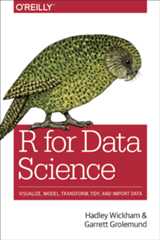
If you are new to using R Markdown, we encourage you to start with asystematic overview, rather than diving right in to readingdocumentation pages. The best place to start is the“Communication”section in the book “R for Data Science” (R4DS for short), anO’Reilly book written by Hadley Wickham and Garrett Grolemund.
Here are the chapters that cover R Markdown, as summarized by Hadleyand Garrett:
InRMarkdown, you will learn about R Markdown, a tool for integratingprose, code, and results. You can use R Markdown in notebook mode foranalyst-to-analyst communication, and in report mode foranalyst-to-decision-maker communication. Thanks to the power of RMarkdown formats, you can even use the same document for bothpurposes.
InRMarkdown formats, you’ll learn a little about the many othervarieties of outputs you can produce using R Markdown, includingdashboards, websites, and books.
We’ll finish up withR Markdownworkflow, where you’ll learn about the “analysis notebook” and howto systematically record your successes and failures so that you canlearn from them.
Tutorials
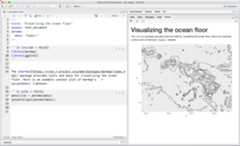
TheR Markdownwebsite offers a series of tutorials you can follow to see what ispossible with R Markdown.
These tutorials offer accompanyingRStudio Cloud lessons you can useright away in your browser.
You can also access links to all these tutorials in the“GetStarted” section from the top of this page.
User Guide
Written by the authors of thermarkdown package,R Markdown: The DefinitiveGuide provides a comprehensive user guide to the complete R Markdownecosystem for authoring documents. The book is published by Chapman& Hall/CRC, and you can read it online for free.
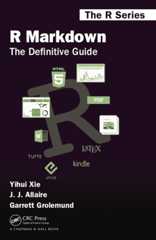
The book is structured into four parts:
Part Iintroduces how to install the relevant packages, and provides anoverview of R Markdown, including the possible output formats, theMarkdown syntax, the R code chunk syntax, and how to use other languagesin R Markdown.
Part IIis the detailed documentation of built-in output formats in thermarkdown package, including document formats and presentation formats.These output formats are “built-in” because you do not need any other Rpackages other than rmarkdown to use them.
Part IIIdocuments several R Markdown extension packages that enable you to builddifferent applications or generate output documents with differentstyles. These output formats are “extensions” because you will need toinstall R packages, in addition to rmarkdown, to use them.
PartIV covers advanced topics about R Markdown.
Going further with examples
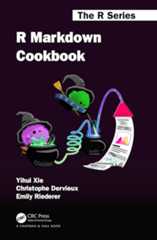
R MarkdownCookbook provides a range of examples on how to extend thefunctionality of your R Markdown documents. As a cookbook, this guide isrecommended to new and intermediate R Markdown users who desire toenhance the efficiency of using R Markdown and also explore the power ofR Markdown. The book is published by Chapman & Hall/CRC, and you canread it online for free.
This cookbook is not a full technical reference for R Markdown butaims to supplement, instead of replace, the existing literature. Thebook is thus organized by topics with example as self-contained aspossible so that readers can read this book with specific tasks in mindto do with R Markdown.
The topics are the following
Cheatsheets
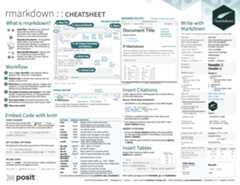
TheRMarkdown cheatsheet is a one page (two-sided) reference guide youcan download as a quick reference while you work.
You can access it from within the RStudio IDE:
- Help > Cheatsheets >
R Markdown Cheat Sheet
[8]ページ先頭